What to know
-
Notepad’s image support appears in preview builds via a toolbar button, tied to Markdown for inline image insertion and viewing.
-
The feature fills the gap left by WordPad’s removal, allowing formatted text with images like README files or notes.
-
Microsoft confirms internal tests show negligible performance effects; it’s enabled by default but toggleable in settings.
-
Rollout expected in coming months via Store update or Windows release, spotted first in Windows Insider previews.
Notepad on Windows 11 has evolved from a basic text editor into a more capable tool, and image support marks the latest step in that transformation. This upcoming update builds on recent Markdown additions, letting you work with richer documents without switching apps.
Recent Windows Insider builds reveal an “insert image” icon in Notepad’s toolbar, particularly in the “What’s new” dialog after updates.
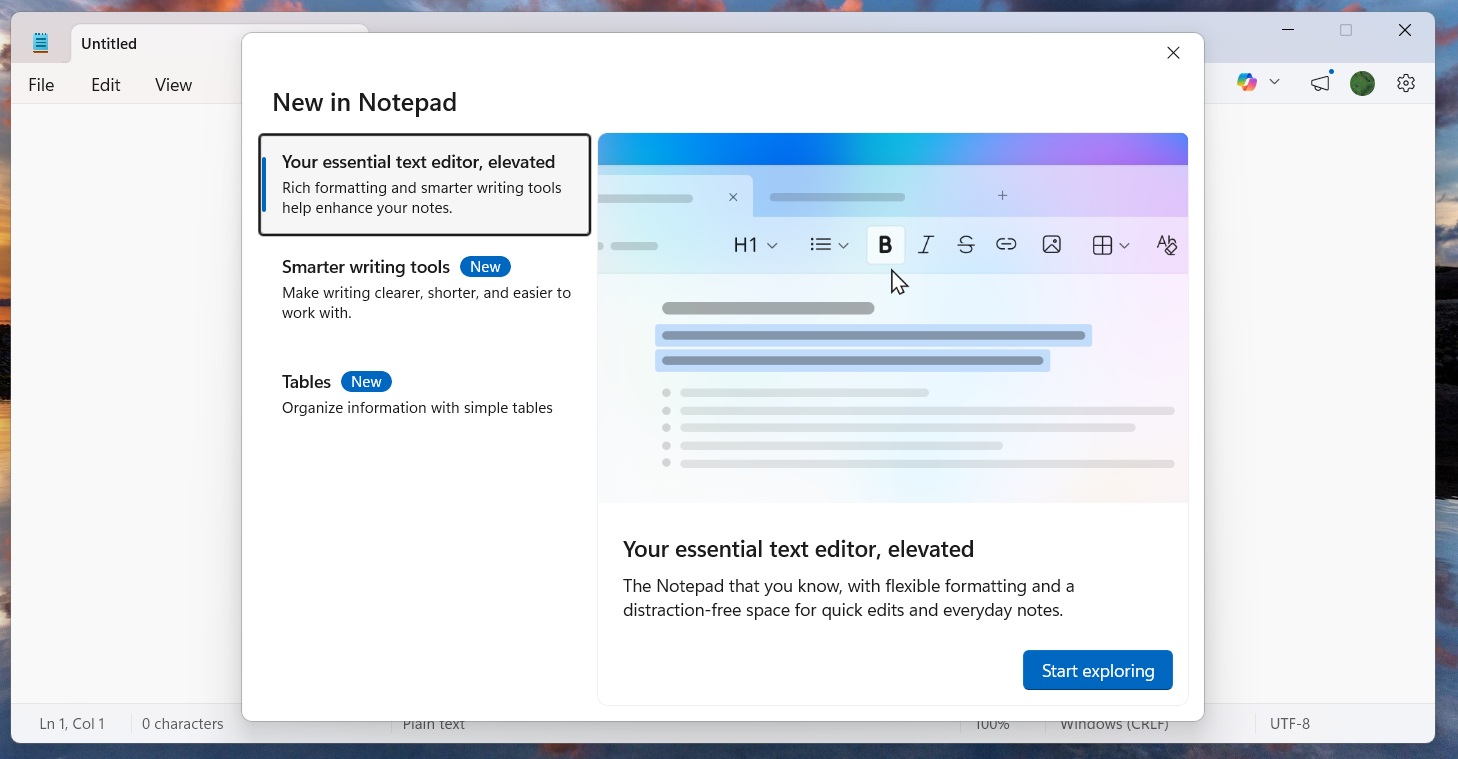
Though non-functional in early previews, Microsoft sources confirm active development for embedding images inline with text. You’ll likely insert via button, drag-and-drop, or paste, with Markdown syntax handling the backend—like for rendering.
Ties to Markdown and WordPad legacy
This feature extends Notepad’s Markdown toolkit, which already supports bold, italics, lists, tables, and links. WordPad, deprecated in Windows 11, previously offered similar image handling alongside richer formatting, pushing Microsoft to enhance Notepad as a lightweight alternative. In formatted view, images appear visually; switch to raw mode for plain Markdown code, keeping text focus intact.
Performance and user controls
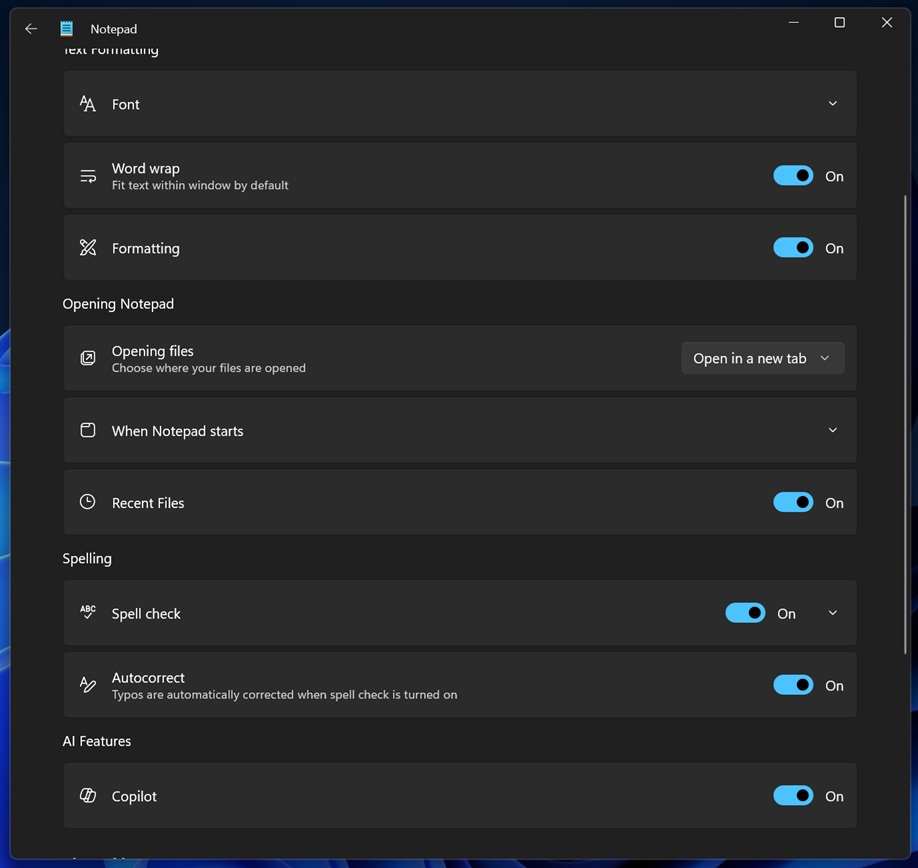
Internal Microsoft tests report “minimal impact” from images and Markdown, preserving Notepad’s snappiness even on modest hardware. The capability activates by default for new installs or updates, but settings let you disable image rendering alongside other formatting to revert to classic plain-text mode.
No major security flags noted yet, though past Markdown rollout exposed a vulnerability, highlighting risks of added complexity.
Timeline for wider rollout
Spotted in late February 2026 Insider previews, image support remains internal as of early March, with no firm public date announced. Expect deployment in coming months through Microsoft Store updates or bundled Windows releases, starting with Insiders. Track progress via official Windows Insider blogs for beta access.
Reactions to Notepad’s expansion
Traditionalists worry Microsoft is bloating Notepad, eroding its legendary simplicity and speed with creeping features. Others welcome flexibility for notes, docs, or Markdown files, especially post-WordPad. Toggle options address concerns, but cumulative changes could subtly affect responsiveness over time.
Image embedding positions Notepad as a versatile everyday editor on Windows 11, balancing power with opt-outs. Stay tuned for Insider rollouts to test it hands-on, and adjust settings to match your workflow.