
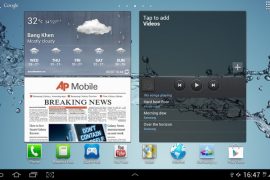
After making people wait for many months, Samsung recently started rolling out the Android 4.0 for their existing line of tablets, starting with the Galaxy Tab 7.7 P6800, bringing all the Ice Cream Sandwich features such as improved multitasking, better data management, a new interface, and more.
The update for the Galaxy Tab 7.7 – firmware XXLQ1 – is available online for manual flashing, in case the update hasn’t reached your device yet or if you do not want to wait for it to arrive. And the guide below will help you flash the Android 4.0.4 update on your tablet.
Important! Keep in mind that this firmware is ONLY for the Galaxy Tab P6800, which is the Wi-Fi+3G variant. It will NOT work on the P6810 aka the Wi-Fi-only variant.
Read on to find out how you can manually update your Galaxy Tab 7.7 to Android 4.0.
Compatibility
This ROM and the guide below are compatible only and only with the Samsung Galaxy Tab 7.7, model number P6800. It’s not compatible with any other device. Check your device model in Settings » About tablet.
Warning!
The methods and procedures discussed here are considered risky and you should not attempt anything if you don’t know exactly what you are doing. If any damage occurs to your device, we won’t be held liable.
How to Update Galaxy Tab 7.7 P6800 to Android 4.0 XXLQ1 Firmware
- First, download and install Kies on your computer in order to install the drivers for the tablet. After installing Kies, however, make sure Kies is NOT running. Exit it from the Taskbar at the bottom if it is running as it can interfere with the flashing process.
- To be sure you don’t lose data, backup your Apps and important data — bookmarks, contacts, SMS, APNs (internet settings), etc. This Android backup guide would help you.
Important! Don’t forget to at least make a backup of your APN settings, which you can restore later if your data connection does not work after installing the ROM. Use the backup guide to find out how. - Download the XXLQ1 Android 4.0.4 firmware:
Download Link | Filename: XXLQ1_OXALQ1_ATO.rar - Extract the XXLQ1_OXALQ1_ATO.rar file to get a folder with this file inside — P6800OXALQ1_P6800XXLQ1_HOME.tar.md5, which you will be using in Odin’s PDA box to be flashed on phone.
- Download Odin 1.85 from → here.
Filename: Odin3-v1.85.zip - Extract the contents of the Odin3-v1.85.zip file to a folder.
- Now, turn off your Galaxy Tab 7.7, then boot into Download Mode. To do so, press and hold the Volume Down + Power buttons till the screen turns on, then let go of the power button but KEEP holding the Volume Down button till you get a caution prompt asking you whether you want to enter download mode. Here, let go of the volume down button then press the Volume Up button to confirm and enter download mode.
- Open Odin (from step 3) — double-click the Odin3 v1.85.exe that you got after extracting the file Odin3-v1.85.zip.
- Connect your tablet to the computer. You should get the message “Added!” under Odin’s message box in the bottom left. If you don’t get this message, then probably there is a problem with drivers. Check that Kies is properly installed (but again, make sure it is not actively running even in the taskbar). Also try to switch to another USB port – preferably a USB port on the back if using a desktop computer.
- In ODIN, click the PDA tab, then select the file you obtained in step 4 — P6800OXALQ1_P6800XXLQ1_HOME.tar.md5.
- Important! Do not make any other changes in Odin except selecting the required file in PDA as given in step 9. Leave all other options as they are. Do NOT check the Re-partition option.
- Now, hit the START button to start flashing the XXLQ1 Android 4.0 firmware on your Galaxy Tab 7.7. After the flashing is complete, the tablet will automatically reboot. You’ll also get a PASS message in ODIN. You can now safely disconnect your tablet from the computer. What to do if Odin gets stuck: If ODIN gets stuck and doesn’t seem to be doing anything, or you get a FAIL message (with red background) in ODIN, disconnect the phone from the PC, close ODIN, remove battery, re-insert it, turn tablet on in Download mode again, and do the procedure again from Step 7.
- If you run into any roadblocks while flashing the firmware, let us know and we’ll help you out.
Your Galaxy Tab 7.7 has been successfully updated to Android 4.0.4 Ice Cream Sandwich. Let us know how it works for you, in the comments below.









334 responses to “ICS Android 4.0.4 Update for Samsung Galaxy Tab 7.7 P6800 [Guide]”
thank u its very smooth but there is apoint that e book does nt work..pls fix this
thank u its very smooth but there is apoint that e book does nt work..pls fix this
ODIN got stuck the first time but after following the instructions to disconnect and to reboot to Download mode again, it worked well. Many thanks!
ODIN got stuck the first time but after following the instructions to disconnect and to reboot to Download mode again, it worked well. Many thanks!
ODIN got stuck the first time but after following the instructions to disconnect and to reboot to Download mode again, it worked well. Many thanks!
Have anybody experienced screen picture quality reduction after the ICS update? I have a feeling that mine is not crisp anymore after the update 🙁
Have anybody experienced screen picture quality reduction after the ICS update? I have a feeling that mine is not crisp anymore after the update 🙁
Have anybody experienced screen picture quality reduction after the ICS update? I have a feeling that mine is not crisp anymore after the update 🙁
Thanks so much for this clear and concise guide. ICS is up and running on my tab and without any problems what so ever. I was amazed that most of my important data – messaging, phone, touchdown – were untouched on the device. I’m really impressed 🙂
Thanks so much for this clear and concise guide. ICS is up and running on my tab and without any problems what so ever. I was amazed that most of my important data – messaging, phone, touchdown – were untouched on the device. I’m really impressed 🙂
Thanks so much for this clear and concise guide. ICS is up and running on my tab and without any problems what so ever. I was amazed that most of my important data – messaging, phone, touchdown – were untouched on the device. I’m really impressed 🙂
i works really nice, but i’m concerned, if it is possible to remove this upgrade and reupgrade with official samsung update later?
I successfully updated my galaxy tab 7.7 by following the instructions. I just noticed that my wallpaper is not scrolling anymore when moving from one screen to another. I just couldn’t find the setting. Did i miss anything? Also, the pictures of those in my contact list that was synced from facebook was missing after the update. I had to reinstall fb for android and re”join” my contacts in the device with that in Facebook.
On the bright side, it did make my 7.7 more responsive.
When I tried flashing the ICS on my P6800 as per the steps above. I got this messages:
Added!!
Enter CS for MD5..
Check MD5.. Do not unplug the cable..
Please wait..
P6800OXALQ1_P6800XXLQ1_HOME.tar.md5 is valid.
Checking MD5 finished Sucessfully..
Leave CS..
Odin v.3 engine (ID:5)..
File analysis..
SetupConnection..
All threads completed. (succeed 0 / failed 1)
Removed!!
What should I do now? 🙁
i works really nice, but i’m concerned, if it is possible to remove this upgrade and reupgrade with official samsung update later?
i works really nice, but i’m concerned, if it is possible to remove this upgrade and reupgrade with official samsung update later?
I successfully updated my galaxy tab 7.7 by following the instructions. I just noticed that my wallpaper is not scrolling anymore when moving from one screen to another. I just couldn’t find the setting. Did i miss anything? Also, the pictures of those in my contact list that was synced from facebook was missing after the update. I had to reinstall fb for android and re”join” my contacts in the device with that in Facebook.
On the bright side, it did make my 7.7 more responsive.
I successfully updated my galaxy tab 7.7 by following the instructions. I just noticed that my wallpaper is not scrolling anymore when moving from one screen to another. I just couldn’t find the setting. Did i miss anything? Also, the pictures of those in my contact list that was synced from facebook was missing after the update. I had to reinstall fb for android and re”join” my contacts in the device with that in Facebook.
On the bright side, it did make my 7.7 more responsive.
When I tried flashing the ICS on my P6800 as per the steps above. I got this messages:
Added!!
Enter CS for MD5..
Check MD5.. Do not unplug the cable..
Please wait..
P6800OXALQ1_P6800XXLQ1_HOME.tar.md5 is valid.
Checking MD5 finished Sucessfully..
Leave CS..
Odin v.3 engine (ID:5)..
File analysis..
SetupConnection..
All threads completed. (succeed 0 / failed 1)
Removed!!
What should I do now? 🙁
When I tried flashing the ICS on my P6800 as per the steps above. I got this messages:
Added!!
Enter CS for MD5..
Check MD5.. Do not unplug the cable..
Please wait..
P6800OXALQ1_P6800XXLQ1_HOME.tar.md5 is valid.
Checking MD5 finished Sucessfully..
Leave CS..
Odin v.3 engine (ID:5)..
File analysis..
SetupConnection..
All threads completed. (succeed 0 / failed 1)
Removed!!
What should I do now? 🙁
Flashed ICS on my GT-PT6800 and it works. The instructions were very clear. Thanks
Flashed ICS on my GT-PT6800 and it works. The instructions were very clear. Thanks
Flashed ICS on my GT-PT6800 and it works. The instructions were very clear. Thanks
Hi! Thanks for the guide. I have installed it on my samsung galaxy tab 7.7 p6800 and it works. but the thing is, the camera still uses the old HoneyComb one. I hope you can help me on this.
kind regards 🙂
Thank you Very much ABHIJIT……I am certainly able to update to ICS with my new GT6800.
Great help buddy!
Thank you once again and I will explore ICS for few days now!
I am in bit of trouble my tab now works on Mobile data but it gives up Wireless connection if you don;t use it as soon as it booted.
Once i keep watching long playlist on youtube then it works fine.But if you stop watching it just gives up. Again i have restart and do it again.So can;t tell that i have flashed wrong ROM also…
Tried to reflash it twice or trice..same issue….please help.
do u find any solution for this problem??,,,,as i face the same issue..
Dear Abhijit,,,
I am facing problem with Wifi dropping after flashing to this Rom.
Please help!
It works every time for short duration whenever i restart my tab.
Need ur advise!
i got the same issue…did you fix yours??? i planning to get back to honeycomb because this wifi droppping irritates me…. pls help thanks
Just updated and everything seems to be working well. Thanks for the manual!
Hi! Thanks for the guide. I have installed it on my samsung galaxy tab 7.7 p6800 and it works. but the thing is, the camera still uses the old HoneyComb one. I hope you can help me on this.
kind regards 🙂
Hi! Thanks for the guide. I have installed it on my samsung galaxy tab 7.7 p6800 and it works. but the thing is, the camera still uses the old HoneyComb one. I hope you can help me on this.
kind regards 🙂
Thank you Very much ABHIJIT……I am certainly able to update to ICS with my new GT6800.
Great help buddy!
Thank you once again and I will explore ICS for few days now!
I am in bit of trouble my tab now works on Mobile data but it gives up Wireless connection if you don;t use it as soon as it booted.
Once i keep watching long playlist on youtube then it works fine.But if you stop watching it just gives up. Again i have restart and do it again.So can;t tell that i have flashed wrong ROM also…
Tried to reflash it twice or trice..same issue….please help.
do u find any solution for this problem??,,,,as i face the same issue..
Thank you Very much ABHIJIT……I am certainly able to update to ICS with my new GT6800.
Great help buddy!
Thank you once again and I will explore ICS for few days now!
I am in bit of trouble my tab now works on Mobile data but it gives up Wireless connection if you don;t use it as soon as it booted.
Once i keep watching long playlist on youtube then it works fine.But if you stop watching it just gives up. Again i have restart and do it again.So can;t tell that i have flashed wrong ROM also…
Tried to reflash it twice or trice..same issue….please help.
do u find any solution for this problem??,,,,as i face the same issue..
Dear Abhijit,,,
I am facing problem with Wifi dropping after flashing to this Rom.
Please help!
It works every time for short duration whenever i restart my tab.
Need ur advise!
i got the same issue…did you fix yours??? i planning to get back to honeycomb because this wifi droppping irritates me…. pls help thanks
Dear Abhijit,,,
I am facing problem with Wifi dropping after flashing to this Rom.
Please help!
It works every time for short duration whenever i restart my tab.
Need ur advise!
i got the same issue…did you fix yours??? i planning to get back to honeycomb because this wifi droppping irritates me…. pls help thanks
Just updated and everything seems to be working well. Thanks for the manual!
Just updated and everything seems to be working well. Thanks for the manual!
Thank you very much. This has worked very smoothly
Thank you very much. This has worked very smoothly
Thank you very much. This has worked very smoothly
Very very Good!! Works branded!
dont have to factory reset and wipe cash? before install it?
Very very Good!! Works branded!
Very very Good!! Works branded!
how did you guys backup the APN settings? Do we need to do it?
dont have to factory reset and wipe cash? before install it?
dont have to factory reset and wipe cash? before install it?
it’s works fine
thx!
how did you guys backup the APN settings? Do we need to do it?
how did you guys backup the APN settings? Do we need to do it?
it’s works fine
thx!
it’s works fine
thx!