
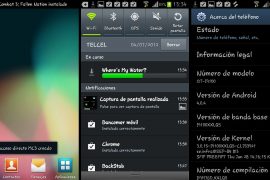
The disappointing news a few days ago that the Galaxy S2 will not be getting updated to Android 4.0.4 and will be stuck at 4.0.3 has been null and voided by an actual Android 4.0.4 firmware that has leaked for the phone — XXLQ5. Android 4.0.4 is quite smoother and faster and more stable than 4.0.3, so people stuck on the not-so-smooth 4.0.3 on the Galaxy S2 will be very happy.
Keep in mind that XXLQ5 is a leaked hence unfinished firmware, and while it may work without any major problems, it may have a few bugs and issues. There are reports that the firmware is quite smoother than previous ones without any noticeable problems, so it is completely usable as a daily driver.
Read on to find out how you can update your Galaxy S2 to Android 4.0.4 with the XXLQ5 firmware.
Compatibility
This firmware and the guide below are compatible only and only with Galaxy S2, model number I9100. It’s not compatible with the I9100G or any other device. Check your device’s model number in: Settings » About phone.
Warning!
The methods and procedures discussed here are considered risky and you should not attempt anything if you don’t know completely what it is. If any damage occurs to your device, we won’t be held liable.
How to Install XXLQ5 Android 4.0.4 Firmware on Galaxy S2 i9100
- This procedure will wipe all your apps, data and settings (but it will NOT touch your SD cards, so don’t worry about those). Backup your Apps and important data — bookmarks, contacts, SMS, APNs (internet settings), etc. This Android backup guide would help you.
Important! Don’t forget to at least make a backup of your APN settings, which you can restore later if your data connection does not work after installing the ROM. Use the backup guide to find out how. - It’s important you’ve the proper drivers for the phone installed. If you have installed Samsung’s Kies software, you already have the drivers, so download them only if you haven’t installed Kies.
Download links: 32 bit (x86) Windows | 64-bit (x64) Windows - Download the firmware.
Download XXLQ5 | Filename: I9100XXLQ5_I9100OXALQ5_OXA.zip | Size: 387 MB - Extract the downloaded zip file once to get the following files (you might see the file name end with .tar instead of .md5 as the file extension is usually hidden, so it’s normal):
- I9100_CODE_I9100XXLQ5_CL753921_REV02_user_low_ship.tar.md5
- GT-I9100-MULTI-CSC-OXALQ5.tar.md5
- MODEM_I9100XXLQ5_REV_02_CL1165929.tar.md5
- u1_02_20120326_emmc_EXT4_8GB.pit [ignore this one]
- Download Odin 1.85 from → here.
Filename: Odin 1.85.zip | Size: 199 KB - Extract the contents of the Odin 1.85.zip file to a folder.
- Disconnect your phone if it’s connected to PC, then switch it off.
- Now, put the Galaxy S2 in Download Mode — press and hold these keys together: Volume Down + Home + Power. A Warning! screen will come up; press Volume Up key to continue to enter Download Mode.
- Open Odin — double-click the Odin3 v1.85.exe that you got after extracting the file Odin 1.85.zip.
- Connect your phone to PC now. You should get the message “Added!” under Odin’s message box in the bottom left.
If you don’t get this message, then probably there is a problem with drivers. Make sure you’ve proper drivers installed (check step 2). Also, uninstall Kies from the Control Panel as well (this will leave the drivers on the computer but remove Kies which can interfere with the procedure). - In ODIN, do the following:
- Click on PDA and select I9100_CODE_I9100XXLQ5_CL753921_REV02_user_low_ship.tar.md5 (from step 4.1)
- Click on PHONE and select MODEM_I9100XXLQ5_REV_02_CL1165929.tar.md5.
- Click on CSC and select GT-I9100-MULTI-CSC-OXALQ5.tar.md5.
- Important! Do not make any other changes in Odin except selecting the required files as given in step 11. Leave all other options as they are. Your ODIN screen should look this after making necessary changes (the COM# in the yellow box may be different which is normal):

- Now, hit the START button to start flashing the firmware. When the flashing is complete, your phone will automatically reboot — and when you see the Samsung logo, you can safely unplug the cable. Plus, you’ll get a PASS (with green background) message in the left-most box at the very top of the Odin. What to do if Odin gets stuck: If ODIN gets stuck and doesn’t seem to be doing anything, or you get a FAIL message (with red background) in ODIN, disconnect the phone from the PC, close ODIN, remove battery, re-insert it, turn phone on in Download mode again, and do the procedure again from Step 9.
- If you run into any roadblocks while flashing the firmware, let us know and we’ll help you out.

XXLQ5 firmware, based on Android 4.0.4 Ice Cream Sandwich is now up and running on your Galaxy S2 i9100. Try it out and let us know how it works for you, in the comments below.







239 responses to “ICS Android 4.0.4 Update for Samsung Galaxy S2 International Version i9100”
what is different between
XXLQ5 and XXLPQ, which one is the latest one?
XXLQ5 is for Europe and XXLPQ is for Asia
My S2’s Camera screen doesn’t show up but it can take pictures…. Help please
GUYS DON’T USE THE ROOT FILE LISTED ABOVE !
it causes video playback not to work correctly (When you play a video you can hear the audio but you only see black) and the camera is the same you can take pictures but the screen appears black…
If you already had rooted your SGS2 and you are having this problem re-flash and don’t root -,-
GUYS DON’T USE THE ROOT FILE LISTED ABOVE !
it causes video playback not to work correctly (When you play a video you can hear the audio but you only see black) and the camera is the same you can take pictures but the screen appears black…
If you already had rooted your SGS2 and you are having this problem re-flash and don’t root -,-
GUYS DON’T USE THE ROOT FILE LISTED ABOVE !
it causes video playback not to work correctly (When you play a video you can hear the audio but you only see black) and the camera is the same you can take pictures but the screen appears black…
If you already had rooted your SGS2 and you are having this problem re-flash and don’t root -,-
I Got My Cell Updated With The NEW XXLQ5 Update For Samsung Galaxy S2 But Since Then My ODIN IS’NT BEEN ABLE To Detect My Cell Phone For Flashing As I Wanted MY Cell To Revert Back To 4.0.3 PLEASE HELP
Hi, from Portugal, I did the upgrade without problems, seems as it works well but the scenn have a fixed backgroud info in several lines, like that HW:REV_ / PDA:I90100XXLQ5 / Phone:
I90100XXLQ5 / CSC: Unknow / UniqueNumber: N
How can I delete this info?
Thanks
That’s my problem also, then when you remove your simcard it will go away.. Looking for resolution to fix this.. so frustrated.. 🙁
did u find the solution …i have a same problem
.i have a same problem
I Got My Cell Updated With The NEW XXLQ5 Update For Samsung Galaxy S2 But Since Then My ODIN IS’NT BEEN ABLE To Detect My Cell Phone For Flashing As I Wanted MY Cell To Revert Back To 4.0.3 PLEASE HELP
I Got My Cell Updated With The NEW XXLQ5 Update For Samsung Galaxy S2 But Since Then My ODIN IS’NT BEEN ABLE To Detect My Cell Phone For Flashing As I Wanted MY Cell To Revert Back To 4.0.3 PLEASE HELP
Ok I have the XXLQ5 rooted on my s2. I am in asia. and am experiencing problems with camera, not sure about video playback. Can I just reflash and revert back to previous rom, I want my phone rooted.
Hi, from Portugal, I did the upgrade without problems, seems as it works well but the scenn have a fixed backgroud info in several lines, like that HW:REV_ / PDA:I90100XXLQ5 / Phone:
I90100XXLQ5 / CSC: Unknow / UniqueNumber: N
How can I delete this info?
Thanks
That’s my problem also, then when you remove your simcard it will go away.. Looking for resolution to fix this.. so frustrated.. 🙁
That’s my problem also, then when you remove your simcard it will go away.. Looking for resolution to fix this.. so frustrated.. 🙁
did u find the solution …i have a same problem
.i have a same problem
Hi, from Portugal, I did the upgrade without problems, seems as it works well but the scenn have a fixed backgroud info in several lines, like that HW:REV_ / PDA:I90100XXLQ5 / Phone:
I90100XXLQ5 / CSC: Unknow / UniqueNumber: N
How can I delete this info?
Thanks
That’s my problem also, then when you remove your simcard it will go away.. Looking for resolution to fix this.. so frustrated.. 🙁
did u find the solution …i have a same problem
.i have a same problem
Ok I have the XXLQ5 rooted on my s2. I am in asia. and am experiencing problems with camera, not sure about video playback. Can I just reflash and revert back to previous rom, I want my phone rooted.
Ok I have the XXLQ5 rooted on my s2. I am in asia. and am experiencing problems with camera, not sure about video playback. Can I just reflash and revert back to previous rom, I want my phone rooted.
my phone
PDA: I9100XWLP7MODEM: I9100XXLP7CSC: I9100XEULP5
so i can i upgrade it or not cause im afraid modem csc r for wifi and mobile sim card use which is diffrent for each country so can only use pda file to upgrade???
my phone
PDA: I9100XWLP7MODEM: I9100XXLP7CSC: I9100XEULP5
so i can i upgrade it or not cause im afraid modem csc r for wifi and mobile sim card use which is diffrent for each country so can only use pda file to upgrade???
my phone
PDA: I9100XWLP7MODEM: I9100XXLP7CSC: I9100XEULP5
so i can i upgrade it or not cause im afraid modem csc r for wifi and mobile sim card use which is diffrent for each country so can only use pda file to upgrade???
I have this error on my screen after updating it to 4.04.. can someone help me remove this? help!
I have this error on my screen after updating it to 4.04.. can someone help me remove this? help!
I have this error on my screen after updating it to 4.04.. can someone help me remove this? help!
just updated my S2 using Kies in UK, Android 4.04.
just updated my S2 using Kies in UK, Android 4.04.
just updated my S2 using Kies in UK, Android 4.04.
Hi , I have installed in my galaxy s2 “XXLQ6” which is not indian
version. Now i want to download indian firmware in my phone. I have
tried “DDLPA ” but its not getting install, may be due to lack of .PIT , PDA and CSC file. Can you advise me on same.
Hi , I have installed in my galaxy s2 “XXLQ6” which is not indian
version. Now i want to download indian firmware in my phone. I have
tried “DDLPA ” but its not getting install, may be due to lack of .PIT , PDA and CSC file. Can you advise me on same.
Hi , I have installed in my galaxy s2 “XXLQ6” which is not indian
version. Now i want to download indian firmware in my phone. I have
tried “DDLPA ” but its not getting install, may be due to lack of .PIT , PDA and CSC file. Can you advise me on same.
It works perfect! Thank you guys.
It works perfect! Thank you guys.
It works perfect! Thank you guys.
please remove this post – many people hardbricked they phones
– NOT SAFE – DON’T USE IT –
very true. In my case ODIN says pass, but phone is not able to install the update. 🙁
please remove this post – many people hardbricked they phones
– NOT SAFE – DON’T USE IT –
very true. In my case ODIN says pass, but phone is not able to install the update. 🙁
please remove this post – many people hardbricked they phones
– NOT SAFE – DON’T USE IT –
very true. In my case ODIN says pass, but phone is not able to install the update. 🙁
MY PHONE DONT OPEN PLS HELP ME WHAT I AM GOING TO DO WITH MY PHONE
MY PHONE DONT OPEN PLS HELP ME WHAT I AM GOING TO DO WITH MY PHONE
MY PHONE DONT OPEN PLS HELP ME WHAT I AM GOING TO DO WITH MY PHONE
thanks bro i updated it very sucessfully update is awesome if anyone has quiers can contact me ill help u [email protected]
thanks bro i updated it very sucessfully update is awesome if anyone has quiers can contact me ill help u [email protected]
thanks bro i updated it very sucessfully update is awesome if anyone has quiers can contact me ill help u [email protected]
can i use XXLQ5 in asia?
can i use XXLQ5 in asia?
can i use XXLQ5 in asia?
do NOT! i repeat DO NOT DOWNLOAD AND USE THIS FIRMWARE!!! i can potentially brick ur phone and you will osse video and cam ability leaving searching the internet for endless hours figuring out a solution!! STAY AWAY!! DO NOT FLASH 4.0.4 even with the xxlq5 or qqlq6 or 7. they will all make u reflash back to stock.
i think my phone working well after im flash with 4.0.4.. hiihihi
do NOT! i repeat DO NOT DOWNLOAD AND USE THIS FIRMWARE!!! i can potentially brick ur phone and you will osse video and cam ability leaving searching the internet for endless hours figuring out a solution!! STAY AWAY!! DO NOT FLASH 4.0.4 even with the xxlq5 or qqlq6 or 7. they will all make u reflash back to stock.
i think my phone working well after im flash with 4.0.4.. hiihihi
do NOT! i repeat DO NOT DOWNLOAD AND USE THIS FIRMWARE!!! i can potentially brick ur phone and you will osse video and cam ability leaving searching the internet for endless hours figuring out a solution!! STAY AWAY!! DO NOT FLASH 4.0.4 even with the xxlq5 or qqlq6 or 7. they will all make u reflash back to stock.
i think my phone working well after im flash with 4.0.4.. hiihihi
It seems to me that upgrading to android 4.0.4 is not a good choice. Just wasted my internet quoter!!
It seems to me that upgrading to android 4.0.4 is not a good choice. Just wasted my internet quoter!!
It seems to me that upgrading to android 4.0.4 is not a good choice. Just wasted my internet quoter!!
Why does mine keeps on failing?? I keep getting the red fail sign. It does not continue. PLEASE HELP
Why does mine keeps on failing?? I keep getting the red fail sign. It does not continue. PLEASE HELP
Why does mine keeps on failing?? I keep getting the red fail sign. It does not continue. PLEASE HELP
i rooted my phone yesterday but on boot screen it freezes what can i do i did recovery and factory reset but still phone don’t wanna turn on…help somebody?