

If you are ready to move your Parafolk to a different location or simply want to free up funds, selling a house in Paralives is a very quick process. The game handles everything through the world map interface, so you do not need to enter Build Mode or contact any in-game service. As long as you own the property, you can sell it directly from the lot menu in just a few moments.
How the house selling system works in Paralives
In Paralives, houses are tied to lots on the world map. Every owned property displays a visible lot marker when you zoom out far enough. The selling option is attached to this lot interface rather than the house itself.
| Quick Overview | Details |
|---|---|
| Feature | House Selling |
| Game | Paralives |
| Requirement | Own a residential lot |
| Main Menu Used | World Map / Lot View |
| Sale Type | Entire property lot |
| Confirmation Needed | Yes |
| Result | House ownership removed |
This means you cannot sell furniture separately through the lot menu. Instead, the whole property is transferred at once, including the home built on it. After the sale is completed, your active household no longer owns or lives on that lot.
How to sell a house in Paralives
Step 1
Open your current save file and load into the household that owns the property you want to sell.
Step 2
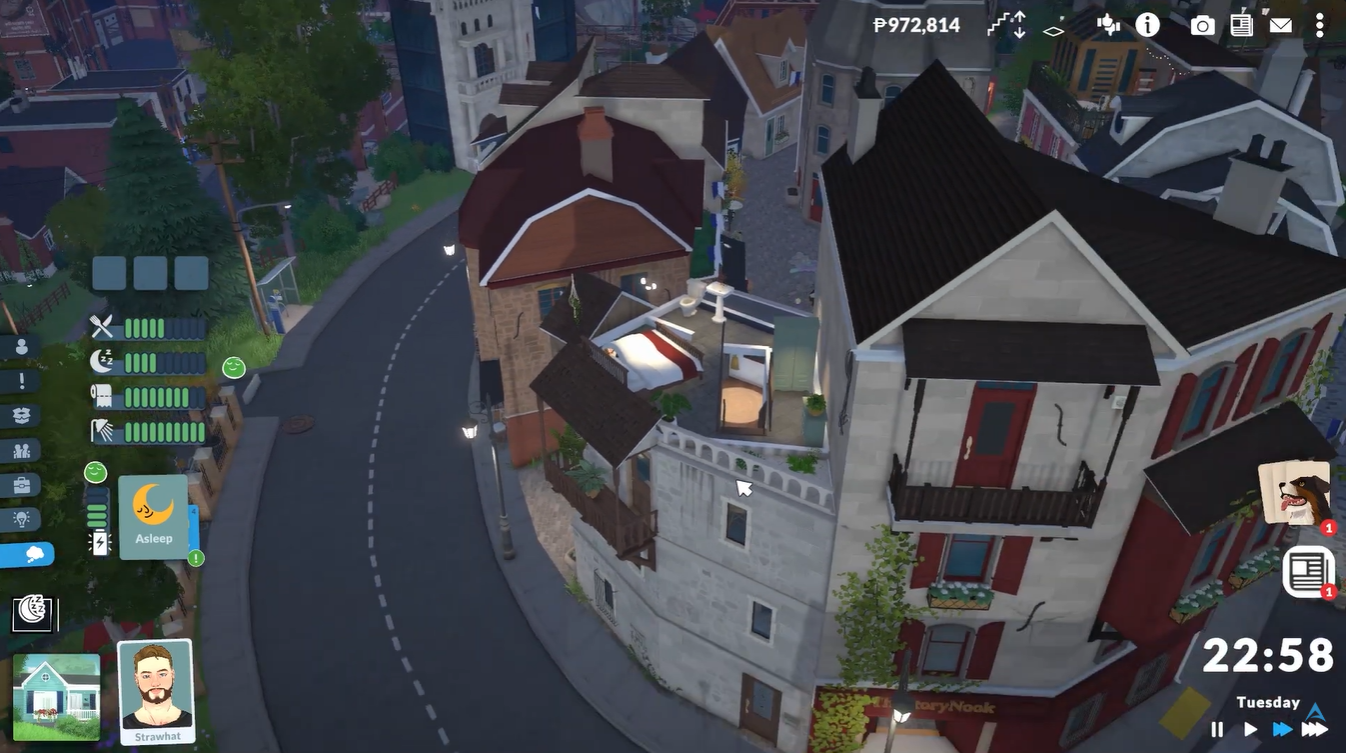
Zoom the camera all the way out until the neighborhood or world view becomes visible. You should now see a green lot icon above your home.
Step 3
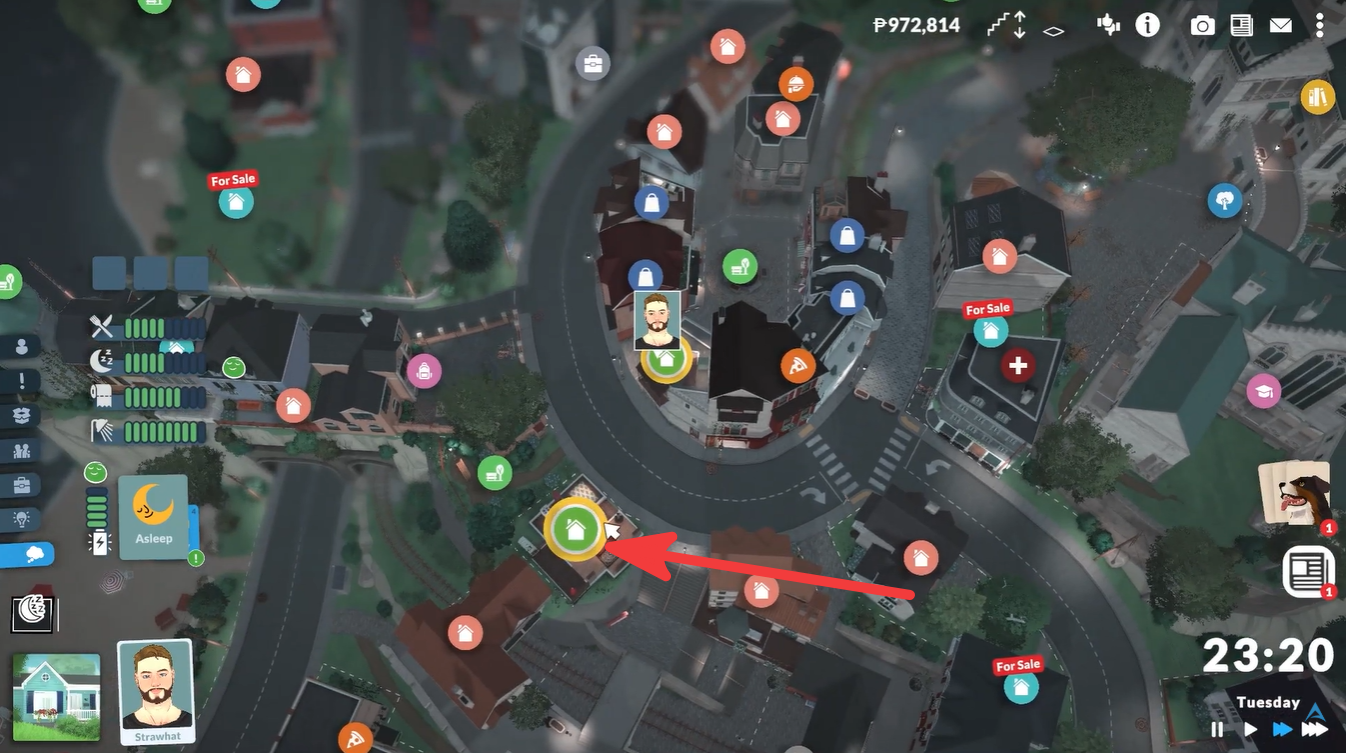
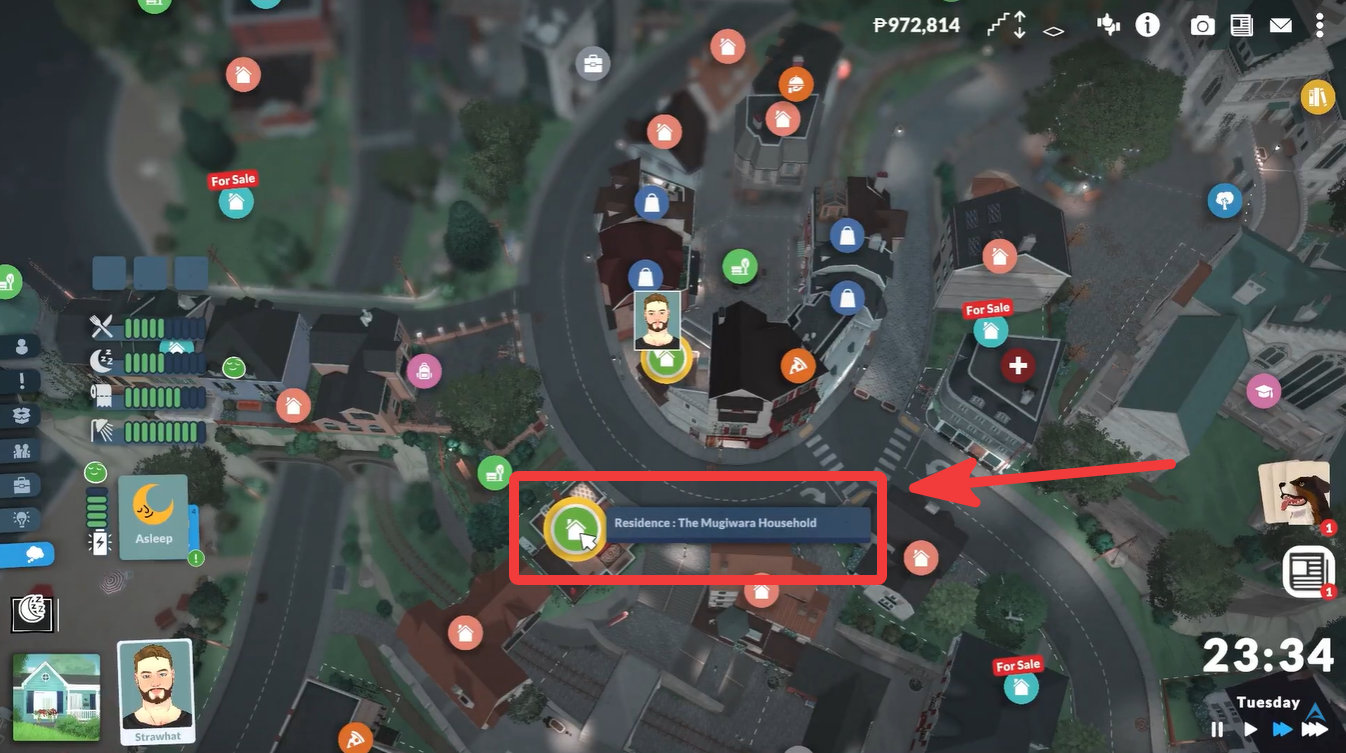
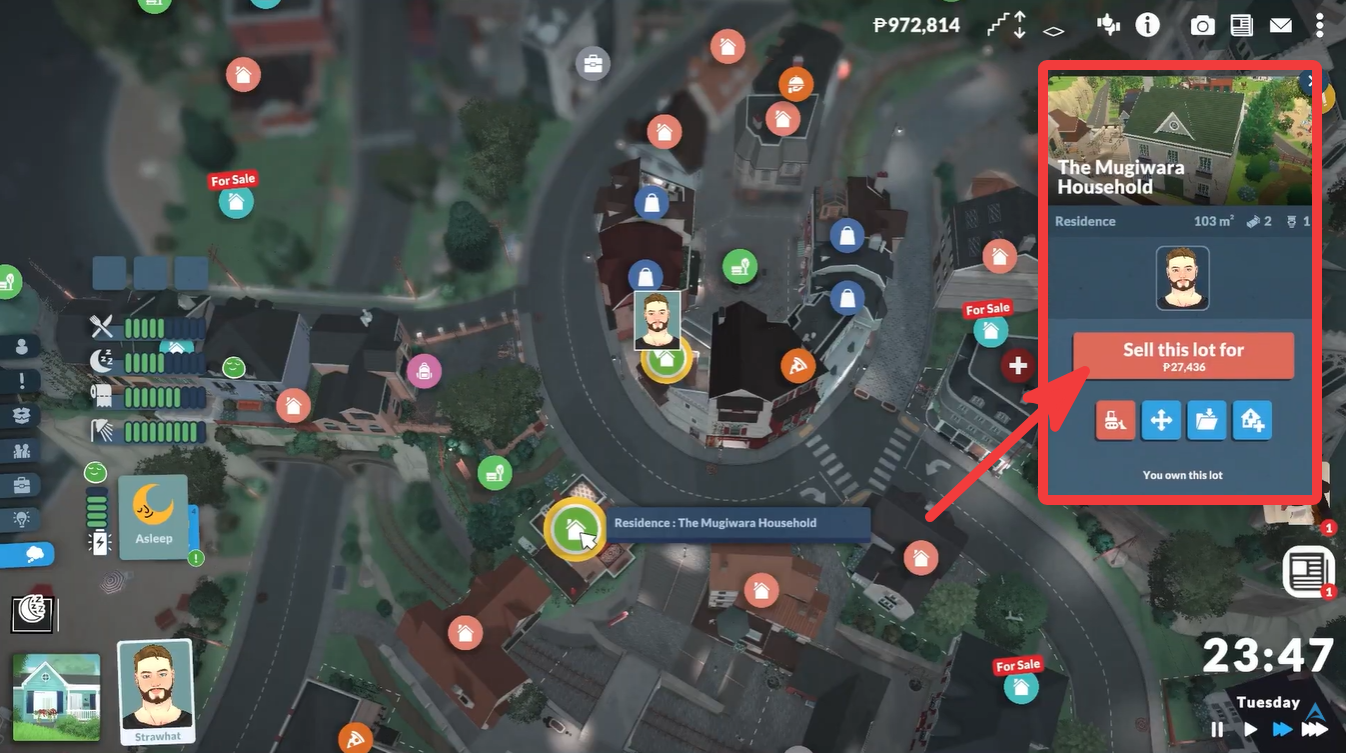
Click on the green lot icon for the property you want to sell. This opens the lot management panel.
Step 4
Look toward the right side of the screen where the property options appear. Find the Sell Lot option.
Step 5
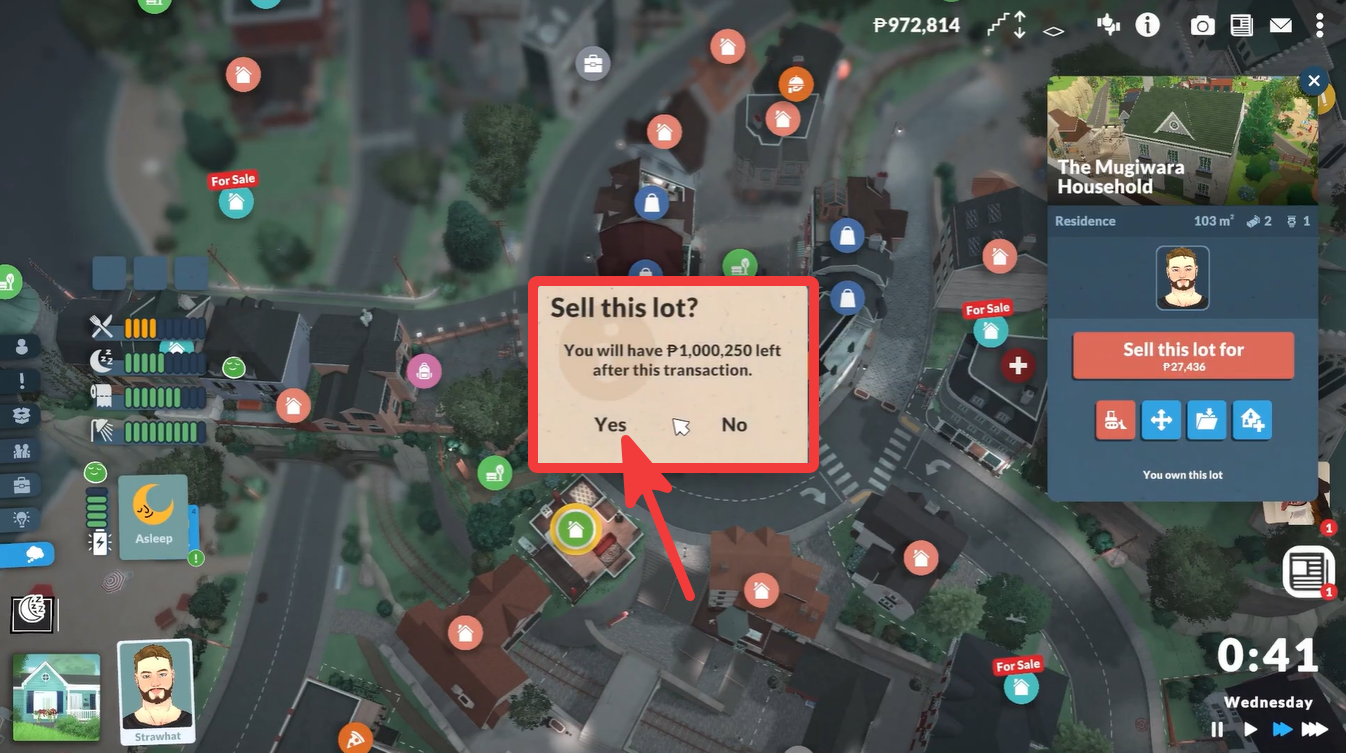
Select the option to sell the entire property to another household. A confirmation pop-up will appear asking if you are sure you want to continue. Choose Yes to finalize the transaction.
Step 6
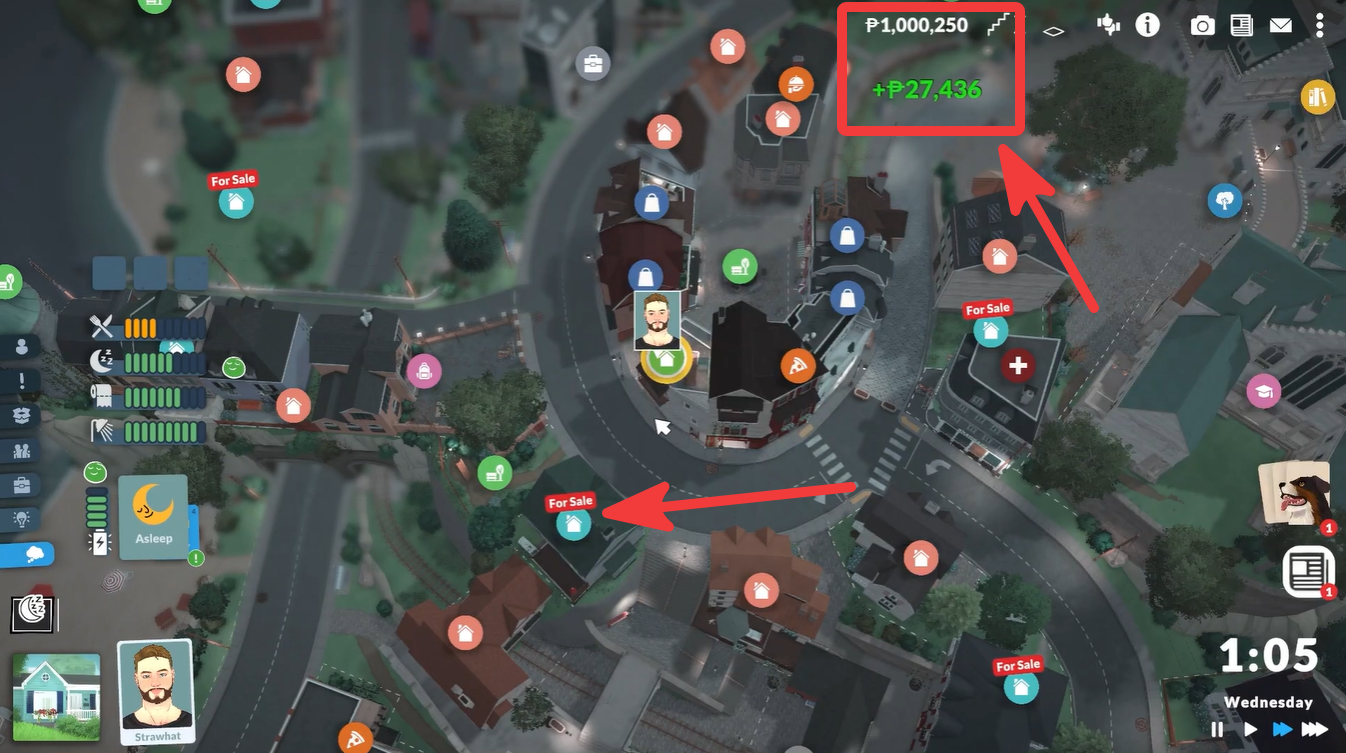
After confirmation, the sale completes immediately and the house is no longer your active residence.
Important things to remember before selling
Before confirming the sale, make sure your household is prepared to move elsewhere. Since the property ownership is removed instantly, your Parafolks will need another place to live afterward.
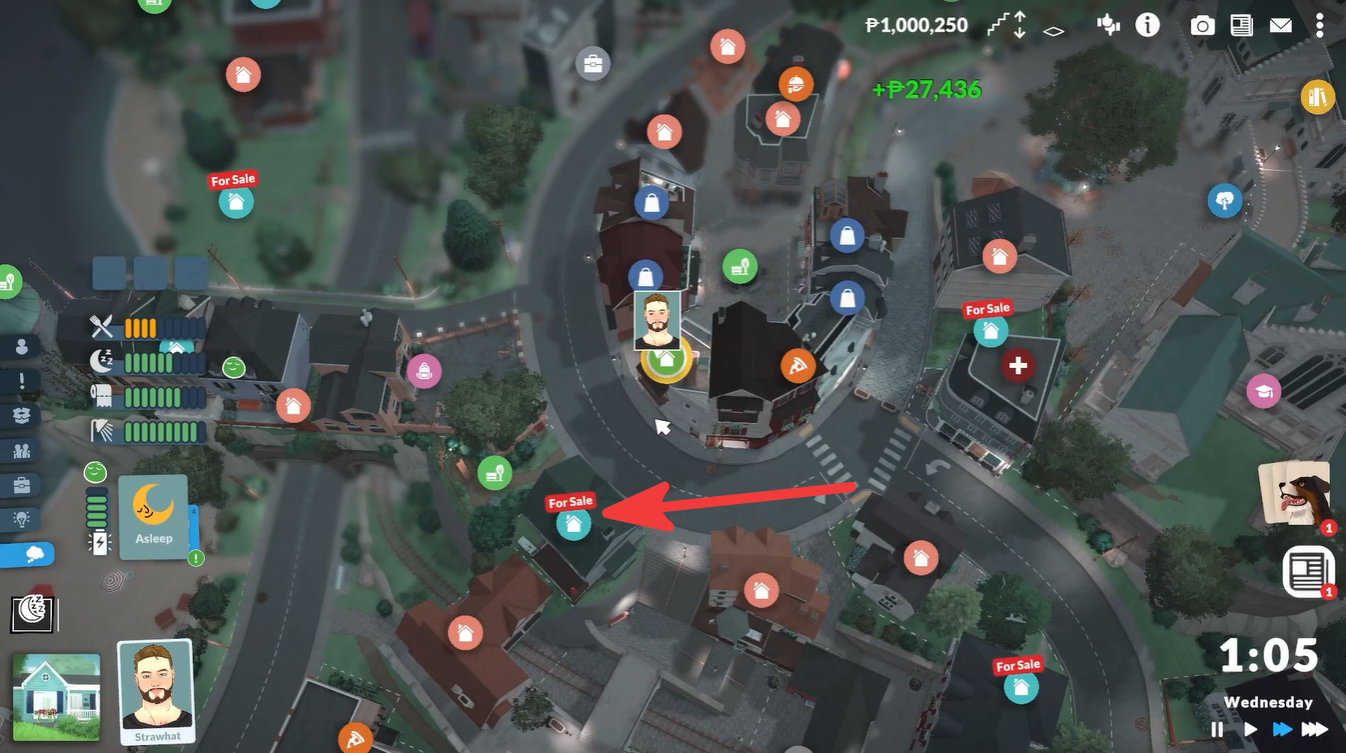
It is also important to understand that selling the lot affects the entire household residence, not just the building itself. If you spent time decorating or customizing the home, those changes remain with the property after it is sold.
| Before Selling | Why It Matters |
|---|---|
| Save your game | Prevent accidental loss |
| Check household funds | Ensure enough money for relocation |
| Prepare a new home | Your Parafolks lose residence access |
| Review the confirmation popup | Sale is immediate |
When to sell houses in Paralives
Players commonly sell homes when upgrading to a larger property, relocating closer to jobs or community areas, or managing finances early in the game. Since Paralives focuses heavily on life simulation and neighborhood interaction, moving between homes becomes part of long-term progression.
Selling can also help if you want to redesign your living situation completely instead of renovating an existing structure.
Moving out smoothly after selling your home
If you plan to relocate immediately after selling, it helps to already know where your next home will be. Many players first purchase a new lot and then sell the old one afterward to avoid temporary housing issues.
You can also use the world map to compare nearby available houses before finalizing the sale. This makes transitioning between homes much easier and prevents interruptions to your household routine.
Selling a house in Paralives is intentionally streamlined so players can move households around the town quickly. By simply zooming out, selecting the property icon, and confirming the sale, you can transfer ownership of your home within seconds. As long as you prepare another place to live beforehand, the entire process is fast and easy.






Leave a Reply