

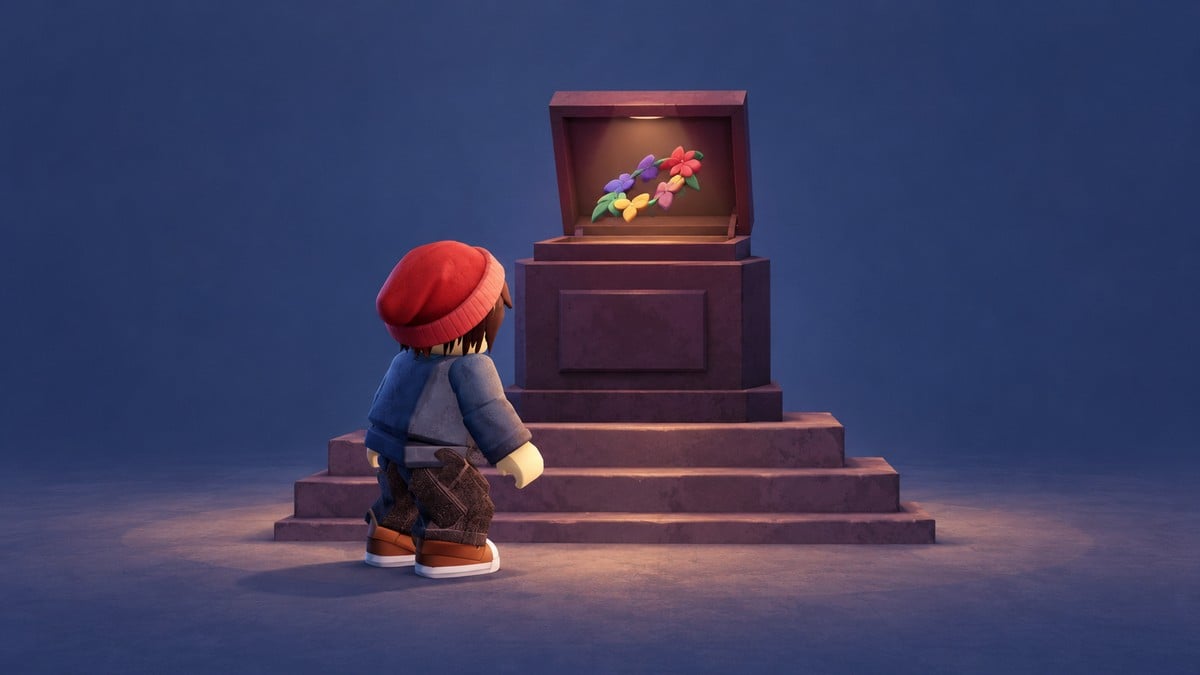
Collect 200 pumpkins in Dandy’s World’s Hollow event, earn The Hollow 2026 badge, then redeem it in The Hollow and claim the Reeling Petal Garland.
The Reeling Petal Garland is an avatar item connected to Dandy’s World’s activity in Roblox Hollow. The collection objective takes place inside Dandy’s World, while the item claim happens back in The Hollow hub.
Finishing the objective earns a badge, with tickets and the garland available through the hub’s reward controls. This guide covers entering the event, gathering pumpkins, and redeeming your rewards.
How to get the Reeling Petal Garland in Roblox Hollow
Enter Dandy’s World and join the event, complete the pumpkin objective, then return to The Hollow to redeem your badge and claim the garland.
Part 1 – Enter Dandy’s World and join The Hollow event
Enter the Dandy’s World portal
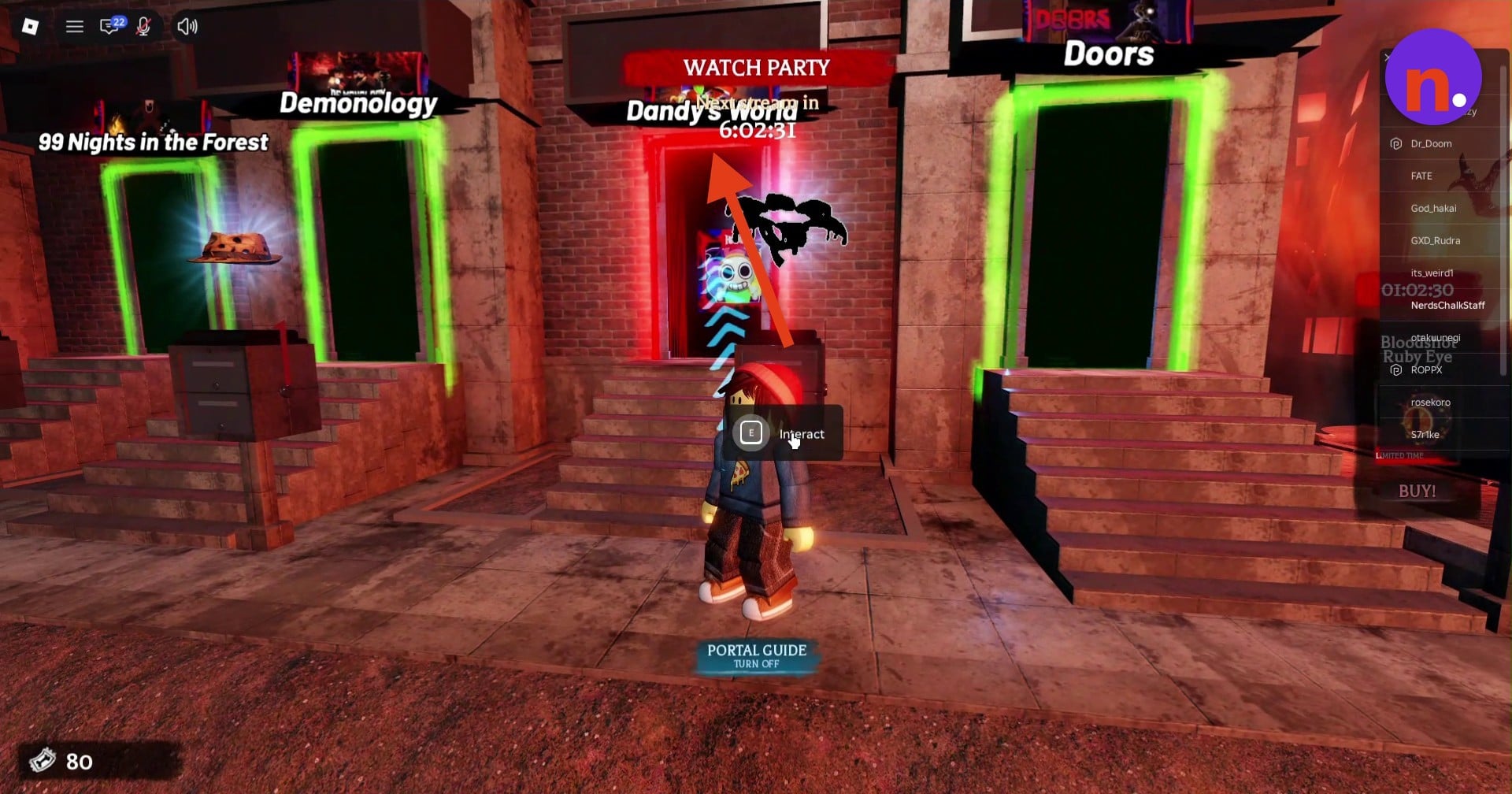
You can select Inspect on the item before setting off. In The Hollow hub’s courtyard, find the red Dandy’s World portal among the game entrances; it displays an E / Interact prompt. Walk through the doorway to open the teleport confirmation.
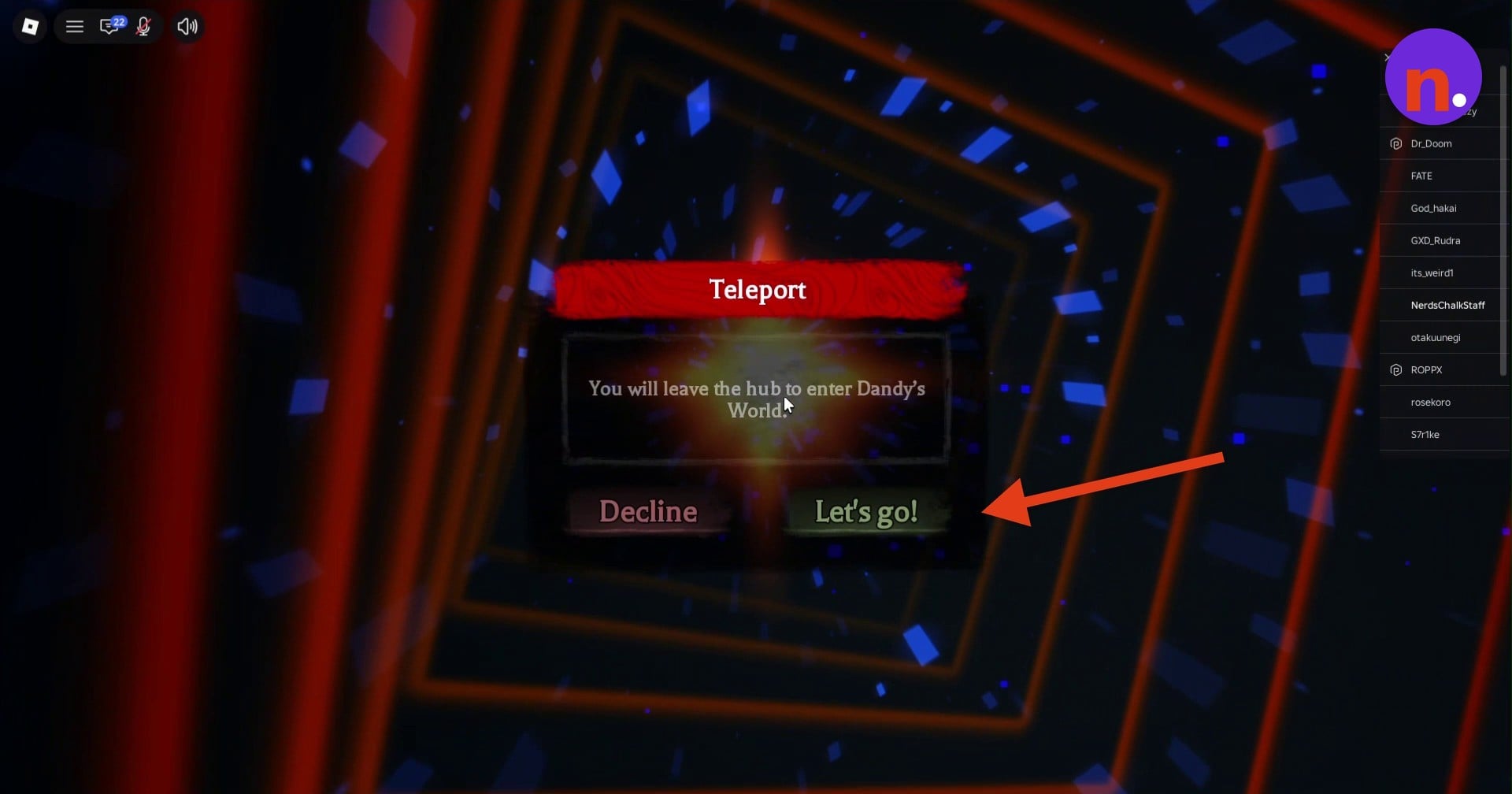
Accept the teleport
Select Let’s go! on the prompt to leave The Hollow hub and enter Dandy’s World.
Choose your Toon
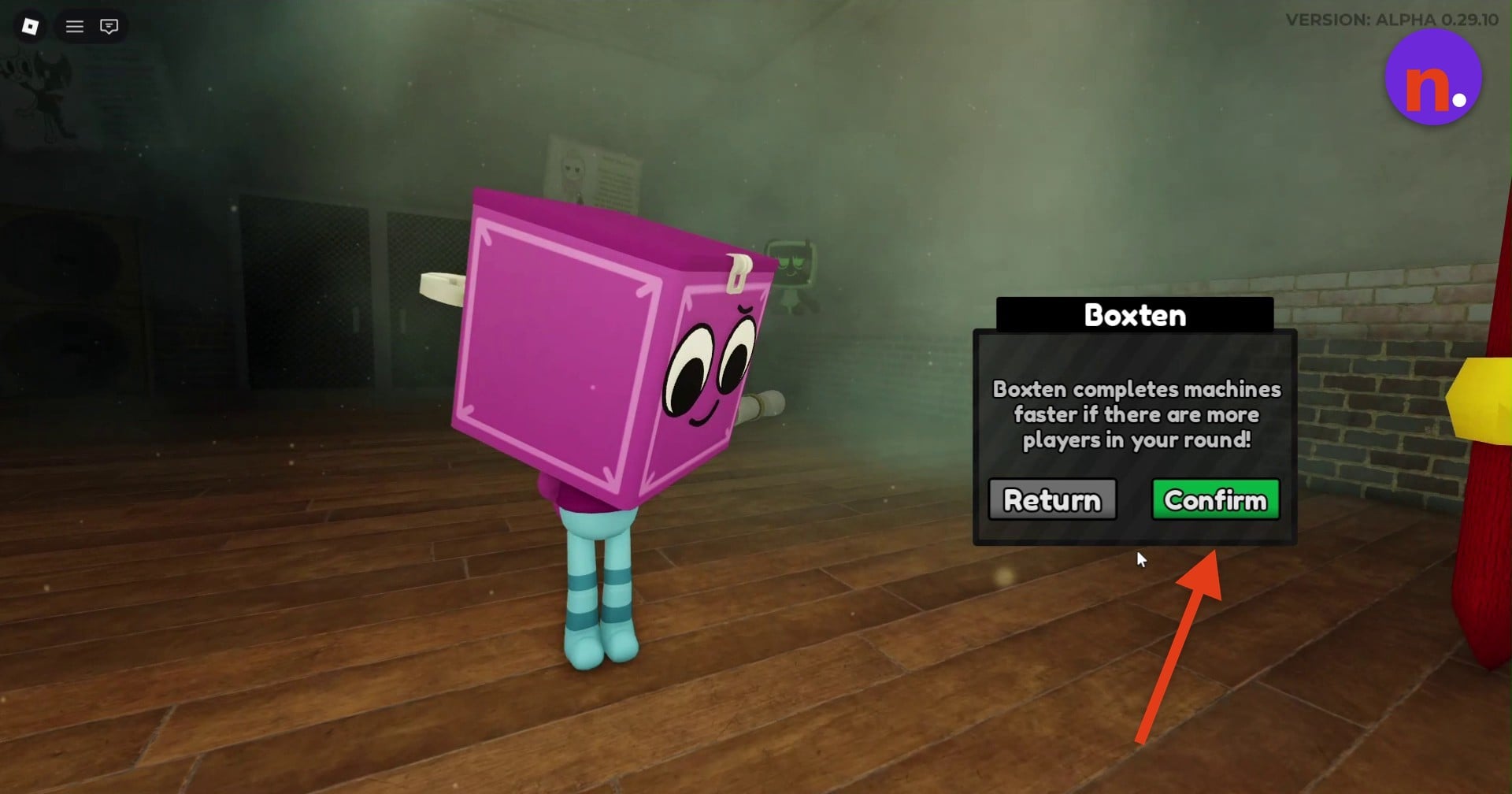
Select a Toon and press Confirm to enter the lobby. Boxten is an available choice, and his passive makes him complete machines faster when there are more players in the round.
Join The Hollow event queue
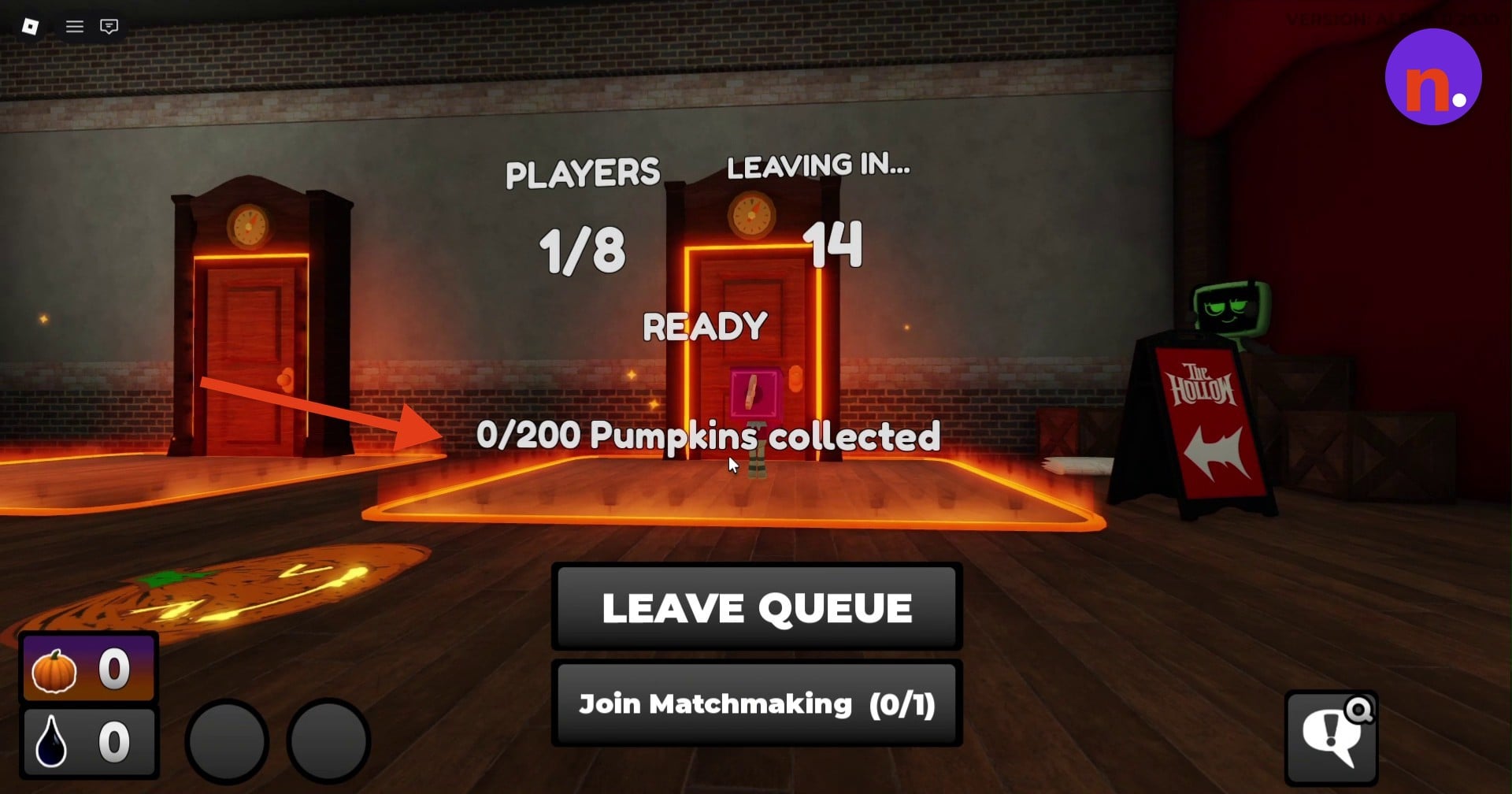
Head to The Hollow event’s elevator queue in the lobby and stand on an active matchmaking pad until its countdown ends. Matches support up to eight players, and the queue’s pumpkin tracker displays 0/200 Pumpkins collected before collection begins.
Part 2 – Collect 200 pumpkins and earn the badge
Gather floor pumpkins
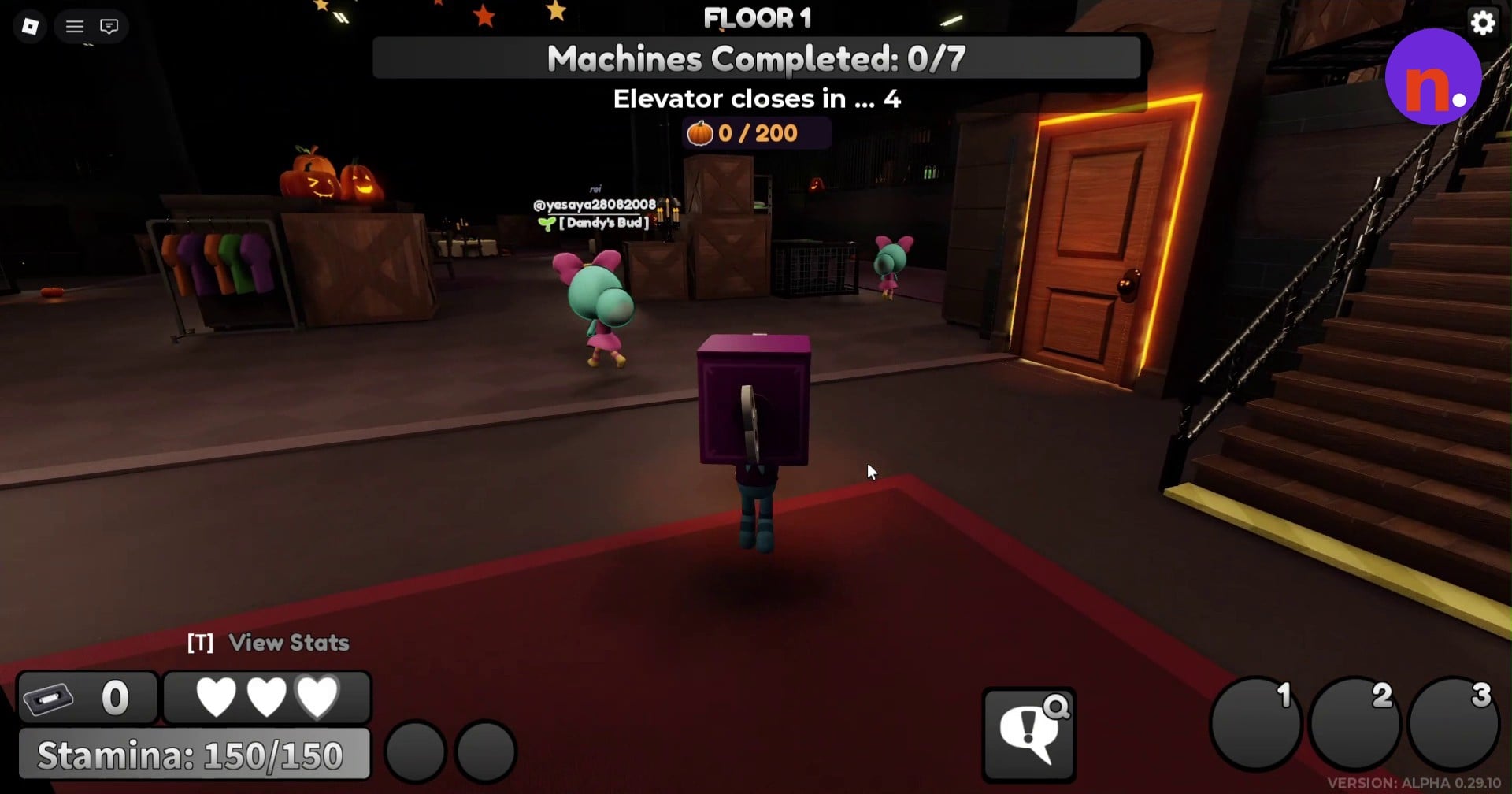
The event opens on Floor 1. Wait inside the elevator while the introductory text plays, then explore once its doors open. Walk over the glowing orange pumpkins scattered on the floor to collect them; initial pickups display +1.
Complete ichor extraction machines
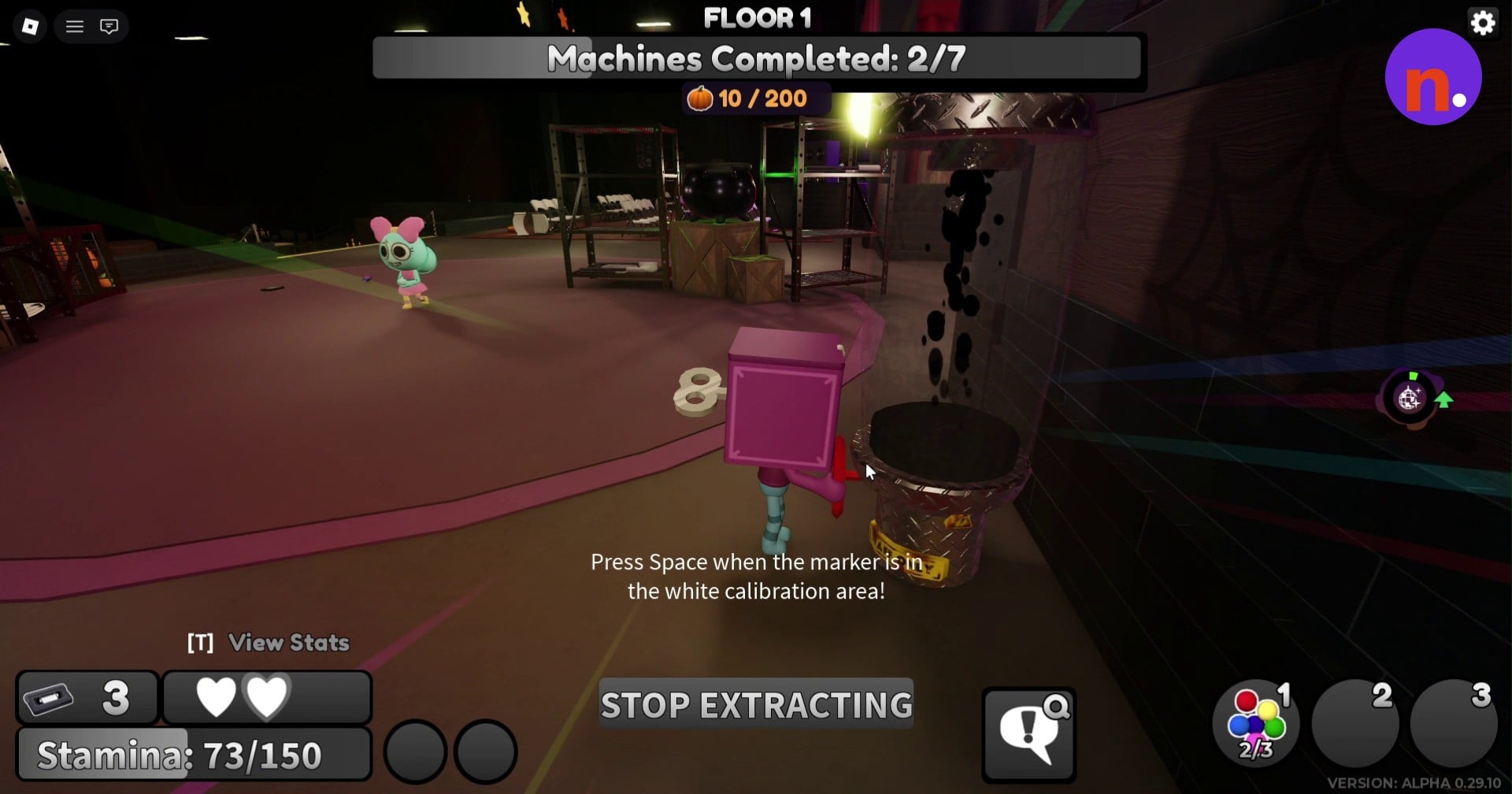
Approach an ichor extraction machine and work through its calibration skill checks to finish extraction. A machine completion awards a bonus of 25 pumpkins and 5 ichor.
Fill the pumpkin tracker
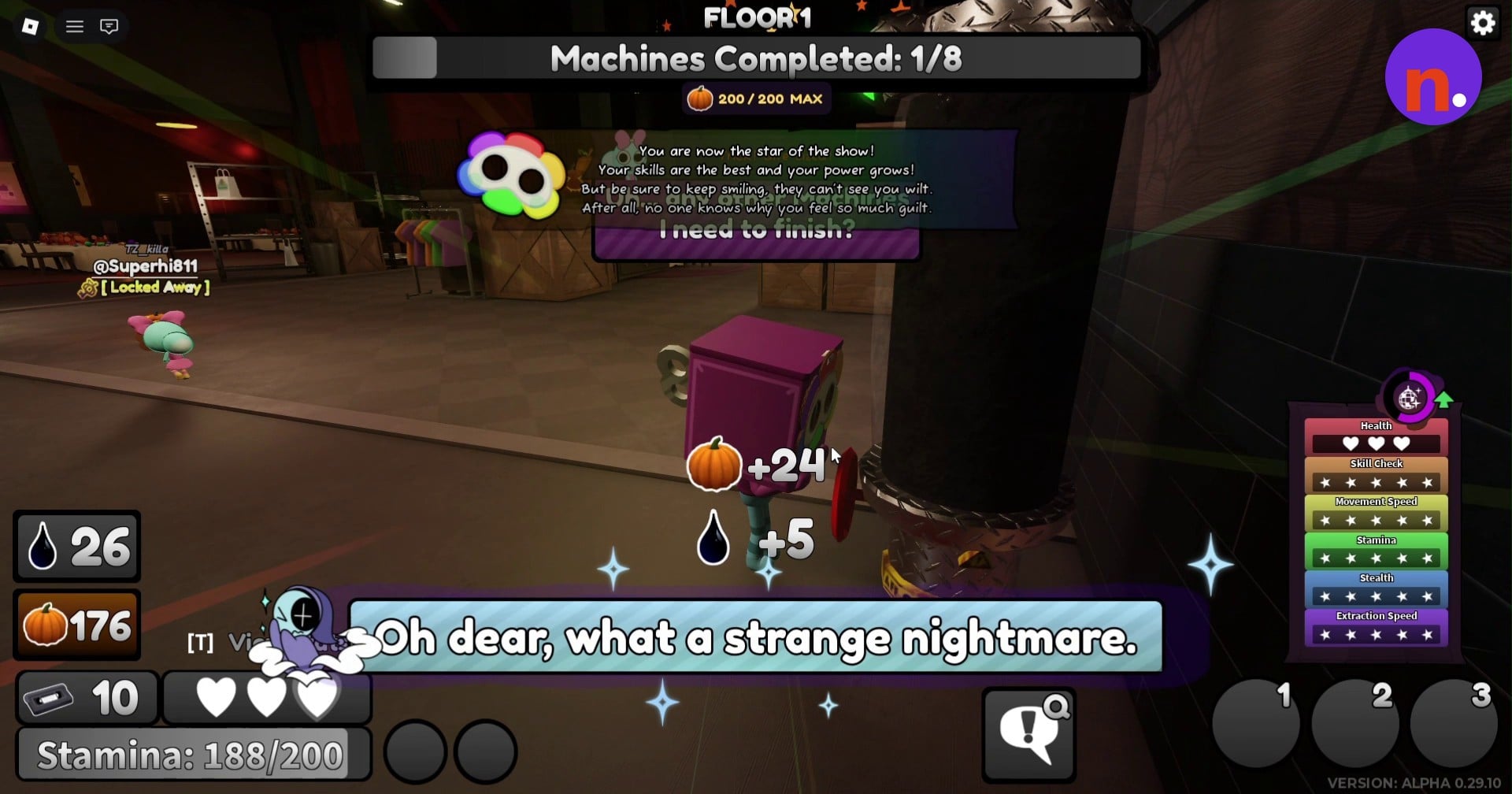
Continue the collection loop: finish machines, then search the floor for loose pumpkins between extractions. Candy boosts may help you stay safe from the boss and its minions while you gather them. Keep going until the tracker reads 200/200 and the Badge Awarded notification grants The Hollow 2026 badge.
Part 3 – Return to The Hollow and claim the garland
Return through the Roblox menu
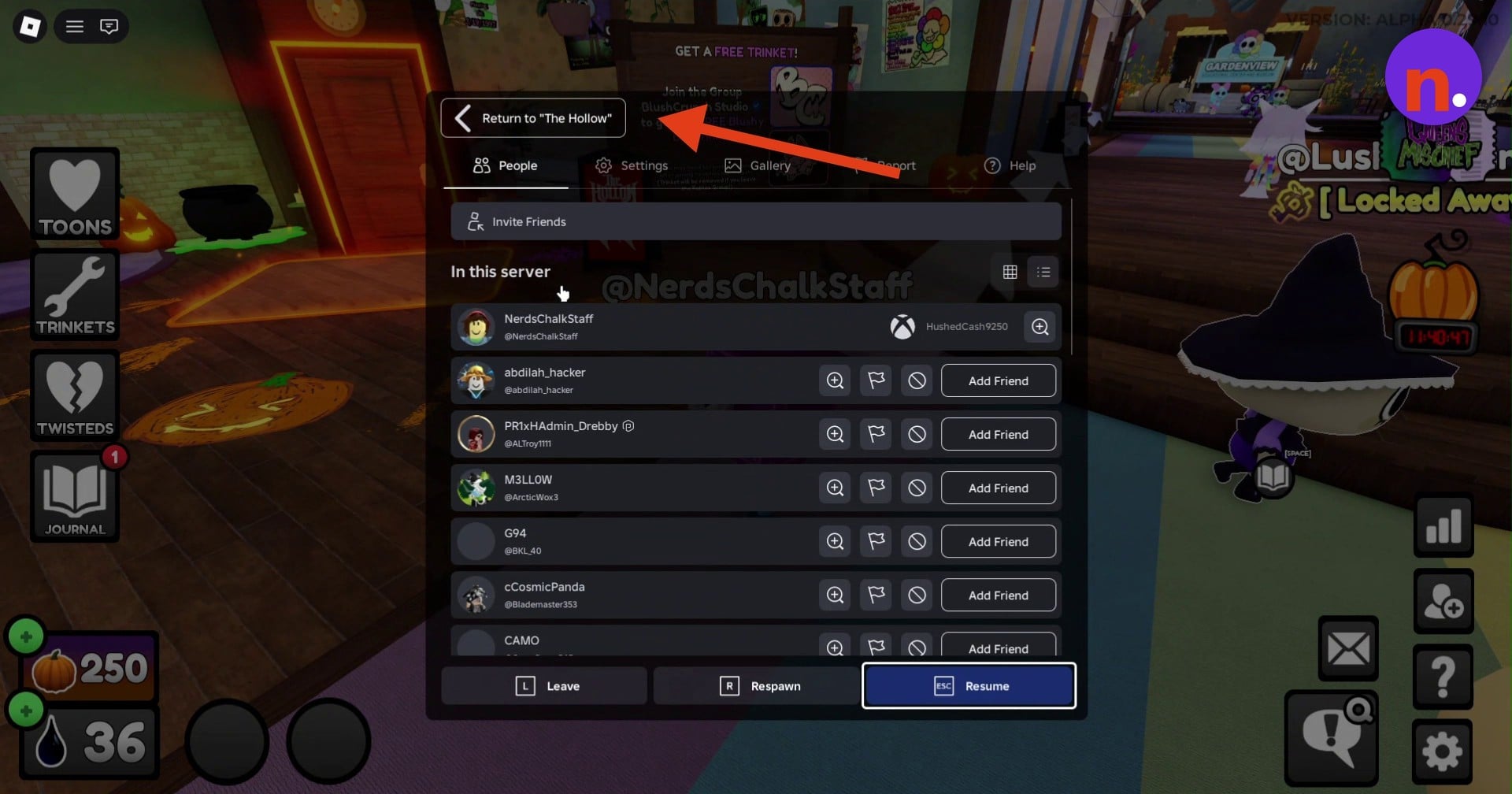
After earning the badge, open the Roblox pause menu and select Return to "The Hollow" to travel back to the hub.
Redeem your badge
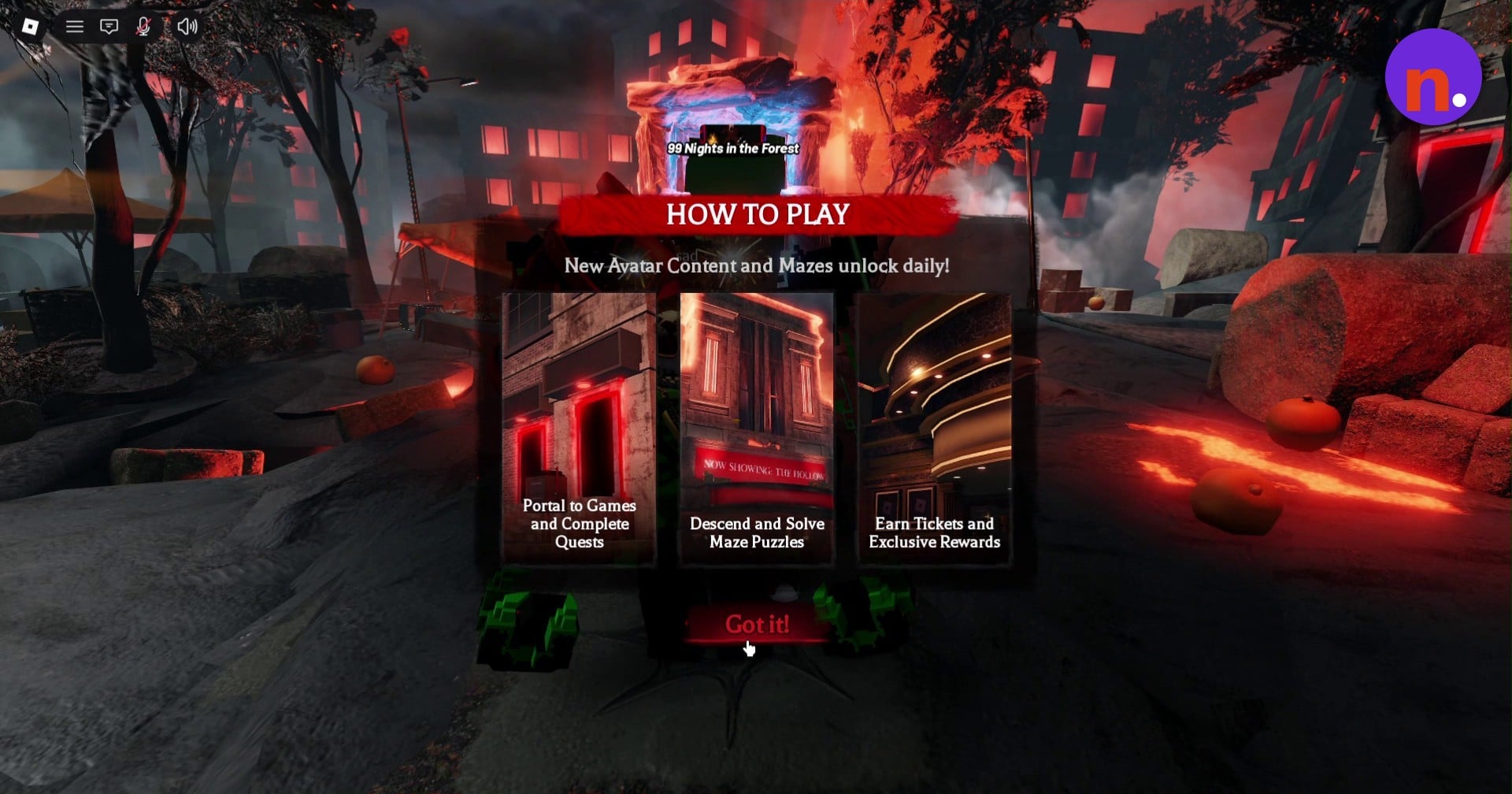
Back in The Hollow hub, select Confirm on the badge-redemption prompt. Redeeming the badge awards 10 tickets.
Claim the garland
Approach the hub’s Dandy’s World stand and select Claim to collect the Reeling Petal Garland.
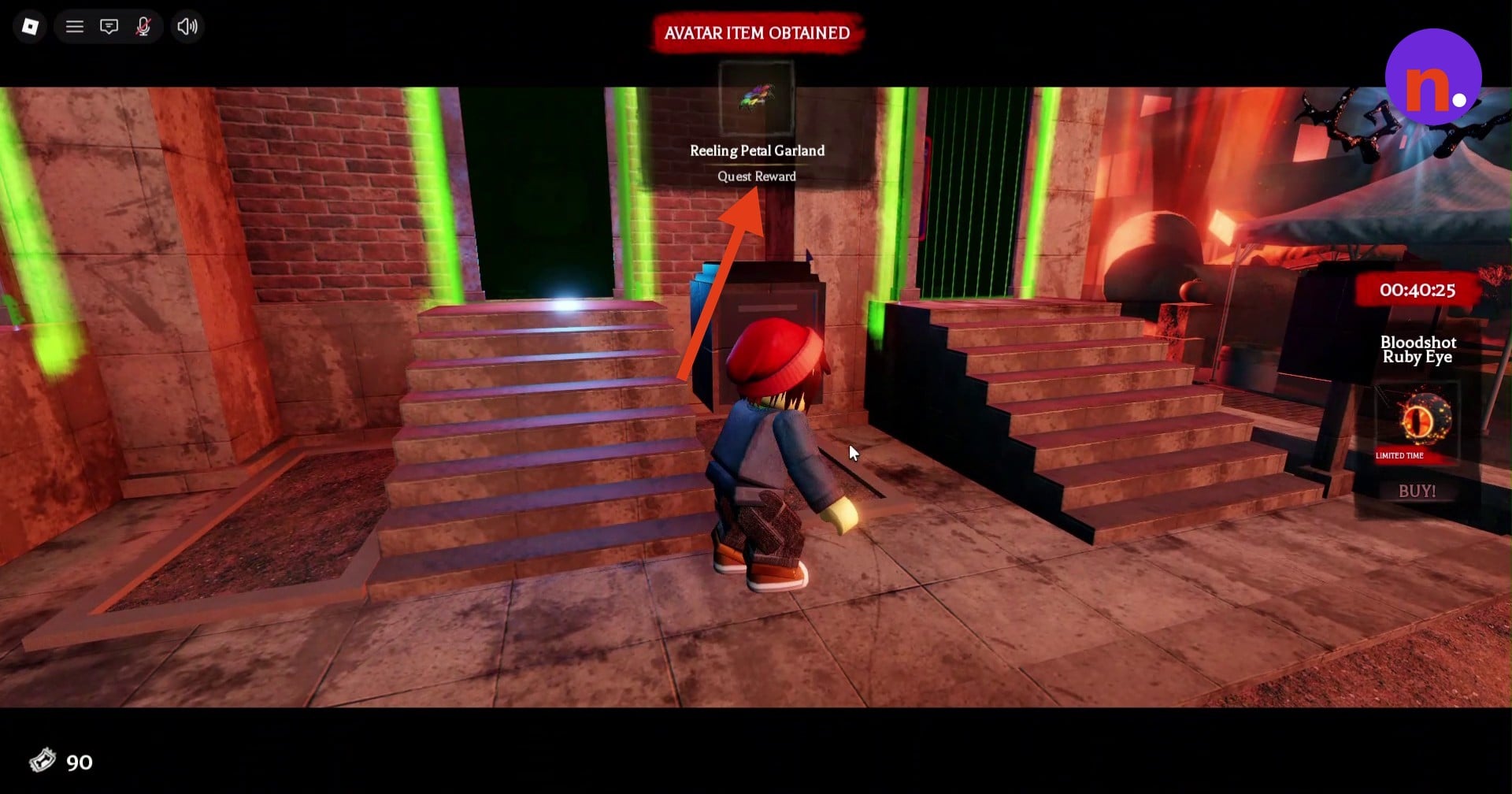
The AVATAR ITEM OBTAINED notification names Reeling Petal Garland when the claim succeeds. It carries the Quest Reward label, marking the end of the quest.






Leave a Reply