


Farm Wins by throwing with a Win Boost, buy a stronger stone, then train to your current rebirth requirement and repeat.
Rebirths unlock Skill multipliers early in +1 Stone Skipping. A stronger stone gives you a higher Skill bonus, so equipment upgrades are part of building toward more rebirths.
You can fund that progression with free Playtime Rewards and stones bought using Wins. This guide covers the rebirth loop, training areas, stone prices, and the reward potions that support it.
How to get more rebirths quickly in +1 Stone Skipping
Check your target and rewards, choose an available training area, farm upgrade currency with Win Boost, then equip a stronger stone and train for rebirth.
1 – Check your rebirth requirement and collect free rewards
Start with the level target displayed in Rebirth.
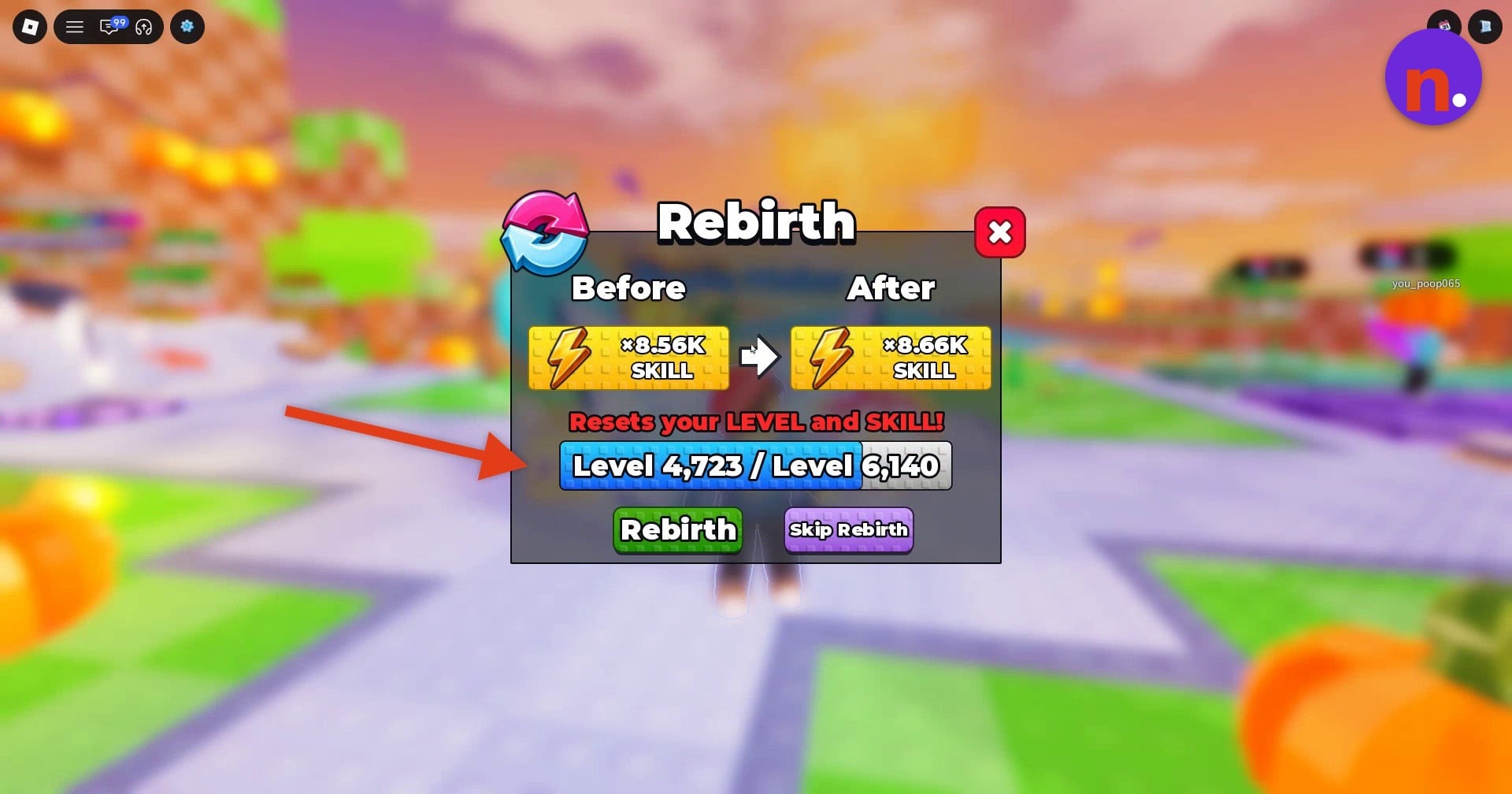
STEP 1/15
7%
Read your rebirth target
Open Rebirth and read the current level requirement so you know what you’re training toward. In World 1, access it through the gameplay menus. For example, Level 4,723 / Level 6,140 shows progress toward a 6,140 requirement, with a multiplier offer from x8.56K SKILL to x8.66K SKILL. Those example values aren’t mandatory milestones for your account.
STEP 2/15
13%
Start training in World 1
If you’re starting in World 1, use its skill lane to gain levels toward that requirement.
STEP 3/15
20%
Collect available rewards
Open Playtime Rewards and use Claim on available rewards, including the Win Boost entry when it’s ready.
STEP 4/15
27%
Review your equipment
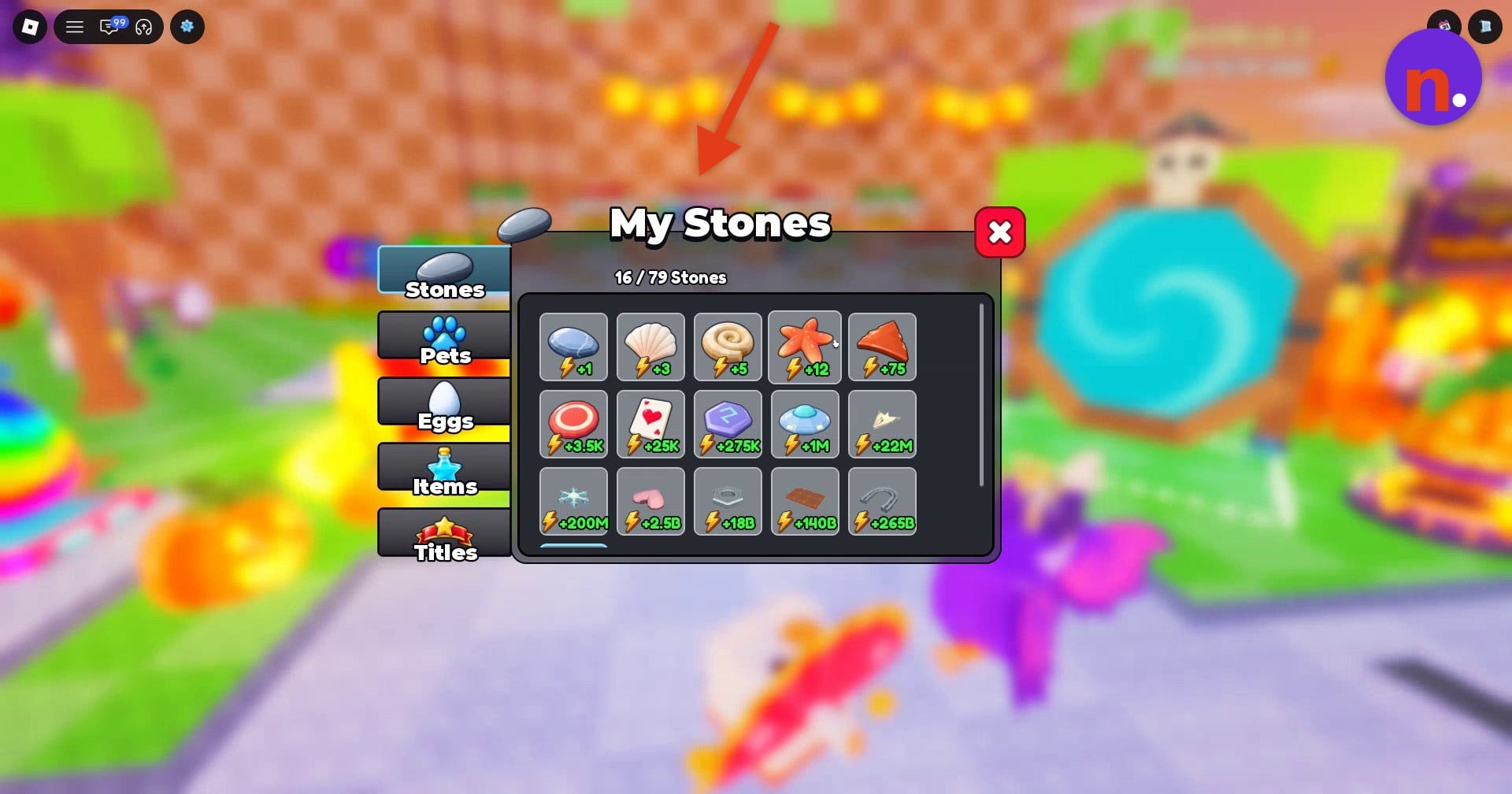
Resume lane training, then approach the nearby stone pedestals. Open Inventory and My Stones to review your owned equipment.
2 – Choose your training area and inspect stone upgrades
Use the worlds available to your account.
STEP 5/15
33%
Browse available worlds
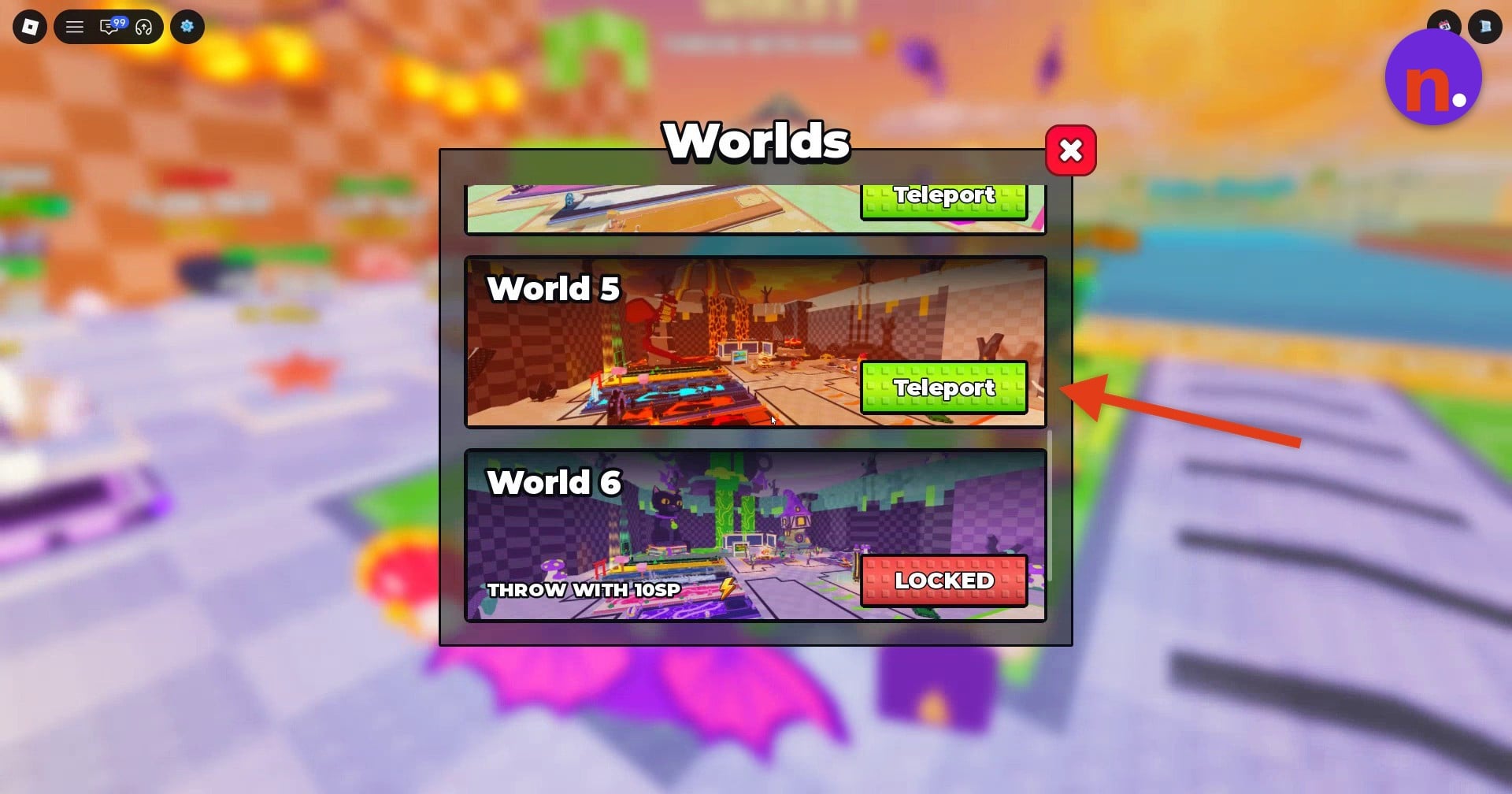
Open Worlds and select Teleport for World 5 when that option is available.
STEP 6/15
40%
Find Dragon Volcano’s training lane
World 5 greets you with WELCOME TO DRAGON VOLCANO! Its active training pad displays 60000x SKILL, and its shop area has stone stands to compare with your equipment.
STEP 7/15
47%
Read each progression gate separately
The World 6 gate displays THROW WITH 10SP. World 7 requires THROW WITH 600C.
STEP 8/15
53%
Set an equipment target
For Worlds 5 and 6, aim for a stone of at least 1 Trillion as an equipment goal. The world gates have their own displayed requirements.
3 – Use Win Boost while throwing for upgrade currency
Save the activation for your throwing session.
STEP 9/15
60%
Check your potion duration
Open Inventory and select Items to review your boosts and their durations before heading into a throwing session. Resume lane training after this check, then move to the throw zone when you’re ready to farm Wins.
STEP 10/15
67%
Activate Win Boost
Use Win Boost when you’re ready to throw. The notification Win Boost activated! signals that the potion is active.
STEP 11/15
73%
Throw to earn Wins
Make repeated throws to collect Wins for stone purchases. Throws along Dragon Volcano’s lava path and Geyser Springs support this farming action. The interface also includes AUTO THROW.
4 – Equip an upgrade and train for the next rebirth
Turn your earned Wins into a stronger stone before continuing your level progression.
STEP 12/15
80%
Buy an affordable stone upgrade
Compare the stone stands and use Buy for an upgrade you can afford. Toast Slice is one purchase option, and its successful purchase notification reads Toast Slice purchased and equipped.
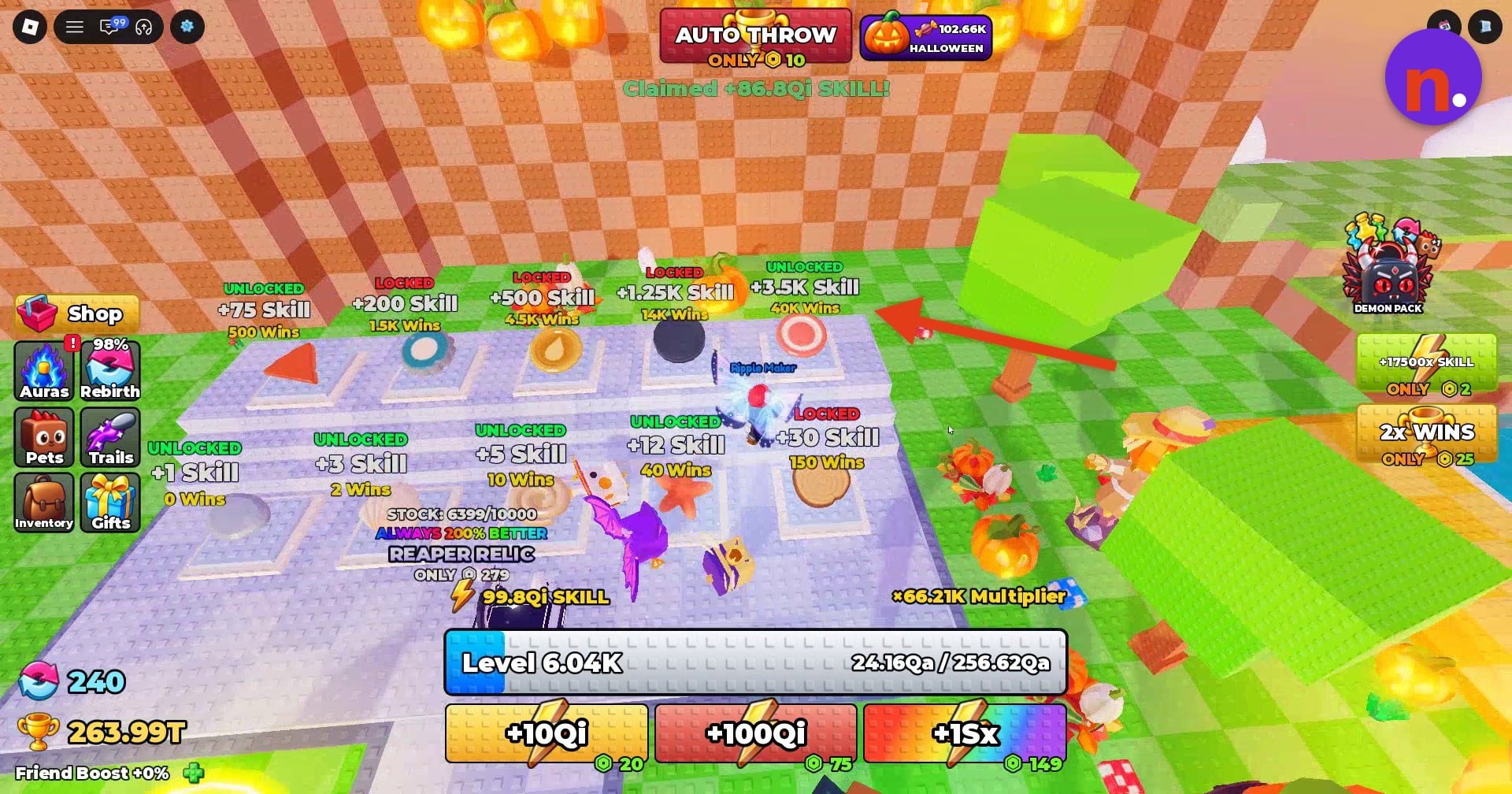 The stone pedestals display Skill bonuses and Wins prices. · Screenshot by NerdsChalk
STEP 13/15
87%
Check the equipped upgrade
Open your stone inventory to confirm the new stone is equipped before continuing with it.
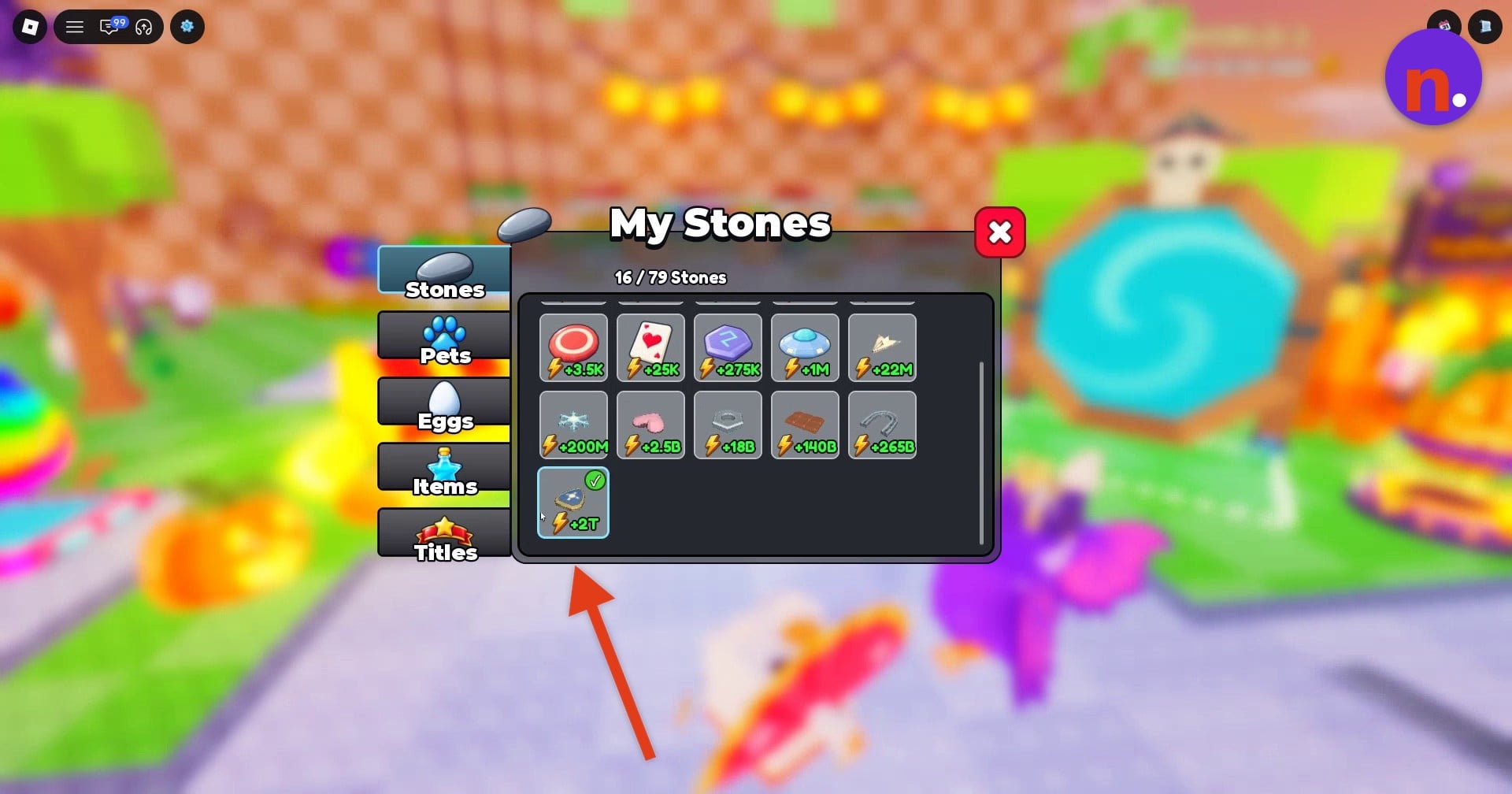 My Stones displays the Skill bonuses of owned stones. · Screenshot by NerdsChalk
STEP 14/15
93%
Train to the current requirement
Use the available training lane and monitor your progress in Rebirth. Keep training until your level reaches the requirement currently displayed there. A completed target reads Level 6,140 / Level 6,140 in one menu example and Level 6,165 / Level 6,165 in a subsequent one; use your current requirement as the target.
STEP 15/15
100%
Complete the rebirth
Press Rebirth once you’re eligible, then return to training for the next cycle. The later menu example finishes with x8.76K Skill, equivalent to x8,760 Skill, after that rebirth. This is an example multiplier total, not a required result.
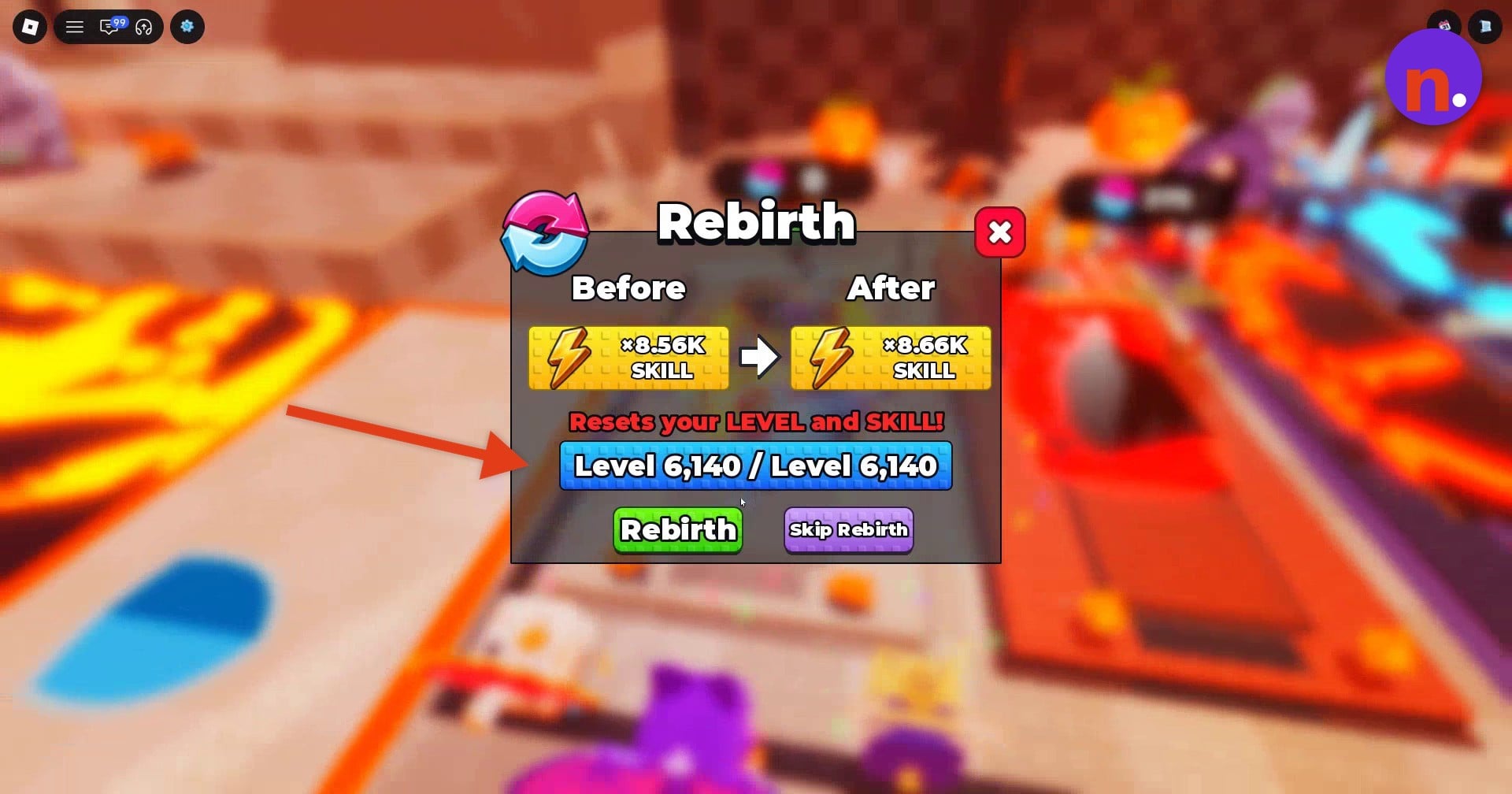 The level display reaches the required total before you press Rebirth. · Screenshot by NerdsChalk
What free rewards and boosts help with rebirth progression?
| Boost | Effect | Duration |
|---|---|---|
| Skill Boost | 2x Skill from throws and training | 10 minutes |
| Win Boost | 2x Win | 10 minutes |
| Luck Boost | 2x Luck | 10 minutes |
Playtime Rewards contains completed, claimable, and locked entries. Its rewards include direct Skill and Wins, plus entries granting one Skill Boost and one Win Boost; Luck Boost is another available reward.
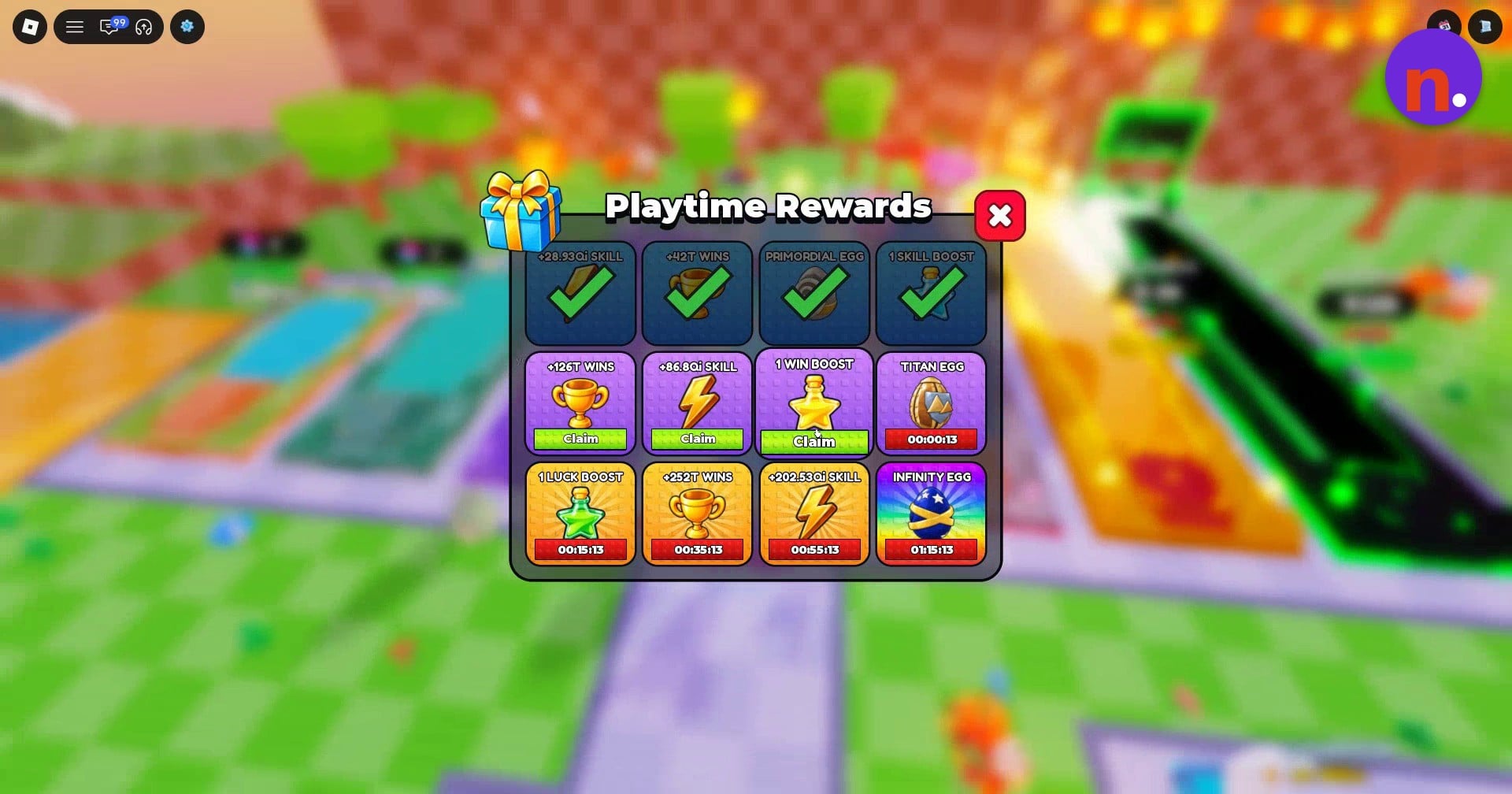
The direct rewards have different displayed amounts across menu snapshots. One set includes +126T Wins, +86.8Qi Skill, +252T Wins, and +202.53Qi Skill; a successful Skill claim also displays Claimed +86.8Qi SKILL!
Another menu snapshot contains +28.96Qi Skill, +336T Wins, +1.01Qa Wins, +86.88Qi Skill, +2.02Qa Wins, and +202.71Qi Skill. These are account-state examples, not fixed payouts for every account.
Skill Boost is accessed through the inventory’s Items tab, where clicking the potion activates it. Its duration stacks, so additional uses add to the boost’s duration.
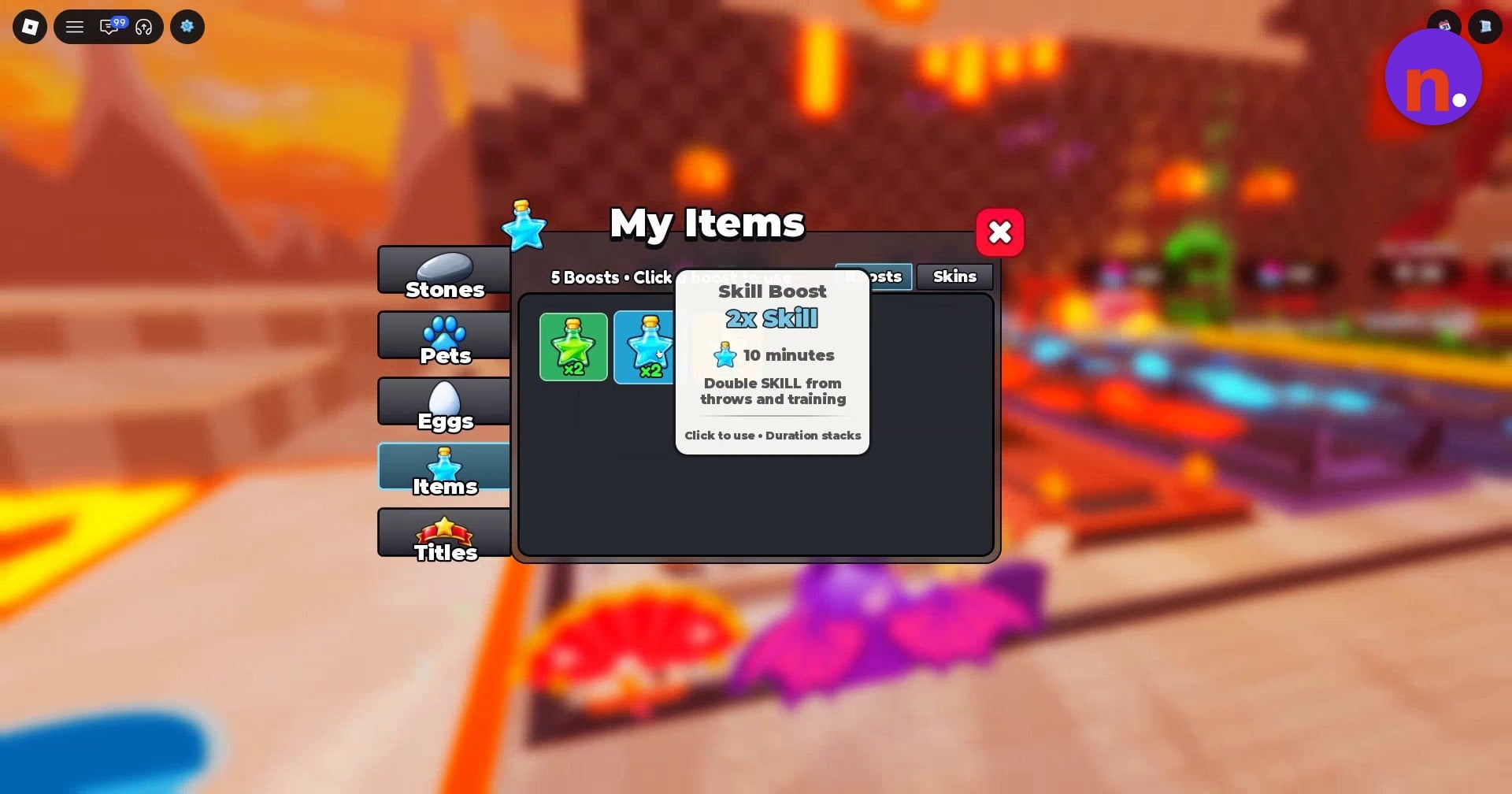
Use Skill Boost during throws or training to double the Skill you gain.
The payoff is continued equipment and training progression toward subsequent rebirth requirements. Let the next requirement guide your training, with a high-level stone as your equipment goal.


Leave a Reply