
To equip unit cosmetics in Anime Expeditions, open Units, select the unit you want to customize, click Equip Cosmetics, then choose whether to show all cosmetics, disable them, or keep only effect cosmetics on.
Unit cosmetics are handled from the individual unit panel, not from a separate shop or global settings screen. Once you are inside a unit’s details, the cosmetic controls sit alongside slots such as Skin Slot, Accessory Slot, AoE Color Slot, and Equipment Slot.
Where to find Equip Cosmetics
Open the Units menu from the lobby, then click the unit you want to customize. The Equip Cosmetics button appears in that unit’s panel, near the visible slot labels for skins, accessories, AoE colors, and equipment.
Use that button when you want to change how cosmetics display on the selected unit. The setting applies to the unit you have opened, so check the unit name before changing anything.
How to equip unit cosmetics in Anime Expeditions
Use this route when you want to change the cosmetic display for one specific unit.
STEP 1/3
Open Units
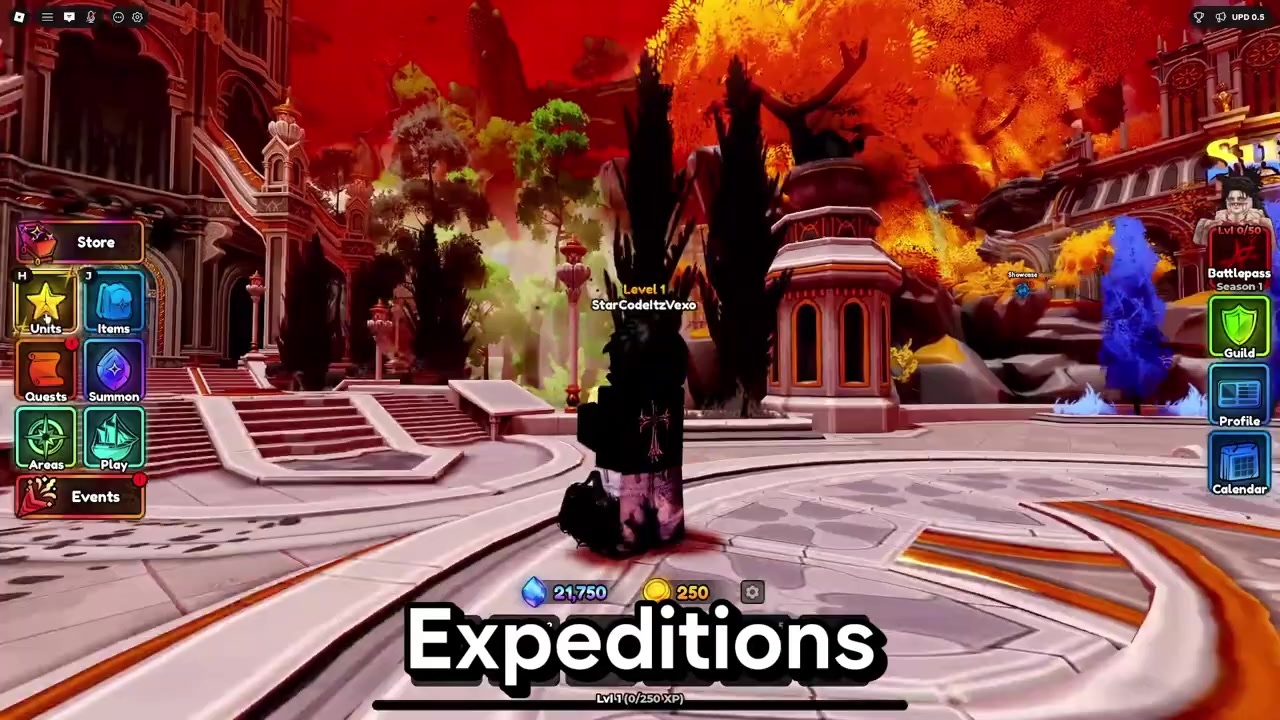
Click Units on the left side of the lobby screen to open your unit inventory.
STEP 2/3
Select a unit
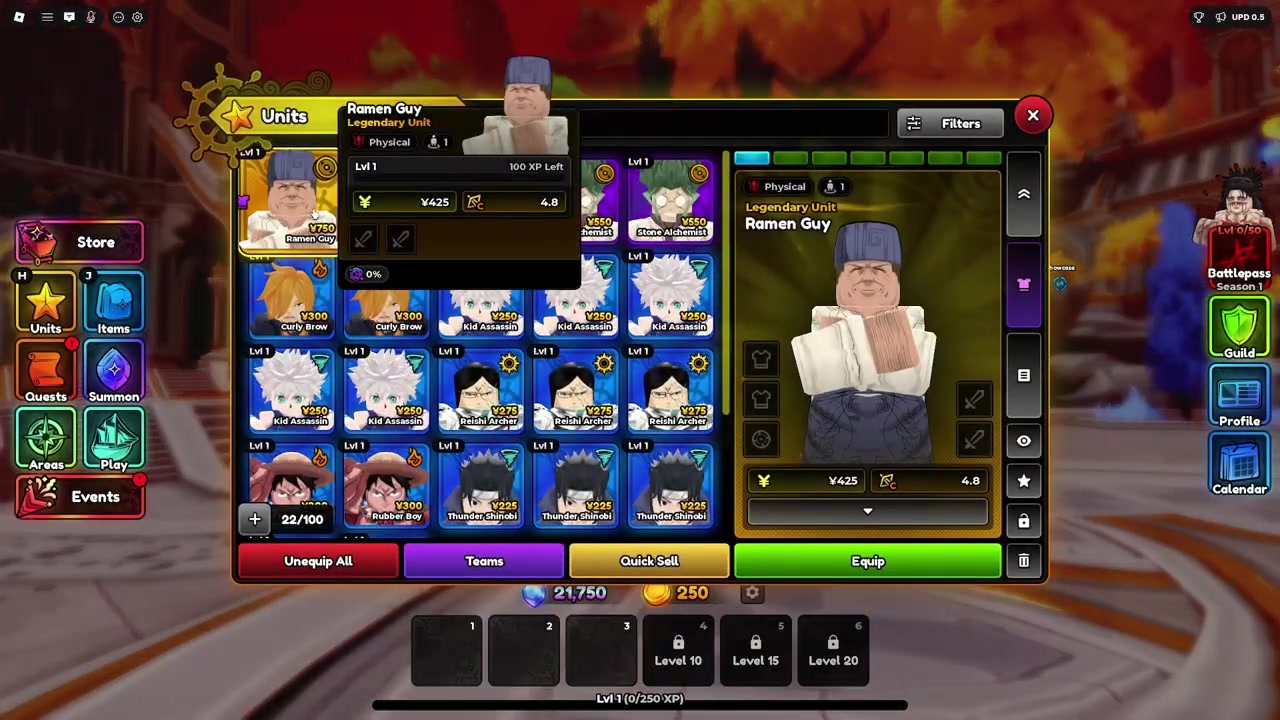
Click the unit you want to customize so its unit panel opens.
STEP 3/3
Open Equip Cosmetics
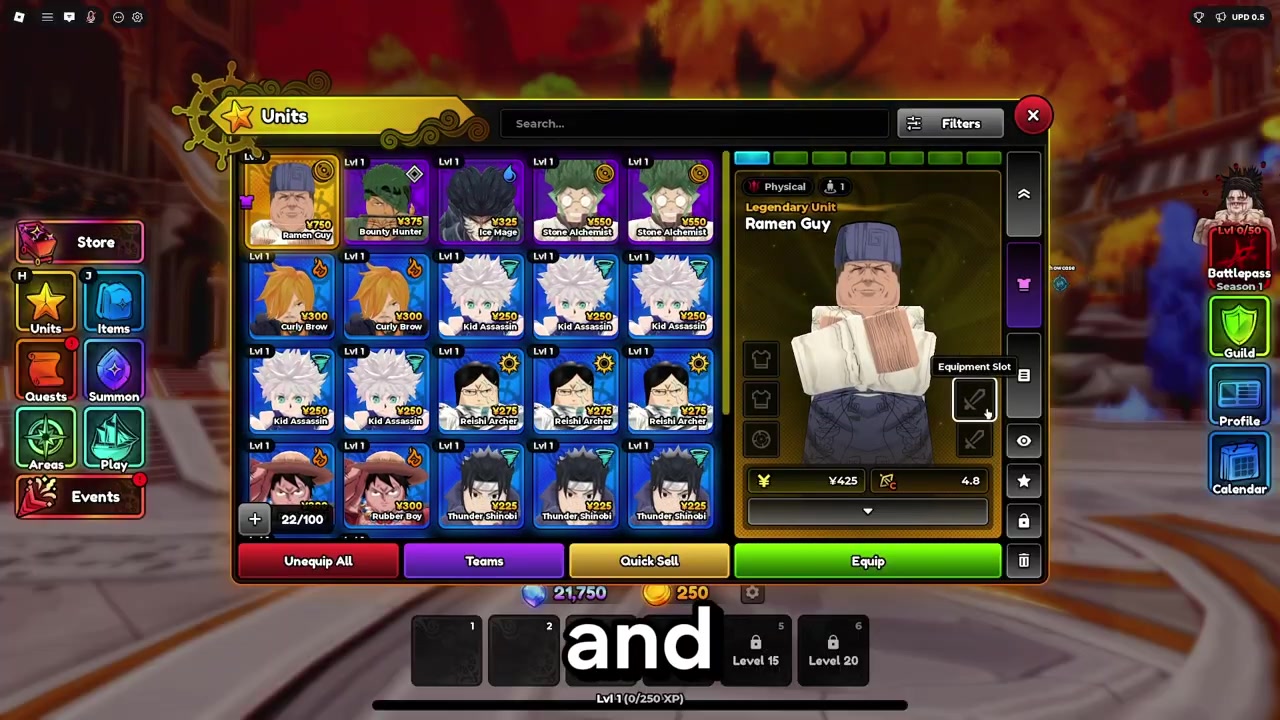
Press Equip Cosmetics in the unit panel and choose the cosmetic display option you want.
Video help
| Option | Use |
|---|---|
| All | Shows the full cosmetics list in the popup. |
| VFX | Filters cosmetics tied to visual effects. |
| Model | Filters cosmetics that change the unit model. |
| Animation | Filters animation cosmetics. |
| Class | Filters cosmetics by class category. |
| Equip all cosmetics | Turns on available cosmetics for the selected unit. |
| Disable cosmetics | Turns cosmetic display off. |
| Effects cosmetics only | Keeps effect cosmetics visible while leaving other cosmetic types off. |
KEY!The Unit Cosmetics menu controls visual display. It is for appearances, effects, models, animations, and class-style filtering inside the popup; it is not a damage, range, SPA, trait, passive, or build upgrade menu.
If a unit still looks unchanged, reopen Equip Cosmetics and make sure you did not leave it on effects-only or disabled cosmetics.
Cosmetics, shiny units, and equipment
Shiny units are also visual variants. They can have different colors, summon effects, lobby auras, or placement visuals, but their combat performance stays the same as the regular version.
Equipment is a separate system from cosmetics in broader unit building. Even though Equipment Slot appears near the cosmetic slots in the unit panel, do not expect skins, accessories, AoE colors, or shiny visuals to raise damage, range, SPA, traits, or passives.
Why cosmetics may not show
If the cosmetic does not appear, first make sure you selected the correct unit. Cosmetics can be tied to the unit they are made for, so a skin or accessory may not appear on another character.
If the unit is correct, check the Equip Cosmetics menu. Cosmetics may be disabled, or you may have effects-only enabled while expecting a model, skin, or accessory change.
Frequently Asked Questions
Do unit cosmetics increase stats in Anime Expeditions?
No. Unit cosmetics are visual only and do not increase damage, range, SPA, traits, passives, or other combat stats.
Why do I not see a skin or accessory for my unit?
You may not own a compatible cosmetic for that unit. Some skins and accessories only appear for the unit they are designed to fit.
Can I turn cosmetics off after equipping them?
Yes. Open the same unit panel, press Equip Cosmetics, and use Disable cosmetics to turn the display off.
What is the difference between unit cosmetics and equipment?
Cosmetics change how a unit looks. Equipment belongs to unit building and is treated separately from skins, accessories, AoE colors, and visual effects.






Leave a Reply