You are probably already familiar with Google Photos’ unlimited photo storage facility (if your photos don’t exceed 16 megapixels), but the app’s excellence goes well beyond its cost-effective nature. Apart from offering a bunch of handy photo editing options, it also gives you some nifty video editing features.
In this section, we’ll scour through every nook and corner of Google Photos’ video editor and break it down for you.
How to trim a video in Google Photos


How to stabilize a video in Google Photos


How to rotate your videos in Google Photos


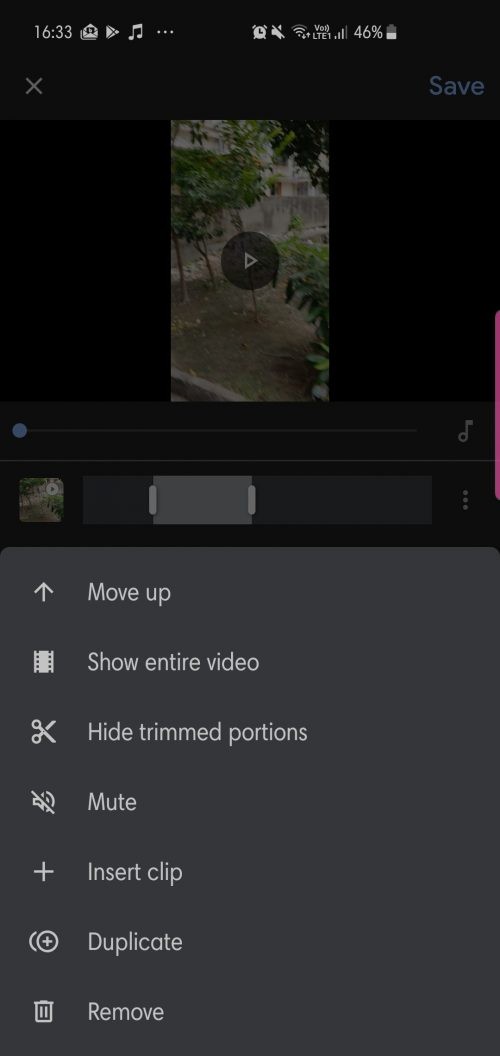
Apart from the options discussed above, Google Photos also offers a surprisingly powerful movie maker. It lets you combine up to 50 photos and videos and even add a soundtrack of your choice.
How to create a movie in Google Photos


Note: Rather than choosing the ‘New film/New movie’ option, a new movie, you can also choose from the presets, which are incredibly cool too. You select a preset and the people you want to be in the video on the next screen, and Google automatically creates a very nice movie for you all by itself. This is a great feature!


In the case of photos, adjust the sliders to change the amount of screen time you want to give to your photos.



That’s about it! You’re now officially a Google Photos movie-making expert.