

- The short version
- Can GTA 6 run from a USB drive on PS5?
- What are the PS5 M.2 SSD requirements for GTA 6?
- Can GTA 6 run from a USB drive on Xbox Series X|S?
- How do I move GTA 6 to a USB drive and back on PS5?
- How do I move GTA 6 to external storage on Xbox Series X|S?
- How much space does GTA 6 need?
- When can you pre-load GTA 6?
- What is the GTA 6 release date?
- FAQs
The short version
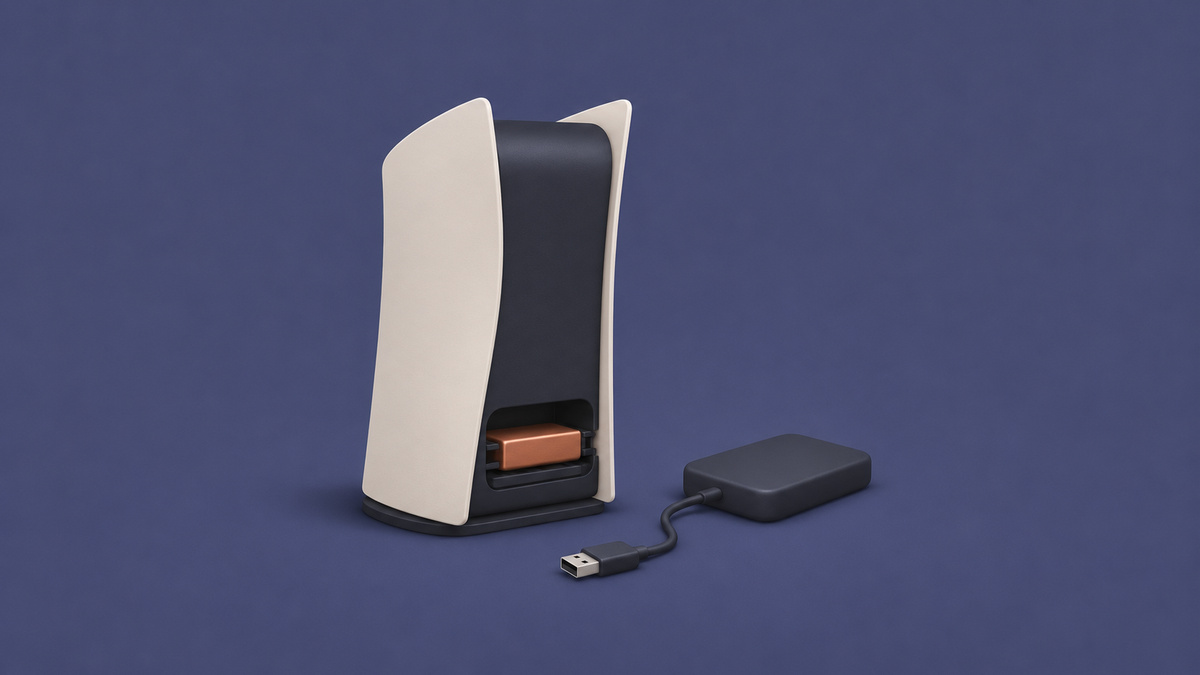
Under PlayStation’s USB storage rules and Xbox Support’s storage rules, Grand Theft Auto VI (GTA 6) cannot run from a plain USB external drive; compatible PS5 M.2 SSD storage or the Storage Expansion Card for Xbox Series X|S supports play. PlayStation’s M.2 guidance confirms that PS5 games are playable from compatible M.2 SSD storage. Xbox’s store listing labels GTA 6 Optimized for Xbox Series X|S; Xbox Support requires those games to use the internal SSD or the Storage Expansion Card for Xbox Series X|S.
Where you can play GTA 6 from
| Storage | PS5 | Xbox Series X|S | Source |
|---|---|---|---|
| Internal console storage | Play | Play | PlayStation Support; Xbox Support; Xbox’s store listing |
| USB external drive | Store only (copy or move back to play) | Store only (copy or move back to play) | PlayStation Support; Xbox Support; Xbox’s store listing |
| PS5 M.2 SSD / Storage Expansion Card for Xbox Series X|S | Play | Play | PlayStation’s M.2 guidance; Xbox Support; Xbox’s store listing |
Can GTA 6 run from a USB drive on PS5?
No. PlayStation prevents PS5 games from running directly from USB extended storage, so GTA 6 must be copied back to console storage or compatible M.2 SSD storage before you play.
For a USB drive used to store GTA 6, PlayStation gives these requirements and connection rules:
- SuperSpeed USB with a connection speed of 5 Gbps or later.
- Capacity between 250 GB and 8 TB.
- A direct connection to the console, without a USB hub.
- Only one USB extended storage drive in use at a time.
PlayStation also cautions that compatibility is not guaranteed for every USB device.
What are the PS5 M.2 SSD requirements for GTA 6?
A compatible PS5 M.2 SSD can run GTA 6 under PlayStation’s rules for PS5 games; its M.2 guidance specifies these requirements:
- Install the latest PS5 system software before fitting the SSD.
- Use a PCI-Express Gen4x4 M.2 NVMe SSD with a Key M connector.
- Choose a capacity between 250 GB and 8 TB.
- A sequential read speed of at least 5,500MB/s is recommended.
- Provide effective heat dissipation with a cooling structure.
- M.2 SATA SSDs are unsupported.
According to PlayStation’s M.2 guidance, PS5 games support direct downloads to M.2 SSD storage, with updates and play available there too.
To direct PlayStation Store downloads to M.2 SSD storage, PlayStation gives these setup steps:
- From the home screen, open Settings.
- Choose Storage, then Installation Location to configure where downloads go.
PlayStation cautions that a game’s performance on M.2 SSD storage may differ from its performance on the internal SSD. Its guidance is to move an affected game to internal console storage if problems occur during play.
Can GTA 6 run from a USB drive on Xbox Series X|S?
No, because Xbox’s store listing identifies GTA 6 as Optimized for Xbox Series X|S, and Xbox Support requires those titles to be installed on the internal SSD or the Storage Expansion Card for Xbox Series X|S.
For archiving games on USB storage, Xbox Support specifies a drive with at least 128 GB capacity and a USB 3.0/3.1 connection. According to that guidance, the console offers to format the device when you first connect it.
Xbox Support notes that drives failing these requirements are treated as media storage. The same Xbox Support guidance permits up to 3 external USB drives to be connected simultaneously.
Xbox Support’s expansion-card guidance describes the Storage Expansion Card for Xbox Series X|S as matching the internal SSD’s performance. The capacities Xbox gives are:
- 2TB
- 1TB
- 512GB
How do I move GTA 6 to a USB drive and back on PS5?
Use Move Games and Apps to archive GTA 6, then Copy to bring it back, following PlayStation’s USB storage instructions.
PlayStation warns that formatting deletes everything on the USB drive and that the erased data cannot be recovered. Its setup and transfer procedure is:
- Connect the drive to a supported SuperSpeed USB 10Gbps port on the PS5.
- Open Settings and choose Storage. Select USB Extended Storage, then choose Format as USB Extended Storage.
- Open Game Library and highlight GTA 6. Press the options button, then choose Move Games and Apps.
- If you use both M.2 SSD storage and USB extended storage, open the Movable to USB Extended Storage tab. Choose Move.
- When you want to play again, open Game Library from games home. Find GTA 6 under Installed, highlight it and press the options button. Choose Copy to return it to console storage.
During formatting, PlayStation instructs you to keep the console powered on and leave the USB drive connected.
A drive already configured as USB extended storage on another PS5 needs no further formatting, according to PlayStation’s USB storage guidance.
PlayStation warns that improper removal can cause lost or corrupted data, or damage to the console or drive. For removal while the console is on, PlayStation gives these steps:
- Open Settings and choose Storage.
- Select USB Extended Storage, then choose Safely Remove from PS5.
- Disconnect the drive after completing that removal process.
Alternatively, PlayStation permits disconnection once the console’s power indicator has gone completely dark.
How do I move GTA 6 to external storage on Xbox Series X|S?
Xbox Support allows games to be moved or copied to an external storage device through its storage-management options.
Before formatting, remember Xbox Support’s warning: the process deletes all files on the drive. Its instructions cover these steps:
- If you skipped the initial formatting prompt, open Profile & system and select Settings. Choose System, then Storage. Select the device and choose Format.
- The Storage devices screen shows each drive.
To play GTA 6 again, Xbox Support’s rule for Optimized for Xbox Series X|S games requires installation on the internal SSD or the Storage Expansion Card for Xbox Series X|S; Xbox’s store listing places GTA 6 in that category.
How much space does GTA 6 need?
Rockstar Games’ November 3, 2026 post puts the GTA 6 pre-load file at up to 212 GB, depending on your device.
When can you pre-load GTA 6?
Rockstar Games scheduled GTA 6 pre-loading to begin on November 10, 2026. According to PlayStation’s pre-load post, its collaboration with Rockstar Games let PS5 players begin downloading nine days before launch.
What is the GTA 6 release date?
Rockstar Games Customer Support gives GTA 6 a release time of midnight local time on November 19, 2026 across all regions for PlayStation 5 and Xbox Series X|S.
PlayStation’s pre-load post describes a country-by-country midnight rollout, starting in New Zealand at 12:00AM NZDT on November 19, 2026. According to PlayStation, the rollout continues as each country reaches its own midnight.
FAQs
Can GTA 6 run from an external hard drive?
No, if you mean a USB external hard drive. PlayStation’s rules prevent PS5 games from running directly from USB storage. Xbox’s store listing marks GTA 6 as Optimized for Xbox Series X|S, a category Xbox Support requires to use internal SSD storage or the Storage Expansion Card for Xbox Series X|S.
Can GTA 6 run from an M.2 SSD on PS5?
Yes, under PlayStation’s rules allowing PS5 games to run from compatible M.2 SSD storage. Its M.2 guidance also supports downloading and updating PS5 games there.
Can GTA 6 run from the Storage Expansion Card for Xbox Series X|S?
Yes. Xbox Support permits Optimized for Xbox Series X|S games to run from the Storage Expansion Card for Xbox Series X|S, and Xbox’s store listing gives GTA 6 that designation.
Can I keep GTA 6 on a USB drive and copy it back later?
Yes. PlayStation supports archiving PS5 games on USB storage and copying them back to console storage or compatible M.2 SSD storage for play. Xbox Support also supports moving or copying games to external storage; its playback rule requires Optimized for Xbox Series X|S titles such as GTA 6, as identified by Xbox’s store listing, to use the internal SSD or the Storage Expansion Card for Xbox Series X|S.
How much space does the GTA 6 pre-load need?
Rockstar Games gives the pre-load file size as up to 212 GB, with the requirement depending on your device.
When does GTA 6 come out on PS5 and Xbox Series X|S?
Rockstar Games Customer Support gives both platforms the same release timing: midnight local time on November 19, 2026, across all regions.
Does formatting a USB drive for GTA 6 erase its files?
Yes. PlayStation and Xbox Support both warn that formatting a USB drive erases its existing data.
Related on NerdsChalk




Leave a Reply