

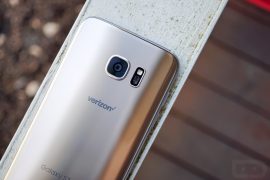
Update [January 17, 2017]: Samsung is finally rolling out the official Android 7.0 Nougat update to Galaxy S7 and S7 Edge devices. The final update comes with build number G935FXXU1DPLT.
Root hasn’t been tested on the official release yet, but if you can install TWRP recovery on the device, rooting with SuperSU zip should be easy.
Check out the build numbers for S7 and S7 Edge Nougat firmware below:
- Galaxy S7 – G930FXXU1DPLT
- Galaxy S7 Edge – G935FXXU1DPLT
How to Root Galaxy S7 and S7 Edge Nougat G935FXXU1DPLT Build
Like Android Nougat releases for Nexuses and other devices, you can also root Samsung’s Nougat builds using either SuperSU or Magisk zip. Below’s a guide to root Galaxy S7 and S7 Edge via SuperSU.
[ecko_button target=”blank” size=”6″ radius=”3″ style=”ghost” background=”#a161bf” color=”#333333″ url=”http://downloadmirror.co/Utz/UPDATE-SuperSU-v2.79-20161211114519.zip”][icon name=”download” class=”” unprefixed_class=””] Download SuperSU v2.79 (.zip)[/ecko_button]
- Download and transfer the SuperSU zip file from the download link above to your device’s storage.
- Boot your device into TWRP recovery.
- Tap on Install and select the SuperSU zip file that you transferred to your device in Step 1.
- After selecting the .zip file, do Swipe to Confirm Flash on the bottom of screen to begin the flashing process.
- Once SuperSU is flashed, you’ll get Reboot System option, select it.
Once booted, your Galaxy S7 or S7 Edge should be rooted. To verify root access, download/install any root checker app from the Play Store.

35 responses to “How to Root Galaxy S7 and S7 Edge Nougat update, build G935FXXU1DPLT”
Thia breaks wifi. You can’t enable it anymore
I’m having the same issue
Thia breaks wifi. You can’t enable it anymore
I’m having the same issue
Thia breaks wifi. You can’t enable it anymore
Thia breaks wifi. You can’t enable it anymore
Root by TWRP? There’s no TWRP version for the S7 on nougat, this makes no sense!!
HAHAH WTF
Root by TWRP? There’s no TWRP version for the S7 on nougat, this makes no sense!!
HAHAH WTF
Root by TWRP? There’s no TWRP version for the S7 on nougat, this makes no sense!!
Root by TWRP? There’s no TWRP version for the S7 on nougat, this makes no sense!!
In the first place, how can you install TWRP recovery on Nougat?
In the first place, how can you install TWRP recovery on Nougat?
In the first place, how can you install TWRP recovery on Nougat?
In the first place, how can you install TWRP recovery on Nougat?
Yes, wifi no longer works after rooting, plus display brightness gets stuck at 100% and other glitches. It would appear there’s no valuable routing option for nougat as of yet, I mean one that doesn’t mess up your device where the only thing to do is re-flash the firmware…
Yes, wifi no longer works after rooting, plus display brightness gets stuck at 100% and other glitches. It would appear there’s no valuable routing option for nougat as of yet, I mean one that doesn’t mess up your device where the only thing to do is re-flash the firmware…
Yes, wifi no longer works after rooting, plus display brightness gets stuck at 100% and other glitches. It would appear there’s no valuable routing option for nougat as of yet, I mean one that doesn’t mess up your device where the only thing to do is re-flash the firmware…
Yes, wifi no longer works after rooting, plus display brightness gets stuck at 100% and other glitches. It would appear there’s no valuable routing option for nougat as of yet, I mean one that doesn’t mess up your device where the only thing to do is re-flash the firmware…
I HAVE THE SAME PROBLEM WITH THE WIFI AND WHEN YOU PLUG INTO PC WITH USB CABLE NOTHING HAPPENED SO I HAVE TO REFLASH THE FIRMWARE.
I HAVE THE SAME PROBLEM WITH THE WIFI AND WHEN YOU PLUG INTO PC WITH USB CABLE NOTHING HAPPENED SO I HAVE TO REFLASH THE FIRMWARE.
I HAVE THE SAME PROBLEM WITH THE WIFI AND WHEN YOU PLUG INTO PC WITH USB CABLE NOTHING HAPPENED SO I HAVE TO REFLASH THE FIRMWARE.
I HAVE THE SAME PROBLEM WITH THE WIFI AND WHEN YOU PLUG INTO PC WITH USB CABLE NOTHING HAPPENED SO I HAVE TO REFLASH THE FIRMWARE.
Same issues. Auto brightness breaks. Capacitive button lights also stop working.
Same issues. Auto brightness breaks. Capacitive button lights also stop working.
Same issues. Auto brightness breaks. Capacitive button lights also stop working.
Same issues. Auto brightness breaks. Capacitive button lights also stop working.
Same here, taking the latest TWRP and trying to install, I managed to boot, but got no wifi at the end
Same here, taking the latest TWRP and trying to install, I managed to boot, but got no wifi at the end
Same here, taking the latest TWRP and trying to install, I managed to boot, but got no wifi at the end
Same here, taking the latest TWRP and trying to install, I managed to boot, but got no wifi at the end
I Never Recommend This Its Not Safe
I’m Happy Because I’ve Not Rooted yet ….. Because There Is No Option To Flash This File In Recovery Mode……
I Mean In Android Nougat Have No Option Like This…. For Flash The File That Downloaded In Device Storage…. Its Not A Good Way …. Do Not Try…..
I Never Recommend This Its Not Safe
I’m Happy Because I’ve Not Rooted yet ….. Because There Is No Option To Flash This File In Recovery Mode……
I Mean In Android Nougat Have No Option Like This…. For Flash The File That Downloaded In Device Storage…. Its Not A Good Way …. Do Not Try…..
I Never Recommend This Its Not Safe
I’m Happy Because I’ve Not Rooted yet ….. Because There Is No Option To Flash This File In Recovery Mode……
I Mean In Android Nougat Have No Option Like This…. For Flash The File That Downloaded In Device Storage…. Its Not A Good Way …. Do Not Try…..