Remember the new ZV7 update for Sprint G Flex 2 earlier, well it’s been available for download today, so that you can install it manually. In case you didn’t get the OTA under the gradual rollout, here is your chance to grab it and install all by yourself.
The ZV7 update is sized 117 MB, and while it doesn’t pack a greater Android version — Sprint’s G Flex 2’s already on 5.1.1 after all thanks to ZV6 — it fixes crucial security bugs and enhances performance, or at least that’s what Sprint says. Follow our guide below to download the ZV7 update and install it yourself. Credit for sharing the update goes to Google~Android, thanks a lot! Btw, root access is available on ZV6 update already, so if you want root, better not update to ZV7 for now. ZV7 root should arrive soon too, btw.
How to Install Sprint LG G Flex 2 ZV7 update manually
Downloads
- OTA update — Link | File: update.zip (117 MB)
Supported devices
- SPRINT LG G FLEX 2, model no. LS996
- Don’t try this one any other device!
Disclaimer: Installing an OTA update doesn’t voids your warranty, but you take all the risk for following the procedure listed here. You only are responsible for your device. We won’t be liable if any damage occurs to your device and/or its components.
Backup important files stored on your device before proceeding with the steps below, so that in case something goes wrong you’ll have backup of all your important files.
Step-by-step Guide
- Go to Settings > About phone, and then tap ‘Build number’ 7 times to unlock developer options.
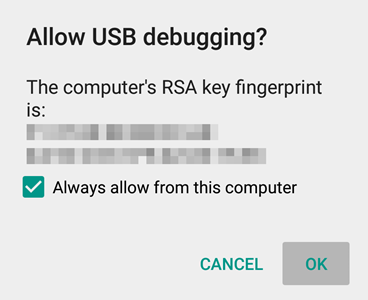
- Go back to Settings, then choose ‘Developer options’. Find the ‘USB debugging’ option and use its toggle button to enable it. Accept warning by tapping on OK button.
- Left click on empty white space in the folder.
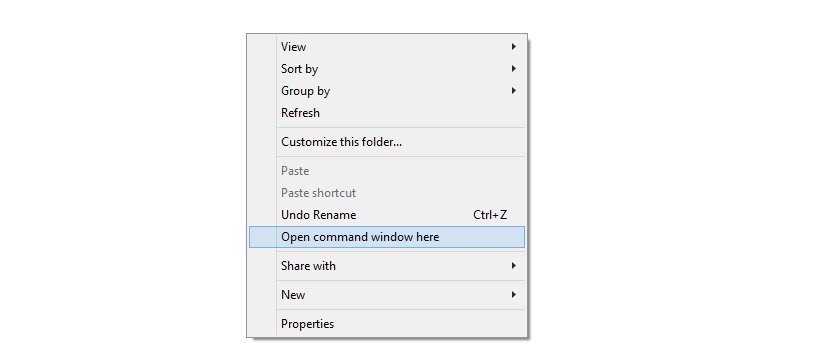
- Now, while holding shift key, right click on empty white space to get a pop-up as shown below.
- Now choose Open command window here option from that.
You will see a command window open up.
reboot recovery
That’s it. To confirm, go to Settings > About phone > Software information and check the build no. It should be ending with ZV7.