
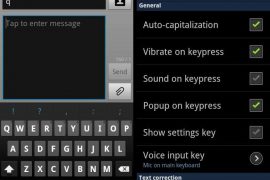
We’re receiving so much of awesomeness from developers ever since the source code for Android 4.0 Ice Cream Sandwich released publicly. Ports and development of ICS AOSP Roms is at rage, and people like me are sitting with wide-opened eyes over the internet to just grab anything that’s about ICS and can be installed on our Android phones.
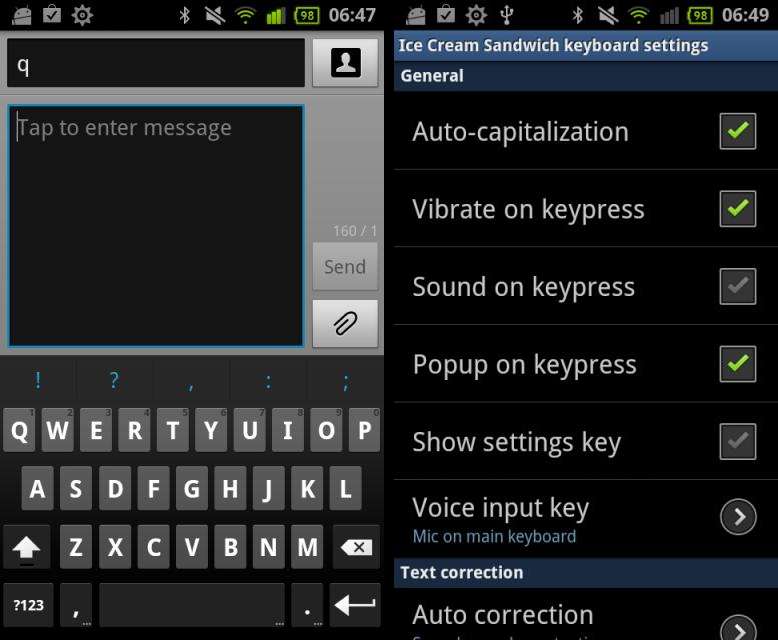
Anyway I just stumbled upon an Ice Cream Sandwich keyboard port that (i think) would be compatible with most of the Android phones. To install it on your phone you just have to download the icskeyboard.apk file and install it.
For the noobs ─ here’s how you can install the ICS keyboard on your Android phone:
- Dwonload the ICS Keyboard “.apk” file from here
- Transfer/Save the file on your phone’s SD Card or internal memory
- Now on your phone go to Settings » Applications » and select the ‘Unknown sources‘ checkbox
- Now download a file manager from the Android market. If you’ve a Samsung device you can just use the “My files” app
- Open the file manager and navigate to the folder where you saved the ICS keyboard “.apk” file, and tap the file to open/install it
- Follow through process of installation and then tap “Done“
How to enable ICS keyboard:
- Go to Settings » Language & Keyboard » and select the ‘Ice Cream Sandwich Keyboard‘ checkbox
- Now open any app where you can get the input field (the box in which we write using keyboard). For example you can open the messaging app and create a new message
- Now hold the input field and select ‘Input method‘ from the pop up menu
- Then select ‘Ice Cream Sandwich Keyboard‘ and you’re done.
Enjoy!


12 responses to “Ice Cream Sandwich Keyboard For Your Android Phone”
Thanks for this. Really appreciate it.
Very nice looking, but needs a bit of porting for the stood incredible 2. Its too tall for the screen, so half the space bar and below is cut off.
Thanks for this. Really appreciate it.
Thanks for this. Really appreciate it.
Very nice looking, but needs a bit of porting for the stood incredible 2. Its too tall for the screen, so half the space bar and below is cut off.
Very nice looking, but needs a bit of porting for the stood incredible 2. Its too tall for the screen, so half the space bar and below is cut off.
works okay, as of now, but the additional symbols/menu that can be accessed by long pressing keys with … does not work on my SII. the symbols apprears, but not selectable. other than that i don’t see any issues.
works okay, as of now, but the additional symbols/menu that can be accessed by long pressing keys with … does not work on my SII. the symbols apprears, but not selectable. other than that i don’t see any issues.
works okay, as of now, but the additional symbols/menu that can be accessed by long pressing keys with … does not work on my SII. the symbols apprears, but not selectable. other than that i don’t see any issues.
keyboard works pretty well. wish they would have themed it more though.
keyboard works pretty well. wish they would have themed it more though.
keyboard works pretty well. wish they would have themed it more though.