
Update (July 24, 2013): Get the latest Google Play APK v4.2.3 from here. It was leaked through a system dump of Android 4.3 for Nexus 4.
Update (December 13, 2012): The latest Google Play is v3.10.10, which you can download from here.
Among the bunch of great things announced with Android 4.2 Jelly Bean, there has come a small update for the Google Play Store app too. The update, however, doesn’t bring anything noticeable other than app’s version which now stands at v3.9.17.
We’re not sure if this update is already rolling out to Android devices all over the world, or it’s just that the system dump of Android 4.2 had it loaded and we happened to find it out in a zipped package of a few Android 4.2 apps created by XDA user deveshmanish.
Anyway, for whatever it’s worth, let’s just download and install the latest version of Google Play Store:
How to Install Google Play APK 3.9.17
- Let’s begin with downloading the Google Play APK 3.9.17. Filename: Gplay397.apk
- Transfer the Google Play APK file to phone if you downloaded it on PC and remember the location.
- In order to install an app using its installation file in .apk format from phone’s sdcard or internal memory, you first need to enable that from settings. For this, if you are on Android 4.0 Ice Cream Sandwich and above, go to Settings » Security and enable ‘Unknown Sources’. For Android 2.3 and below, go to Settings » Application » enable the ‘Unknown Sources’ .
- You will need a file explorer to go to folder where you downloaded APK on phone or transferred it from PC. We would recommend the Solid Explorer App, however any file manager would do fine. Now, open the file explorer app and go to folder where you downloaded/transferred the Google Play APK file. (Btw, if you downloaded it on phone, it should be in Download folder).
- Now, tap on the Google Play APK file – Gplay397.apk – to begin installation and you will be done in less than a minute.
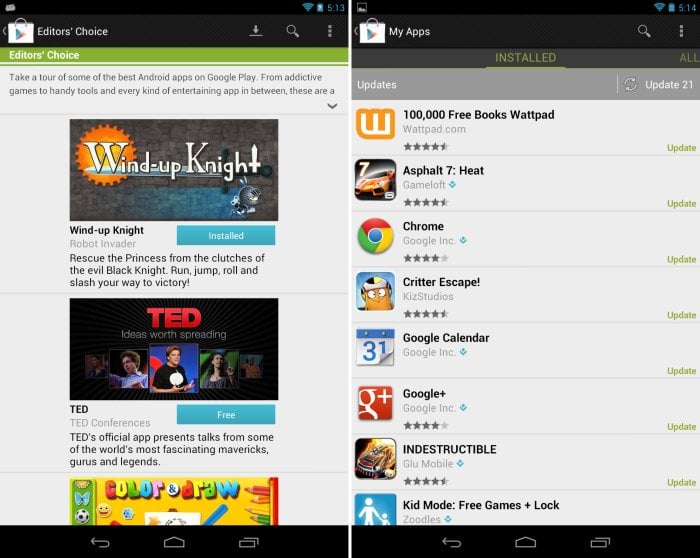
Google Play Store App Screenshots


14 responses to “Google Play APK 3.9.17 here”
after installing it crashes. 🙁
Try to ‘clear data’ of the app. You will find it in settings – applications – all apps – scroll to Google Play and tap to open it, then tap on ‘clear data’.
I have done all that but it still won’t open
after installing it crashes. 🙁
Try to ‘clear data’ of the app. You will find it in settings – applications – all apps – scroll to Google Play and tap to open it, then tap on ‘clear data’.
I have done all that but it still won’t open
after i install it and accept the terms it says unfortuntly google play has stopped.
i tried clearning the data and it said the same thing
hey i installed google play 3.9.17 and it says unfutuntly google play has stopped.
i trired clearing the data and it said the same thing
after i install it and accept the terms it says unfortuntly google play has stopped.
i tried clearning the data and it said the same thing
hey i installed google play 3.9.17 and it says unfutuntly google play has stopped.
i trired clearing the data and it said the same thing
is this signed by Google?
is this signed by Google?
Got the unfortunately google play store has stopped message over and over. No dice on my Proscan 7inch tablet
Got the unfortunately google play store has stopped message over and over. No dice on my Proscan 7inch tablet