
Bite by Night is a Roblox survival experience where scrap is the currency you lean on to gear up and stay alive longer, and codes are the quickest way to pad your balance without grinding for it.
Working Bite by Night codes
Only one code is redeemable right now, so punch it in before it gets pulled.
HOTFIX
500 scrap
New
How to redeem codes in Bite by Night
You redeem codes from inside the Settings menu rather than a separate codes button, so here’s exactly where to look.
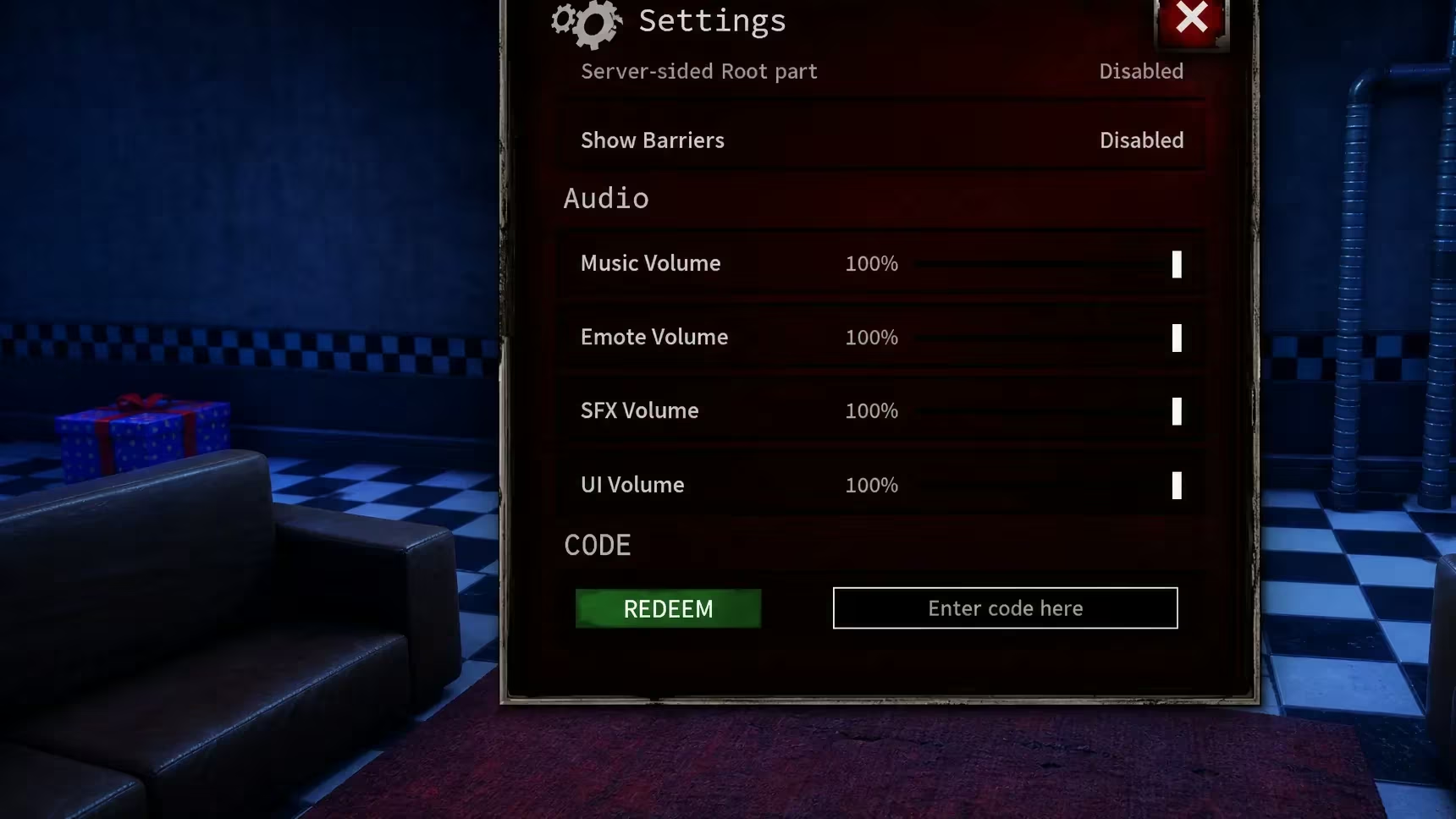
You’ll know it worked when your scrap total ticks up right away. You can confirm the new balance either in that same Settings menu or on the currency counter in the main lobby. If the number doesn’t budge after you press Redeem, double-check your spelling first, since a code that’s already expired won’t do anything either.
Expired Bite by Night codes
These no longer add anything to your scrap balance, so don’t waste time typing them in.
QUICKFIX
SORRYGUYS
How to get more Bite by Night codes
New codes tend to show up around updates, hotfixes, or as an apology when something in the game breaks, which explains names like HOTFIX and SORRYGUYS. Your best bet for catching them early is joining the official Bite by Night Discord server, where the developers post announcements directly. The game’s Roblox community group is also worth following for the same reason.
Why didn’t my code work?
The two most common reasons are a typo in the code or trying to enter one that’s already expired, like QUICKFIX or SORRYGUYS. Copy and paste the code straight from the list above to rule out spelling mistakes.
Check back and run through the working list again whenever a new update or hotfix drops, since that’s usually when fresh codes land.




Leave a Reply