

Entanglement Overdrive slows time in combat after Emma builds enough Entanglement Gauge, and you activate it with both thumbsticks on controller or Shift + middle mouse button on PC.
Entanglement Overdrive is one of Emma’s strongest combat tools because it gives you breathing room when a fight is moving too fast. It is also expensive: the gauge drains quickly once Overdrive is active, so treat it like a pressure-release button or burst window instead of something to mash whenever it lights up.
Entanglement Overdrive controls explained
| Platform | Input |
|---|---|
| Controller | Press both thumbsticks together |
| PC | Hold Shift + press middle mouse button |
Use these inputs when Emma has enough Entanglement Gauge built up. The in-game skill text shows controller activation with both sticks, while PC activation uses keyboard and mouse together.
KEY!Once active, Overdrive slows combat around Emma and starts consuming the gauge fast. Use that window for a specific purpose: stabilize, escape, punish, or finish a combo.
How the Entanglement Gauge fills and spends

The Entanglement Gauge builds as Emma attacks enemies, but successful parries are especially important because they feed the combat system more broadly. A clean parry negates the incoming hit, gives Emma entanglement points, activates her blade’s effect, and also grants FP for Koo’s Bloom Arts.
That means the gauge is not just an Overdrive meter. The same entanglement points are also used for guarding, Blade Arts, Nushi skills, and Entanglement Overdrive, so every flashy spend has an opportunity cost.
You can trigger Overdrive once you have at least two bars, but the early combat showcase uses it when the gauge is full. In tougher fights, a fuller gauge gives the slow-time window more value before the rapid drain ends it.
How to use Entanglement Overdrive in Beast of Reincarnation
Build the gauge through combat, then spend it only when the slow-time window will immediately solve a problem or create damage.
STEP 1/6
Activate Overdrive
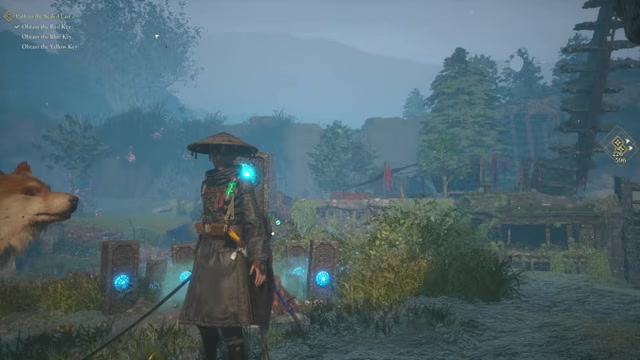
Press both thumbsticks together on controller, or use Shift + middle mouse button on PC, when the Entanglement Gauge is ready.
STEP 2/6
Open the skill menu
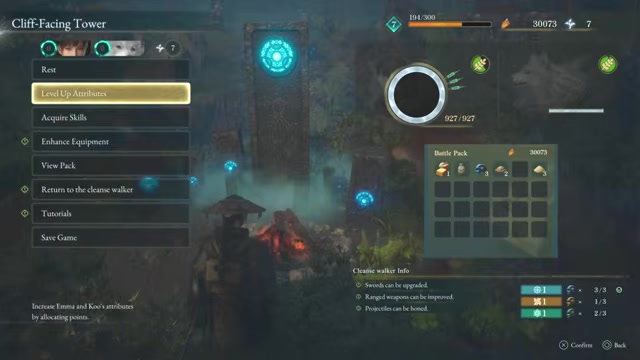
At a Cliff-Facing Tower, enter Acquire Skills to view Entanglement Overdrive upgrades before returning to combat.
STEP 3/6
Build gauge in a fight
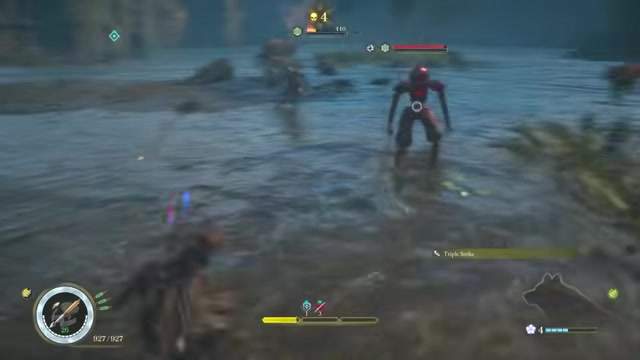
Attack enemies and look for parry timings as Emma’s Entanglement Gauge starts filling during combat.
STEP 4/6
Watch your spending

Using a Blade Art consumes entanglement points, so rebuild the gauge if you spent too much before Overdrive.
STEP 5/6
Trigger it to recover
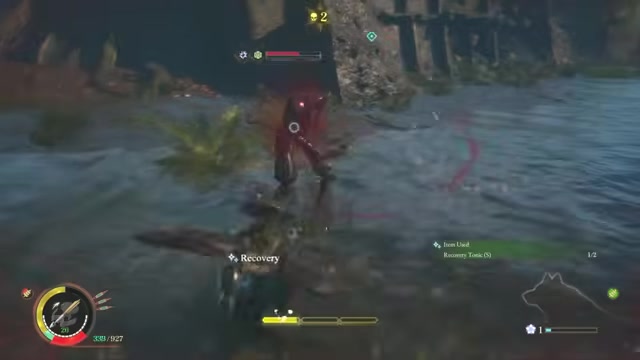
When Emma needs to heal under pressure, activate Overdrive, back away, and use the slow-time window to recover.
STEP 6/6
Parry to refill faster
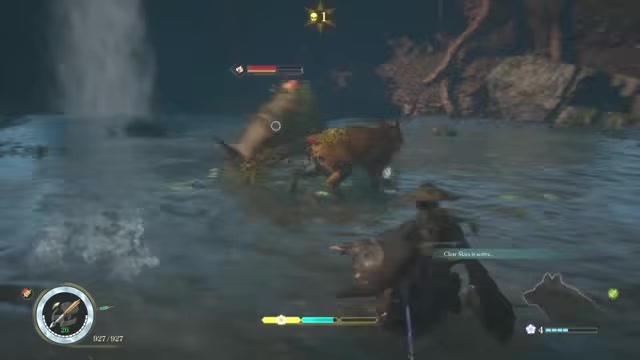
Keep attacking and parrying to regain points, then use the next Overdrive window to mix attacks with Koo.
Video help
Best times to use Entanglement Overdrive
| Situation | Use |
|---|---|
| Low health under pressure | Slow time, create distance, and heal. |
| Incoming heavy attack | Use the slowdown to dodge or reposition. |
| Staggered enemy | Turn the window into burst damage. |
| Blade Arts chain | Spend the window on consecutive attacks while the enemy cannot easily answer. |
| Messy multi-enemy fight | Recover control, reset spacing, and pick a target. |
Overdrive is strongest when it changes the outcome of the next few seconds. If Emma is already safe and the enemy is not vulnerable, you are usually better off saving the gauge for a cleaner opening.
Parry before you panic-spend Overdrive; a good parry both protects Emma and helps refill the resource you need for guarding, Blade Arts, Nushi skills, and the next slow-time window.
Entanglement Overdrive upgrades
You upgrade Entanglement Overdrive from the skill menu at a Cliff-Facing Tower. Skill points come from defeating enemies, and early on you will have to choose carefully because the useful upgrades compete with other combat tools.
The direct Entanglement Overdrive upgrade improves its duration. Expand Entanglement Gauge increases how much gauge Emma can hold, which also gives you more room to spend on Blade Arts without emptying yourself before an Overdrive moment.
Entanglement Gauge Recovery helps the meter come back faster, while Instant Entanglement can refill Emma’s gauge to full after defeating a foe. Those upgrades matter most if your playstyle leans into frequent Blade Arts, aggressive parries, and chaining pressure across longer fights.
Entanglement Overdrive mistakes to avoid

The easiest mistake is burning the gauge too early, especially against an enemy that is not staggered or while Emma is already safe. Overdrive drains fast, so an early trigger often leaves you without the resource you need for the next guard, Blade Art, Nushi skill, or emergency slow-time window.
Do not ignore parries, either. Attacking builds gauge, but parrying is the cleaner habit because it protects Emma while feeding both entanglement points and FP. Also avoid dumping every early skill point into one branch before you know whether your build needs longer Overdrive windows, faster gauge recovery, more gauge capacity, or other tools first.
Frequently Asked Questions
What button activates Entanglement Overdrive on controller?
Press the left and right thumbsticks together.
What is the PC input for Entanglement Overdrive?
Hold Shift and press the middle mouse button.
How do you refill the Entanglement Gauge?
Emma refills it by attacking enemies, with successful parries giving especially strong value because they also support the rest of her combat kit.
Should you save Entanglement Overdrive for bosses?
Save it for high-pressure or high-damage moments, which often means bosses, stagger windows, dangerous elite enemies, or situations where healing safely matters more than raw damage.
Can you upgrade Entanglement Overdrive?
Yes. Use skill points at a Cliff-Facing Tower to upgrade Entanglement Overdrive and related gauge skills.
More questions⤵
Why did my Entanglement Gauge drain so fast?
That is how Overdrive works: once activated, it rapidly consumes the gauge, and the exact drain rate and duration values are not shown as fixed public numbers.






Leave a Reply