

What to know
- Ship customization unlocks after completing an early quest tied to your first ship.
- You must build a Wharf structure before accessing appearance options.
- Customization is free and includes hull, sails, and flag changes.
- More visual options unlock as you progress further in the game.
Customizing your ship’s appearance in Windrose is a straightforward system, but it’s gated behind a short progression path. Once you unlock it, you can freely tweak how your vessel looks without worrying about resource costs, making it a fun way to personalize your gameplay experience.
Getting started with ship customization in Windrose
Before you can begin modifying your ship, you need to progress through the early stages of the game. The customization system is not available immediately when you receive your first ship, but it becomes accessible shortly after completing a specific quest. This ensures that players understand basic sailing mechanics before diving into cosmetic upgrades.
| Requirement | Details |
|---|---|
| Unlock Condition | Complete “How my sea adventure began” quest |
| Structure Needed | Wharf |
| Materials Required | 10 Wood, 10 Coarse Fabric |
| Customization Cost | Free |
| Editable Parts | Hull, Sails, Flag |
How to unlock the Wharf and customization system
The Wharf is the key structure that enables ship management and customization. Without it, you won’t see any options related to modifying your ship’s appearance. Here is how to complete the unlock process:
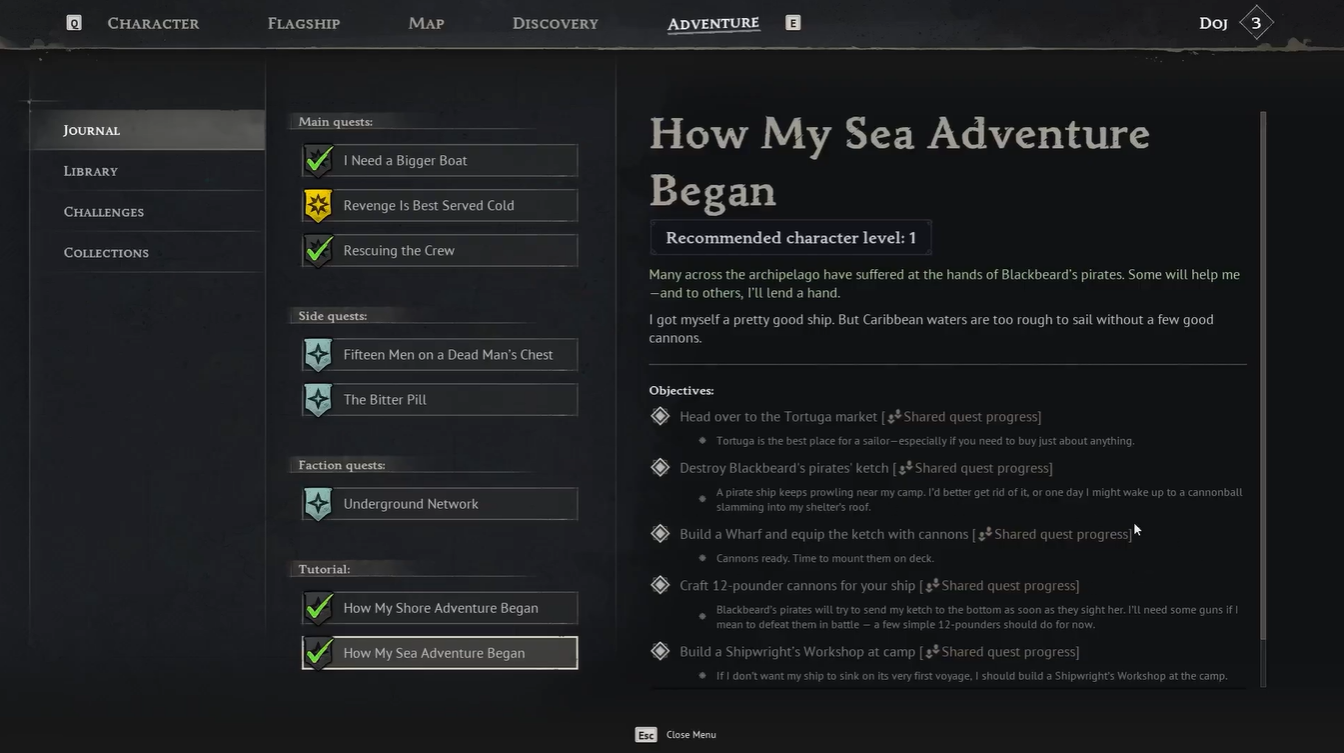
Accept and complete the quest “How my sea adventure began.” Receive the Wharf recipe as a reward. Once the quest is completed, the blueprint for constructing the Wharf becomes available in your build menu.
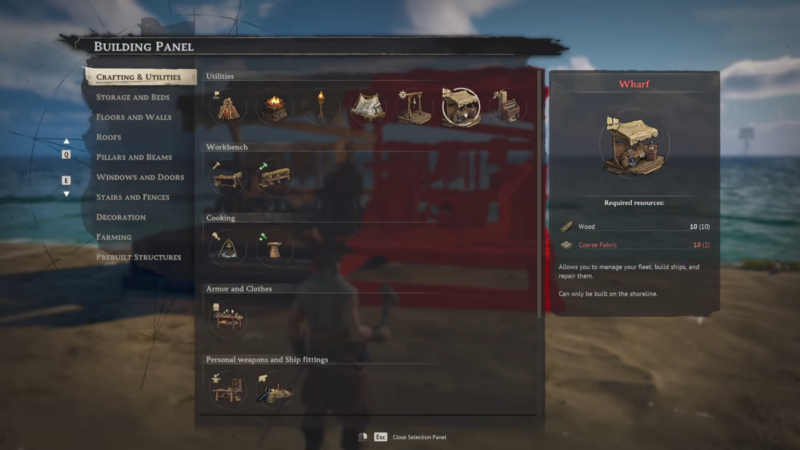
After unlocking the recipe, the next step is constructing the Wharf. This is a simple build that requires only basic materials, making it accessible even for new players.
Materials required for Wharf
| Material | Quantity |
|---|---|
| Wood | 10 |
| Coarse Fabric | 10 |
Gather 10 pieces of Wood from nearby resources. These are typically easy to find in early areas. Collect or craft 10 pieces of Coarse Fabric. This may involve basic crafting depending on your progression.
How to customize your ship in Windrose
With the Wharf built, you now have access to ship management features. This is where the customization system becomes available. Interact with the Wharf structure. A menu will appear with multiple options.
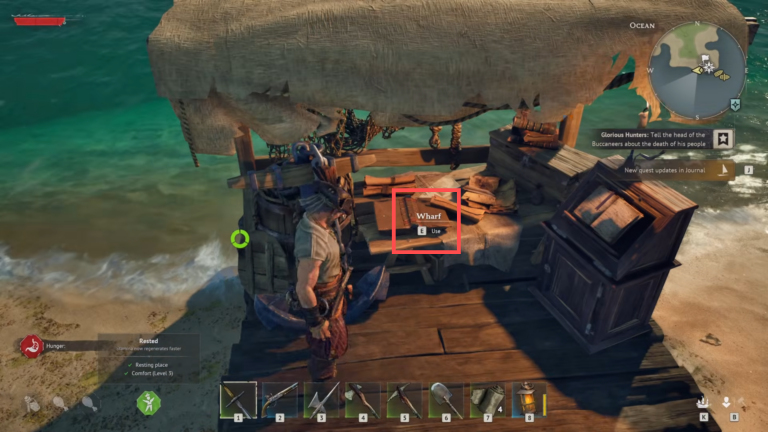
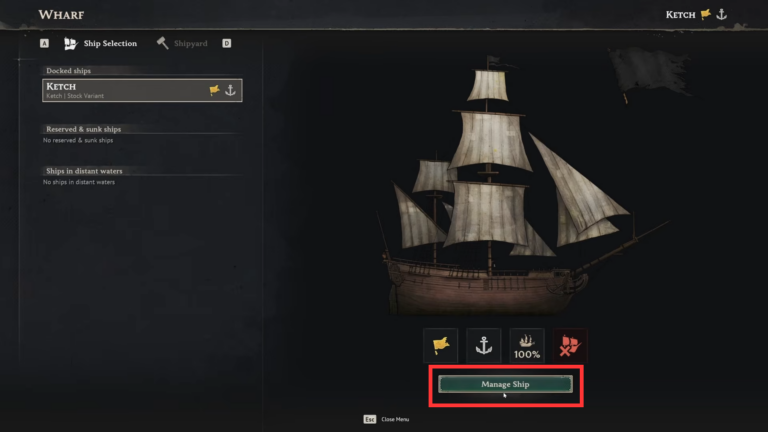
Select the “Manage Ship” option from the interface. This opens a detailed view of your current vessel.
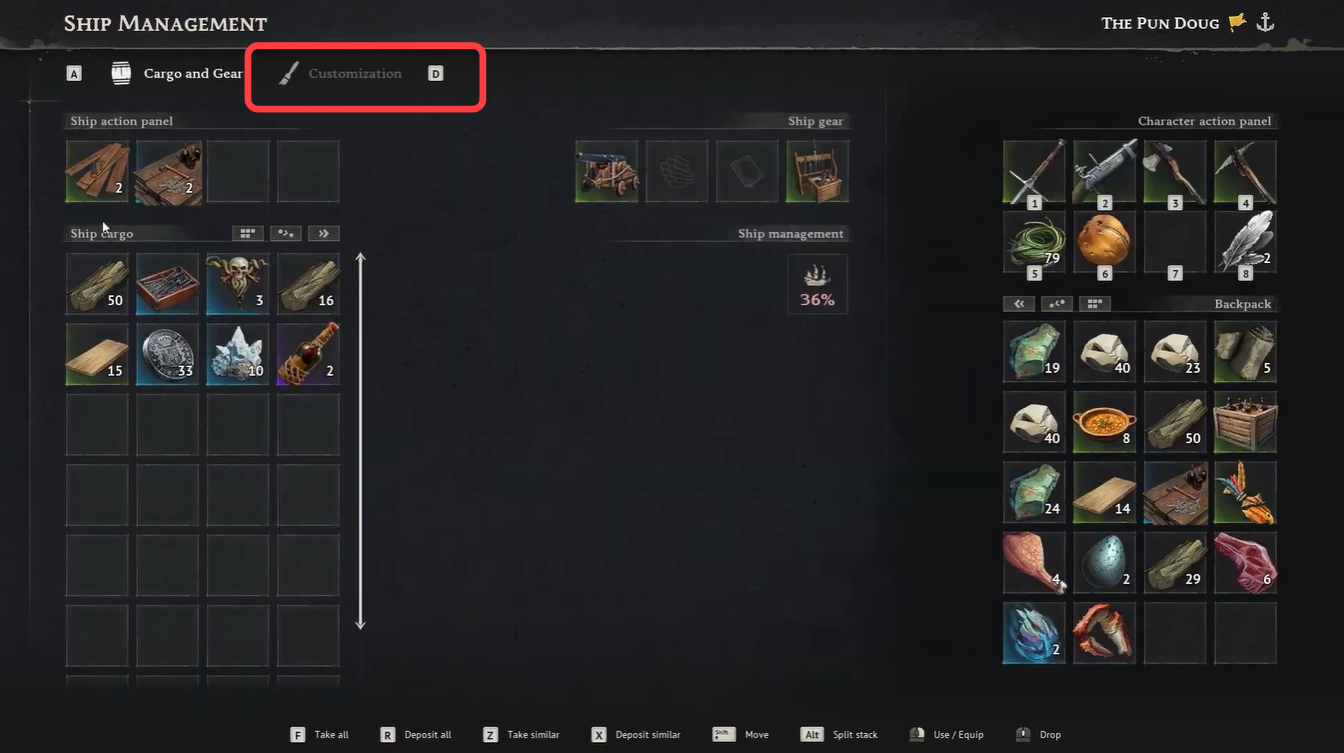
Click on the “Customization” tab located above the left inventory panel. This is where all appearance-related changes can be made.
Choosing from customization designs for ship
Once inside the customization menu, you gain full control over several visual aspects of your ship. The interface is designed to be intuitive, allowing you to experiment freely.
Choose the part of the ship you want to modify—hull, sails, or flag. Each category has its own set of options.
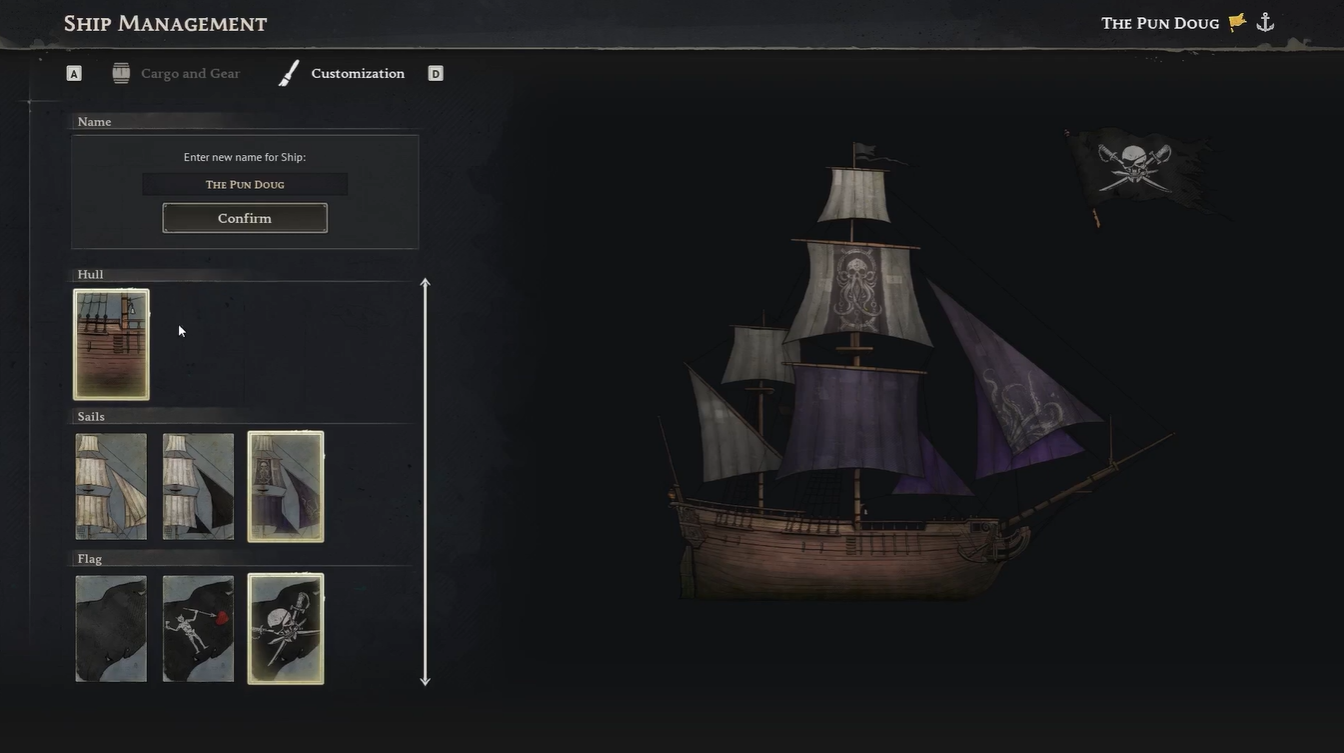
Browse through available styles and apply your preferred look. Changes are applied instantly. Use the live preview panel on the right side of the screen to see updates in real time. This helps you fine-tune your design before finalizing it.
Understanding customization progression and limitations
While the system is free to use, the number of available customization options is initially limited. As you continue playing Windrose, you unlock additional styles and visual upgrades.
The progression system ensures that your ship evolves visually alongside your gameplay journey. Early designs may feel simple, but more elaborate customization options become available through exploration, quests, or progression milestones.
| Customization Feature | Early Game | Mid/Late Game |
|---|---|---|
| Hull Designs | Limited | Expanded |
| Sail Variants | Basic | Advanced |
| Flag Options | Few | Many |
This gradual unlock system encourages continued exploration and gives you a sense of visual progression over time.
Ship customization is purely cosmetic, but it plays a significant role in player identity and immersion. Being able to tailor your vessel’s look makes your journey feel more personal, especially when sailing through different regions.
Additionally, the fact that customization requires no resources makes it accessible and risk-free. You can experiment as much as you like without worrying about wasting materials, which is a refreshing design choice compared to many other games.





Leave a Reply