

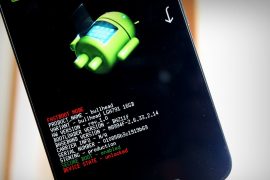
Unlocking the bootloader via Fastboot is the easiest thing to do. But not all Android devices support straightforward bootloader unlocking. Many manufacturers put up a setup on their devices to let users unlock bootloader only when they request a bootloader unlock token. This way the manufacturer gets to know that bootloader has been unlocked on the device and thus disables warranty on it.
This guide has bootloader unlocking steps for the devices that support direct bootloader unlocking without the interference of a manufacturer. For your information, most Motorola’s, Sony, LG (flagships only) doesn’t support direct bootloader unlock. It’s okay if you’re not sure about your device though, you can still give with the Fastboot bootloader unlock process shared below. If it passes, good. If it fails, no harm will be done.
To unlock bootloader via Fastboot you’ll need a PC and ADB with Fastboot setup, which can be tricky for some, but we’ll guide you through. Also, make sure your device is at-least 20% charged before you attempt to unlock bootloader.
Note: Unlocking the bootloader will completely wipe/delete all data on your device. Including photos, videos, movies, documents, apps, games, basically everything. So make you backup the important files before unlocking the bootloader.
How to Unlock Bootloader via Fastboot
- Setup ADB and Fastboot on your PC.
- Enable USB debugging and OEM Unlock on your Android device.
- Connect your device to the PC with a USB cable.
- Open a command window on your PC.
- Boot your device into bootloader mode using the following command:
adb reboot bootloader
└ You may get a request to authorize USB debugging on the device, accept it.
- Once your device is in bootloader mode, issue the following command to unlock bootloader:
fastboot flashing unlock
If the above command doesn’t work, run this command (older devices need this): fastboot oem unlock
- (Not applicable for all) If you get a confirmation screen on your device. Press Volume Up button to highlight Yes and press Power button to select it. This will begin the bootloader unlocking process, which shouldn’t last more than a couple of minutes.
- Once the bootloader is unlocked, your device will reboot into bootloader mode. You need to boot it into the system now using the command below:
fastboot reboot
- During reboot, your device will go through a factory reset and then finally boot into system.
That’s all. Your Android device’s bootloader is now unlocked.
Happy Androiding!






152 responses to “How to Unlock Bootloader via Fastboot on Android”
Great. The only thing is adb command worked for me is
adb reboot-bootloader
also in developer option you need to set oem unlock option
Great. The only thing is adb command worked for me is
adb reboot-bootloader
also in developer option you need to set oem unlock option
Great. The only thing is adb command worked for me is
adb reboot-bootloader
also in developer option you need to set oem unlock option
Great. The only thing is adb command worked for me is
adb reboot-bootloader
also in developer option you need to set oem unlock option
I get message, Waiting on device.
I get message, Waiting on device.
I get message, Waiting on device.
I get message, Waiting on device.
what if when i type “fastboot oem unlock”
then the reply is “oem unlock is not allowed” what’s wrong with it?
go to developer options and enable the option which says ” allow OEM to be unlocked”
When I type command line: “adb reboot bootloader” all it does is restart my devices. Does this mean it’s already completed?
EDIT: I already have OEM option unlocked
what if when i type “fastboot oem unlock”
then the reply is “oem unlock is not allowed” what’s wrong with it?
go to developer options and enable the option which says ” allow OEM to be unlocked”
When I type command line: “adb reboot bootloader” all it does is restart my devices. Does this mean it’s already completed?
EDIT: I already have OEM option unlocked
what if when i type “fastboot oem unlock”
then the reply is “oem unlock is not allowed” what’s wrong with it?
go to developer options and enable the option which says ” allow OEM to be unlocked”
When I type command line: “adb reboot bootloader” all it does is restart my devices. Does this mean it’s already completed?
EDIT: I already have OEM option unlocked
what if when i type “fastboot oem unlock”
then the reply is “oem unlock is not allowed” what’s wrong with it?
its not working im at the db reboot bootloader. Need help! please!
its not working im at the db reboot bootloader. Need help! please!
need help! please skype me! Dennis.sandi1
need help! please skype me! Dennis.sandi1
its says “”adb” is not recognized as an Internal or external command, operable porgram or batch file” need help!
you need to install Minimal ADB Tool
its says “”adb” is not recognized as an Internal or external command, operable porgram or batch file” need help!
you need to install Minimal ADB Tool
its not working im at the db reboot bootloader. Need help! please!
its not working im at the db reboot bootloader. Need help! please!
need help! please skype me! Dennis.sandi1
need help! please skype me! Dennis.sandi1
its says “”adb” is not recognized as an Internal or external command, operable porgram or batch file” need help!
you need to install Minimal ADB Tool
its says “”adb” is not recognized as an Internal or external command, operable porgram or batch file” need help!
Don’t bother trying this, it will not work on your LG Stylo 2 Plus. It WILL Brick your phone and it WILL not be recoverable.
rip my phone…
All I did was run the adb commands as typed, nothing extra, phone is now a brick, won’t do anything.
Don’t bother trying this, it will not work on your LG Stylo 2 Plus. It WILL Brick your phone and it WILL not be recoverable.
rip my phone…
All I did was run the adb commands as typed, nothing extra, phone is now a brick, won’t do anything.
Don’t bother trying this, it will not work on your LG Stylo 2 Plus. It WILL Brick your phone and it WILL not be recoverable.
rip my phone…
All I did was run the adb commands as typed, nothing extra, phone is now a brick, won’t do anything.
Don’t bother trying this, it will not work on your LG Stylo 2 Plus. It WILL Brick your phone and it WILL not be recoverable.
rip my phone…
All I did was run the adb commands as typed, nothing extra, phone is now a brick, won’t do anything.
Got stuck on fastboot oem unlock sais waiting for device
same
Got stuck on fastboot oem unlock sais waiting for device
same
Got stuck on fastboot oem unlock sais waiting for device
Got stuck on fastboot oem unlock sais waiting for device
i sorry but i cant choose yes or no on my infinix hot note . (CANT CHOOSE HIGHLIGTH EVEN I PRESS VOLUP OR VOLDOWN ) so i press power button to cancel
i sorry but i cant choose yes or no on my infinix hot note . (CANT CHOOSE HIGHLIGTH EVEN I PRESS VOLUP OR VOLDOWN ) so i press power button to cancel
My tablet is bootloop, how can i unlock bootloader?
My tablet is Asus MeMopad ME173x
My tablet is bootloop, how can i unlock bootloader?
My tablet is Asus MeMopad ME173x
It says my device isn’t found
can someone help me?
Have you installed drivers for the make of you phone. Also in developer options change from charging to mtp seeing
It says my device isn’t found
can someone help me?
Have you installed drivers for the make of you phone. Also in developer options change from charging to mtp seeing
will this brick my device
Yes it can. Look for other methods.
will this brick my device
“‘adb’ is not recognized as an internal or external command,operable program or batch file.”pc said this
you need to install adb on your pc first
“‘adb’ is not recognized as an internal or external command,operable program or batch file.”pc said this
you need to install adb on your pc first
after the command “fastboot oem unlock” , the device automatically restarts without my command . plz help
after the command “fastboot oem unlock” , the device automatically restarts without my command . plz help
Hello the in the bootloader unlock options my fon volume up is not working to accept unlock bootloader
The volume up button ain’t working to accept bootloader unlock. Is there any command to ulock bootloader?
Hello the in the bootloader unlock options my fon volume up is not working to accept unlock bootloader
The volume up button ain’t working to accept bootloader unlock. Is there any command to ulock bootloader?
press volume up button twice 🙂
Hi, i am using a frp blocked phone. will this work ??
Hi, i am using a frp blocked phone. will this work ??