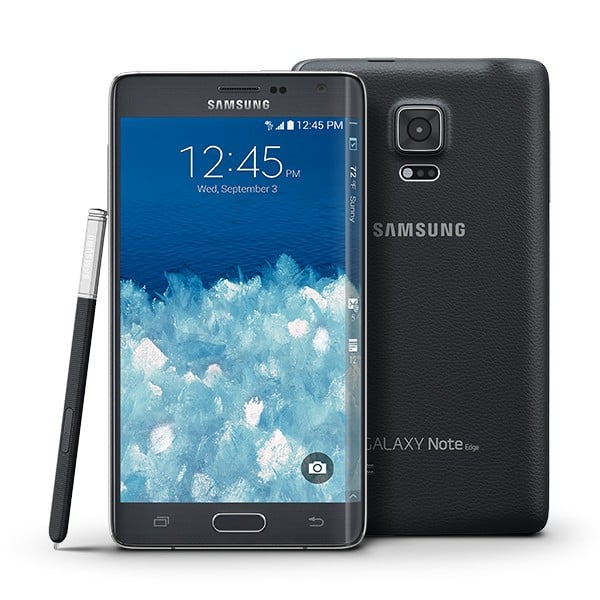
A changelog is yet to arrive from T-Mobile, but we can confirm that its Galaxy Note Edge is due for an update today, the build no. being N915TUBU2BOH2. It’s not Android 5.1 update if you were hoping for that, as it’s still Android 5.0.1.
Firmware for the OH2 update has already appeared online, and we think T-Mobile will open up soon about the update.
Our guess is as good as yours, but this could be the small Stagefright bug fix update that has remained unreleased on very few devices now, and T-Mobile Galaxy Note Edge was one of them.
Be sure to hit the About device section under Settings, and look for the update from there. Even if you can’t get OTA, you can download the full firmware from below and install it using the guide given below.
Downloads
- OH2 update firmware — Link | File: N915TUBU2BOH2_N915TUUB2BOH1_BVO.zip (1.41 GB)
- Odin PC software — Link | File: Odin3_v3.10.6.zip (1.6 MB)
Supported devices
- T-MOBILE GALAXY NOTE EDGE, model no. SM-N915T
- Don’t try this on any other device whose model no. is not as given above!
Disclaimer: Installing an official firmware through Odin doesn’t void your device’s warranty, but it remains an unofficial process and thus you need to be cautious of it. In any case, you only are responsible for your device. We won’t be liable if any damage occurs to your device and/or its components.
Backup important files stored on your device before proceeding with the steps below, so that in case something goes wrong you’ll have backup of all your important files. Sometimes, Odin installation may delete everything on your device!
Step-by-step Guide
- Power off your Galaxy Note Edge, Wait 6-7 seconds after screen goes off.
- Press and hold the three buttons Volume down + Power + Home together until you see warning screen.
- Press Volume Up to continue to download mode.

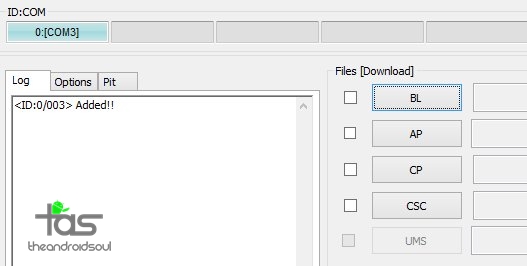
- You cannot proceed until you get the Added!! message, which confirms that Odin has recognized your device.
- If you don’t get Added!! message, you need to install/re-install drivers again, and use the original cable that came with device. Mostly, drivers are the problem (look at step 2 above).
- You can try different USB ports on your PC too.
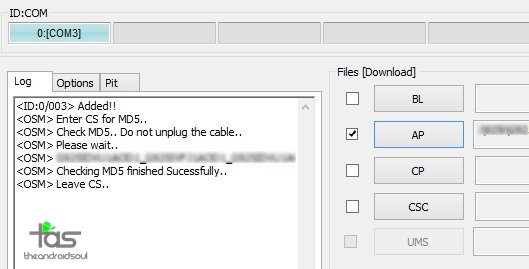
- Info: When you load files, Odin checks the md5 of firmware file, which takes time. So, simply wait until that’s done and the firmware file is loaded. Don’t worry if Odin gets unresponsive for a while, it’s normal. Binary size will also show up in Odin.
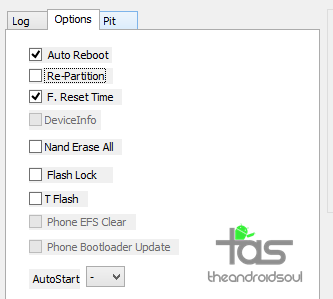
- If Odin gets stuck at setup connection, then you need to do this all again. Disconnect your device, close Odin, boot device into download mode again, open Odin, and then select the file and flash it again as said above.
- If you get FAIL in the top left box, then also you need to flash the file again as stated just above.

That’s it. Enjoy your Galaxy Note Edge on OH2 firmware — at least till Android 5.1 drops by.