If Hytale is refusing to update and throwing errors like “Access is denied”, “applying update to ‘game’”, or “applying update to ‘jre’,” you’re not alone. These update failures usually pop up because of permission conflicts, locked files, or interference from background apps on Windows.
The good news is that the issue is easy to fix once you know what’s causing it. Below, we’ll walk you through a simple, reliable solution to get the Hytale launcher updating properly so you can jump back into the game without reinstalling everything.

How to fix the update errors on Hytale
Step 1:
Close Hytale launcher.
Step 2:
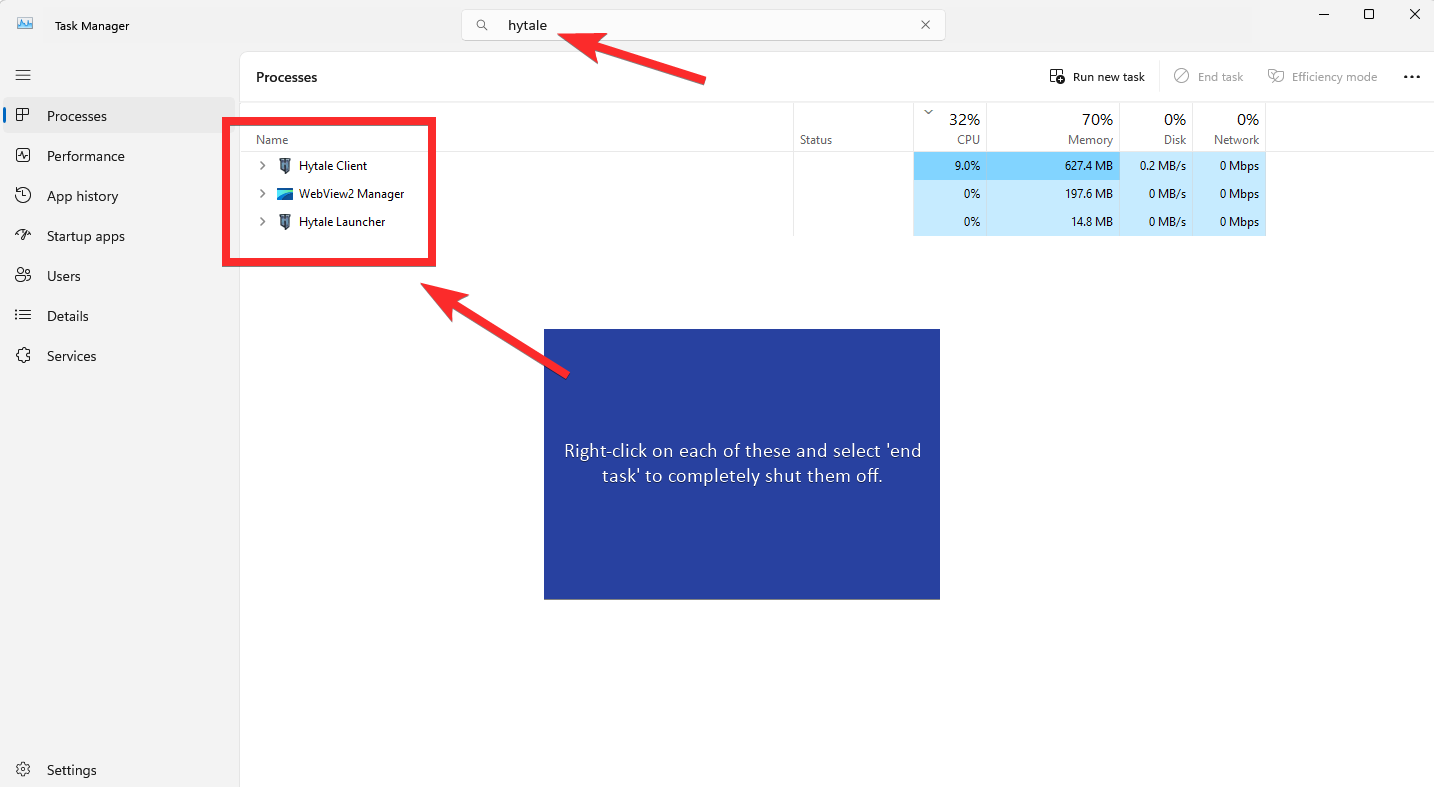
Open Task manager and close all Hytale related processes
Step 3:
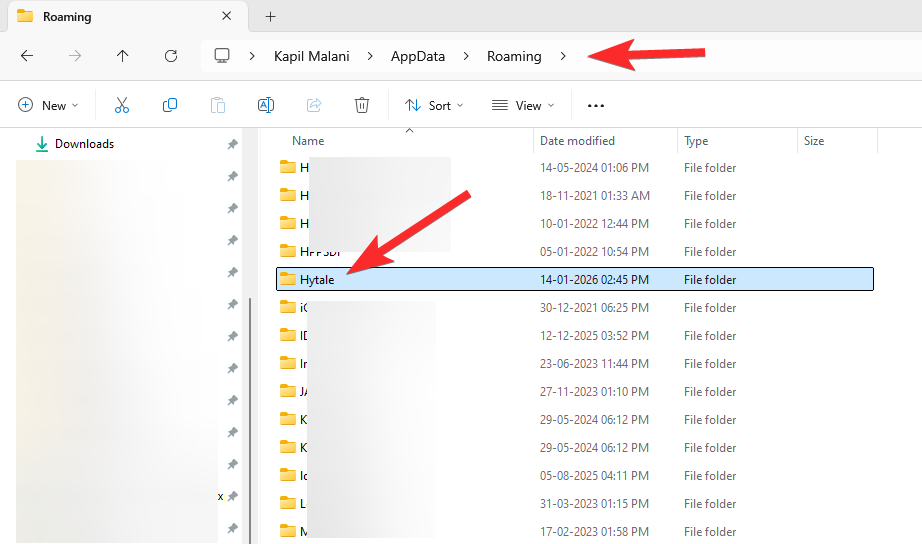
Press Windows key + R to open the Run tool. Type %appdata% and then hit enter.

Step 4:
Delete the Hytale folder here. We used shift+delete to permanently delete it.
Step 5:
Run the Hytale launcher now. You will need to sigh in again and also install the full game again. About 1.5GB download. But it shall work alright now.
That’s all.