
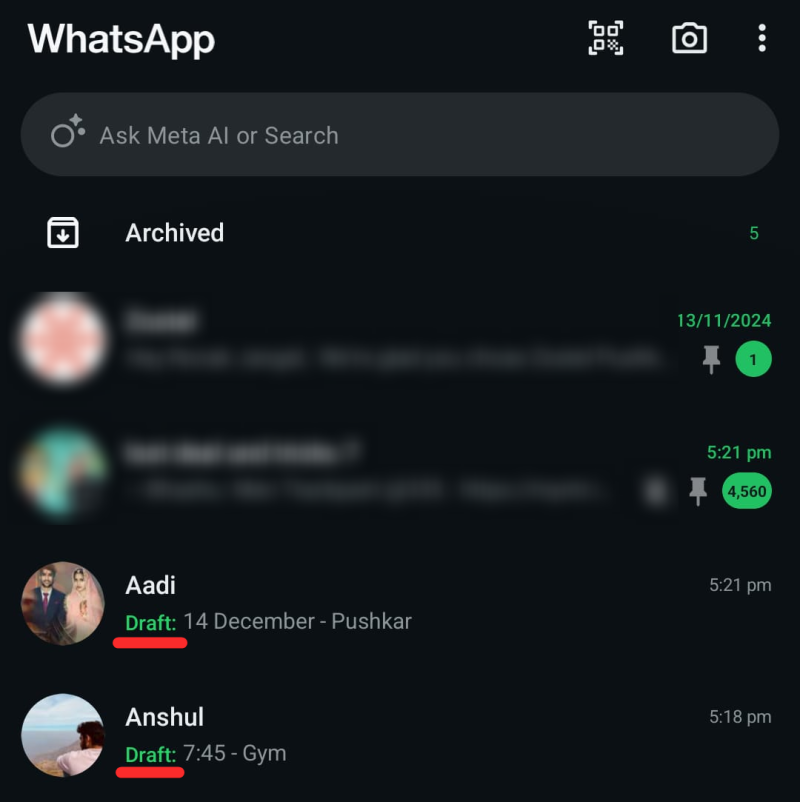
WhatsApp typically limits users to pinning three chats to the top of their chat list. However, with the new Drafts feature, you can essentially “stick” more than three chats at the top of your conversation list without officially pinning them. This is a clever workaround that uses the Drafts feature to prioritize conversations. Here’s how to make it work effectively.
Why Use Drafts for Sticky Chats
Bypass the Pin Limit:
WhatsApp only allows three pinned chats. Using drafts gives you additional “sticky” conversations at the top.
Highlight Unfinished Conversations:
Drafts automatically prioritize chats where you’ve started typing but haven’t sent a message.
Organized Workflow:
Keeps important chats visible without unpinning others.
How to get more than 3 sticky chats: Use drafts to get more chats below 3 sticky chats
Video Guide:
Step-by-Step Guide with screenshots:
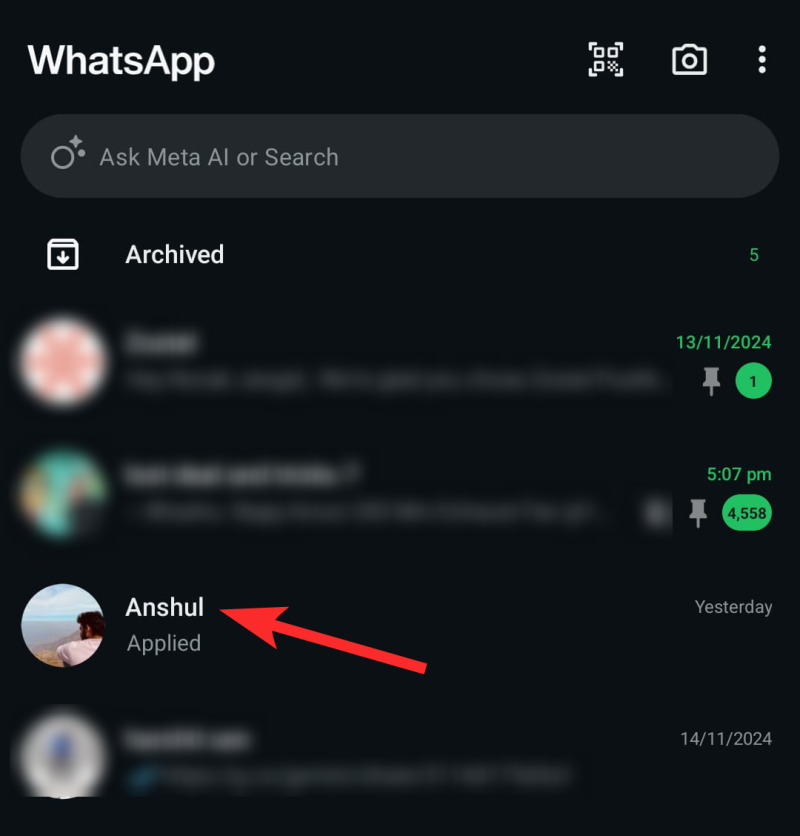
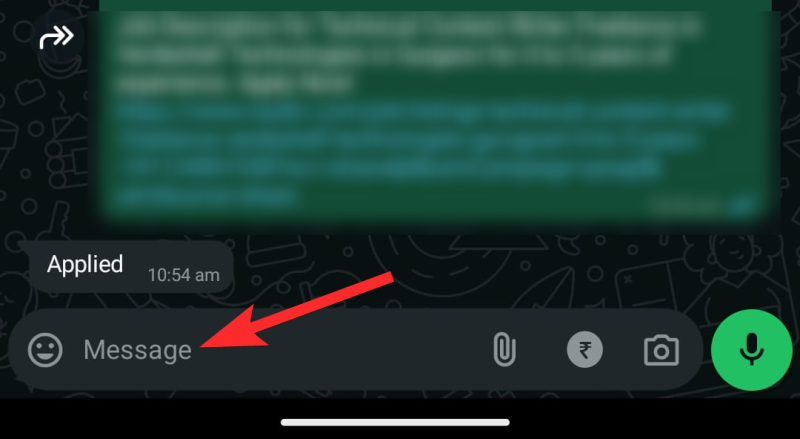
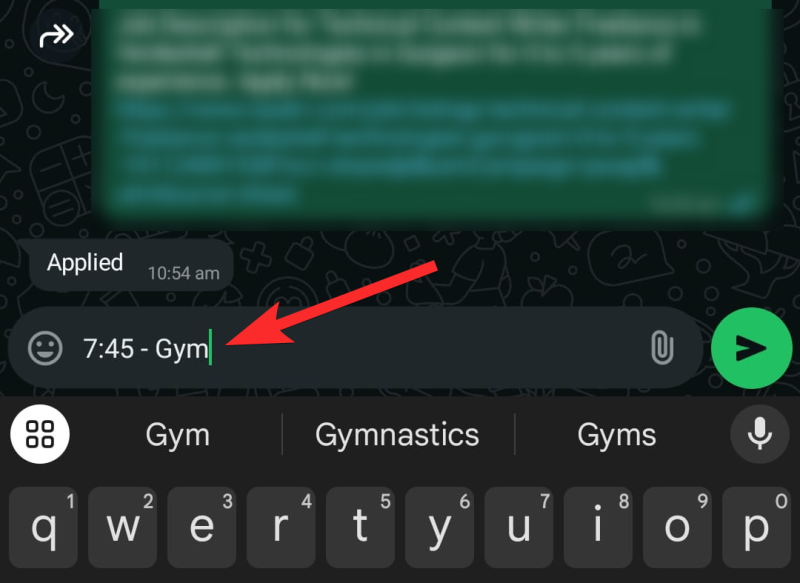

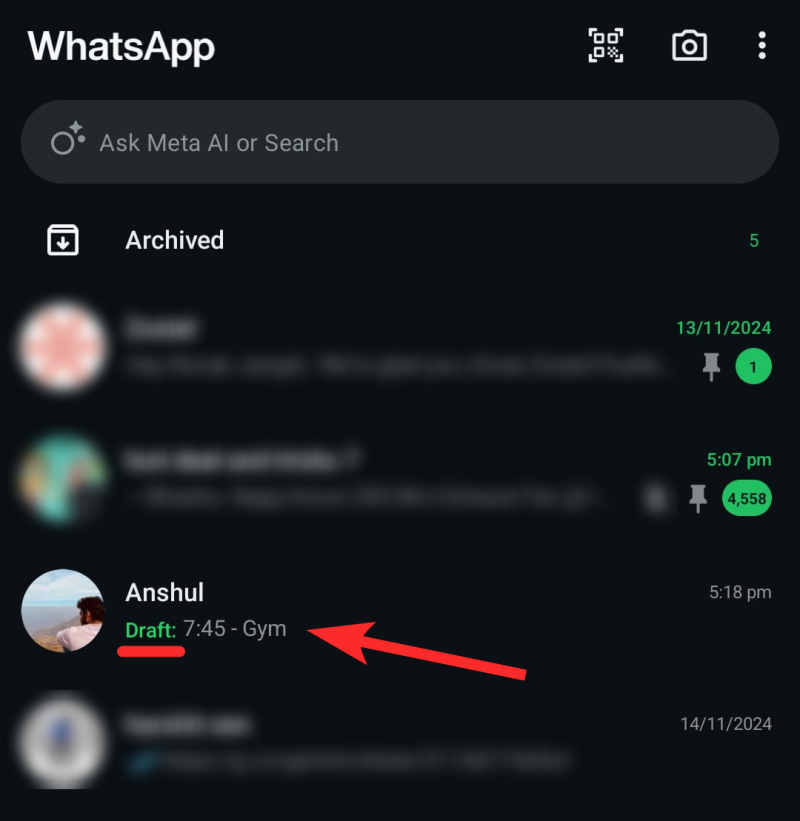
Follow the same process for other chats you want to prioritize.
FAQs
Can I use drafts for group chats too?
Yes, drafts work for both individual and group chats.
Will others see my draft messages?
No, drafts are private and visible only to you until they’re sent.
What happens if I accidentally delete a draft?
Deleted drafts are not recoverable, so double-check before clearing them.
Drafts FTW!
The Drafts feature in WhatsApp provides a creative way to prioritize chats beyond the pin limit. By leveraging this functionality, you can maintain a more organized and efficient chat list. Try it out today to get the most from your WhatsApp experience!