What to know
- YouTube detects Brave’s Shields as ad blockers, triggering video limits or bans after a few plays.
- Updating Brave components, like the Ad Block Updater, resolves most issues quickly.
- Clearing Google and YouTube cookies often bypasses restrictions without losing progress.
- Disabling Shields temporarily or logging out provides immediate workarounds.
Tensions between YouTube and Brave have always existed. They primarily stem from aggressive ad-block detection that has affected playback since Brave came on the scene. Users report videos failing after three views or outright blocks labeled as “bans.”
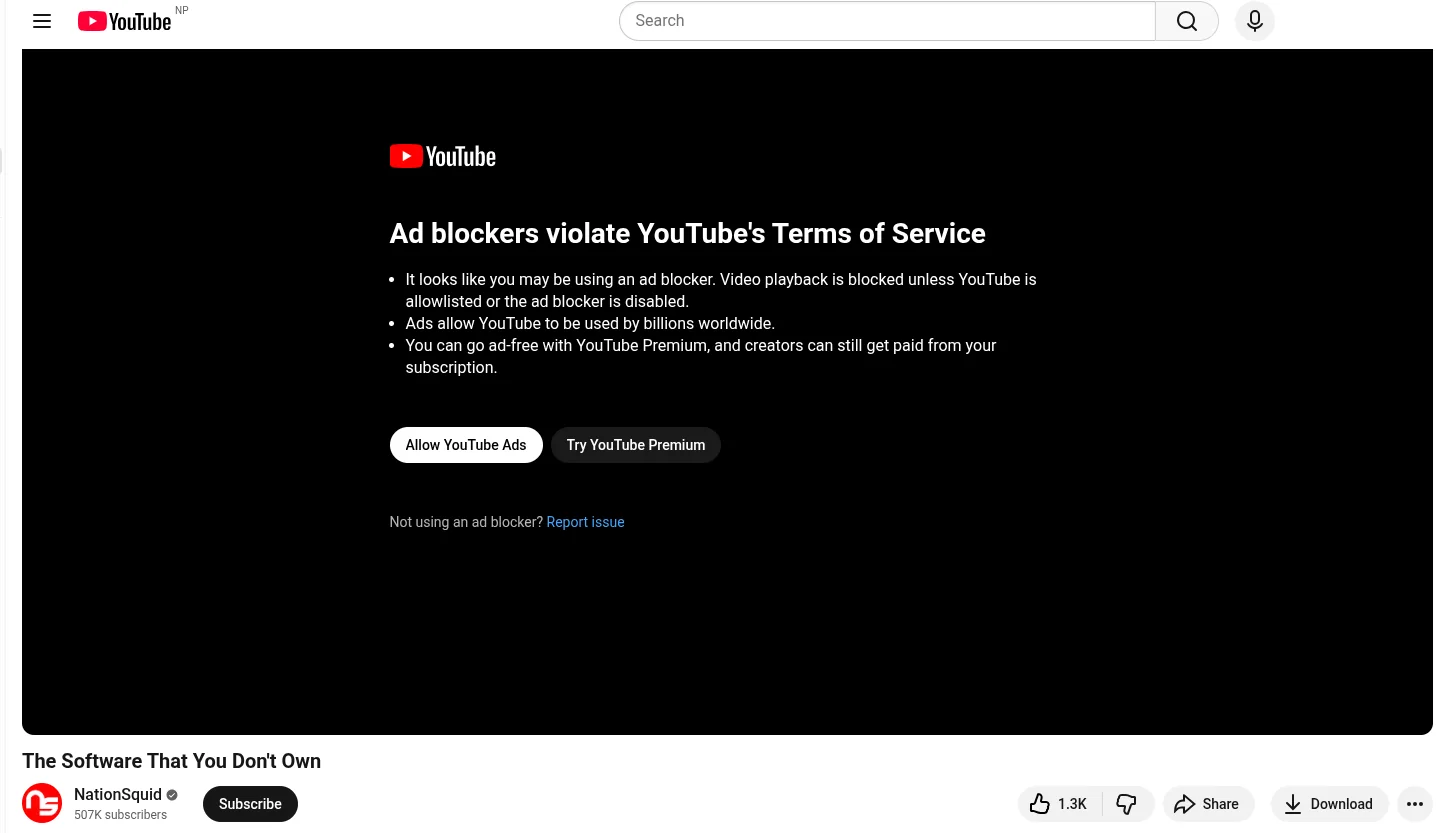
To get around these, following these steps and regain access while keeping privacy features intact.
Updating Brave components to evade detection
Head to brave://components in your address bar.
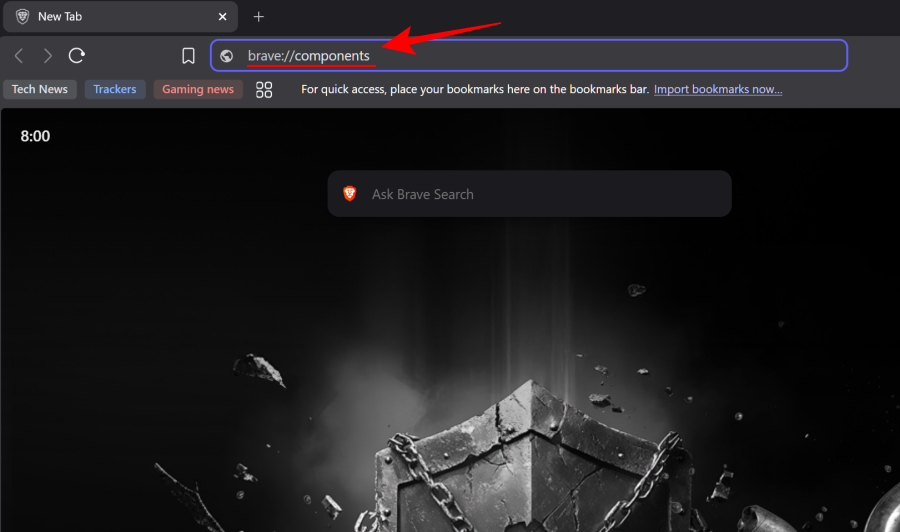
Locate the following and click “Check for update”:
- Brave First Party Adblock Filters
- Brave Default Adblock Filters
- Brave Ad Block List Catalog
- Brave Ad Block Resource Library
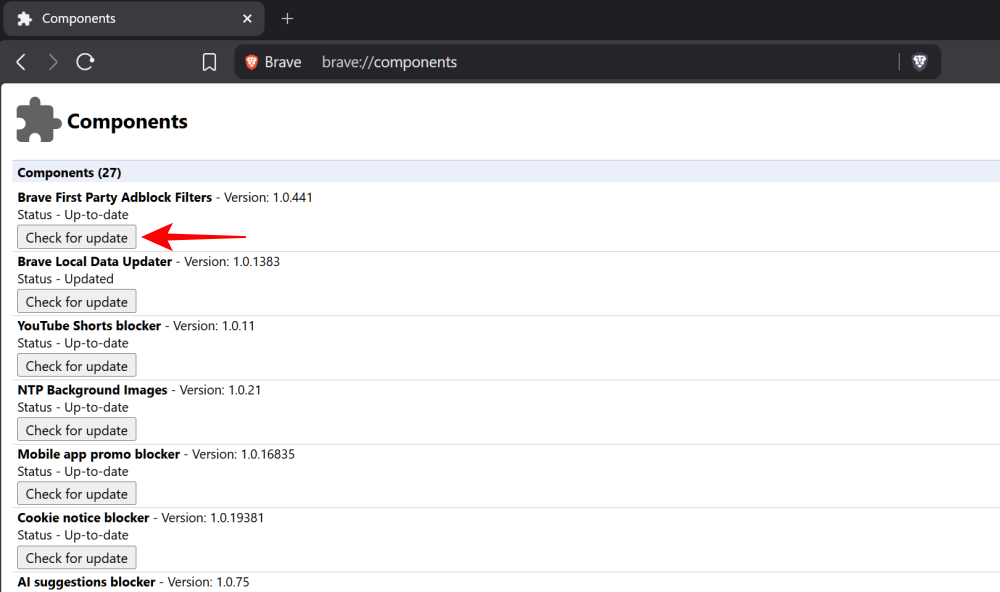
Refresh YouTube tabs afterward; this patches detection vulnerabilities without extensions.
This single step ends the block, as YouTube targets outdated Shields. Restart Brave if auto-updates lag.
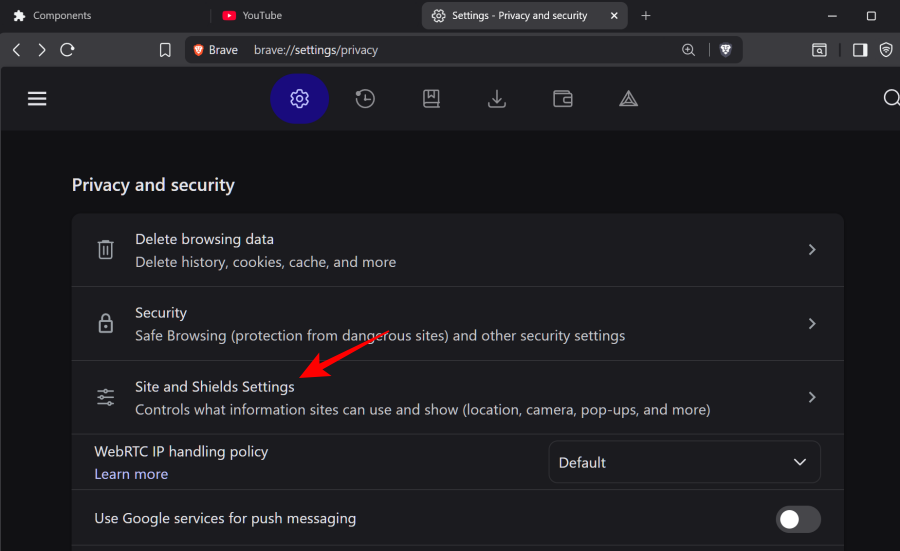
Go to “Privacy and security” in Brave’s Settings. Click “Site and Shields Settings.”
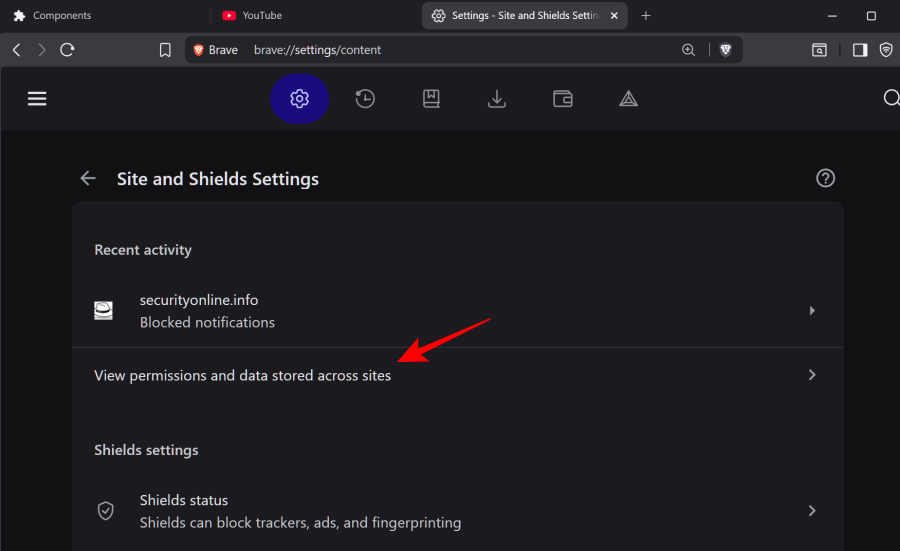
Select “View permissions and data stored across sites.”
Search for “google” and “youtube,” and delete all cookies.
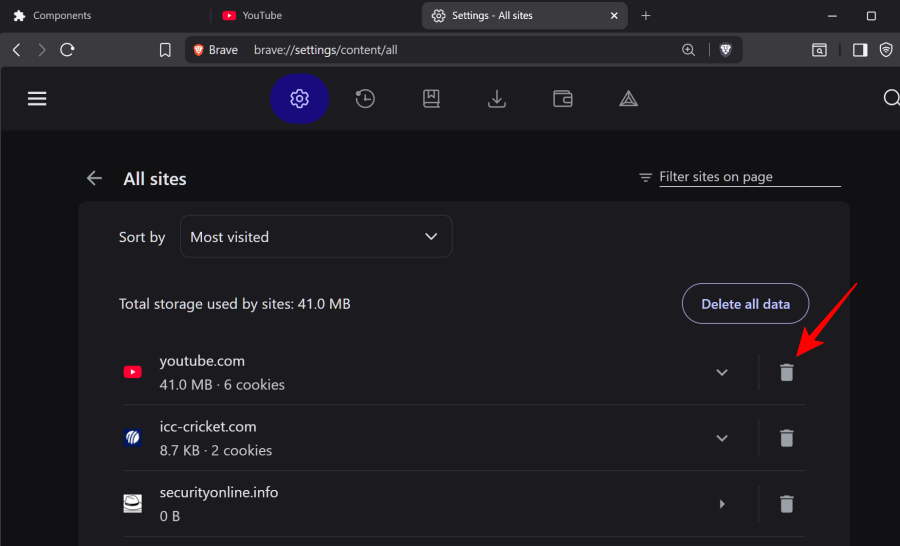
Close and reopen the browser, then log back in. This wipes tracking data that flags your browser.
| Step | Action | Expected Outcome |
|---|---|---|
| 1 | Access site settings via Shields icon | Opens permissions panel |
| 2 | Search and delete “google” cookies | Removes detection flags |
| 3 | Repeat for “youtube” | Clears video-specific blocks |
| 4 | Restart Brave | Full reset applied |
Temporarily adjusting Shields on YouTube
Lower Shields for youtube.com via the address bar icon.
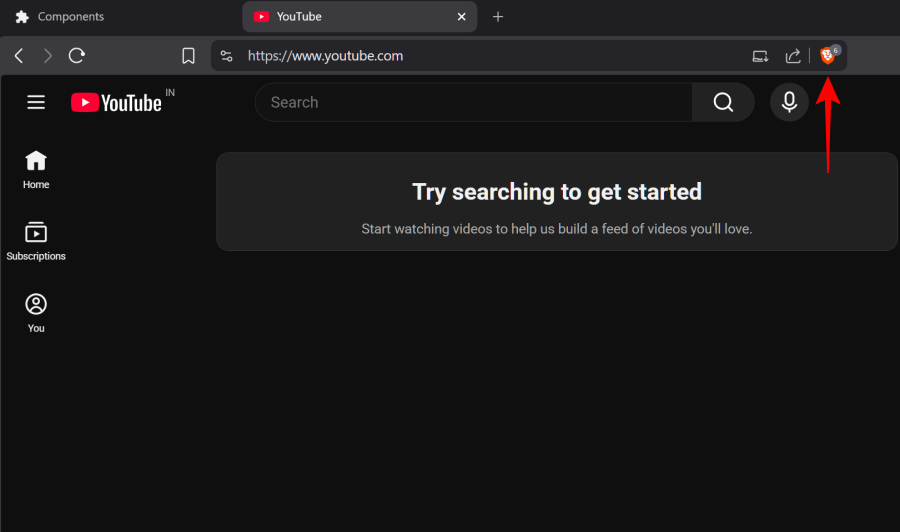
Toggle off “Trackers & ads blocking.”
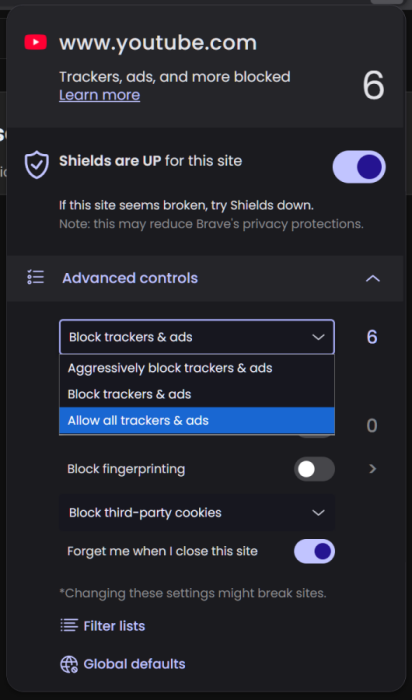
Videos should load instantly, and ads may still get filtered partially.
Revert once stable, or use per-site settings for ongoing tweaks. Avoid global disables to maintain protection elsewhere.
Alternative quick fixes if issues persist
Log out of your Google account before playing videos; incognito mode enhances this. Update Brave fully via settings, clear cache/storage, or force-stop the app on mobile.
Test without extra ad-block extensions like uBlock, as they can conflict.
Keep Brave updated weekly, monitor brave://components for patches, and clear cookies monthly. These habits minimize disruptions as YouTube evolves its defenses. You’ll enjoy ad-free viewing reliably.