Use the motel wardrobe for clothing and outfits, and Lucia’s weapon locker to organize registered firearms.
Grand Theft Auto VI gives clothing customization and firearm storage their own menus. The wardrobe includes individual clothing categories and outfit options, while weapon lockers handle your stored guns. This guide covers access to both menus, clothing combinations, connected storage and the Girardi ES9’s displayed stats.
- How to access the wardrobe and weapon locker in Grand Theft Auto VI
- Part 1 – Access the motel wardrobe
- Part 2 – Reach and open Lucia’s weapon locker
- What clothing options and layering controls can you use?
- How do connected weapon lockers and gun ownership work?
- What stats does Lucia’s Girardi ES9 display?
How to access the wardrobe and weapon locker in Grand Theft Auto VI
Open the motel wardrobe first, then head to the garage for Lucia’s weapon locker.
Part 1 – Access the motel wardrobe
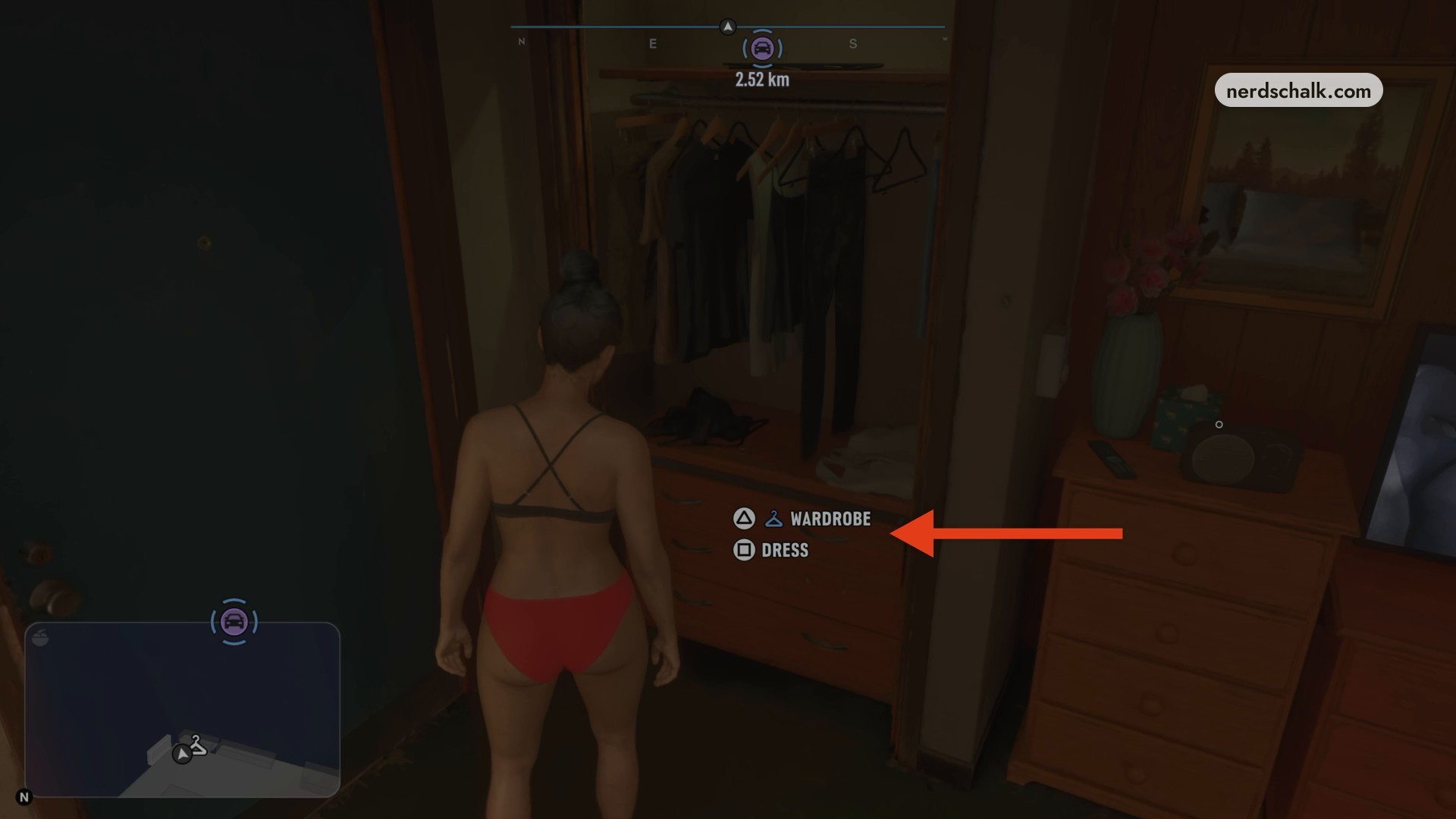
The wardrobe pictured here is inside the Starlet Motel room.
Approach the wardrobe
Walk up to the open closet opposite the bed in the Starlet Motel room. Getting close brings up TriangleY for WARDROBE and SquareX for DRESS.
Open the clothing menu
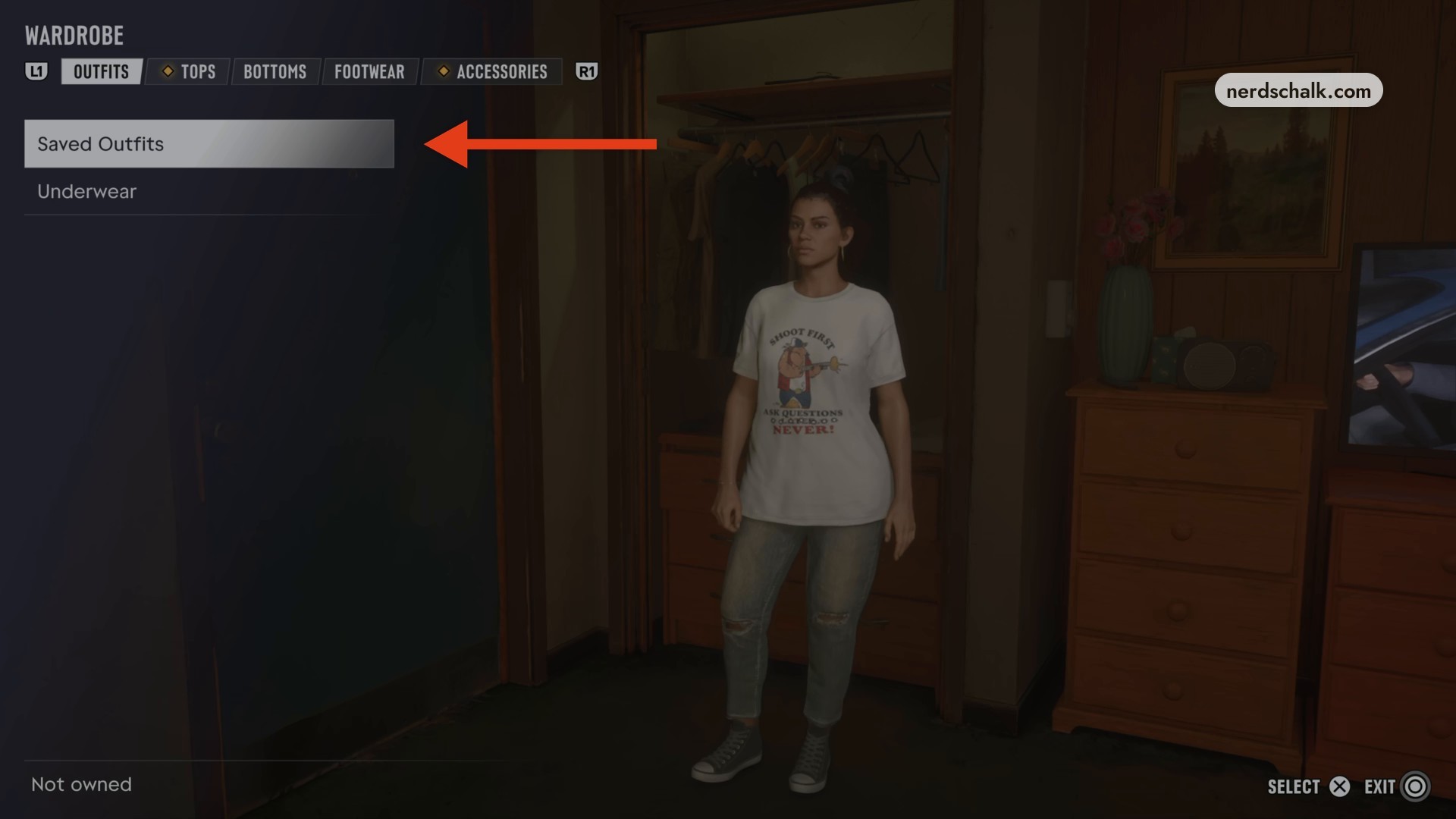
Press TriangleY to open WARDROBE and access its clothing and outfit options.
Part 2 – Reach and open Lucia’s weapon locker
Head to Port Gellhorn Station Garage for the weapon-storage cabinet.
Travel to Port Gellhorn Station Garage
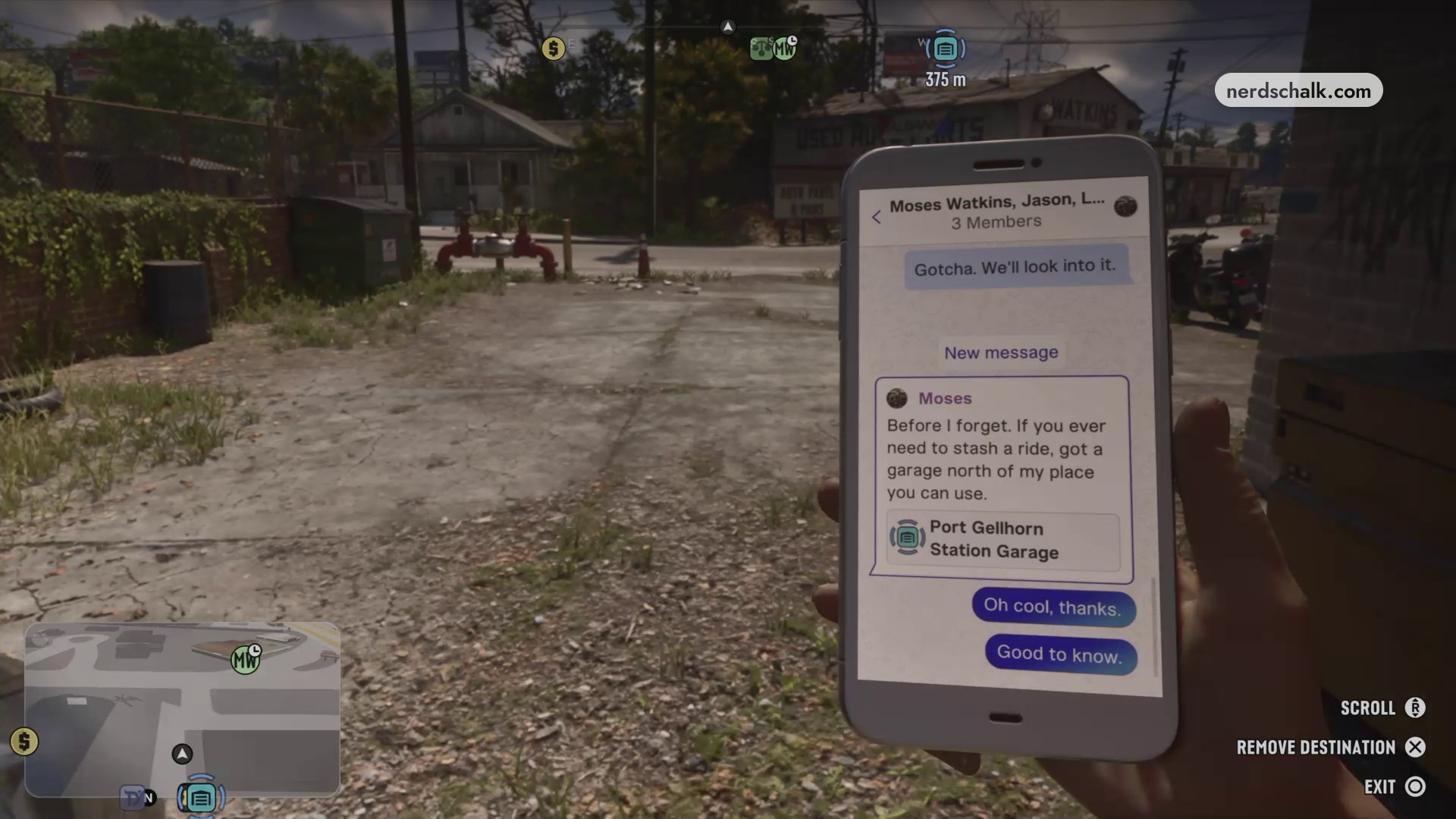
Moses Watkins’s text offers a garage north of his place where you can stash a ride. Head to Port Gellhorn Station Garage in Port Gellhorn; the approach runs north along the railroad tracks beside the property. The phone also displays a Vice City Real Estate Installed notification.
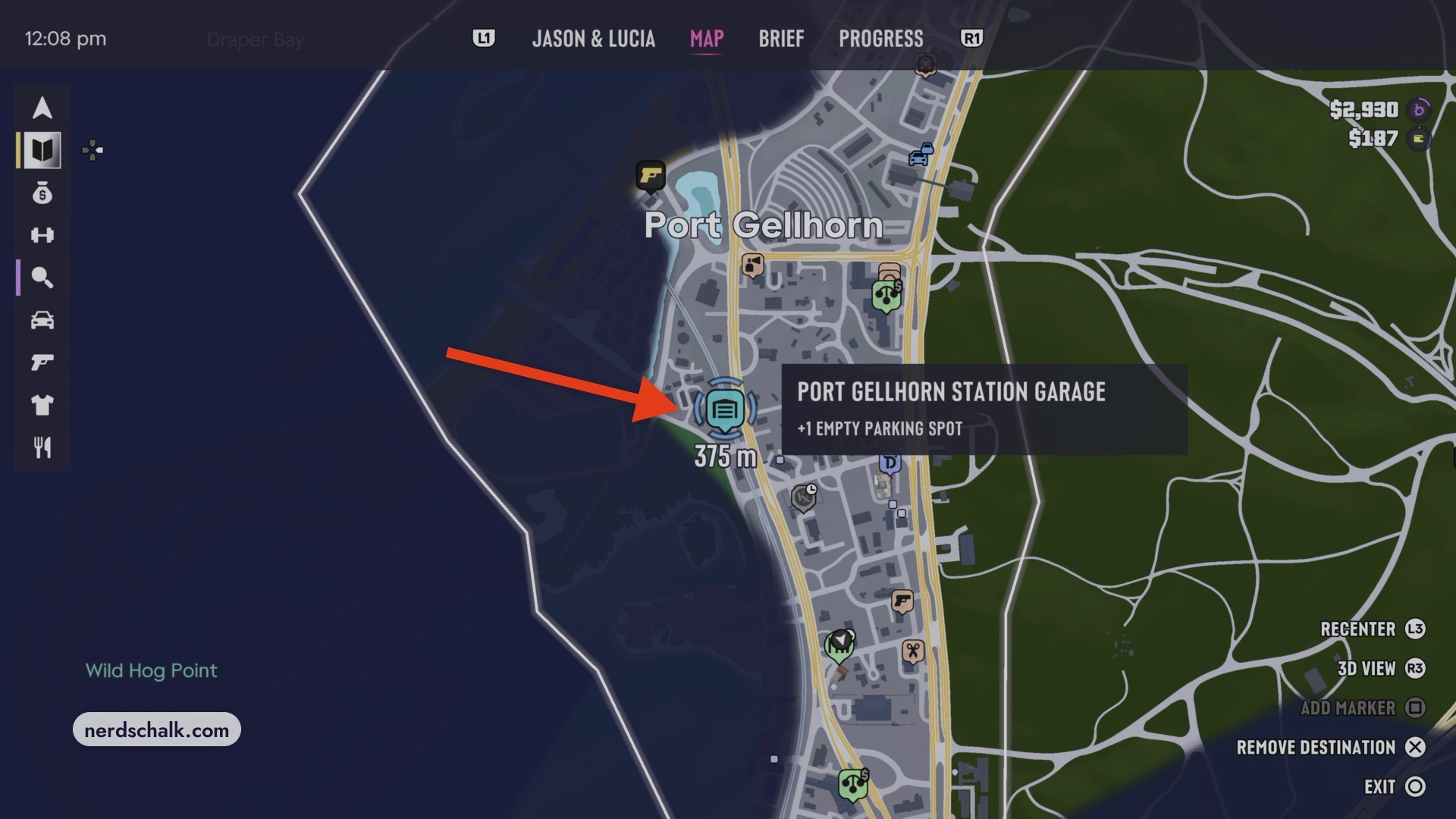
Find the Port Gellhorn Station Garage marker; its map view includes ADD MARKER, REMOVE DESTINATION and EXIT, and the property panel displays +1 EMPTY PARKING SPOT.
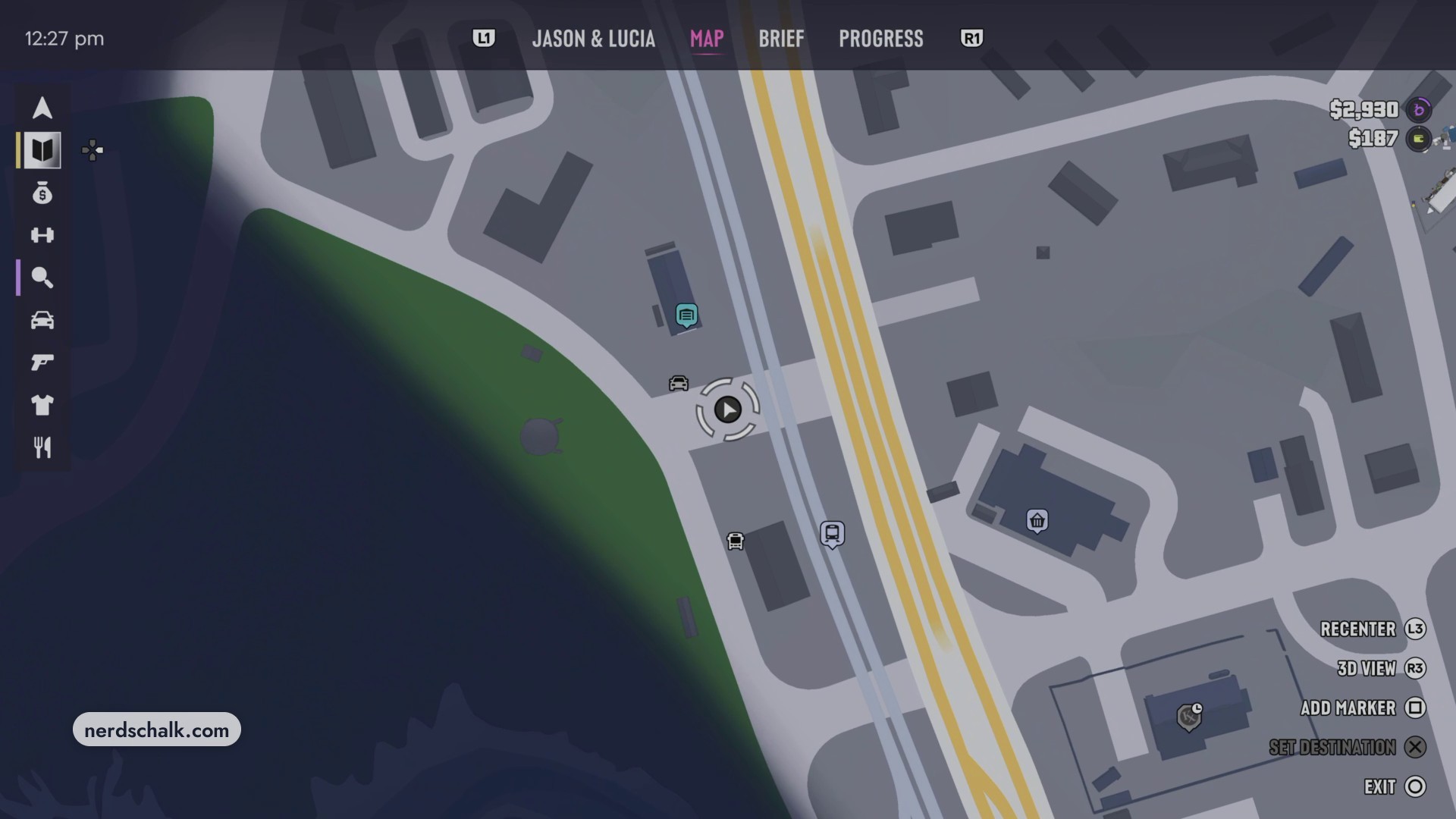
Locate the garage’s local-map icon; the map offers SET DESTINATION.
Enter the garage
If you arrive in the buggy, get out before heading to the door. Approach the detached building marked by the objective waypoint and REPAIR & SALVAGE signage. Its roller door opens as you approach.
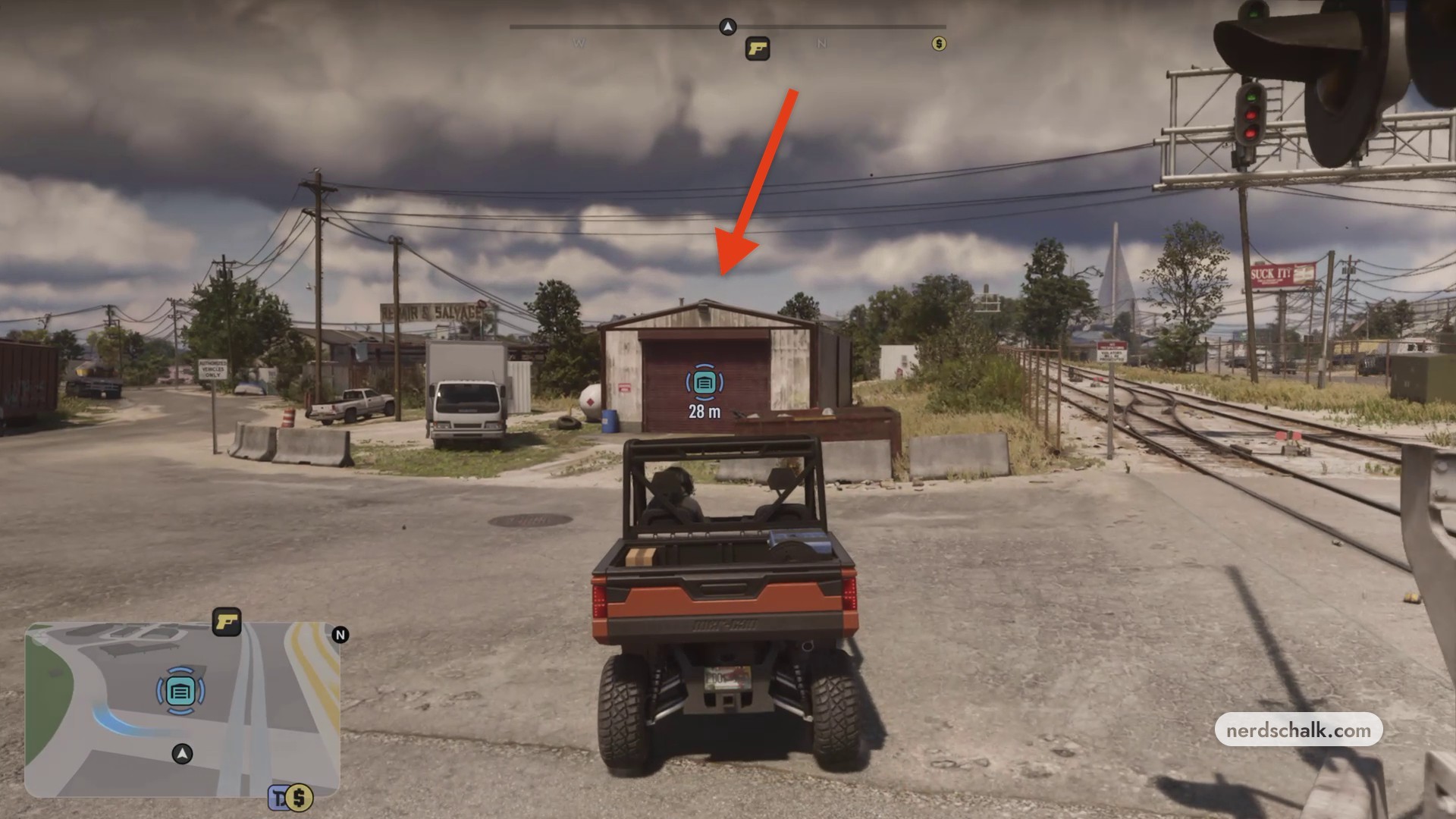
Look for LOADING AREA on the garage exterior, then continue through the doorway into the workshop.
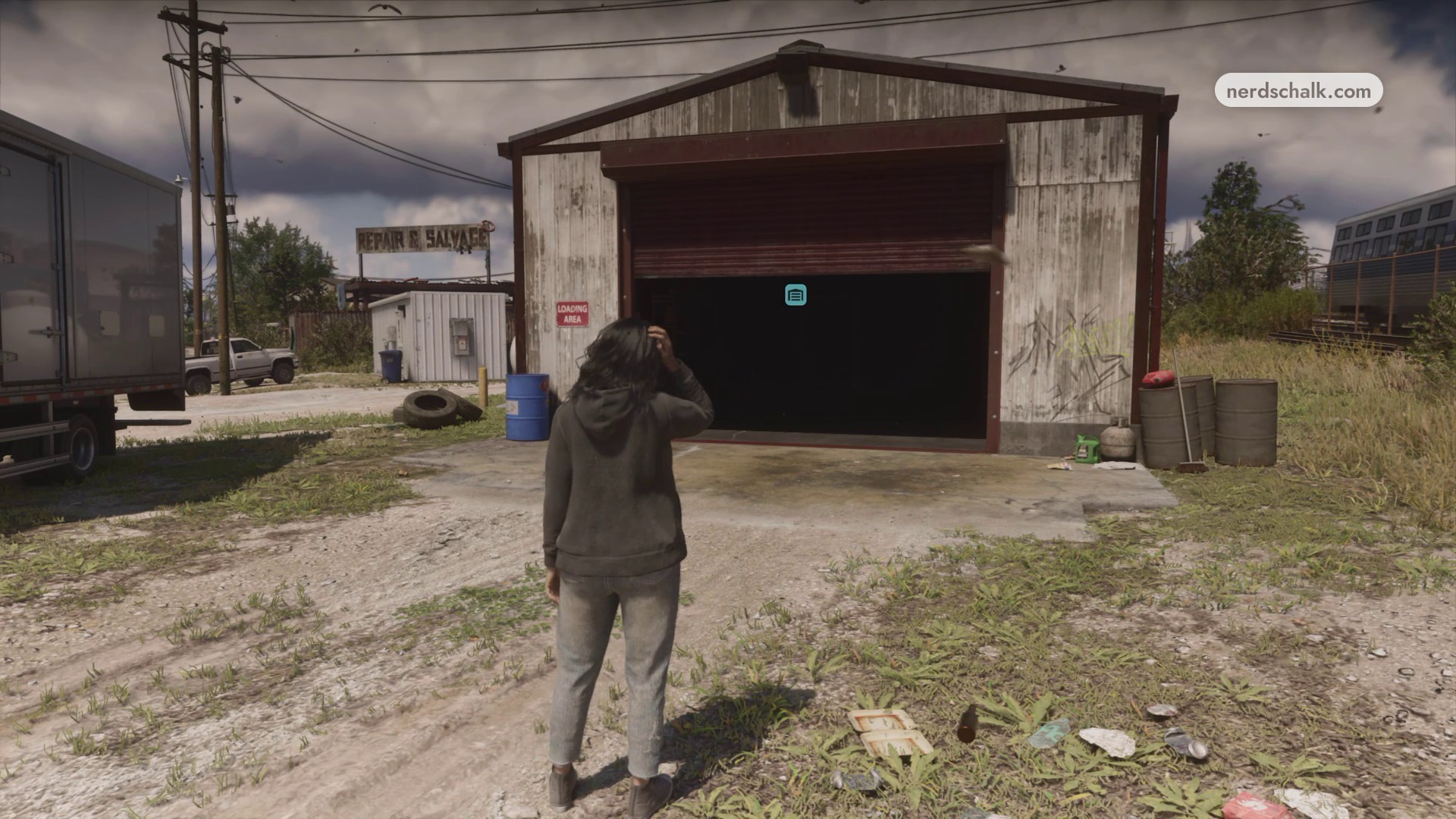
Locate the weapon cabinet
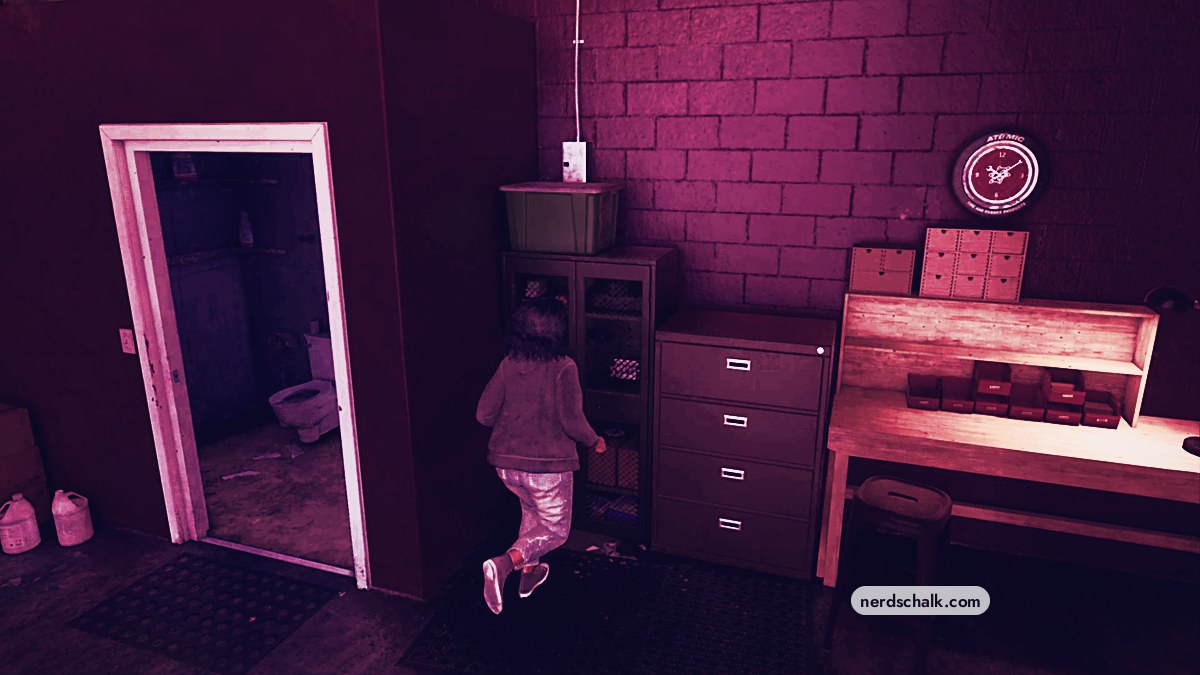
Inside, approach the tall gray metal locker in the corner beside the file drawers and workbench.
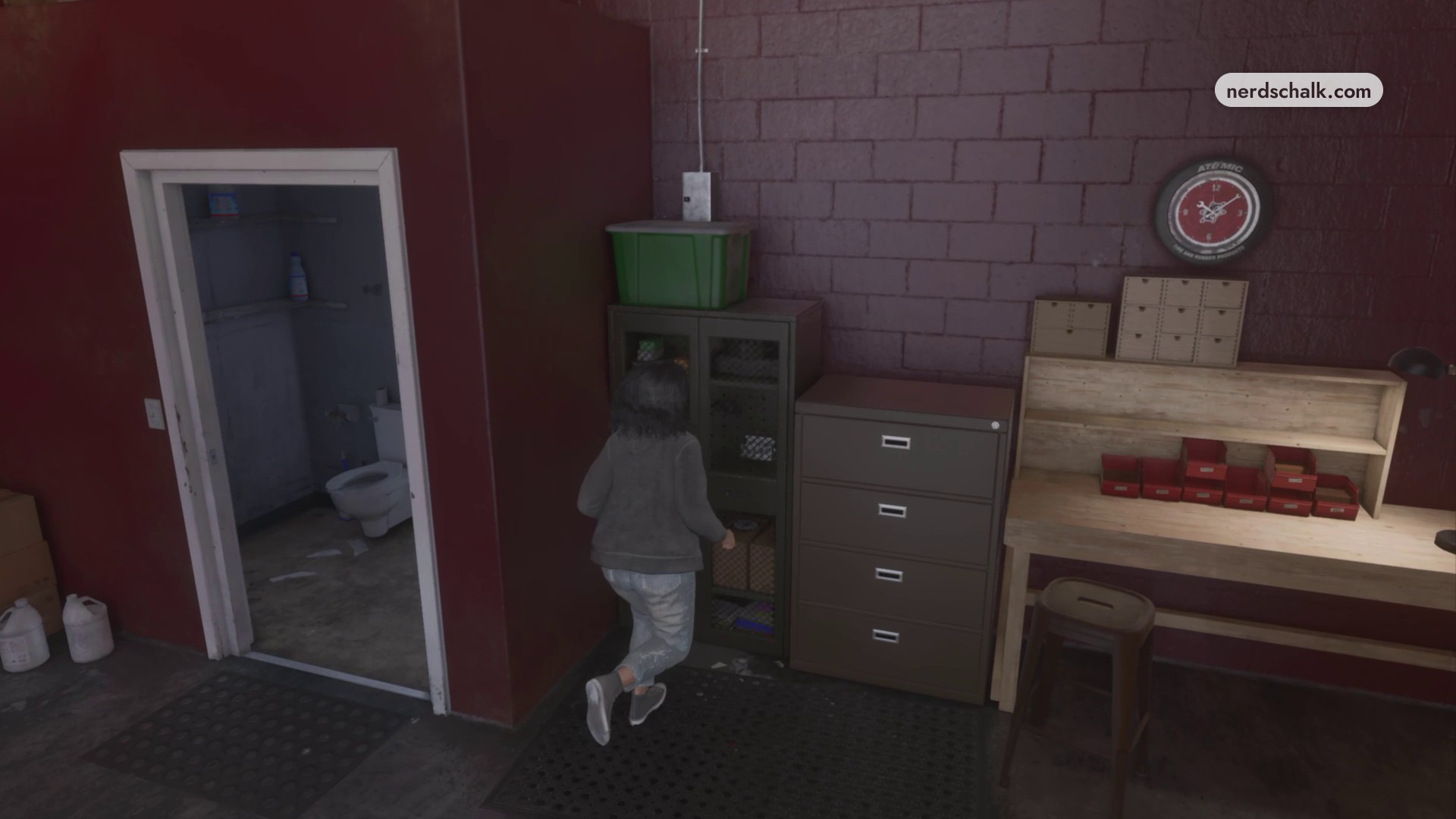
Manage your weapons
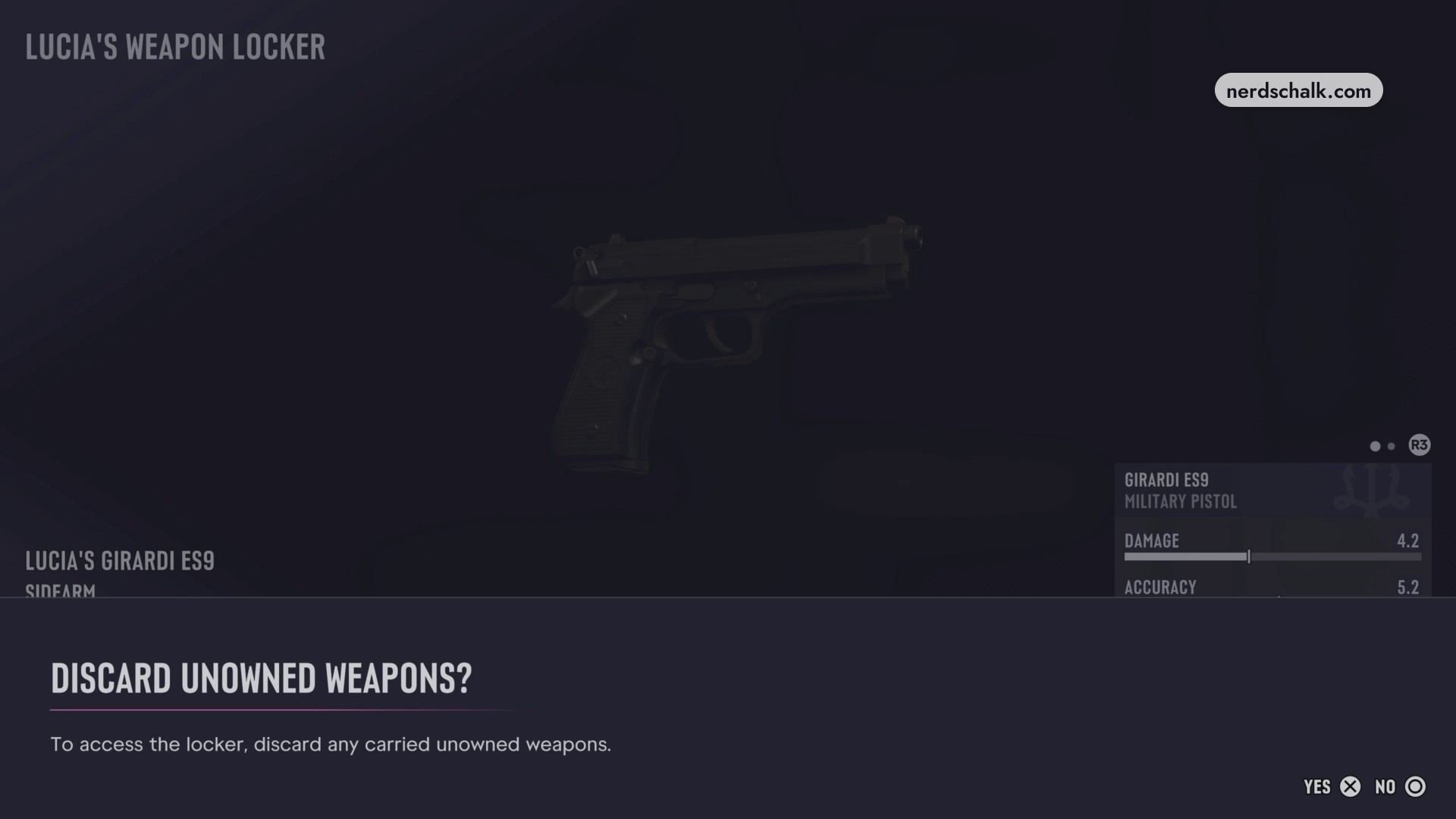
At the cabinet, L1LB selects LOADOUT, while TriangleY selects MANAGE WEAPONS and opens LUCIA’S WEAPON LOCKER. You can also exit the locker prompt and open the weapon wheel to view your carried inventory.
What clothing options and layering controls can you use?
| Menu element | Displayed options |
|---|---|
| Categories | OUTFITS, TOPS, BOTTOMS, FOOTWEAR, ACCESSORIES |
| OUTFITS entries | Saved Outfits, highlighted in the pictured menu; Underwear |
| Buttons beside the category list | L1LB and R1RB |
| Interface options | SELECT, EXIT |
| Visible status | Not owned |
For clothing combinations, try D-pad Up or D-pad Down with your chosen item selected. These controls let you open or close jackets and tuck a T-shirt. Clothing combinations also let you add jackets and pants.
Press TriangleY to add an undershirt you already have equipped when combining clothing.
How do connected weapon lockers and gun ownership work?
Weapon lockers appear to share storage across locations, including the lockers in your vehicle’s boot. Guns you purchase or save belong to that connected storage system.
The locker organizes registered firearms. A stolen gun left unregistered cannot be retrieved through the connected lockers, so the ownership condition matters when you want to access a gun later.
What stats does Lucia’s Girardi ES9 display?
| Attribute | Displayed value |
|---|---|
| Weapon entry | LUCIA’S GIRARDI ES9 |
| Model | GIRARDI ES9 |
| Classification | MILITARY PISTOL |
| Slot | SIDEARM |
| Damage | 4.2 |
| Accuracy | 5.2 |
Those are the values displayed for the handgun in Lucia’s locker. Between the wardrobe’s clothing combinations and the locker’s firearm organization, you can manage what you wear and which registered guns you keep in storage.
Related Grand Theft Auto VI guides