Cooking meals in Paralives is one of the core daily life activities that helps keep your Para fed, energized, and productive throughout the day. The system is designed to be simple and accessible, allowing you to quickly prepare food using household kitchen appliances. Whether you are making a quick snack like cup ramen or preparing larger meals for multiple Paras, the process follows the same basic steps.
| Quick Cooking Overview | Details |
|---|---|
| Main Object Needed | Fridge |
| Required Action | Select “Cook” |
| Recipe Requirement | Must already be learned |
| Additional Costs | Meal ingredients cost |
| Portion Selection | Small or larger servings |
| Cooking Method | Automatic after confirmation |
| Appliances Used | Microwave, stove, or oven depending on recipe |
How the cooking system works in Paralives
The cooking system in Paralives focuses on convenience while still keeping some simulation depth. Your Para does not need manual ingredient gathering every single time because the game automatically handles ingredient access through the fridge system. Once you choose a valid recipe, your character retrieves the required items and starts preparing the meal independently.
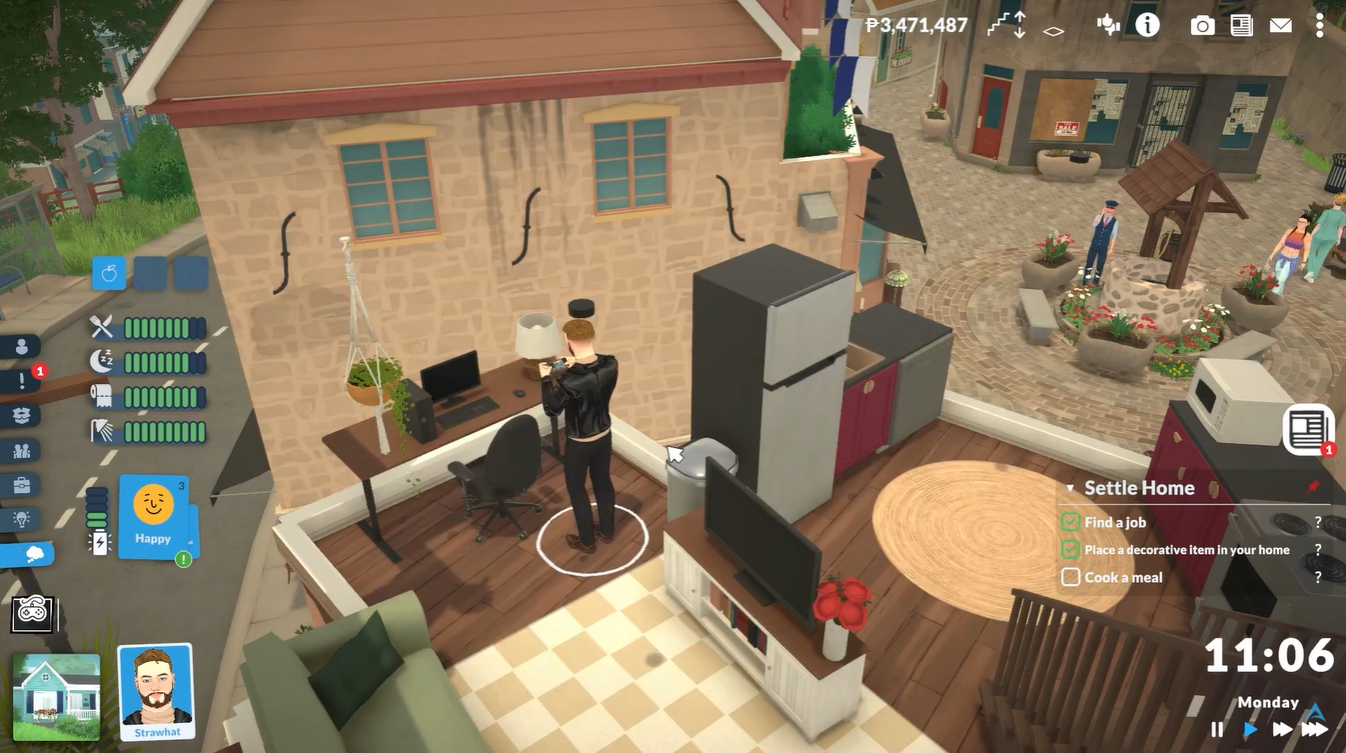
Different recipes may use different appliances. Simpler meals such as instant noodles or cup ramen often use the microwave, while more advanced dishes can involve ovens or stovetops. As your Para develops skills and learns additional recipes, more cooking options become available.
How to cook a meal in Paralives
Step 1
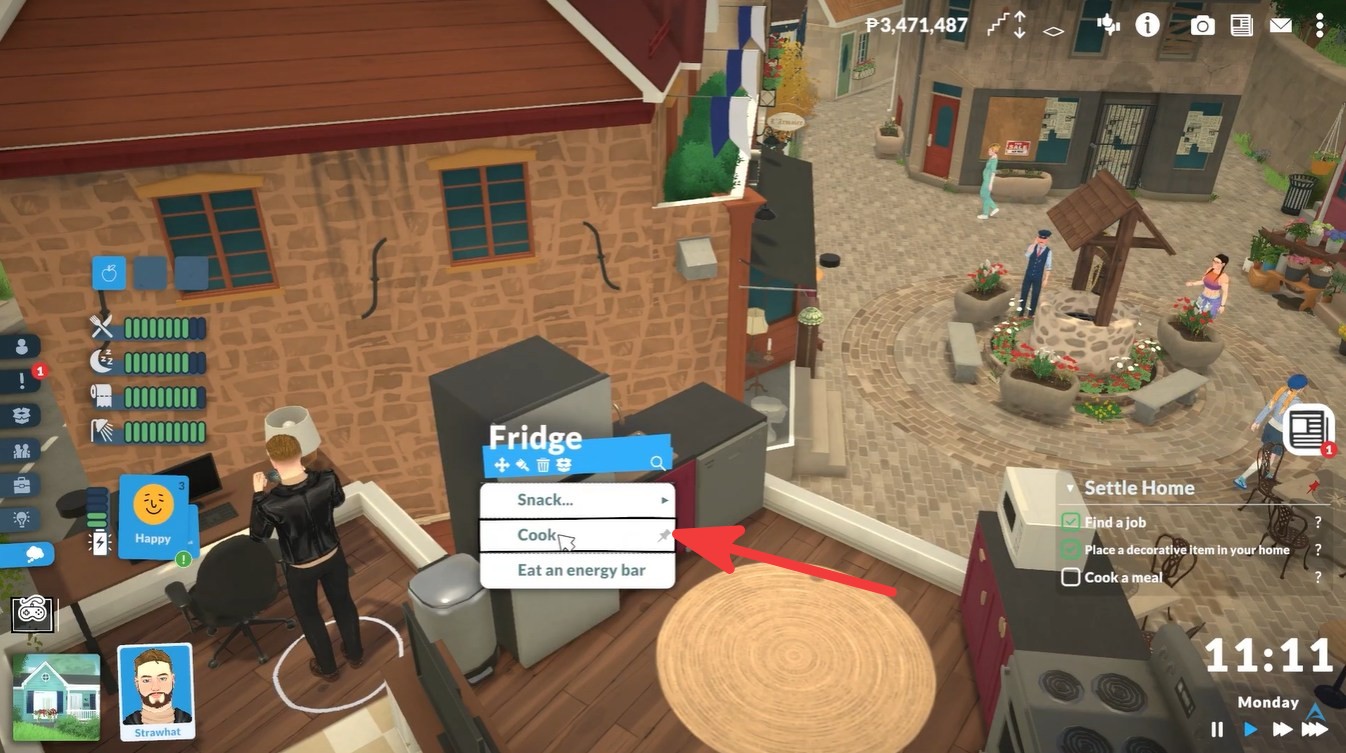
Click on the fridge inside your home kitchen. The fridge acts as the main interaction point for meal preparation and recipe selection.
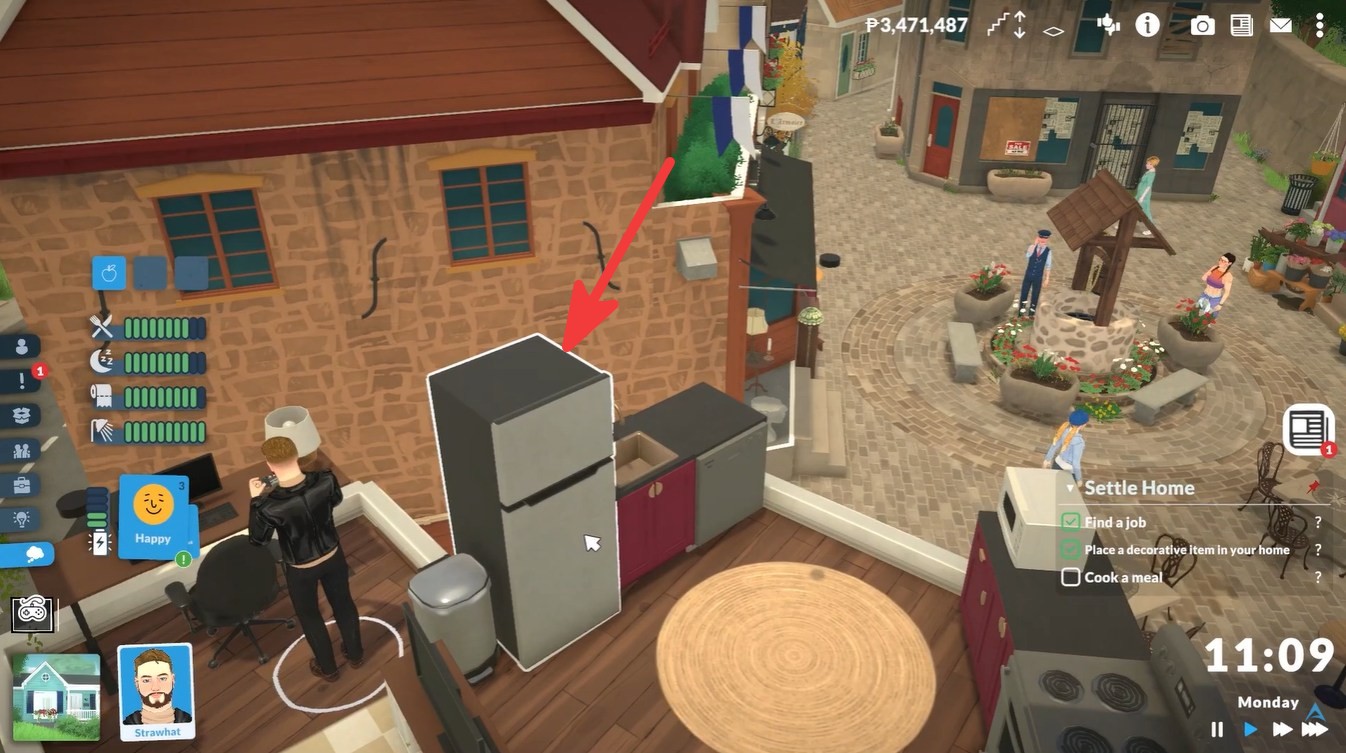
Step 2
From the interaction menu, select the “Cook” option. This opens the recipe selection interface where all currently learned meals are displayed.
Step 3
Browse through the available recipes and choose the dish you want your Para to prepare. In the example shown, the selected recipe is cup ramen.
| Recipe Selection Factors | What It Affects |
|---|---|
| Learned Recipe | Determines what meals are available |
| Portion Size | Impacts cost and serving amount |
| Ingredients | Automatically consumed |
| Appliance Type | Changes cooking animation |
Step 4
After selecting the recipe, review the portion size and meal cost. Some dishes may allow larger servings for families or multiple household members.
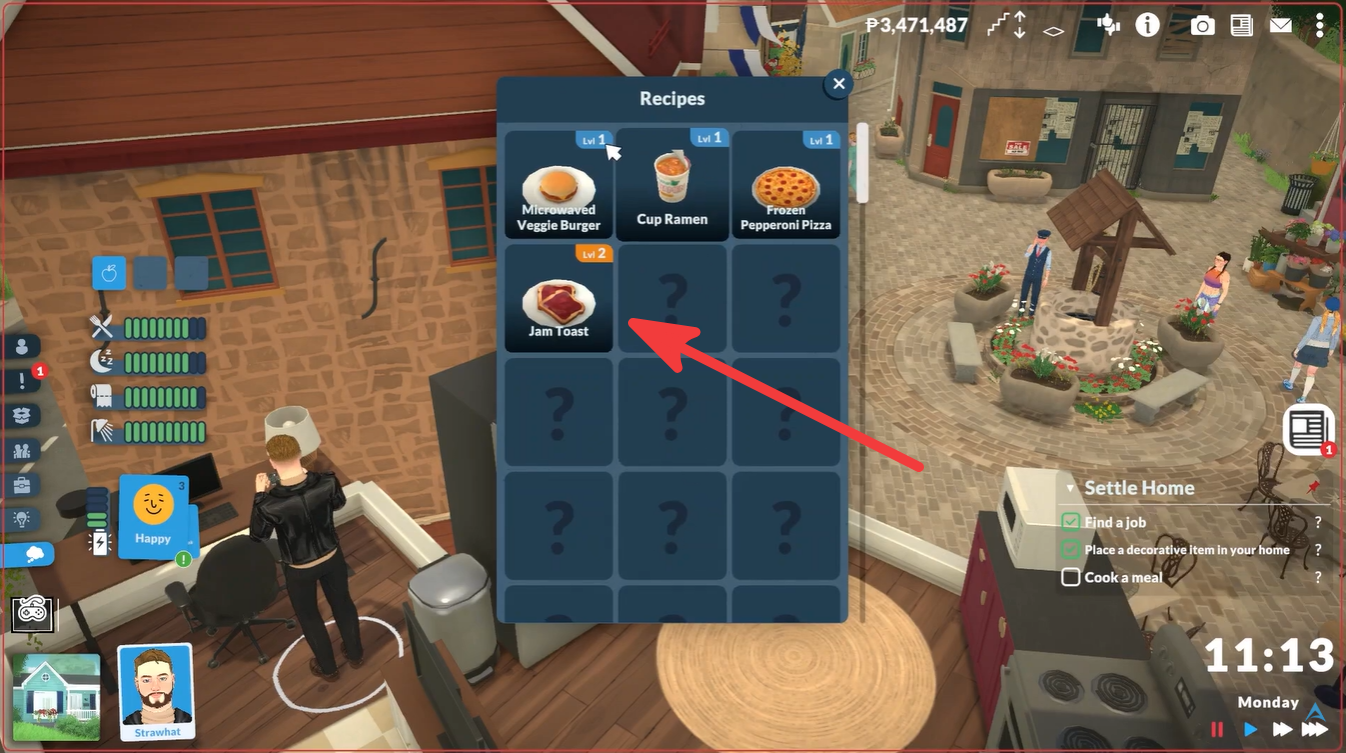
Confirm your selection. Once confirmed, your Para automatically gathers the required ingredients from the fridge and begins cooking.
What happens after confirming the recipe
After the meal is confirmed, the cooking process becomes automatic. Your Para moves to the correct appliance and starts preparing the food. In the showcased example, the character uses the microwave to cook the cup ramen.
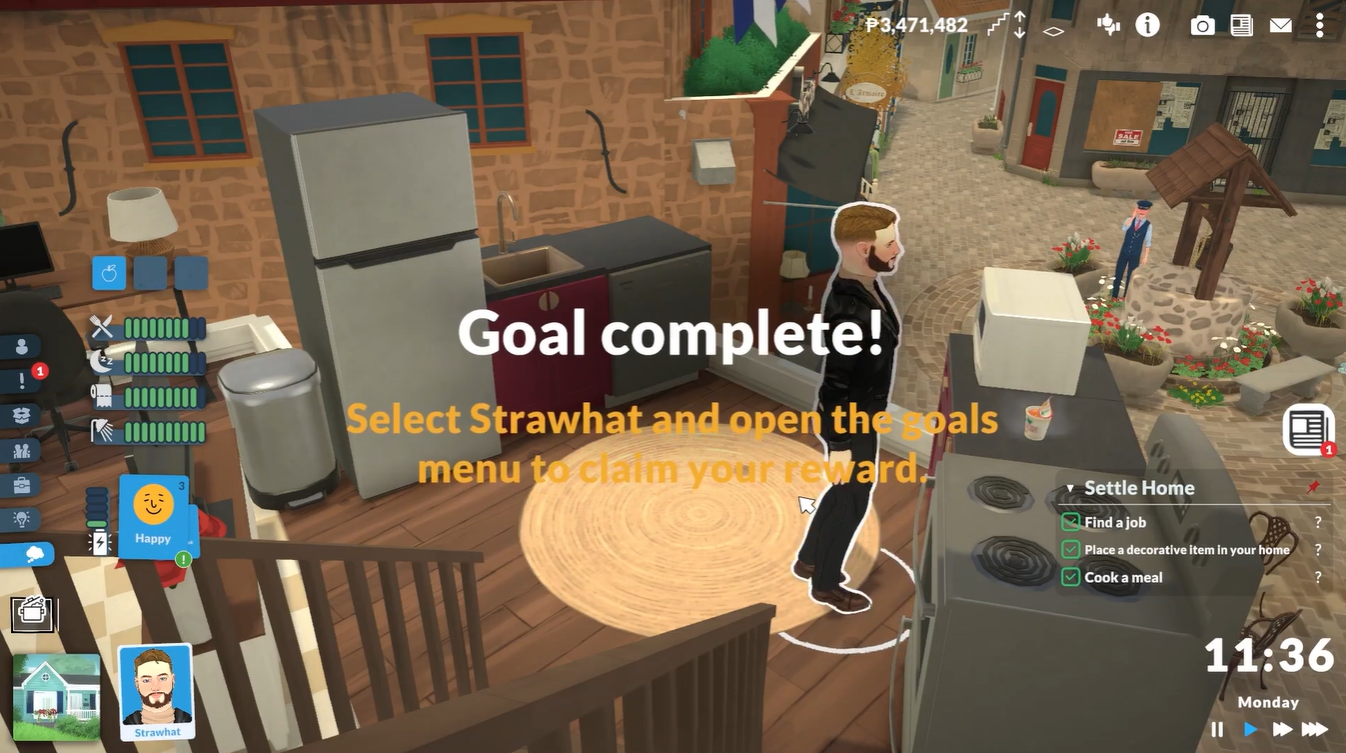
The cooking animation may vary depending on the recipe type. Quick meals generally finish faster, while larger or more advanced dishes can take longer to prepare. Once completed, the meal becomes available for eating and can often be shared with other household members.
Paralives cooking skill cheat and unlocking levels
Paralives includes a built-in cheat console that allows players to instantly increase skills, including the cooking skill. This is especially useful if you want to unlock advanced recipes quickly, test gameplay systems, or create an experienced Para without grinding through normal progression.
| Cooking Skill Feature | Details |
|---|---|
| Cheat Console Access | Ctrl + Shift + C |
| Main Cooking Cheat | SETSKILLLEVEL Cooking 10 |
| Alternative Skill Command | LEVELUPSKILL |
| Maximum Known Cooking Level | 10 |
| Purpose | Unlock recipes and improve cooking ability |
Paralives also includes additional skill and progression commands that may help with cooking-related gameplay.
| Cheat Command | Effect |
|---|---|
LEVELUPSKILL | Raises a selected skill gradually |
SHOWSKILLS | Displays current skill levels |
SETSKILLLEVEL Cooking 5 | Sets cooking skill to level 5 |
CLEARSTATUSEFFECTS | Removes temporary negative effects |
These commands can help if you want more balanced progression instead of instantly maxing out the cooking skill.
What cooking skill levels unlock
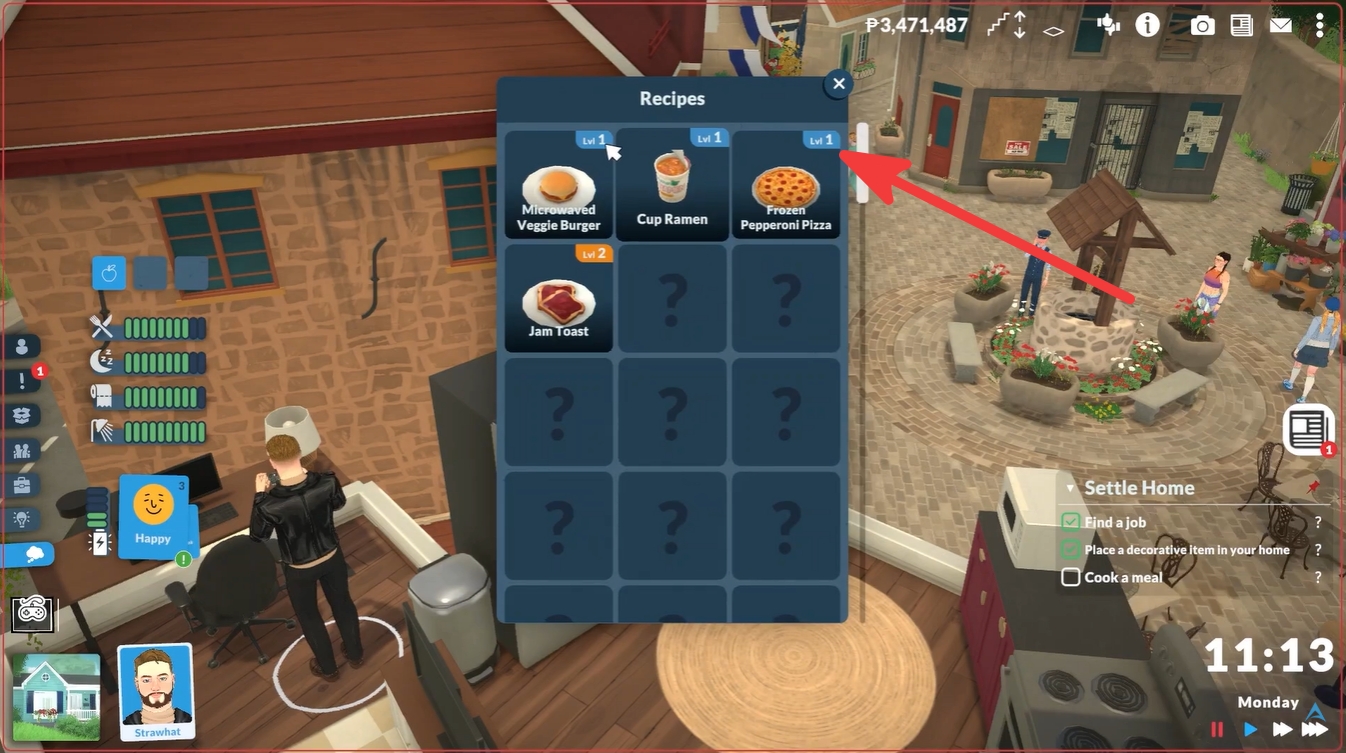
Although the complete Paralives cooking unlock list is still evolving during early access, higher cooking levels generally improve recipe availability, cooking efficiency, and food quality. Advanced meals become available as your Para gains experience.
| Cooking Level Progression | Expected Benefits |
|---|---|
| Beginner Levels | Basic meals and snacks |
| Mid Levels | Larger meals and improved quality |
| High Levels | Advanced recipes and faster cooking |
| Maximum Levels | Full recipe access and top efficiency |
Because Paralives is still in active development, exact unlock rewards may change in future updates.
Should you use cooking cheats in Paralives?
Using cooking cheats depends on your preferred playstyle. Some players enjoy natural progression and unlocking recipes slowly over time, while others prefer immediate access to all cooking content for storytelling or testing purposes.
Cheats can also help recover broken saves or bypass repetitive grinding during longer playthroughs. Since Paralives officially supports console commands, using them is straightforward and built directly into the game systems.