Paralives encourages you to explore the town and interact with different locations through small community-focused objectives. One of the earliest activities you may encounter is the requirement to make a donation to the Community Center. While the task itself is simple, it can be confusing if you do not know where the center is located or which items are currently accepted.
This guide explains exactly how to complete the donation process step by step, how to check accepted items, and where to find common donation materials.
| Quick Overview | Details |
|---|---|
| Task Type | Community Goal |
| Location | Community Center |
| Main Requirement | Donate an accepted item |
| How to Find Location | Use the magnifying glass in Goals |
| Donation Method | Interact with books on the table |
| Reward/Purpose | Progress toward Discover the Town goals |
How to locate the Community Center in Paralives
The easiest way to find the Community Center is through your active goals menu. If the donation task is currently tracked, you can use the built-in navigation shortcut to jump directly to the location.
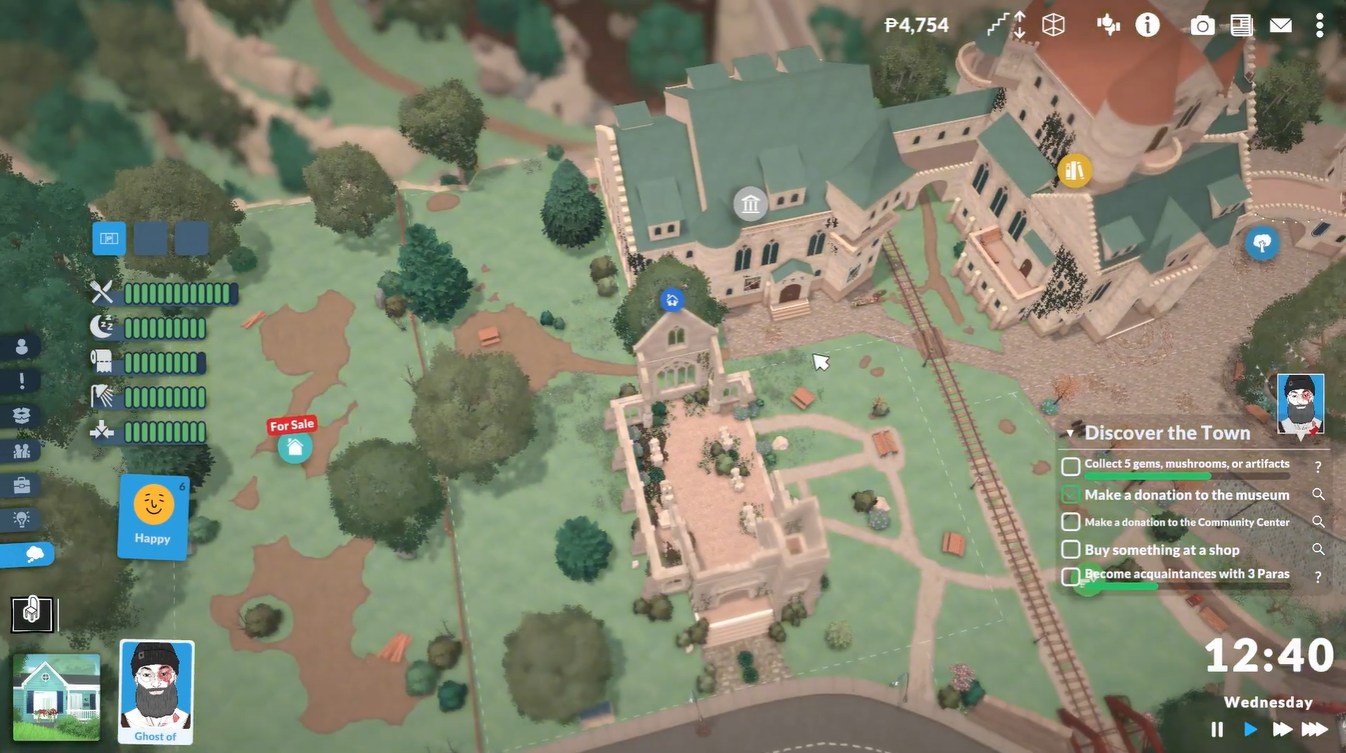
Open your goals interface and look for the magnifying glass icon next to the community donation objective. Clicking it automatically highlights the Community Center location, saving you time wandering through town.
The Community Center is designed as a shared public space where your Parafolk can contribute resources and complete neighborhood-oriented activities.
How the Community Center donation system works
Unlike regular inventory interactions, the Community Center only accepts specific requested items at a time. You cannot simply donate random objects from your inventory.
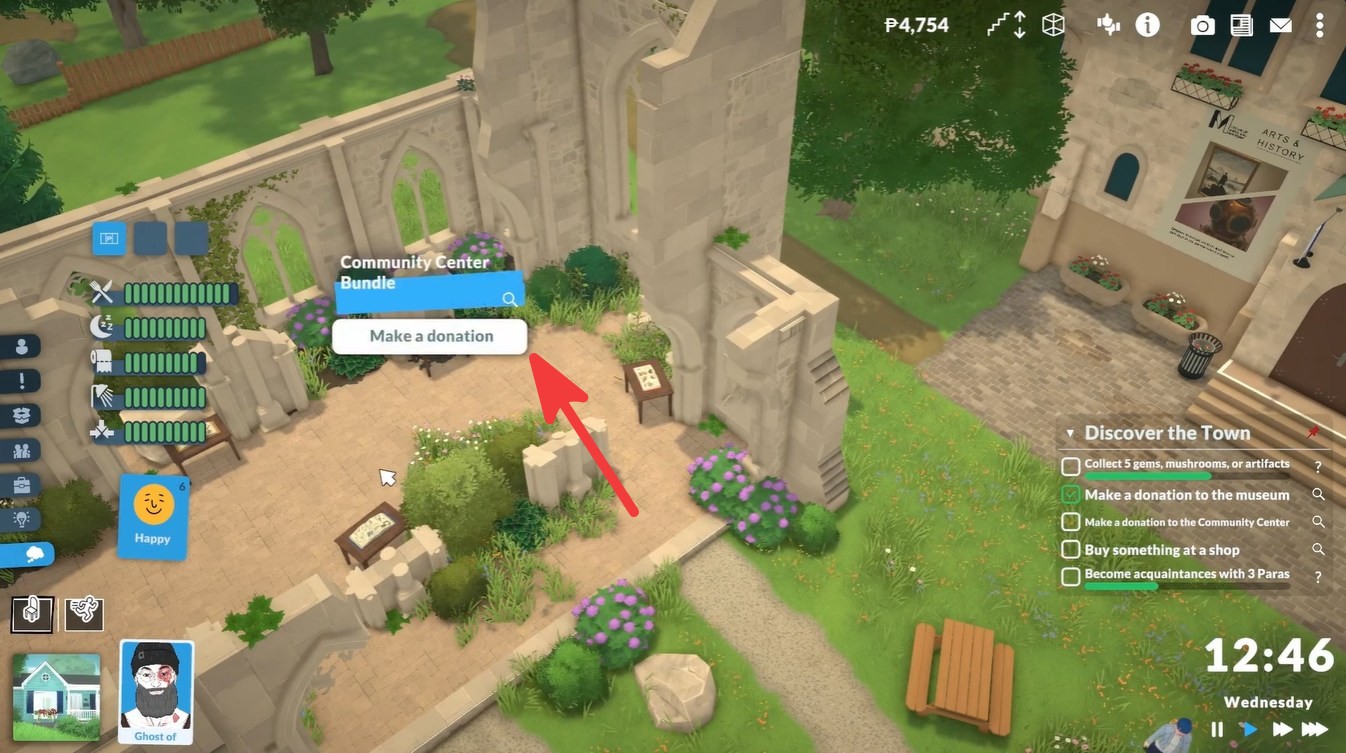
Once you interact with the donation station, the game opens a panel showing the currently accepted materials. These requests rotate depending on progression and active community needs.
This system encourages exploration because many requested items must be gathered from outdoor areas, public buildings, or collectible spots around town.
How to make a donation to the Community Center
Step 1
Travel to the Community Center using the magnifying glass shortcut from your goals menu.
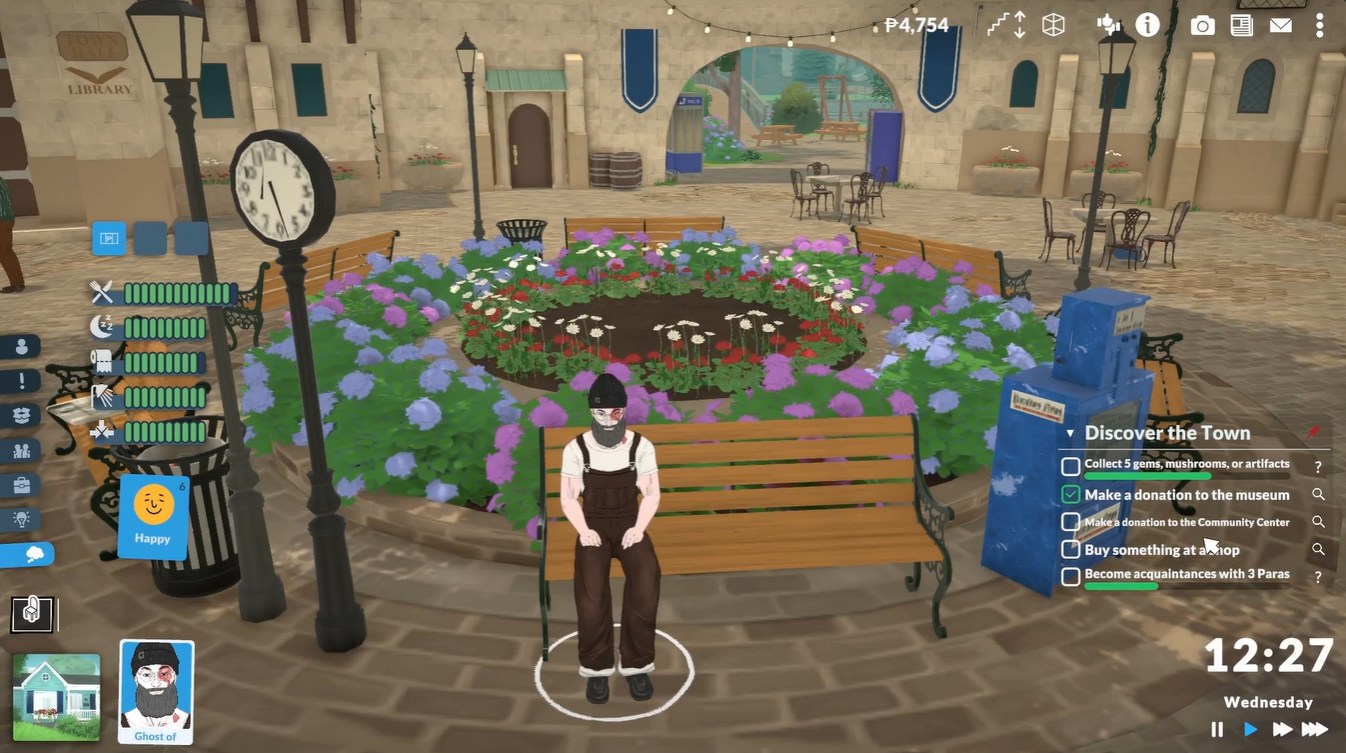
This immediately points you toward the correct location associated with the donation task.
Step 2
Inside the building, locate the books placed on the table.
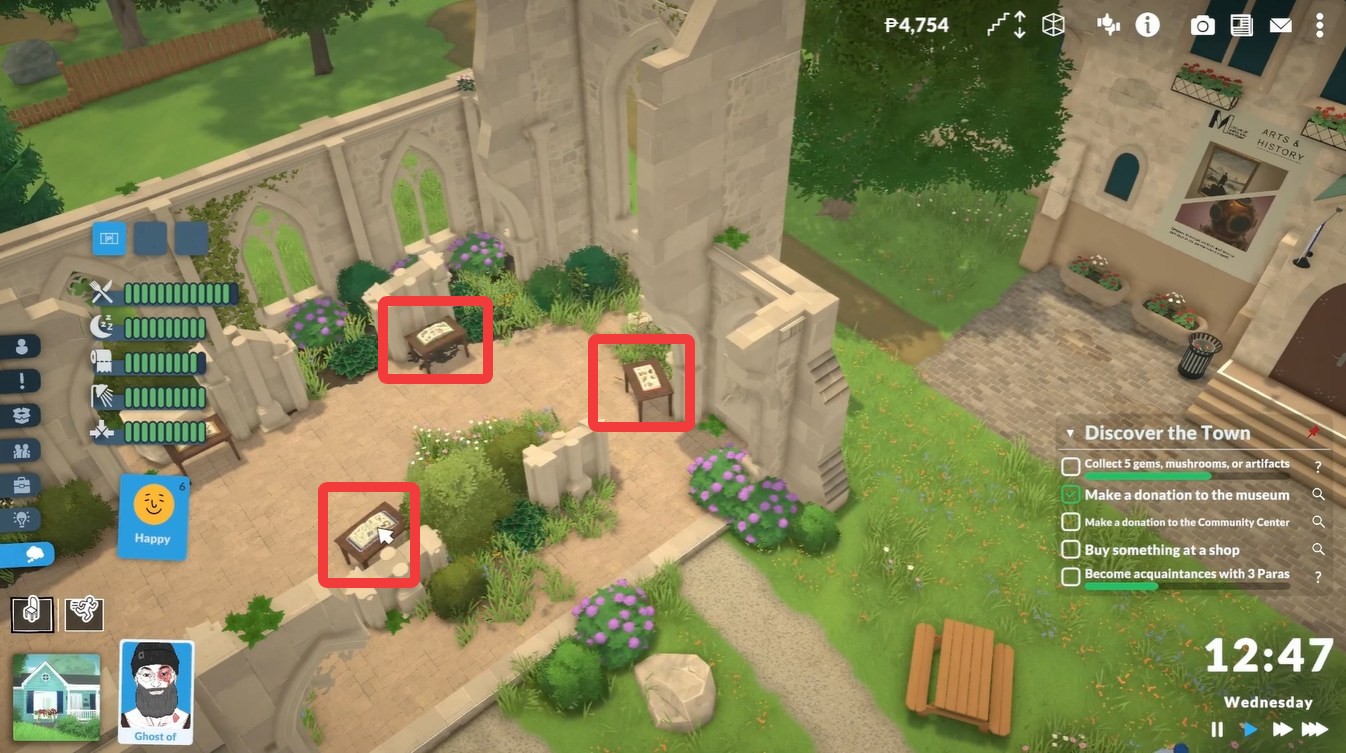
These books act as the interaction point for the donation system.
Step 3
Click on one of the books and select the “Make a Donation” option from the interaction menu.
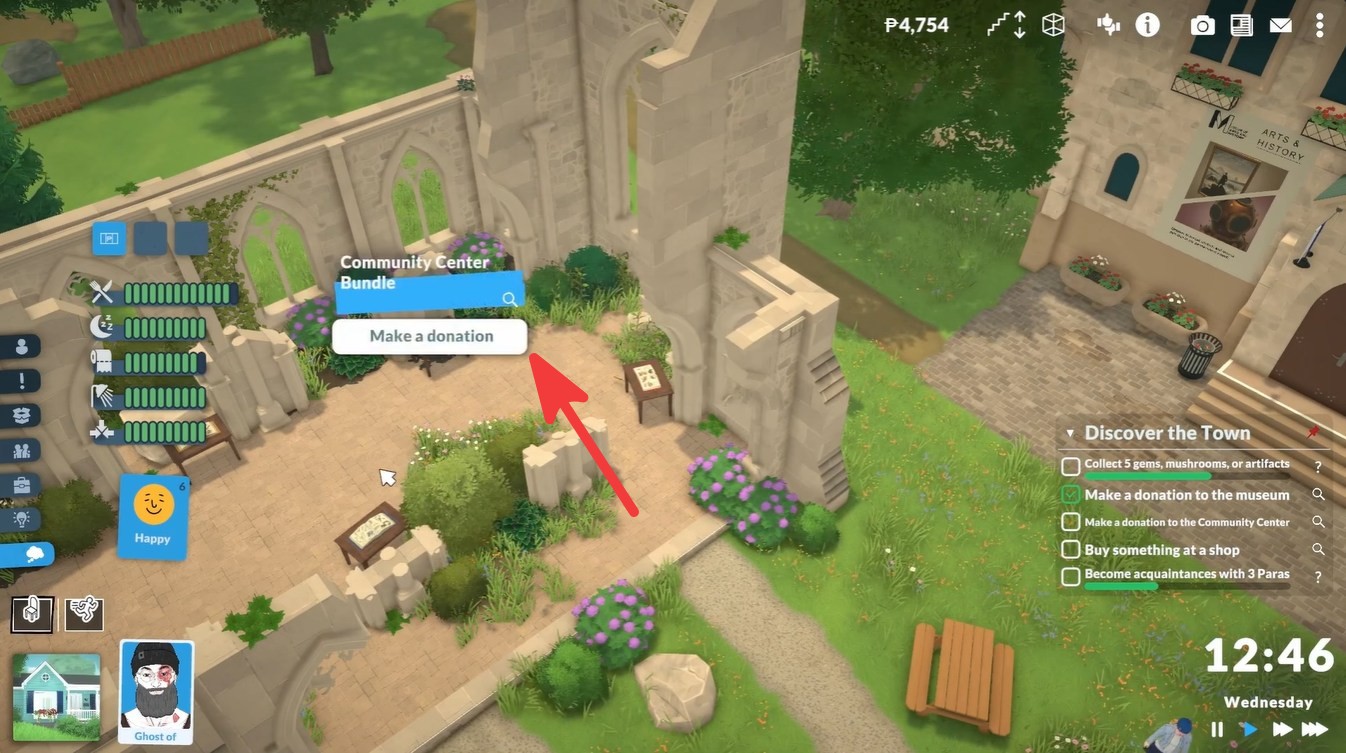
This opens the donation interface.
Step 4
Check the right-side panel carefully to see which items are currently being accepted.
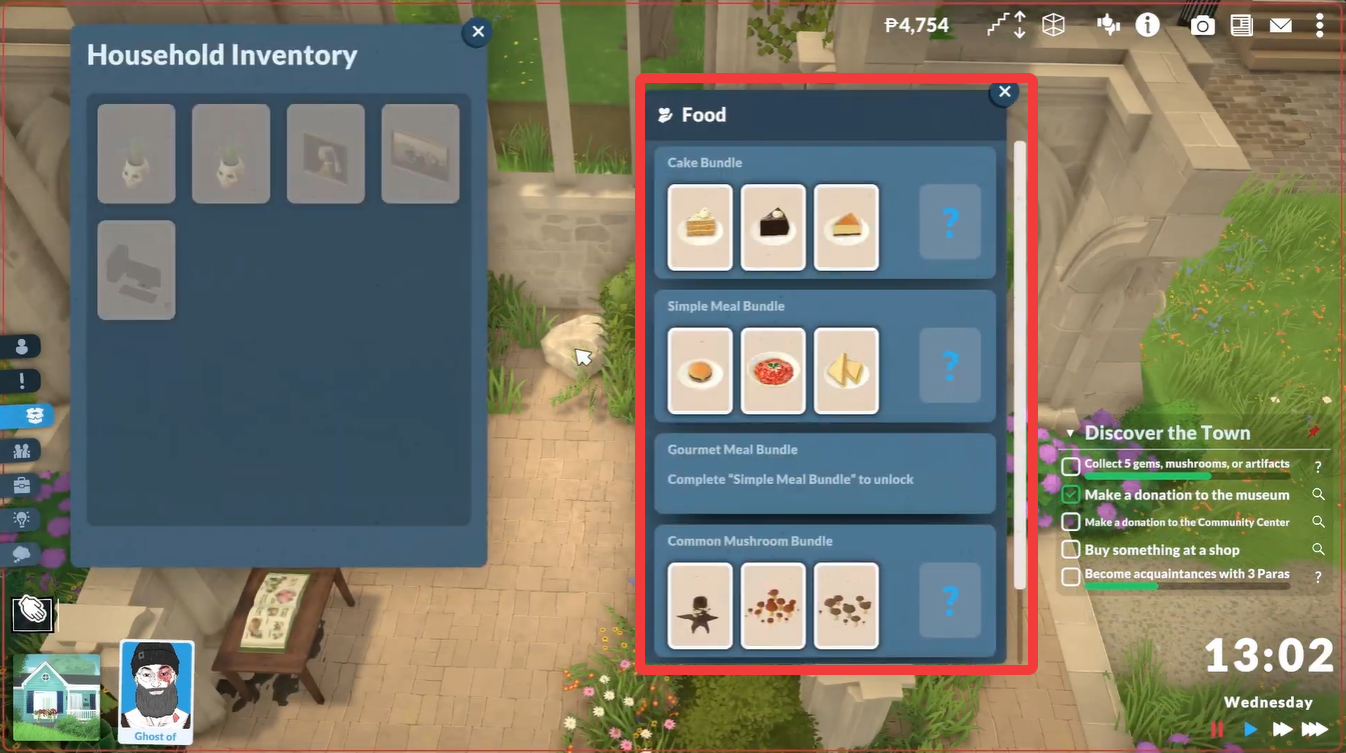
Only listed items can be donated successfully.
| Donation Menu Feature | Purpose |
|---|---|
| Accepted Items List | Shows currently valid donations |
| Item Requirement | Displays what you must bring |
| Donation Option | Allows contribution completion |
| Goal Progress | Advances community objectives |
Step 5
Find one of the requested items in the world.
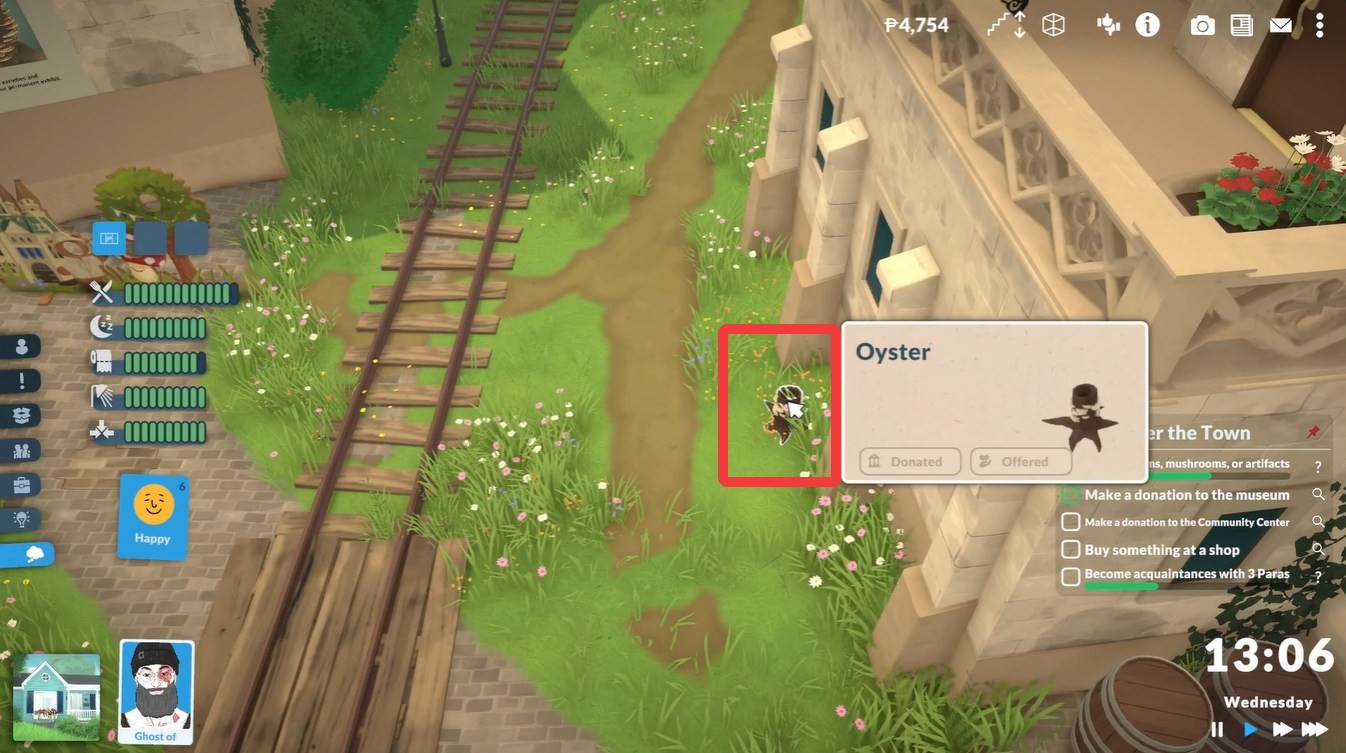
One example shown during the tutorial is the Oyster Mushroom, which can commonly be found near the Town Hall and Library area. Search around outdoor spaces carefully, especially near vegetation and natural gathering spots.
Step 6
Return to the Community Center with the required item in your inventory.
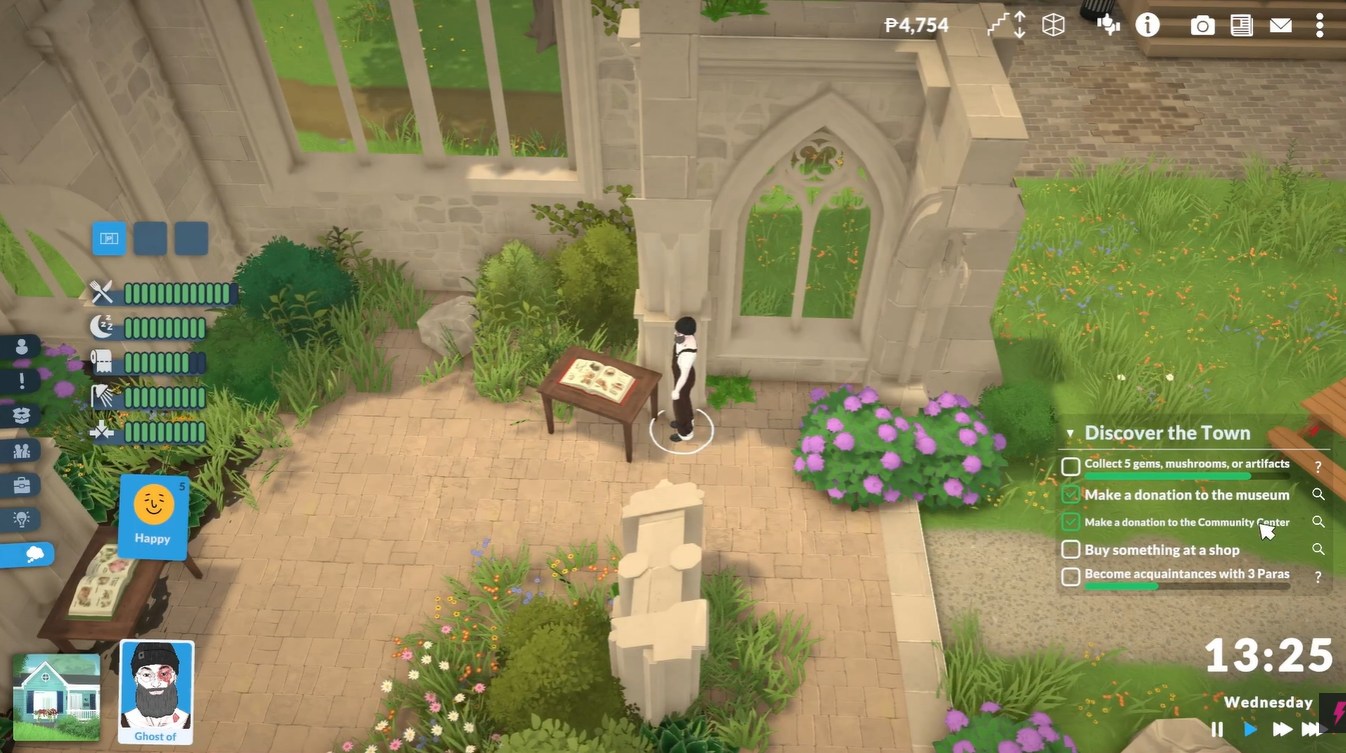
Interact with the books again and choose the donation option to submit the requested material.
Once accepted, the game updates your objective progress immediately.
Where to find common donation items
Many donation requests in Paralives are tied to gathering and exploration systems. Items may appear in parks, near civic buildings, or around natural environments throughout town.
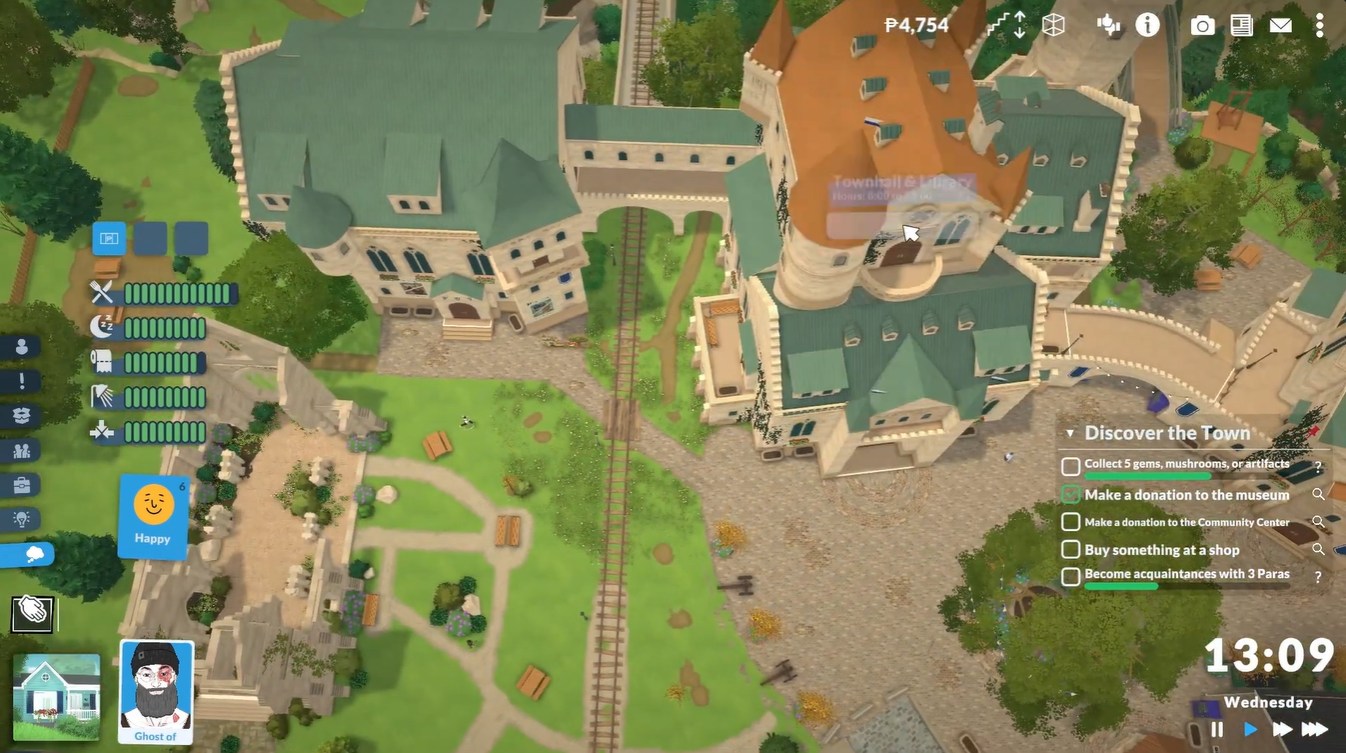
Here are some commonly useful search areas:
| Item Type | Common Location |
|---|---|
| Mushrooms | Near wooded or grassy areas |
| Plants | Parks and public greenery |
| Collectibles | Around town landmarks |
| Community Materials | Civic buildings and plazas |
The Oyster Mushroom mentioned in the tutorial is especially important because it often appears early in the game and is one of the first donation-compatible items many players encounter.
Common mistakes players make during donations
One of the most common problems is trying to donate items that are not currently requested. The game only accepts materials shown in the active donation panel.
Another frequent issue is forgetting to place the required item into your inventory before returning to the Community Center.
Players also sometimes search the wrong building. The actual donation interaction is tied specifically to the books placed on the interior table.
Completing your first community contribution in Paralives
Making a donation to the Community Center in Paralives is a straightforward but important early-game activity. Once you know where to interact and how the accepted-item system works, the task becomes very quick to complete.
The process mainly revolves around checking requested items, gathering the correct material, and returning it through the donation menu. Completing these objectives also helps you progress your Discover the Town goals while encouraging exploration across the map.