Changing suits in LEGO Batman: Legacy of the Dark Knight is simple once you know where the customization menu is located. The game allows you to switch outfits, apply modifiers, and even alter suit colors from a dedicated menu connected to the map screen. This makes it easier to adapt to different missions while also letting you personalize your favorite characters.
| Quick Overview | Details |
|---|---|
| Feature | Character Outfit Customization |
| Menu Access | Through the Map Screen |
| Outfit Icon | Coat Hanger Symbol |
| Modifier Menu | Red Brick Icon |
| Available Changes | Suits, Colors, Modifiers |
| Works For | Batman and Other Characters |
The customization system is integrated directly into the main map interface. Instead of visiting a separate hub area, you can quickly access your character setup from the pause or select menu. This design makes switching between suits fast during gameplay sessions.
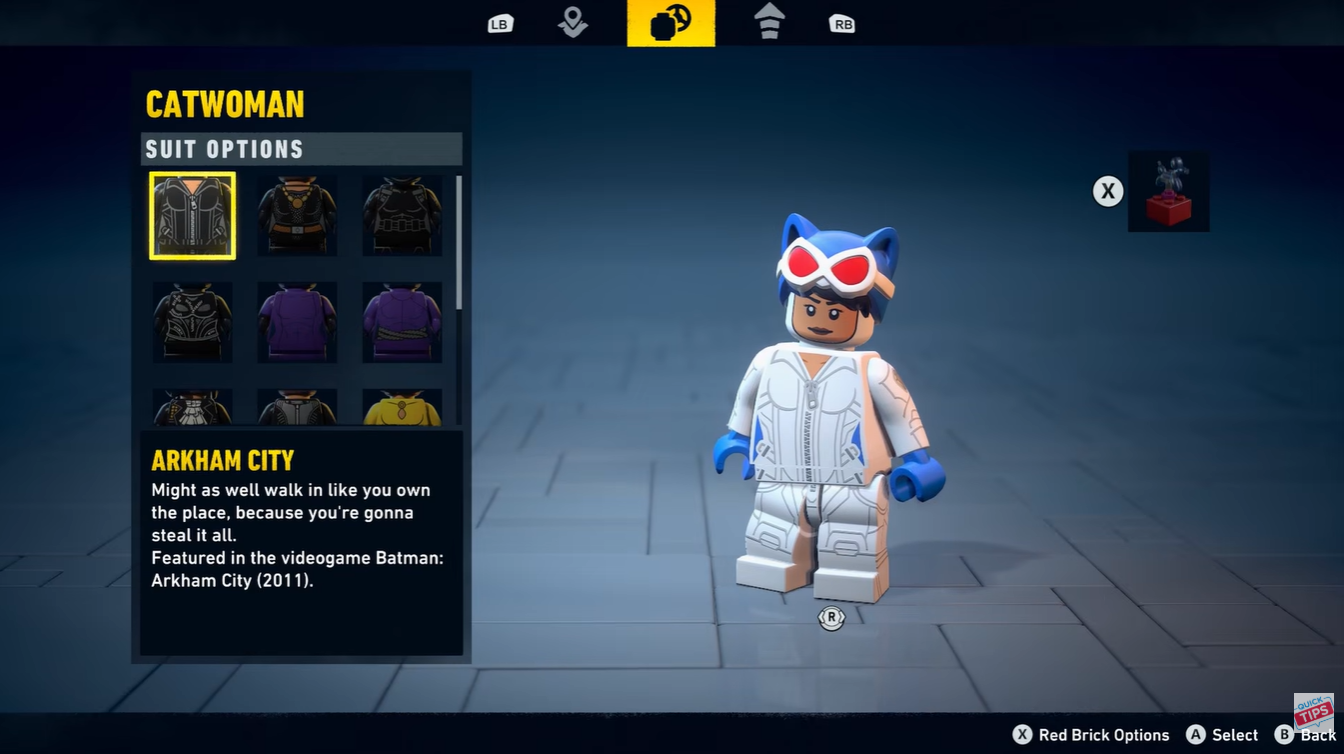
The outfit system primarily changes your character’s appearance, while modifiers allow additional gameplay customization. Depending on the character, some outfits may also visually reflect different comic-inspired or movie-inspired designs.
How to change suits in LEGO Batman Legacy of the Dark Knight
Step 1
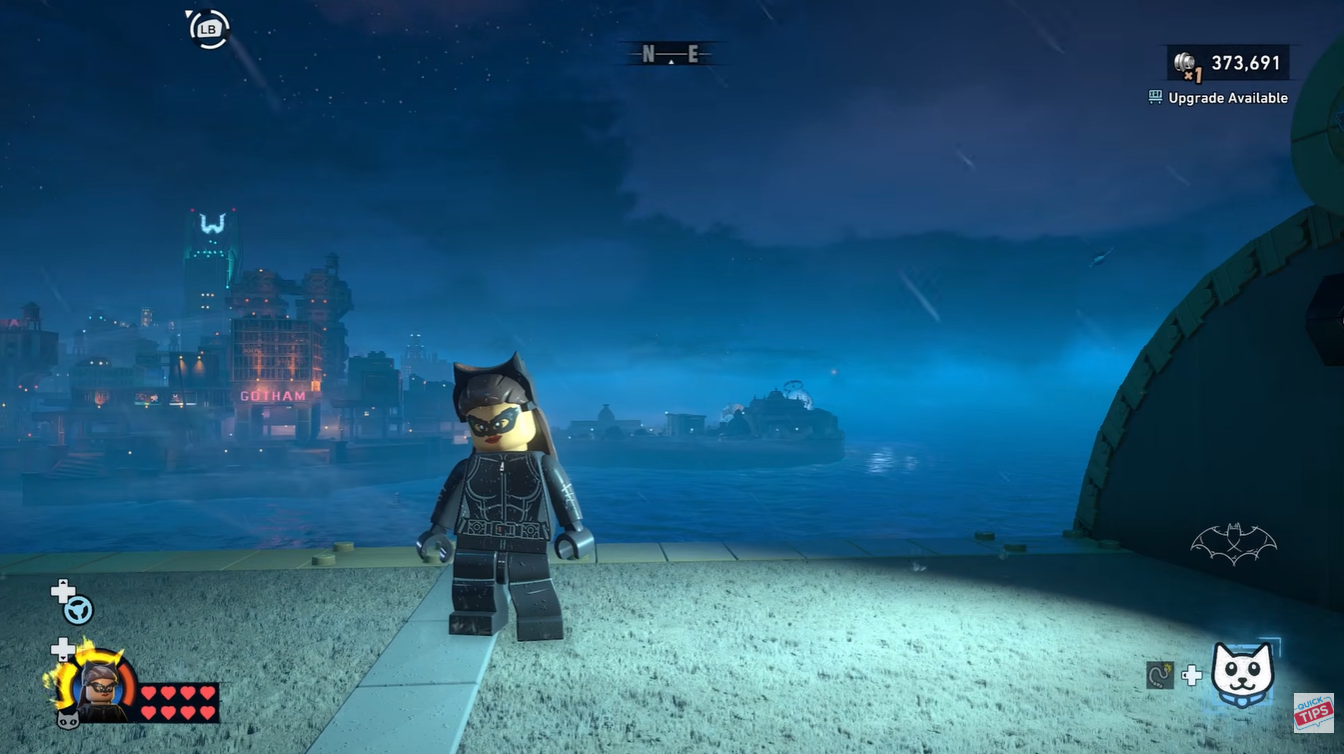
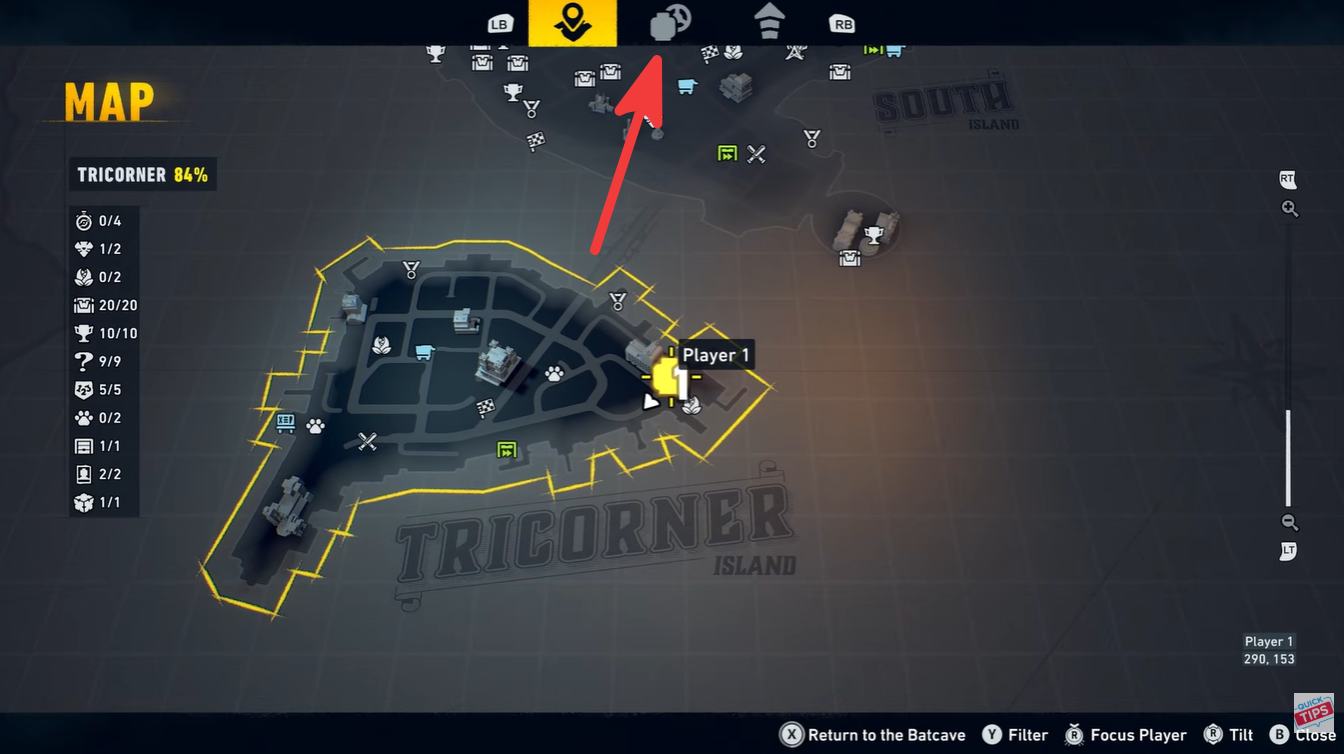
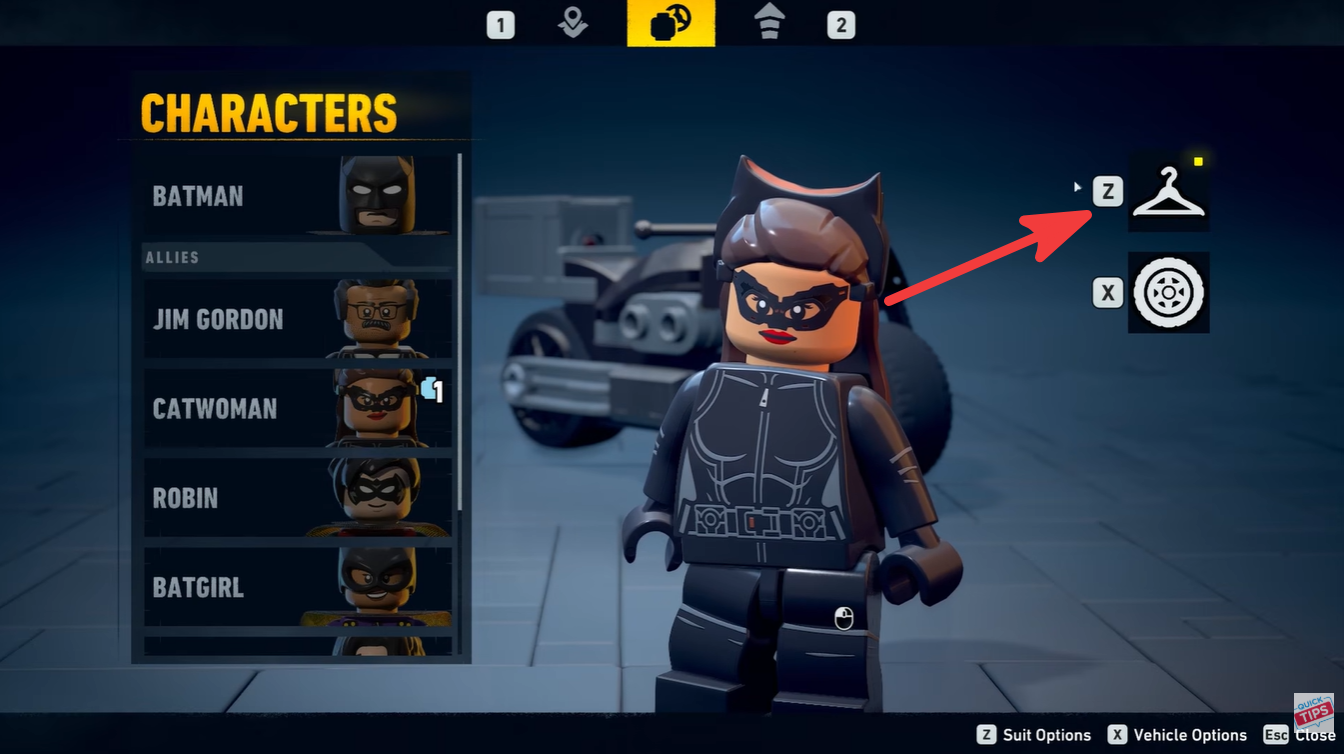
Press the Select button to open the map screen. Once the interface appears, look toward the icon located immediately to the right of the main map option.
Step 2
Open the character customization section. Inside this menu, you will see several icons related to customization and modifiers.
Step 3
Select the coat hanger icon. This icon represents the outfit selection system.
Step 4
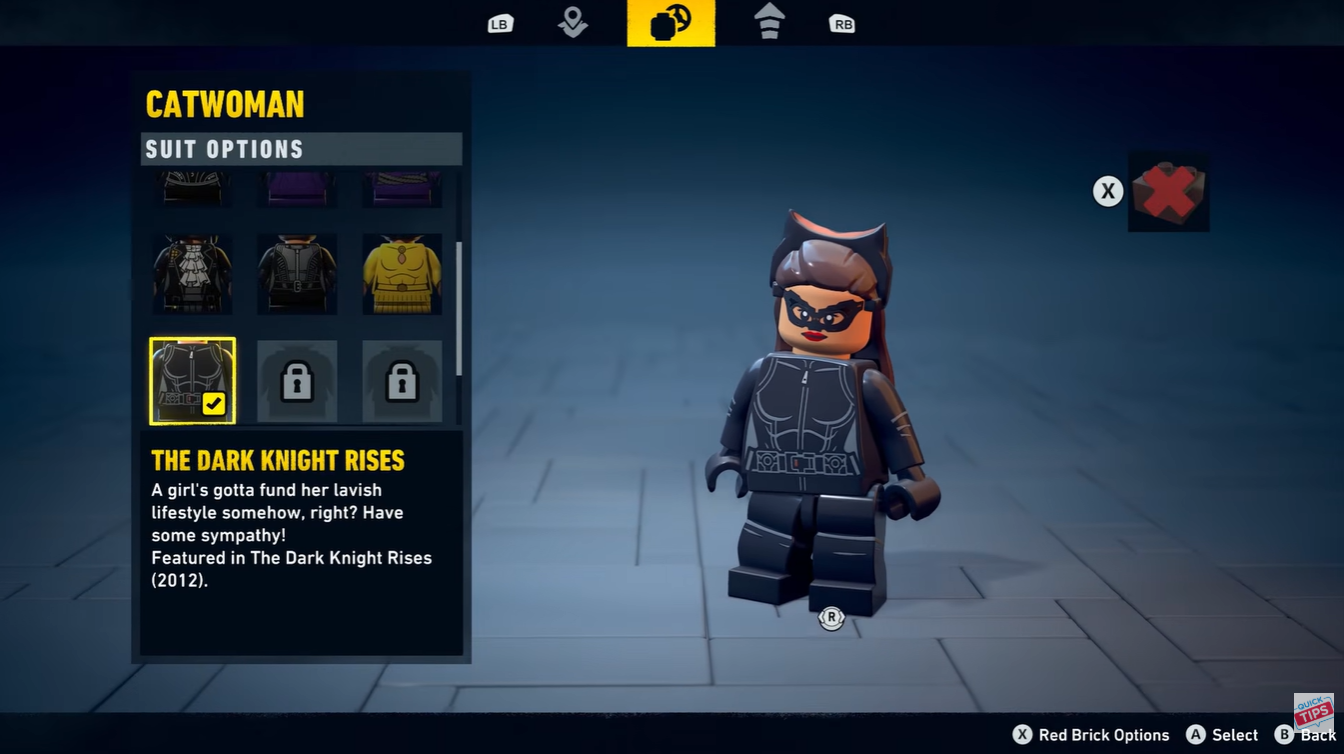
The game will display the available outfits for your current character. Browse through the available suits and choose the one you want to equip. Your character will instantly switch to the selected appearance.
How to use modifiers and change suit colors
The game also includes modifier customization through a separate menu. This feature lets you alter visual colors and apply extra gameplay effects depending on unlocked options.
| Modifier Feature | Function |
|---|---|
| Red Brick Menu | Opens modifier settings |
| Color Customization | Changes suit colors |
| Gameplay Modifiers | Activates bonus effects |
| Character Tweaks | Personalizes appearance |
Return to the same customization menu where the hanger icon is located. Select the red brick icon instead of the outfit hanger.
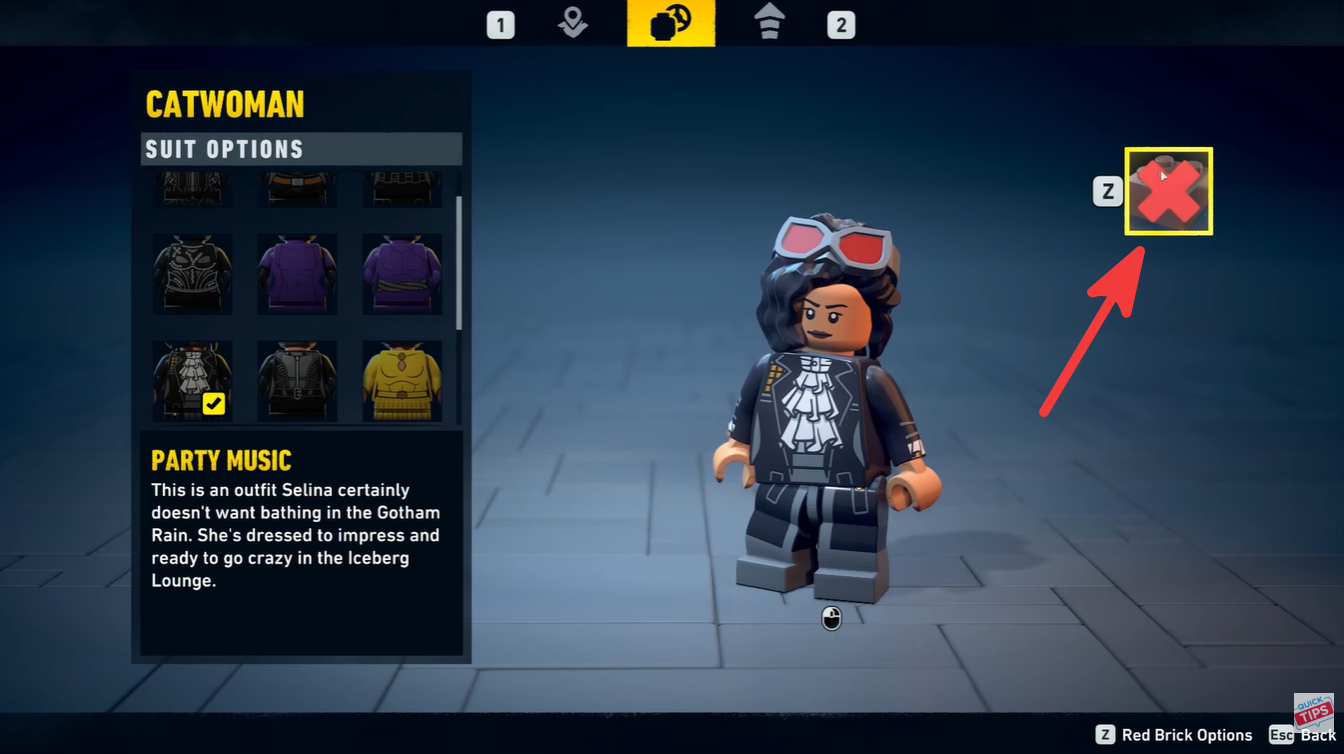
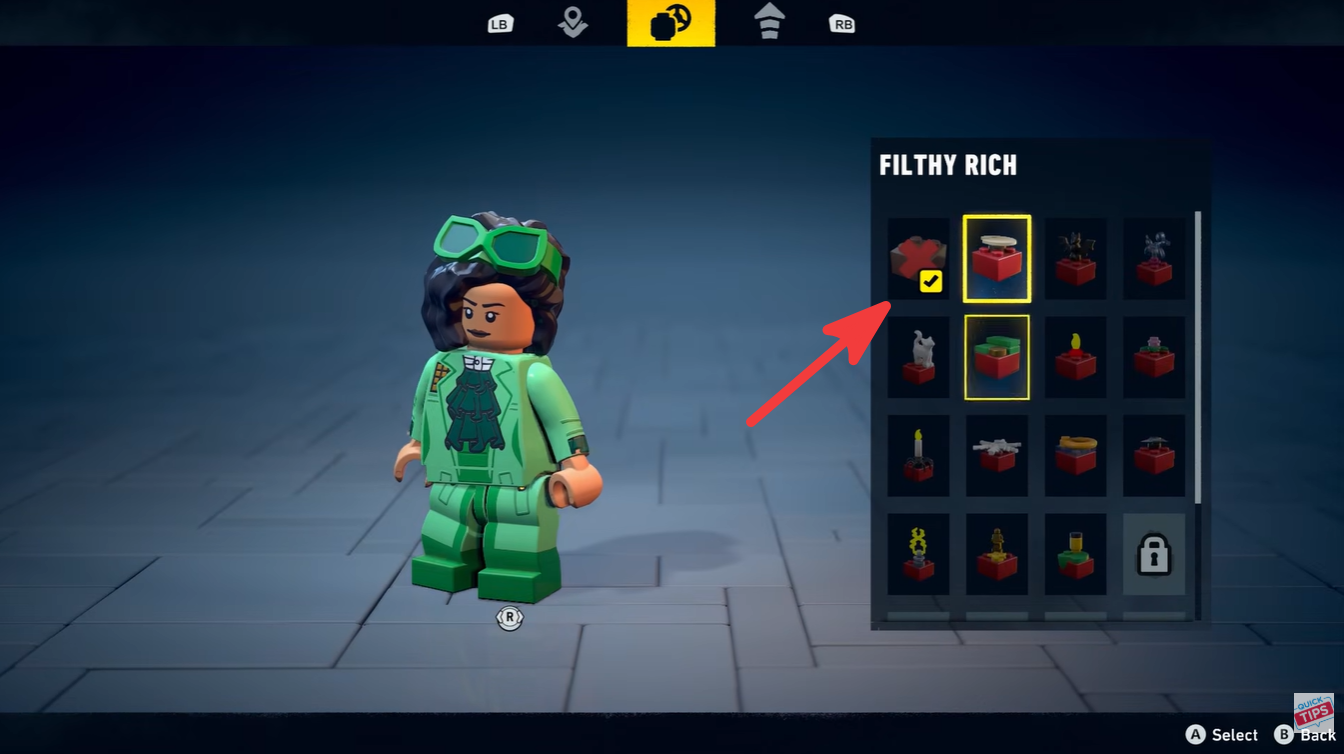
Browse the available modifiers and color options. You can experiment with different combinations to customize your character’s appearance. Confirm your selected changes to apply the new modifier or suit color setup.
What outfit customization changes in gameplay
Most outfit swaps are cosmetic, but they help personalize the overall experience and make free roam sessions more enjoyable. Some players prefer classic comic-style Batman suits, while others use alternate color schemes to match specific themes or challenge runs.
Modifiers can also add variety to gameplay by changing how characters behave or how the world appears during missions. As you unlock more content, the customization menu gradually becomes more flexible.
The outfit system in LEGO Batman: Legacy of the Dark Knight is designed for quick customization without interrupting gameplay. By opening the map, selecting the hanger icon, and using the red brick menu for modifiers, you can easily personalize your character anytime during free roam or missions.