- What to know
- Quick overview of the Battery Storage system
- Why the “Battery Storage Disabled” warning appears
- How to fix battery storage disabled bug in Subnautica 2
- Common causes and fixes for Battery Storage not working
- Base power shortages are the biggest issue
- How to improve Battery Storage efficiency
- Why you should avoid crafting replacement batteries
- Keeping your Battery Storage operational long term
What to know
- Battery Storage only charges depleted batteries, not freshly crafted full ones.
- The “Battery Storage Disabled” message usually appears when the unit is turned off or the base lacks power.
- You can insert up to six drained batteries at once for passive charging.
- Managing your base power grid is essential if chargers keep shutting down automatically.
Battery Storage is one of the most useful quality-of-life systems in Subnautica 2, especially once you begin relying heavily on tools like scanners, cutters, and propulsion gear. However, many players encounter the frustrating “Battery Storage Disabled” warning and assume the feature is bugged. In reality, the issue is usually connected to power management, incorrect battery usage, or automatic shutdown behavior inside your base.
Quick overview of the Battery Storage system
| Feature | Details |
|---|---|
| Main Purpose | Recharge depleted batteries |
| Maximum Capacity | 6 batteries |
| Activation Requirement | Must be set to “Enabled” |
| Common Error | “Battery Storage Disabled” |
| Most Common Cause | Base power shortage |
| Battery Type Needed | Partially or fully drained batteries |
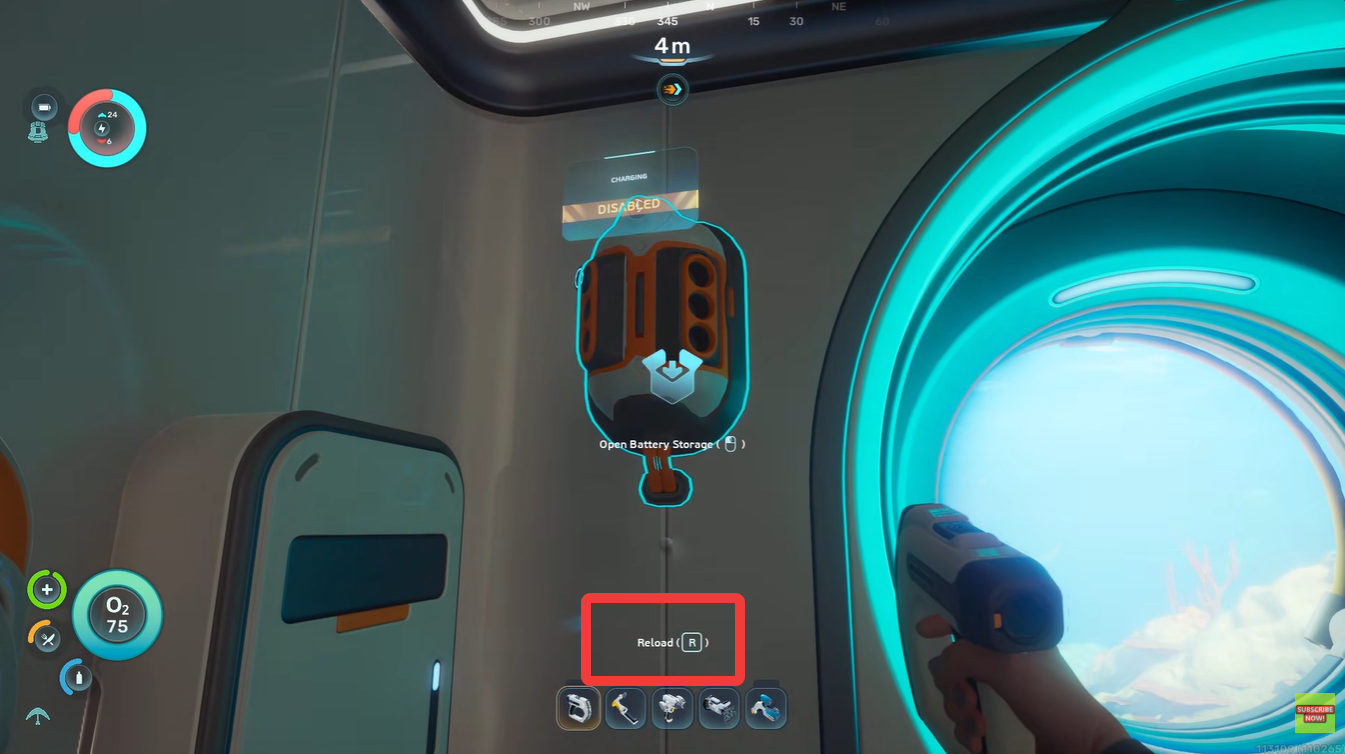
| Tool Key for Battery Removal | R (Reload key) |
| Best Usage Strategy | Rotate used batteries from tools |
Why the “Battery Storage Disabled” warning appears
The warning generally appears when the charging station is unable to draw enough energy from your base or when the module has been manually disabled. Unlike earlier charging systems from previous Subnautica games, Subnautica 2 includes more aggressive energy-saving behavior, especially in early-game bases running on limited solar or starter generators.
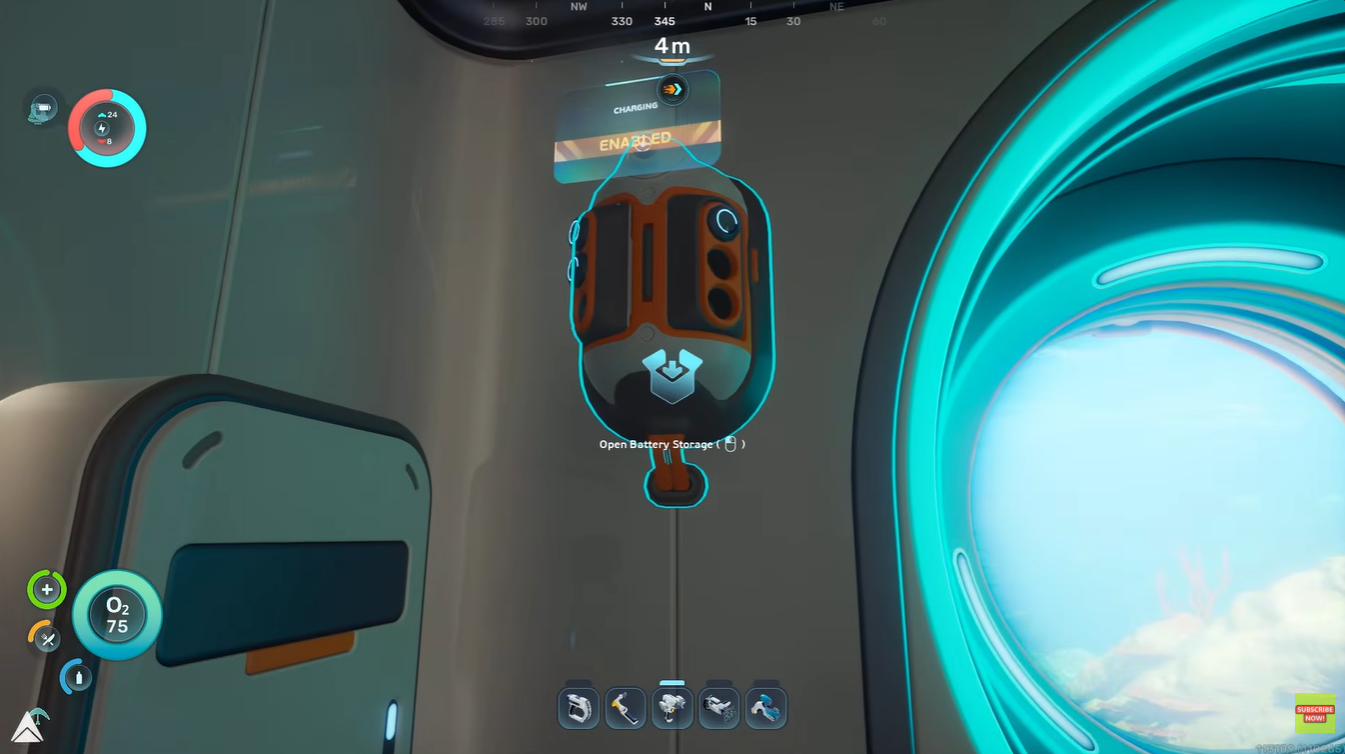
If your habitat begins running low on power, the Battery Storage system may automatically stop charging batteries to prioritize essential base operations. This is not always communicated clearly in-game, which makes it feel like a bug.
Another common mistake is placing newly crafted batteries into storage. Since freshly crafted batteries already contain full energy, the charger will appear inactive because there is nothing to refill.
How to fix battery storage disabled bug in Subnautica 2
Understanding the correct workflow helps avoid most charging issues.
When a tool battery is nearly empty, you should remove it directly from the tool instead of crafting a replacement. This saves resources and keeps your charging rotation efficient.
Step 1
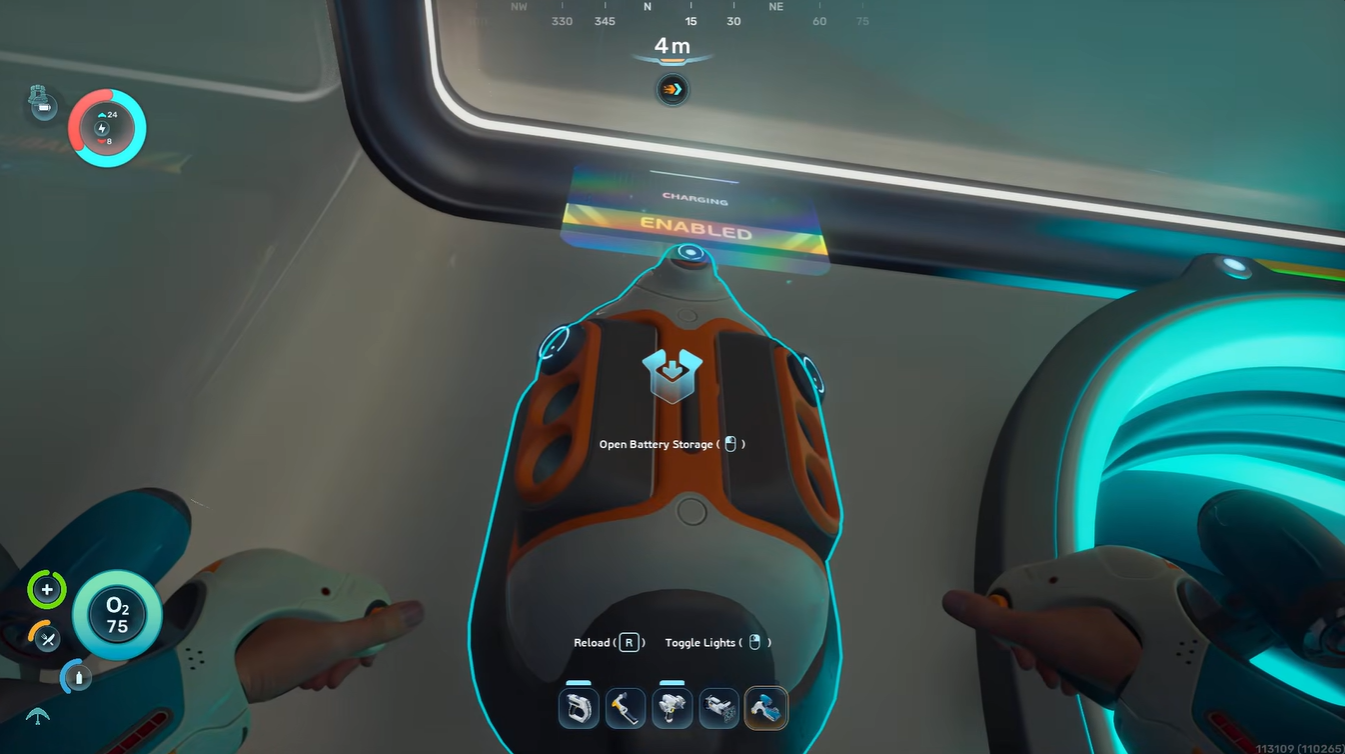
Interact with battery storage unit in your base.
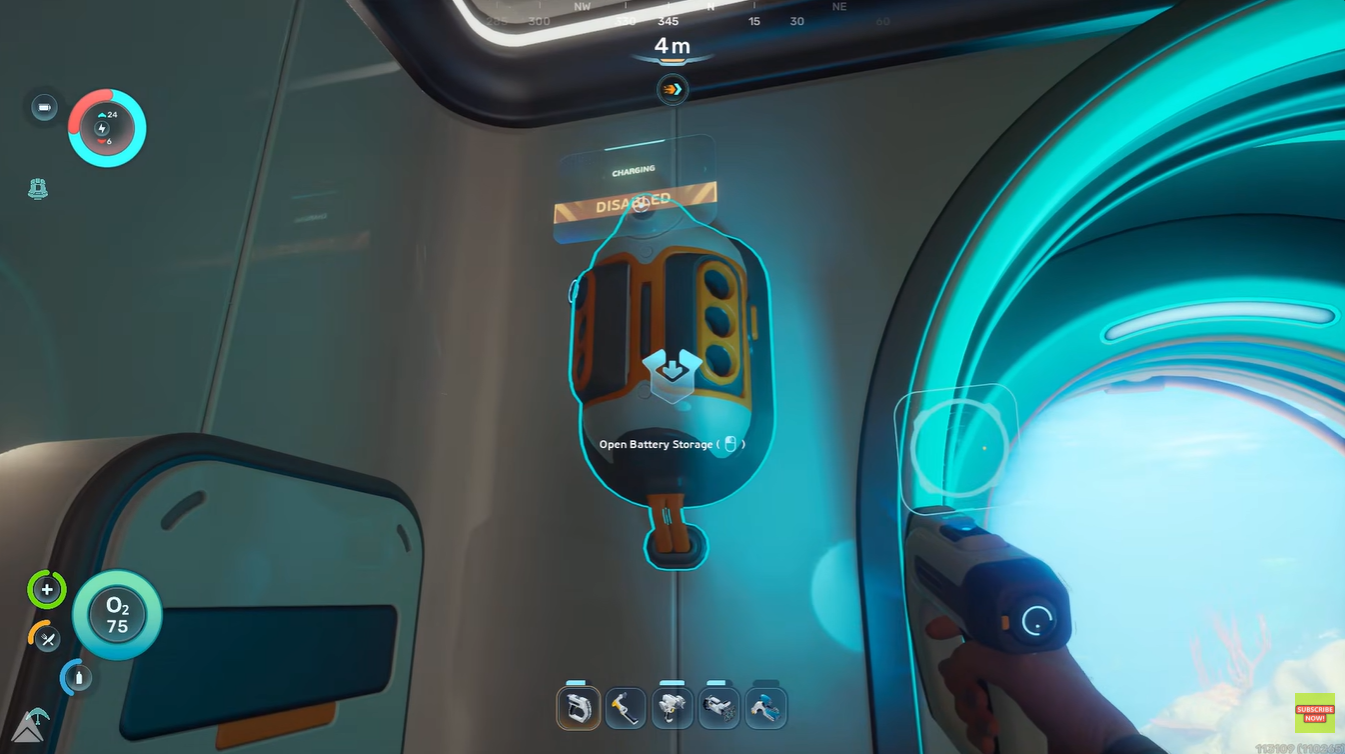
Step 2
Press R to remove the battery from the tool.
Step 3
Insert new batteries in the slots.
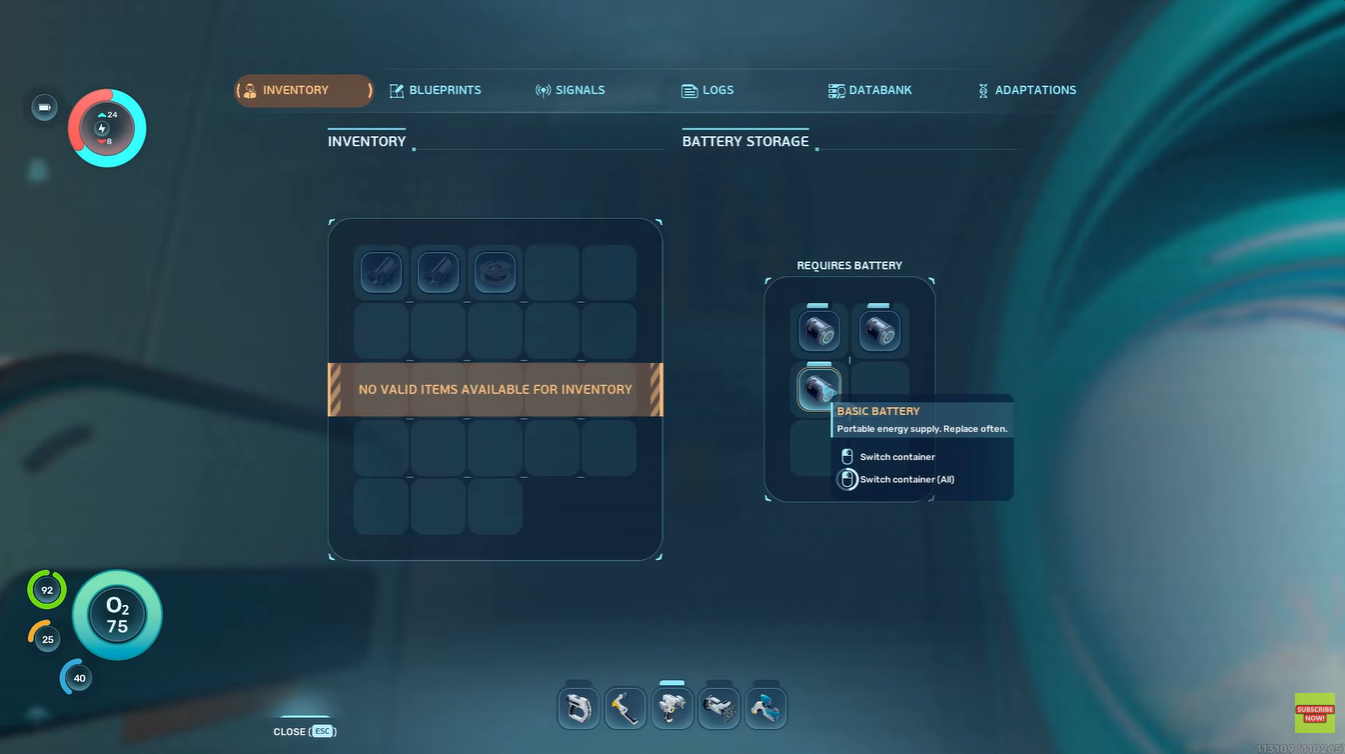
Step 4
Check the unit status and ensure it says Enabled.
Common causes and fixes for Battery Storage not working
The majority of Battery Storage problems can be solved quickly once you know what to check.
| Problem | Likely Cause | Fix |
|---|---|---|
| “Battery Storage Disabled” message | Charger manually turned off | Re-enable the unit |
| Batteries not charging | Batteries already full | Use drained batteries instead |
| Charger keeps turning off | Base lacks electricity | Add more power generation |
| No charging progress | Grid overloaded | Disable non-essential devices |
| Batteries disappear visually | UI sync bug | Reopen storage interface |
| Charging extremely slow | Weak power supply | Upgrade power systems |
Base power shortages are the biggest issue
Most Battery Storage failures happen because the base simply cannot support the charger. Early-game habitats often rely on unstable solar production or weak starter generators.
If you are running multiple systems simultaneously, such as fabricators, oxygen filtration, lighting, scanners, or elevators, your charging stations may temporarily shut down.
Signs your base is running low on power
| Warning Sign | Meaning |
|---|---|
| Flickering lights | Energy reserves are low |
| Fabricator delays | Grid struggling to supply power |
| Chargers disabling automatically | Non-essential systems shutting down |
| Slow oxygen generation | Severe power shortage |
| Battery charge rate drops | Insufficient surplus energy |
How to improve Battery Storage efficiency
Efficient battery management becomes extremely important during deeper exploration missions.
Instead of carrying piles of disposable batteries, experienced players usually rotate rechargeable cells through a central charging hub. This creates a sustainable energy loop and dramatically reduces crafting costs over time.
Best practices for efficient charging
| Strategy | Benefit |
|---|---|
| Recharge used batteries only | Saves crafting resources |
| Carry spare charged batteries | Faster tool swapping |
| Build extra power generators | Prevents automatic shutdowns |
| Disable unused base modules | Conserves energy |
| Charge batteries during daytime | Maximizes solar efficiency |
| Organize batteries by charge level | Easier inventory management |
Why you should avoid crafting replacement batteries
One of the easiest mistakes newer players make is repeatedly fabricating new batteries instead of recharging old ones.
This wastes valuable crafting materials that become increasingly important later in the game. A functioning Battery Storage setup allows you to maintain a sustainable exploration cycle without constantly farming resources.
The better strategy is simple:
- Use batteries until nearly empty.
- Recharge them at base.
- Rotate them back into your tools.
That approach keeps your inventory lighter and your resource economy far healthier.
Keeping your Battery Storage operational long term
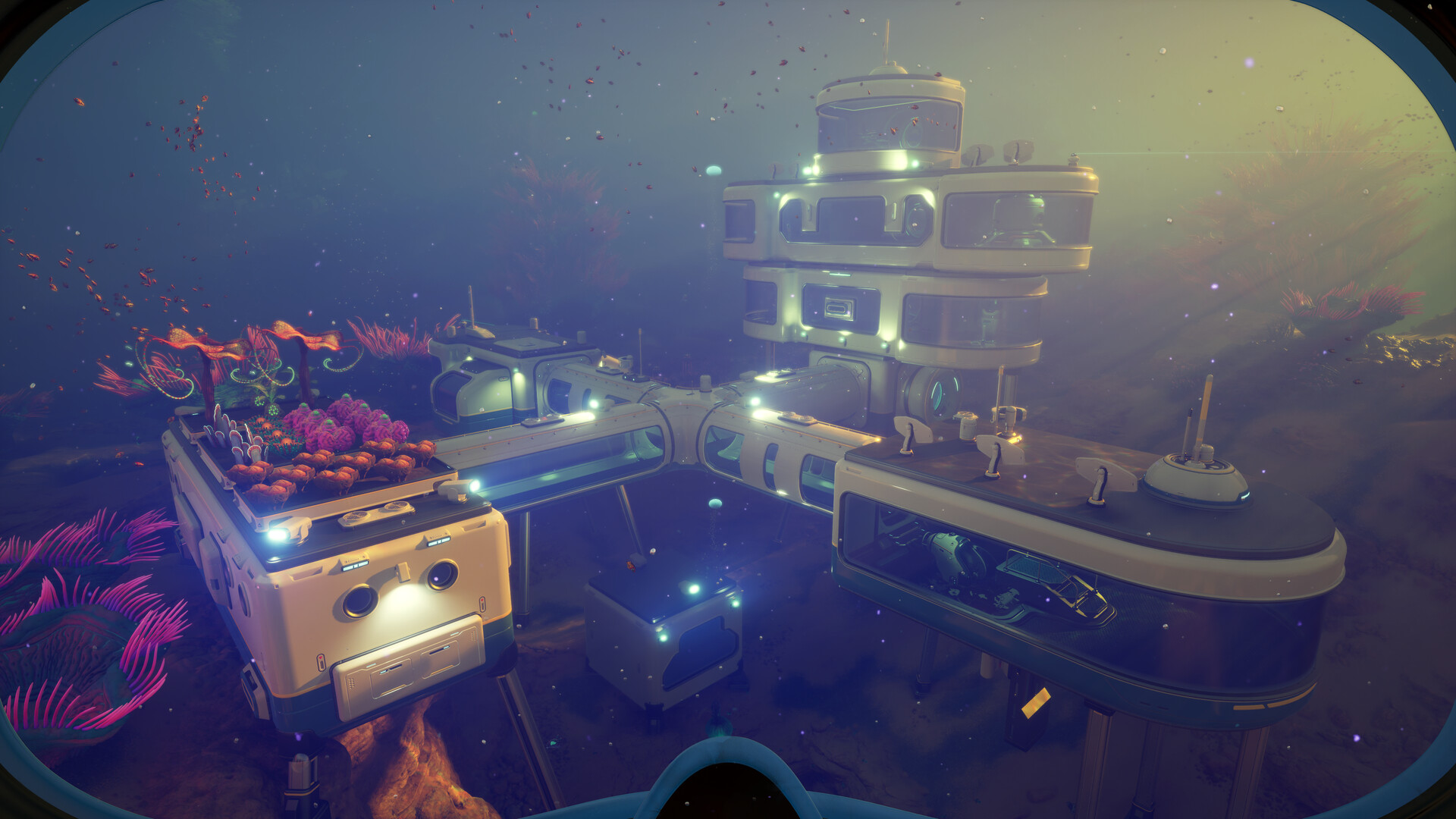
As your base grows larger, Battery Storage becomes less about convenience and more about infrastructure management. Large habitats with multiple powered rooms require a stable energy surplus to keep charging stations online consistently.
Expanding your power generation early prevents most “Battery Storage Disabled” issues before they even begin.
Battery Storage in Subnautica 2 is usually functioning correctly even when it appears broken. Most “disabled” warnings come from low base power, inactive settings, or inserting fully charged batteries by mistake. Once you understand how the charging network interacts with your habitat’s energy grid, the system becomes one of the most reliable tools for long-term survival and exploration.