


What to know
- Difficulty in Saros is controlled through Carcosan Modifiers.
- Protections make the game easier, while Trials increase challenge.
- You access modifiers via the Primary Node in the Soltari menu.
- No modifiers applied means a neutral, standard difficulty experience.
If you’ve been struggling or finding Saros too easy, the game gives you direct control over how challenging your experience feels. Instead of fixed difficulty modes, Saros uses a dynamic system called Carcosan Modifiers, letting you fine-tune gameplay exactly how you want.
This system is flexible, intuitive once understood, and highly impactful on your progression. Below, you’ll find a clear breakdown of how it works and how you can adjust it effectively.
Quick overview of Saros difficulty system
| Feature | Description |
|---|---|
| Difficulty System | Carcosan Modifiers |
| Access Point | Primary Node → Soltari Menu |
| Easy Mode | More Protections, fewer Trials |
| Hard Mode | More Trials, fewer Protections |
| Default Setting | No modifiers applied (Normal difficulty) |
| Customization Level | Fully adjustable |
How Carcosan Modifiers shape your gameplay
Carcosan Modifiers act as a dual-layer system of buffs and debuffs that directly influence how difficult your game feels. Instead of choosing “Easy,” “Normal,” or “Hard,” you actively build your difficulty profile.
Protections are essentially your safety net. They provide advantages such as reduced damage taken, better survivability, or helpful boosts that make encounters more forgiving. When you stack Protections, you’re effectively lowering the challenge.
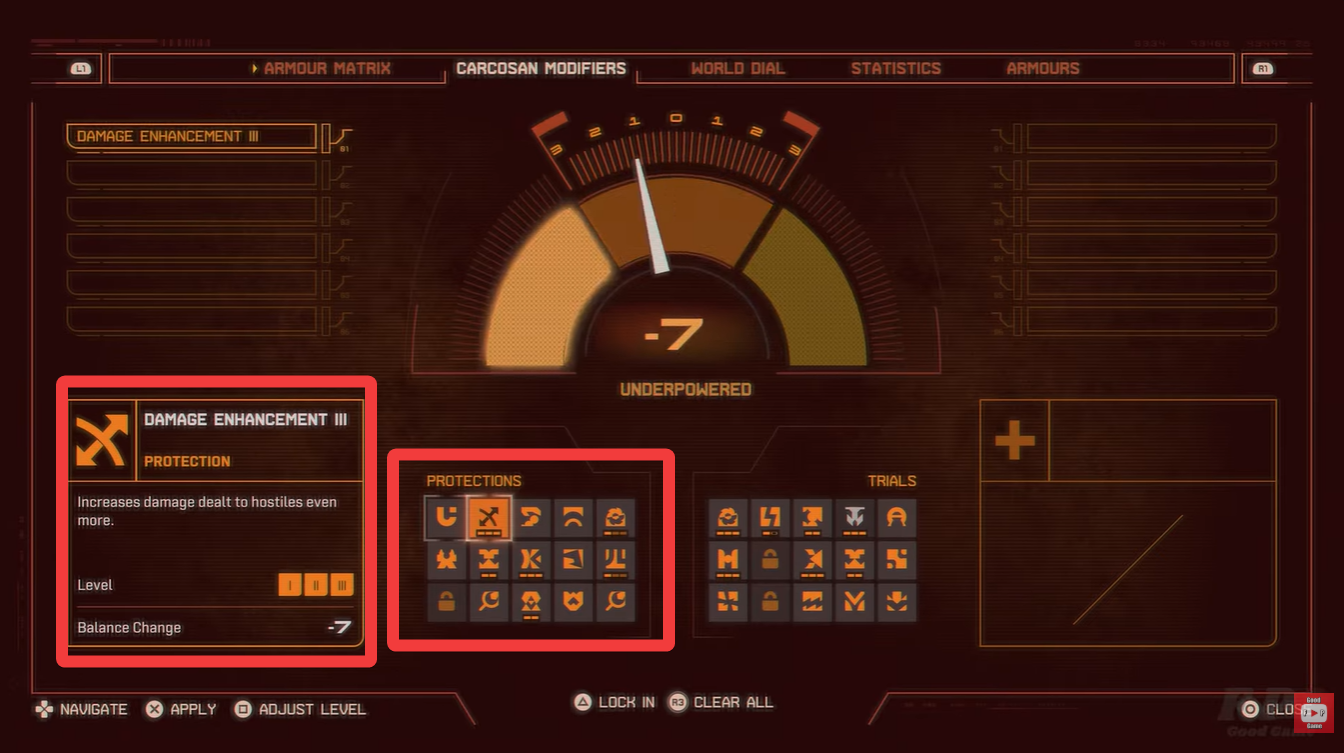
Trials, on the other hand, introduce penalties or tougher conditions. These might increase enemy strength, reduce your effectiveness, or add constraints that force you to play more strategically. The more Trials you enable, the harder the game becomes.
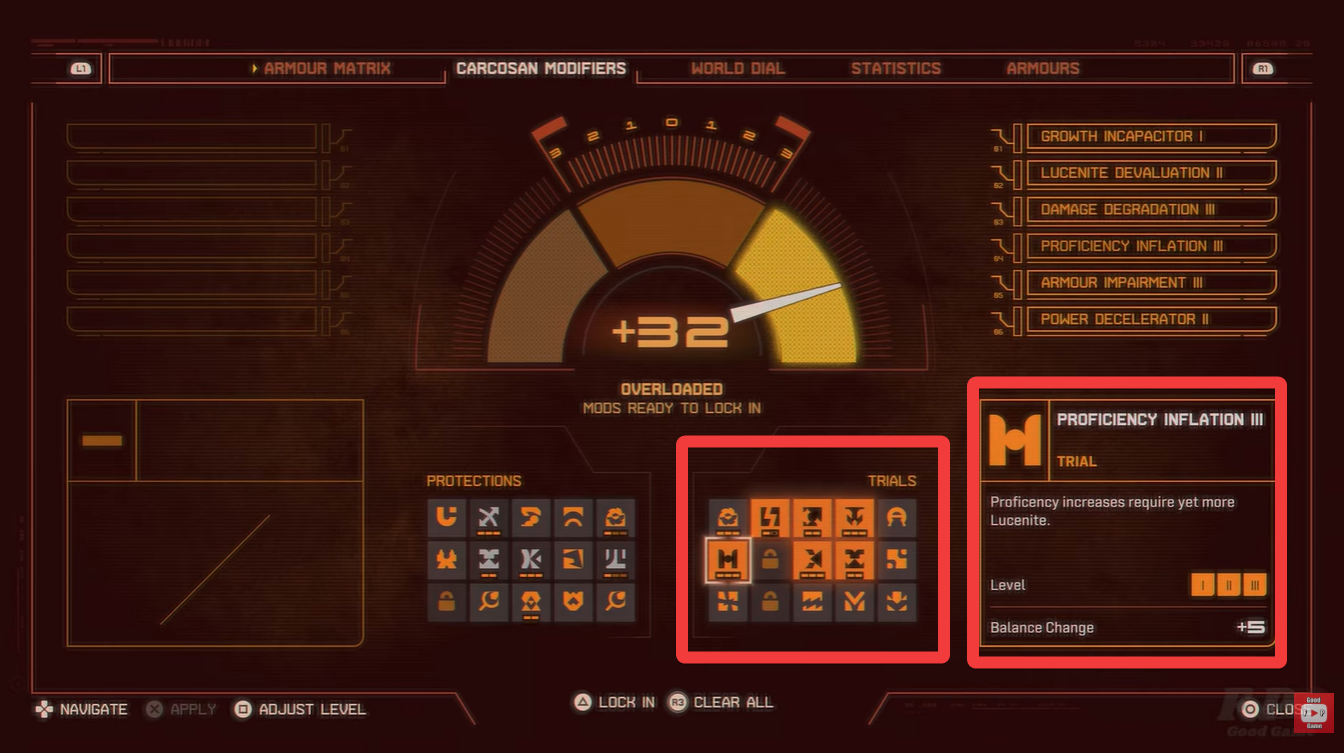
The balance between these two determines your real difficulty level. If you lean heavily toward Protections, the game becomes noticeably easier. If Trials dominate, expect a serious challenge.
How to access and change difficulty in Saros
Step 1 – Go to your Primary Node
Start by navigating to your Primary Node, which acts as your central hub for progression and customization. This is where most core systems are managed.

Step 2 – Enter the Soltari menu
Once inside the Primary Node, open the Soltari menu. This menu contains various gameplay systems, including the one you need for difficulty adjustments.
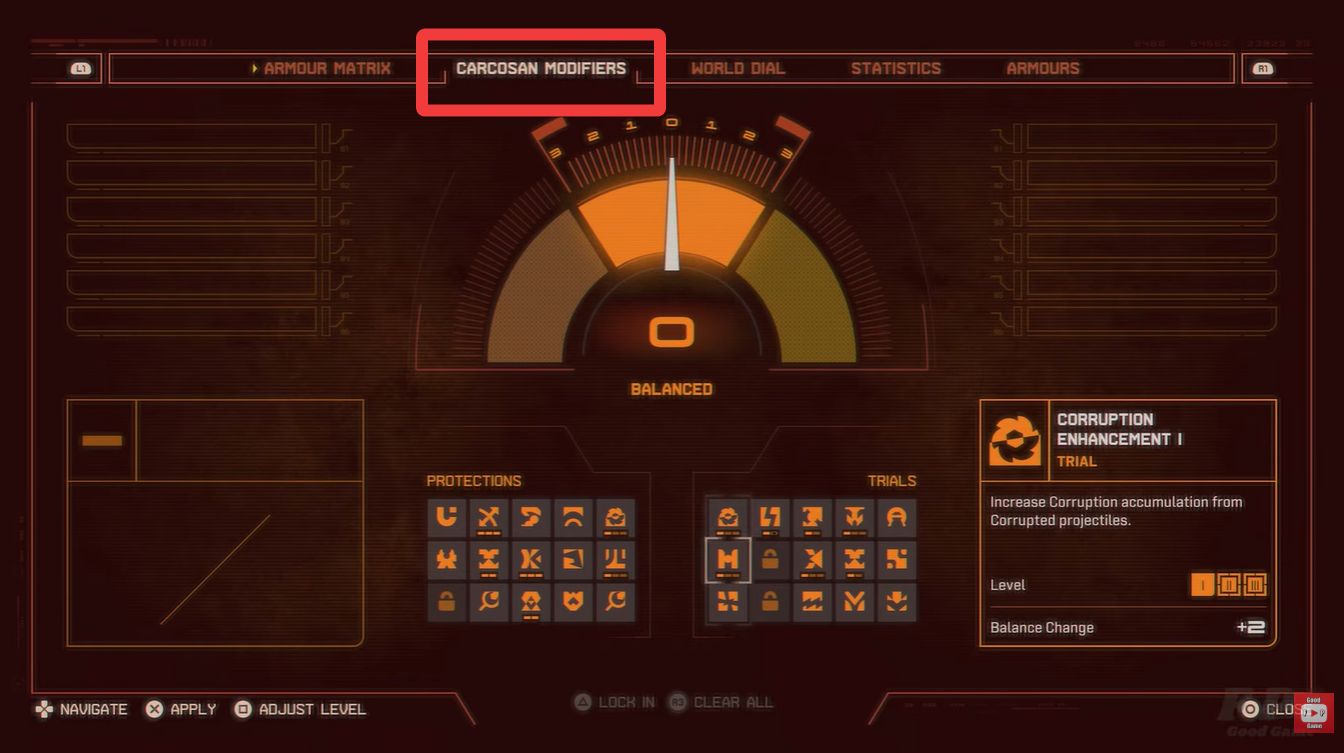
Step 3 – Locate the Carcosan Modifiers tab
Within the Soltari menu, find the Carcosan Modifiers section. This is where you’ll see available Protections and Trials.
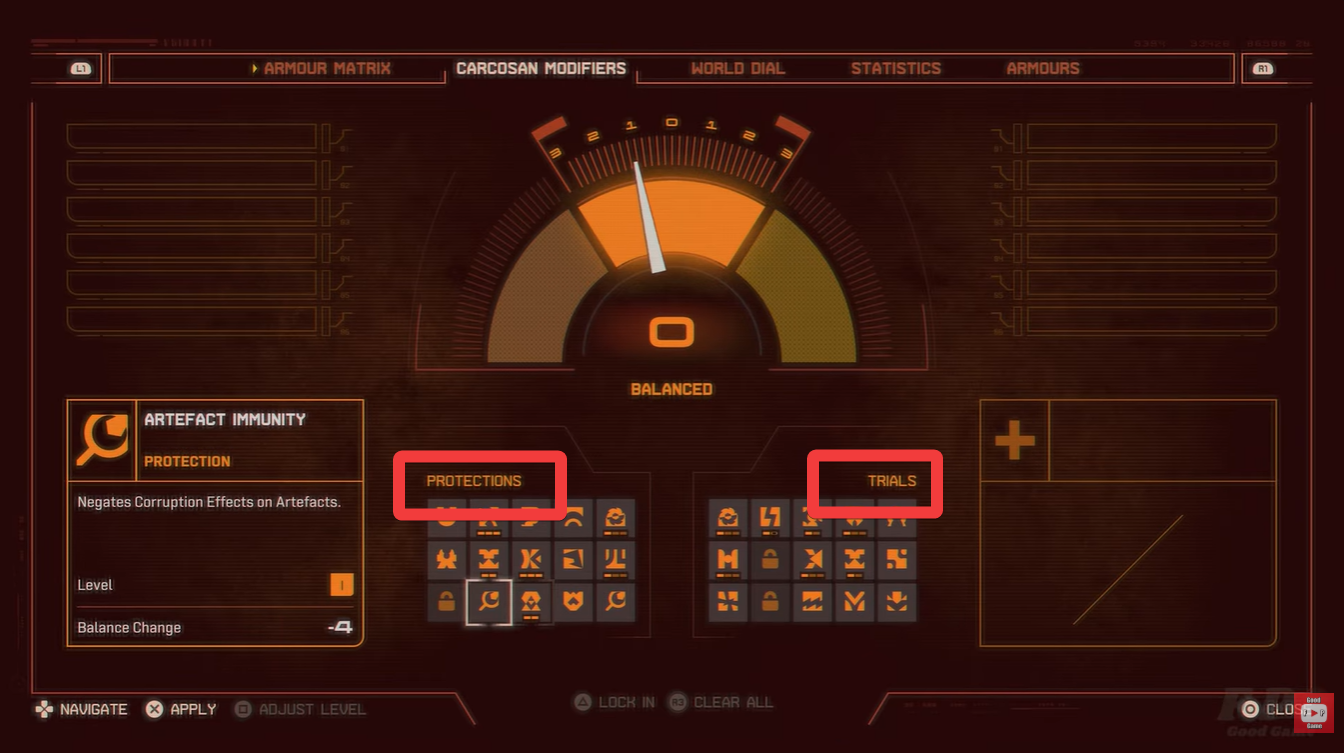
Step 4 – Adjust Protections and Trials
Now comes the key part—customizing your difficulty. Increase Protections to make gameplay easier, or add Trials to increase difficulty. You can mix and match depending on your preference.
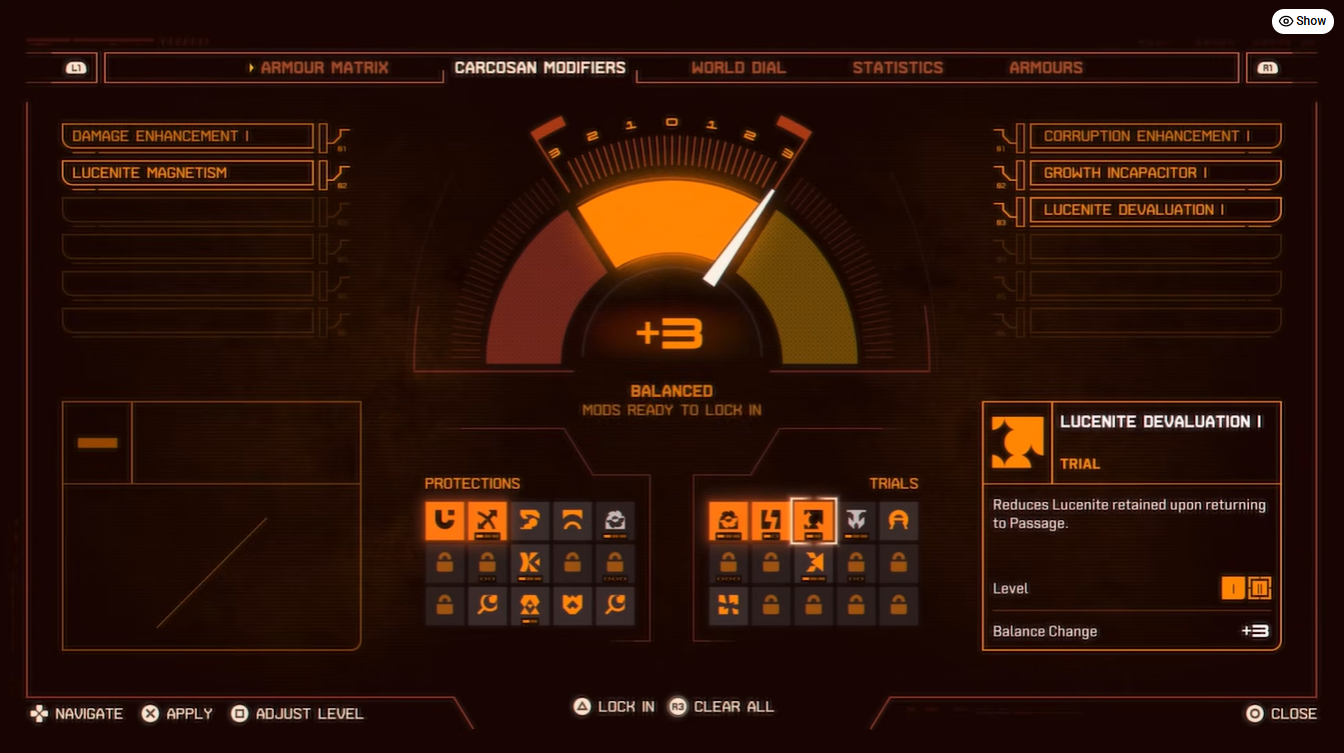
Once satisfied with your setup, lock in your modifiers. The changes will immediately affect your gameplay experience.
Understanding the balance between Protections and Trials
The real depth of Saros’ difficulty system lies in how you combine modifiers. It’s not just about making things easier or harder—it’s about tailoring the experience to your playstyle.
If you prefer a relaxed experience, stacking Protections while minimizing Trials gives you a smoother journey with fewer punishing moments. This is especially useful when learning mechanics or exploring new content.

If you’re seeking challenge, adding multiple Trials while limiting Protections creates a high-risk environment where every decision matters. This setup is ideal if you enjoy testing your skills or pushing your limits.
When to adjust your difficulty settings
You don’t have to stick with one configuration permanently. Saros encourages experimentation, and adjusting modifiers regularly can enhance your experience.
You might increase Protections when facing a particularly tough encounter, or add Trials when farming becomes too easy. The system is designed to adapt to your progression, not restrict it.

Rewards and impact of difficulty adjustments
Saros gives you complete control over how you experience the game, and Carcosan Modifiers are the core of that freedom. Instead of forcing you into preset difficulty levels, the game lets you fine-tune every aspect of challenge.
| Modifier Type | Gameplay Impact | Reward Influence |
|---|---|---|
| Protections | Easier combat, higher survivability | Typically lower challenge-based rewards |
| Trials | Harder combat, increased risk | Better rewards and progression incentives |
| Balanced Setup | Moderate challenge | Standard rewards |
Higher difficulty setups often come with better rewards, making Trials appealing for progression-focused players. However, this also increases risk, so finding your balance is key.
If you’re struggling, lean into Protections. If you’re bored, add Trials. The system is simple in concept but deep in execution, allowing you to continuously adjust your experience as you grow.
Mastering this system doesn’t just make the game easier or harder—it makes it more enjoyable on your terms.

I never thought about using Carcosan modifiers like that. Do you usually find it changes the gameplay a lot?