What to know
- Time skipping is accessed through your in-game phone interface.
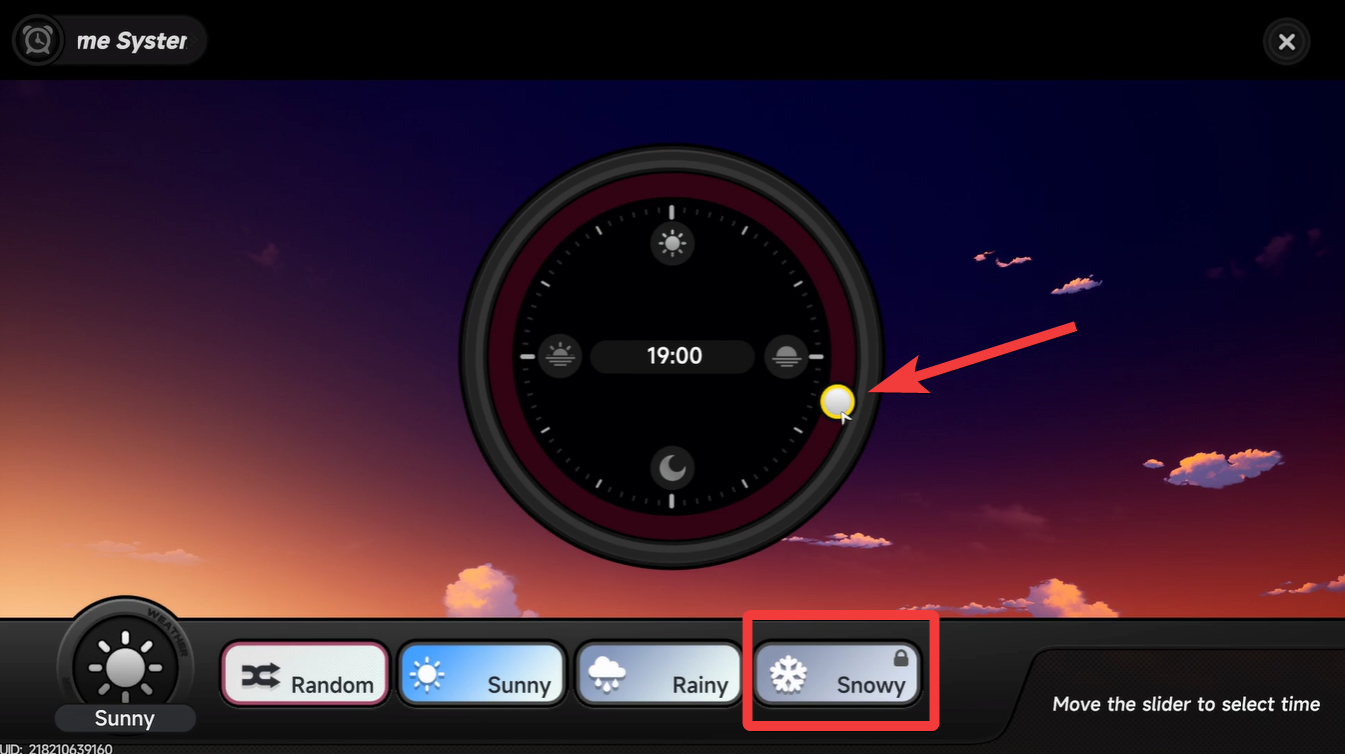
- You can freely move time forward or backward using a clock slider.
- Weather options like sunny and rainy are available early on.
- Some weather types, like snowy, unlock later in progression.
Managing time in Neverness to Everness is a simple but powerful feature that directly affects exploration, quests, and overall gameplay flow. Whether you’re trying to trigger specific events or just prefer a certain time of day, the built-in system gives you quick control without needing to wait in real time.
Here is a quick overview of the time system in NTE:
| Feature | Details |
|---|---|
| Access Method | In-game phone |
| Icon to Look For | Clock/time system icon |
| Time Control | Slider to increase or decrease time |
| Weather Options | Sunny, Rainy, Random (Snowy locked initially) |
| Unlock Requirement | Some weather unlocks later in progression |
| Usage | Exploration, quests, ambience control |
NTE time and weather control explained
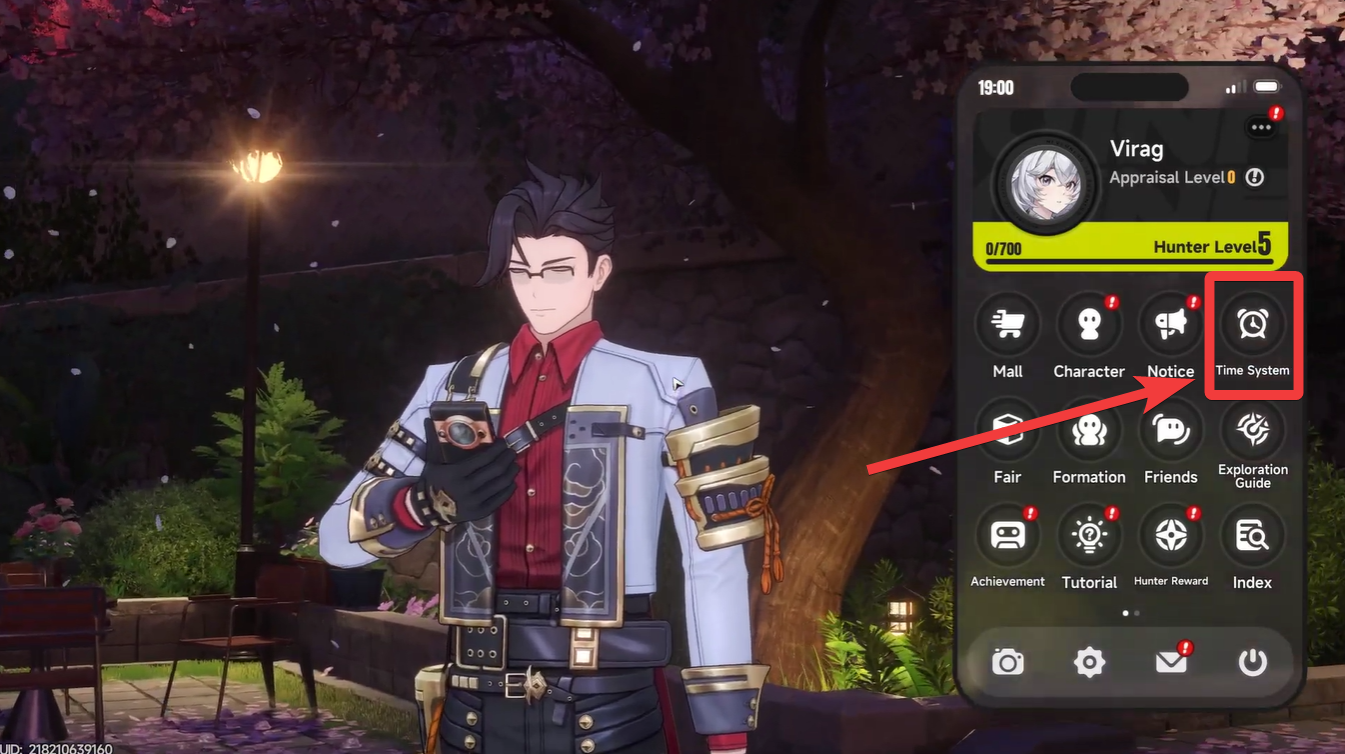
The time-skipping mechanic in Neverness to Everness is built around your in-game smartphone, which acts as a central hub for several systems. When you open your phone, you’ll notice a clock icon representing the time system, and this is where all adjustments happen.
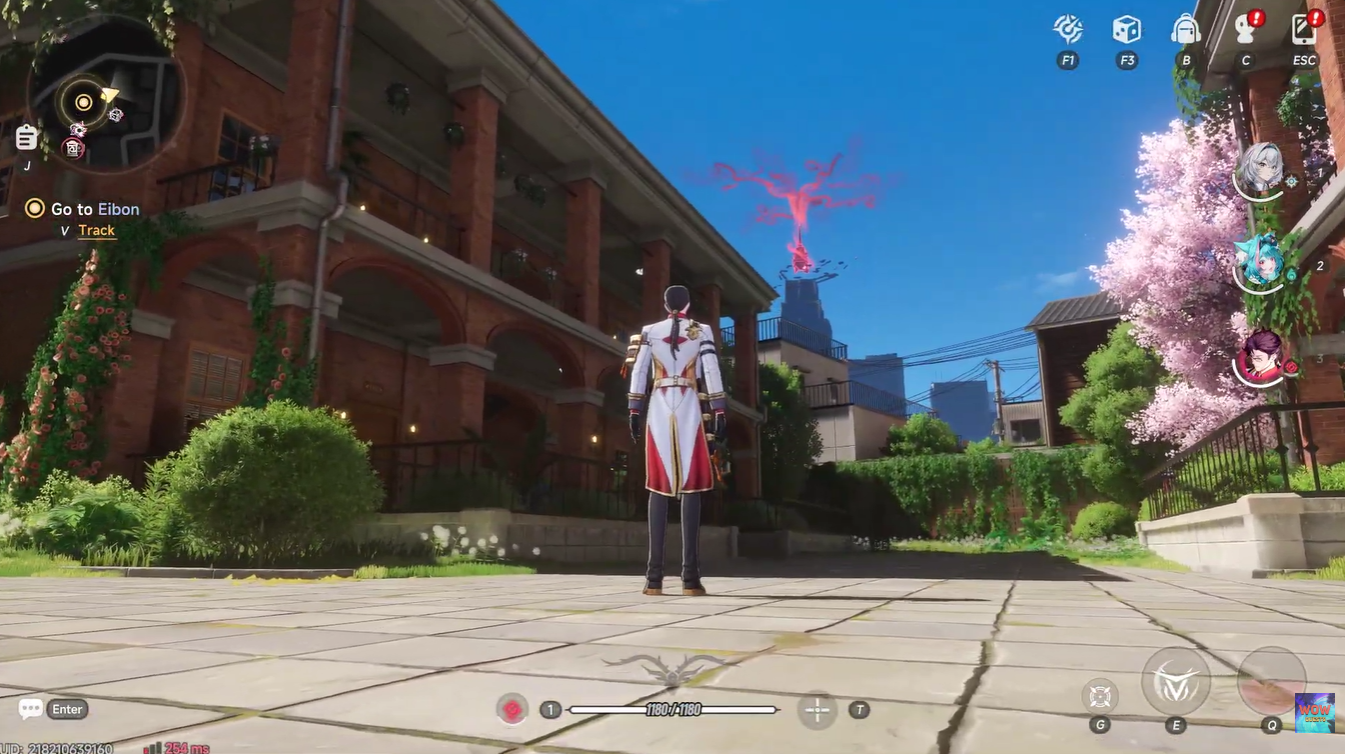
Once you enter this menu, you gain full control over the in-game clock, allowing you to fast-forward or rewind time depending on your needs. This means you can instantly switch from day to night or vice versa without waiting.
At the same time, the system also integrates basic weather controls, letting you choose between different environmental conditions. Early on, you’ll notice that options like sunny, rainy, and random weather are available, while snowy conditions remain locked until you progress further in the game.
How to skip time in Neverness to Everness
Open your in-game phone menu while playing Neverness to Everness and look for the clock icon, which represents the time system. Tap on the clock icon to enter the time adjustment interface, where you’ll see a visual representation of the day cycle.
Use the slider or adjustment controls to increase or decrease the time. Moving forward shifts toward evening or night, while moving backward returns you to earlier hours. Confirm your selection to instantly apply the new time, updating lighting, NPC schedules, and environmental visuals in real time.
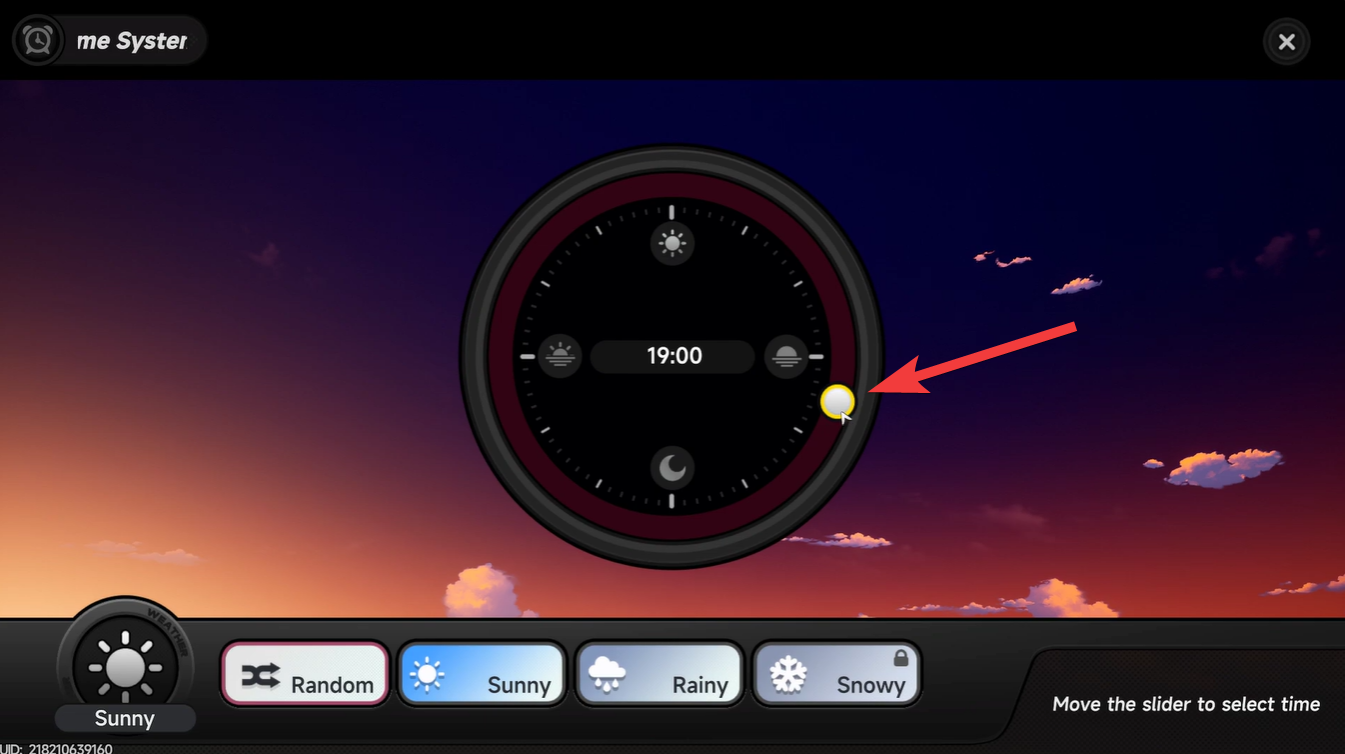
(Optional) Choose a weather setting such as sunny or rainy to further customize your environment. If snowy is unavailable, it means you haven’t unlocked it yet.
Certain activities, NPC behaviors, and exploration elements can vary depending on whether it’s day or night. By skipping time, you can optimize your sessions instead of waiting around for conditions to align naturally.
Understanding weather unlock progression
While basic weather options are available early, the locked snowy condition hints at progression-based environmental systems. This means as you advance through the game, you’ll likely gain access to more diverse weather effects, which can enhance both visuals and gameplay depth.
Until then, using the available options strategically still helps you tailor your experience to your current objectives, whether that’s exploration, combat, or simply enjoying the world.
Making the most of time skipping in your gameplay
To fully benefit from this feature, you should actively use time skipping instead of treating it as a secondary mechanic. If you’re stuck waiting for something, adjusting the clock can instantly move things forward. Similarly, if you prefer exploring during specific lighting conditions, you can set that up anytime.
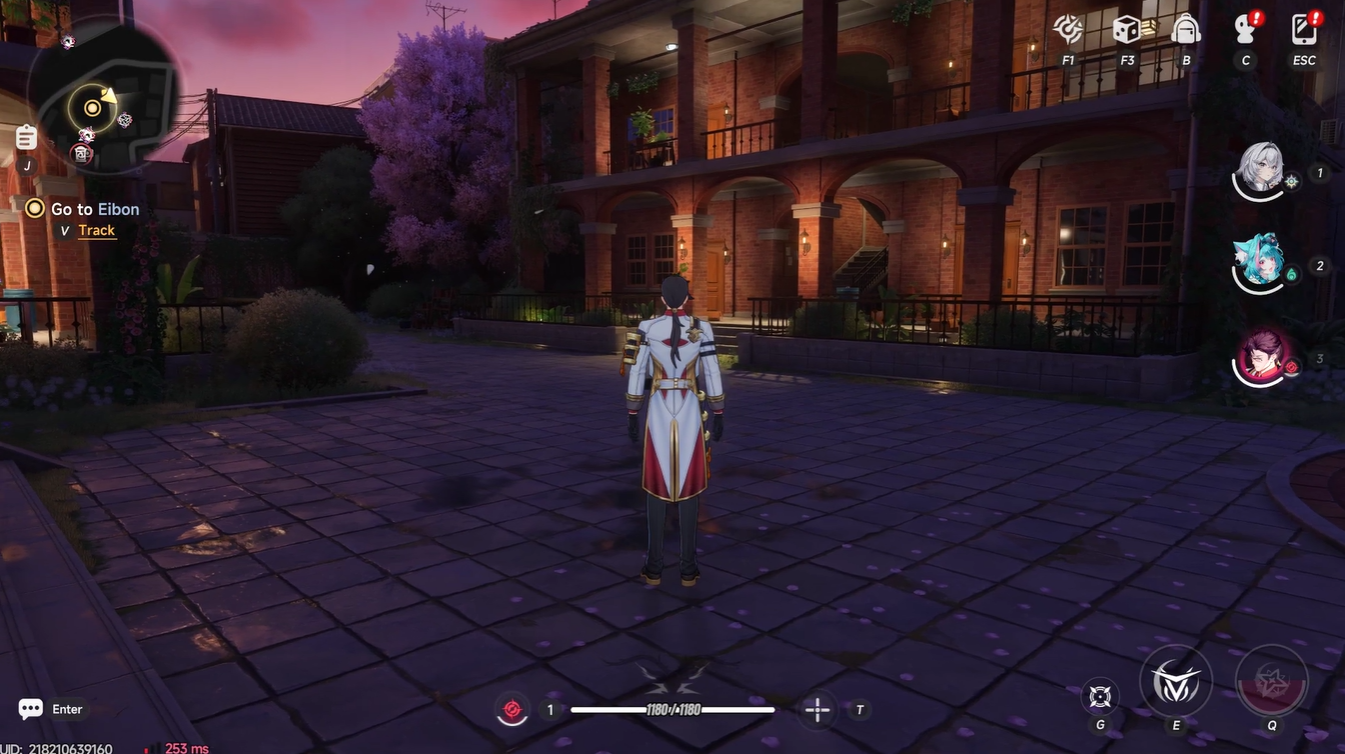
The system is designed for convenience, and once you get used to it, it becomes a natural part of your gameplay loop rather than an occasional tool.
Time skipping in Neverness to Everness is quick, intuitive, and surprisingly impactful. By using the phone’s clock system, you gain control over both time and weather, allowing you to shape your experience exactly how you want. As more features unlock, this system becomes even more valuable, making it worth mastering early on.