What to know
- You can recover the Sotdae of Bond if it disappears after placement.
- It is originally obtained through a specific faction questline – Trembling Woods of Pororin Forest.
- Recovered items cost a small fee at your camp.
- Players who have already completed the quest receive it automatically after updates.
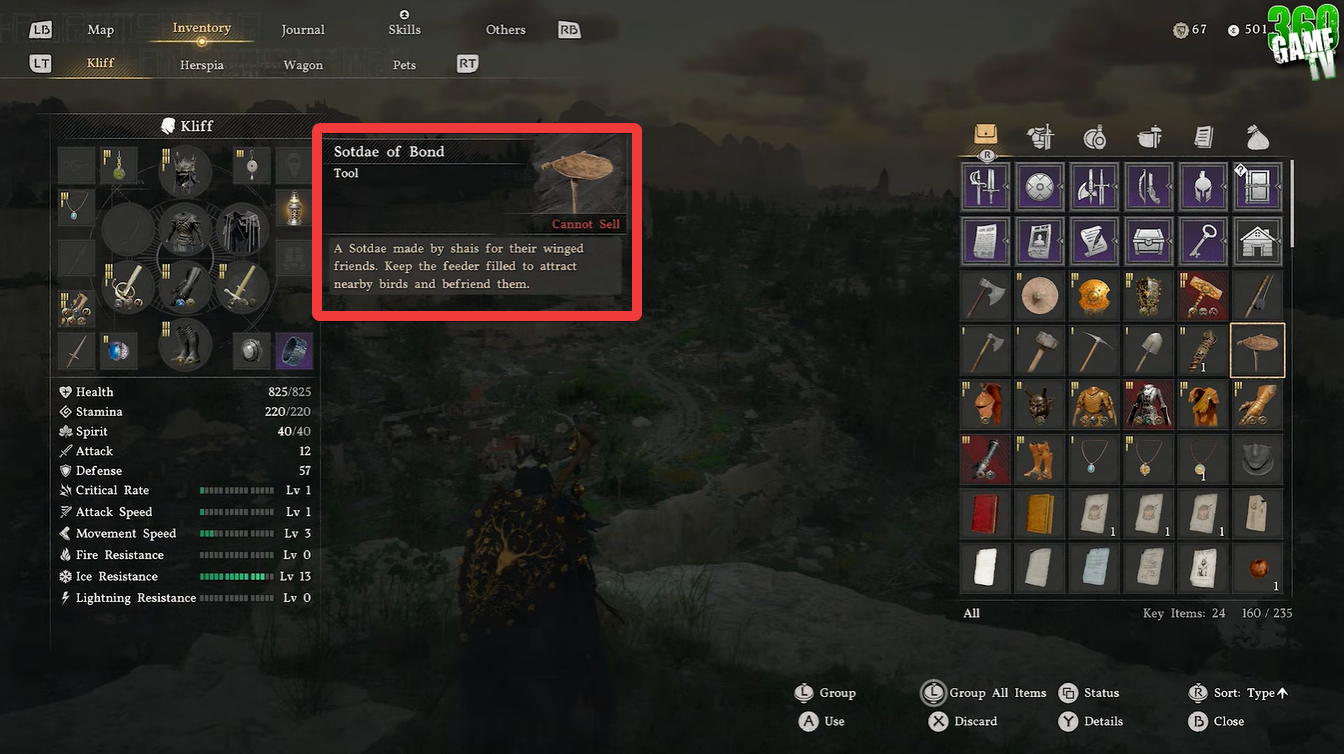
If you’ve been exploring pet mechanics or trying to tame wildlife in Crimson Desert, losing the Sotdae of Bond (bird feeder) can feel frustrating. The good news is that the system already accounts for this situation, and you don’t need to restart progress or craft a new one. Instead, the game provides a built-in recovery feature that is quick and reliable.
| Feature | Details |
|---|---|
| Item Name | Sotdae of Bond (Bird Feeder) |
| Purpose | Used to tame and bond with birds/animals |
| Common Issue | Item disappears after placement |
| Recovery Location | Camp |
| NPC Required | Carl (Camp Provisioner) |
| Cost | ~1 coin |
| Difficulty | Very easy |
How you unlock the Sotdae of Bond
The Sotdae of Bond isn’t just a random item—it is tied directly to a faction progression system. You obtain it by completing the Pororin Forest Guardians Faction Questline, specifically the “Trembling Woods” quests.
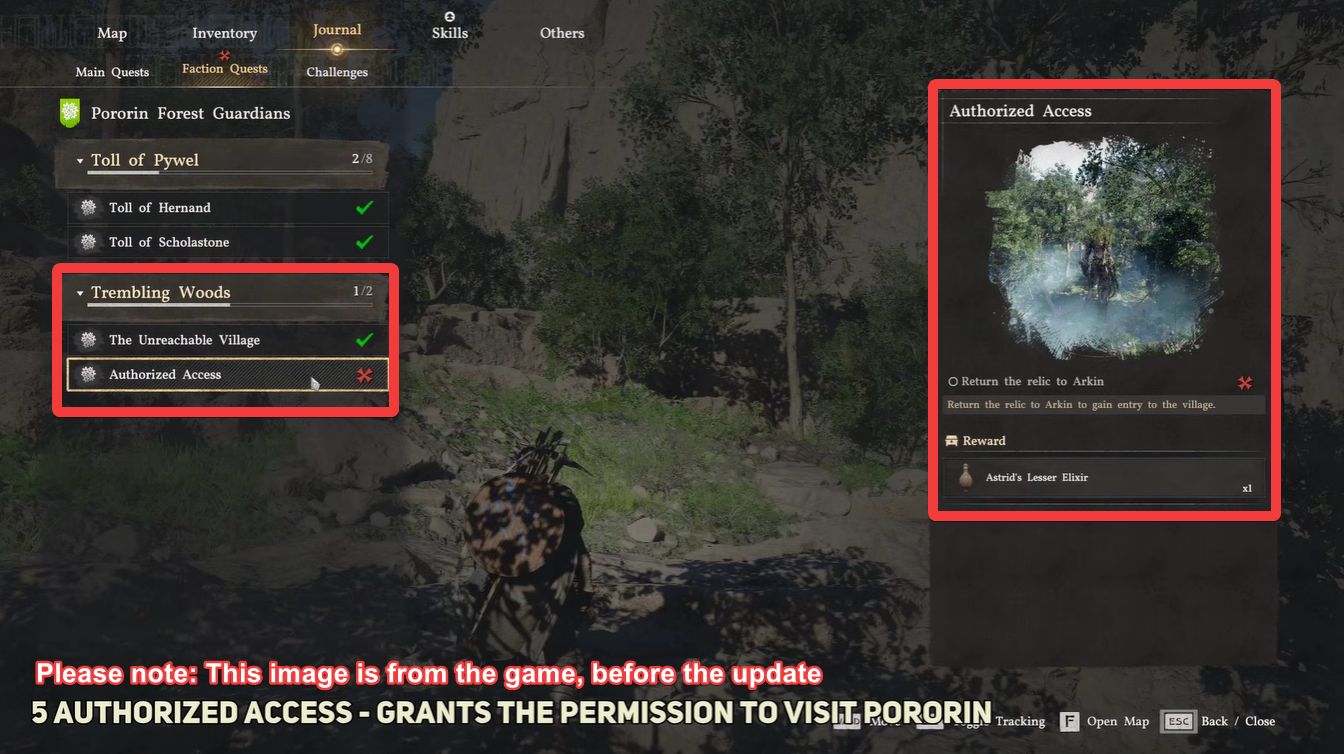
During this questline, you’ll engage with wildlife-focused objectives that introduce you to the taming mechanics. Completing both quests in this chain rewards you with the Sotdae of Bond, making it your primary tool for interacting with birds like parrots.
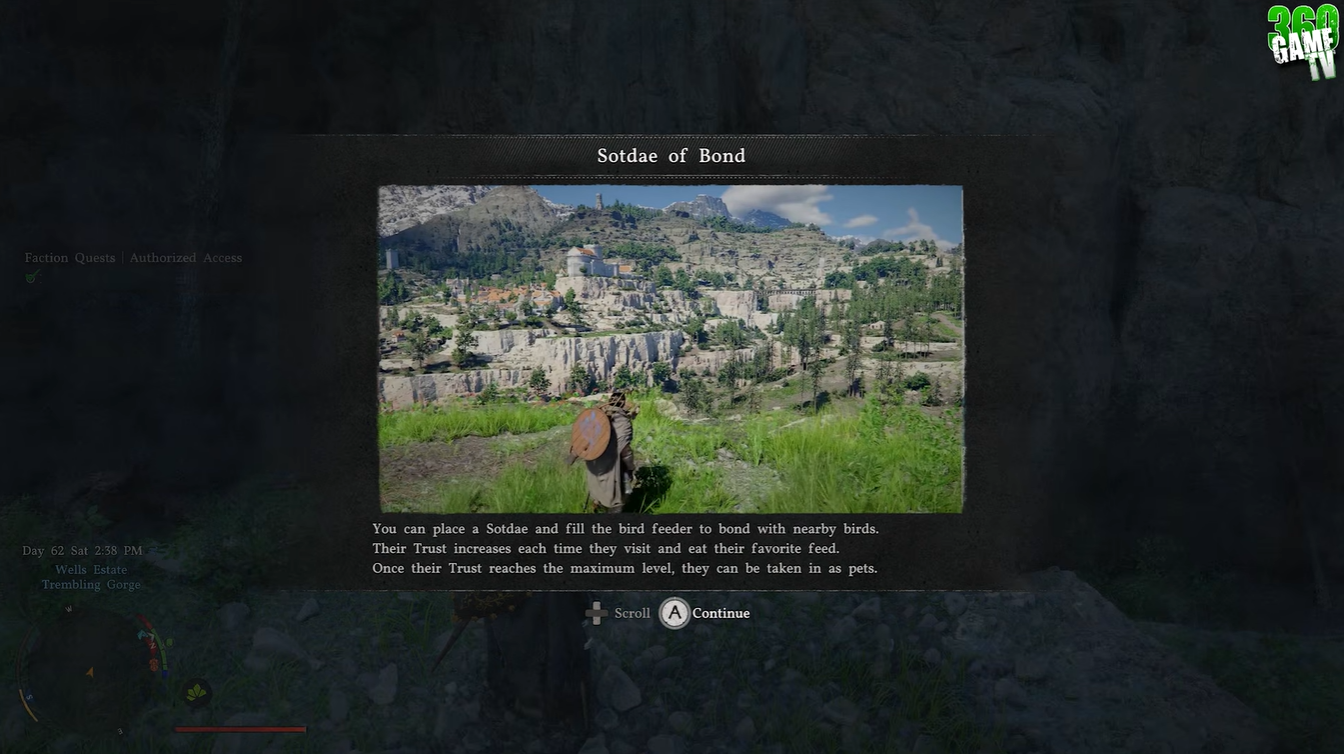
If you completed this questline before a recent update, you don’t need to worry about missing the reward. The game accounts for this situation, and you will automatically receive the Sotdae of Bond upon logging in after the update, ensuring continuity in your progress.
How to recover your Sotdae of Bond in Crimson Desert
You’ll need to return to your camp, which acts as your central hub for management and recovery systems. Inside your camp, look for Carl, the provisioner NPC responsible for handling supplies and item recovery.
If not with Carl, always check your private storage at the Camp. It might have the item, and if not, try replaying the Trembling Woods questline.
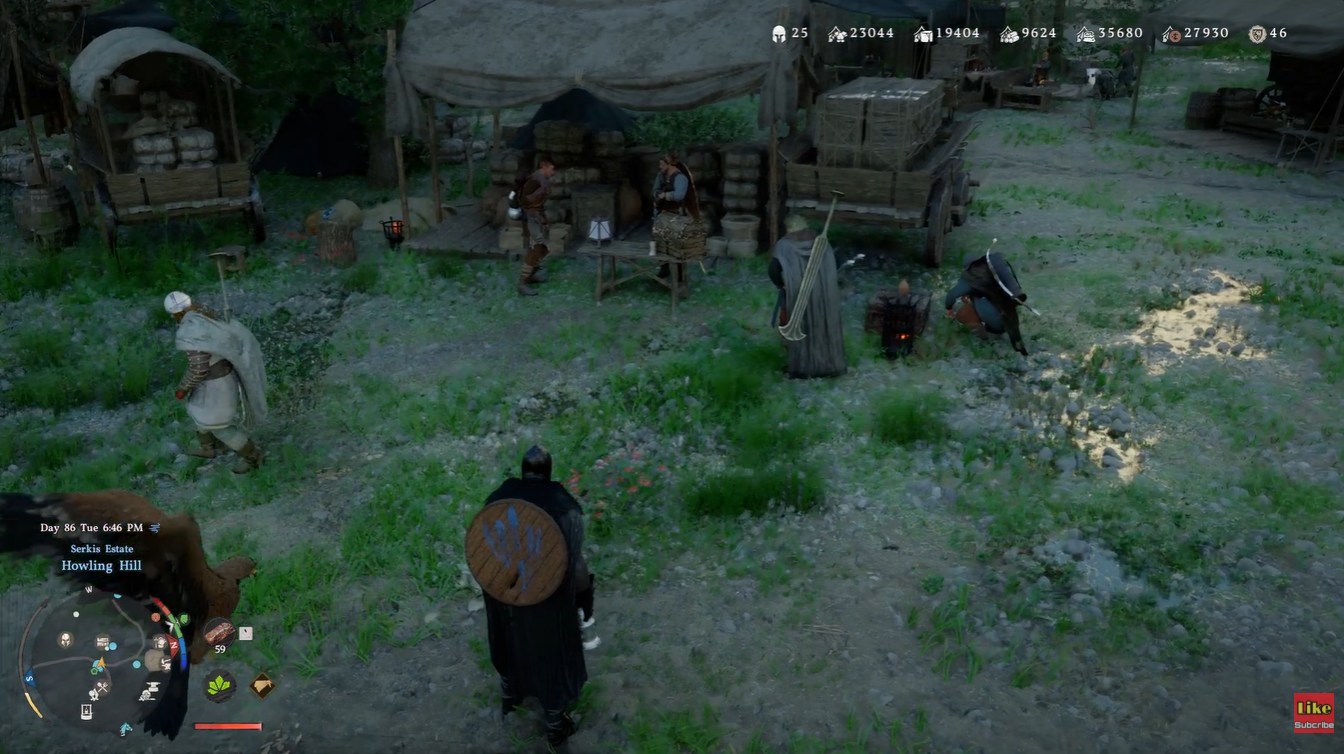
Carl is essential for retrieving lost items, including your Sotdae of Bond, and interacting with him unlocks the recovery menu.
Here is how you can recover your Sotdae of Bond in Crimson Desert:
Step 1
Head back to your camp from wherever you are exploring. The recovery option is not available outside the camp, so this step is required.
Step 2
Locate Carl the Camp Provisioner. He is usually positioned near supply or crafting-related areas within the camp.
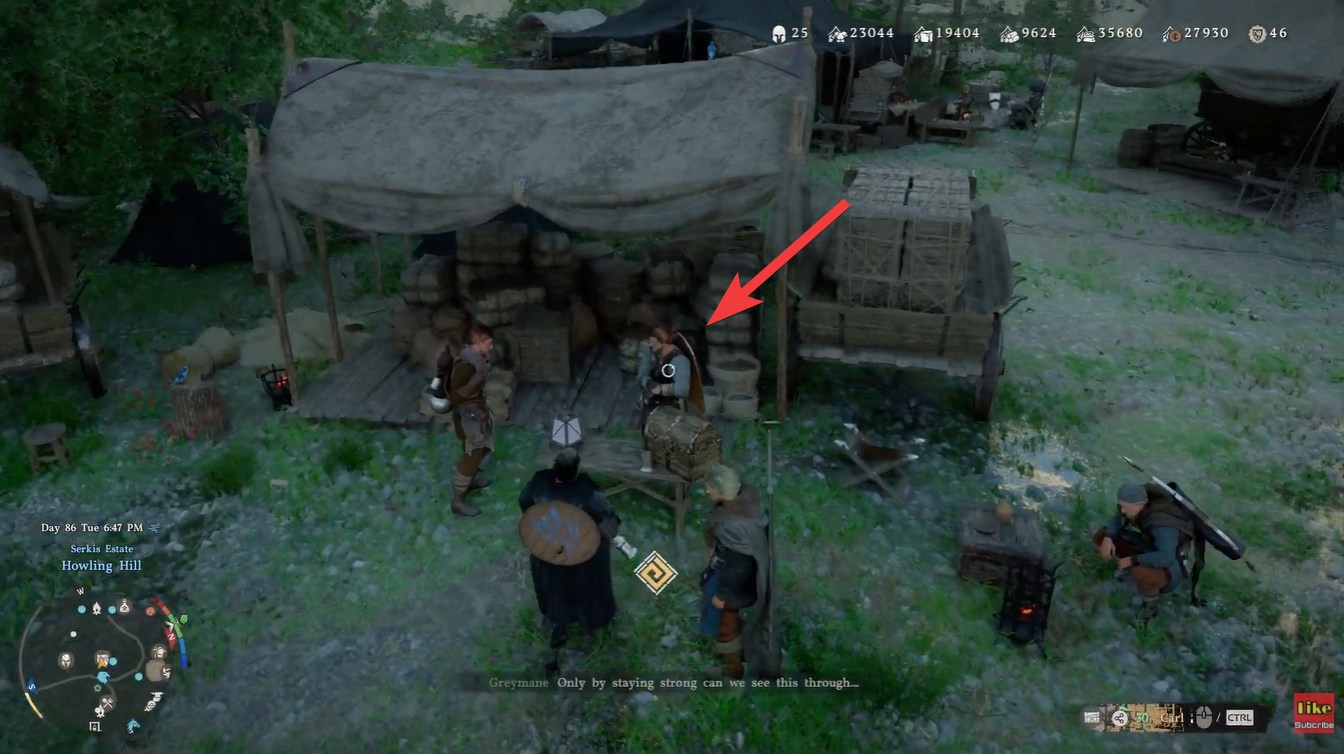
Step 3
Interact with Carl to open his menu. Look for the option labeled “Recover Items.” This is where all lost or misplaced items are stored temporarily.
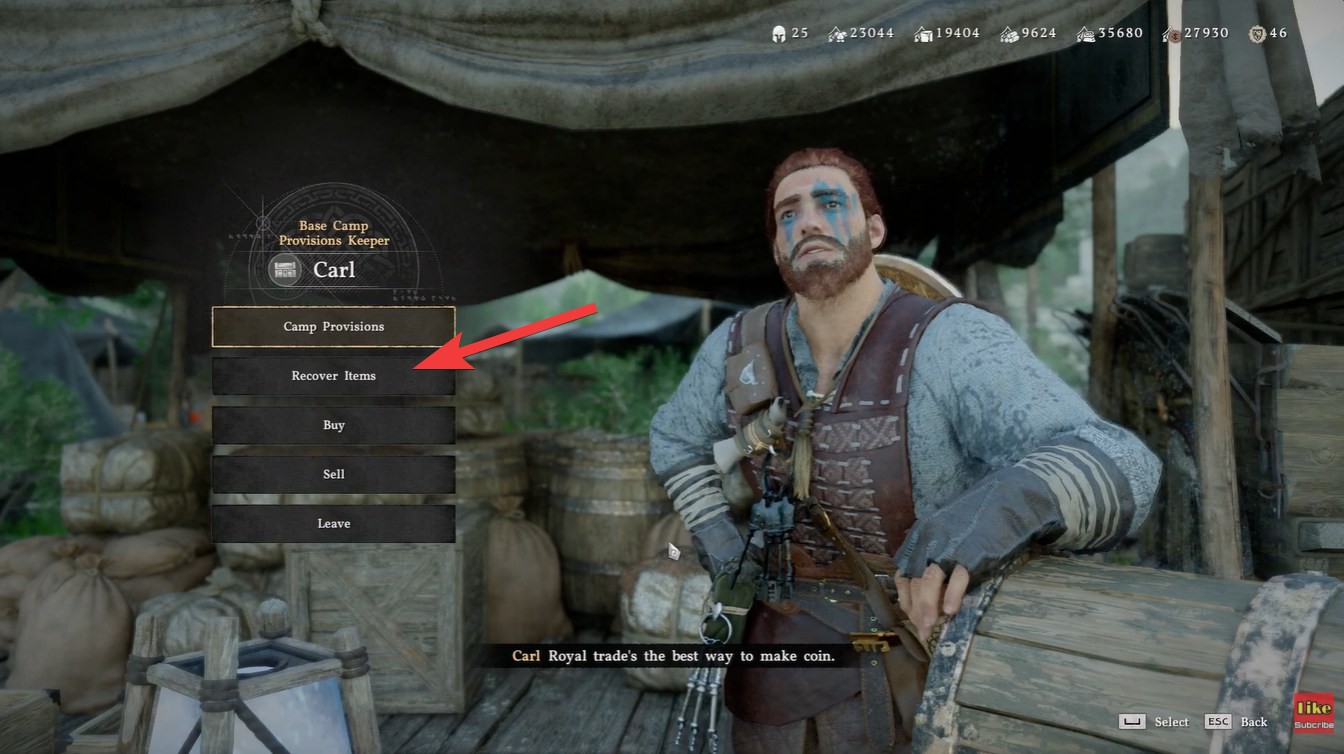
Step 4
Browse the recovery list and find your Sotdae of Bond. If it was recently lost, it should appear here without issue.
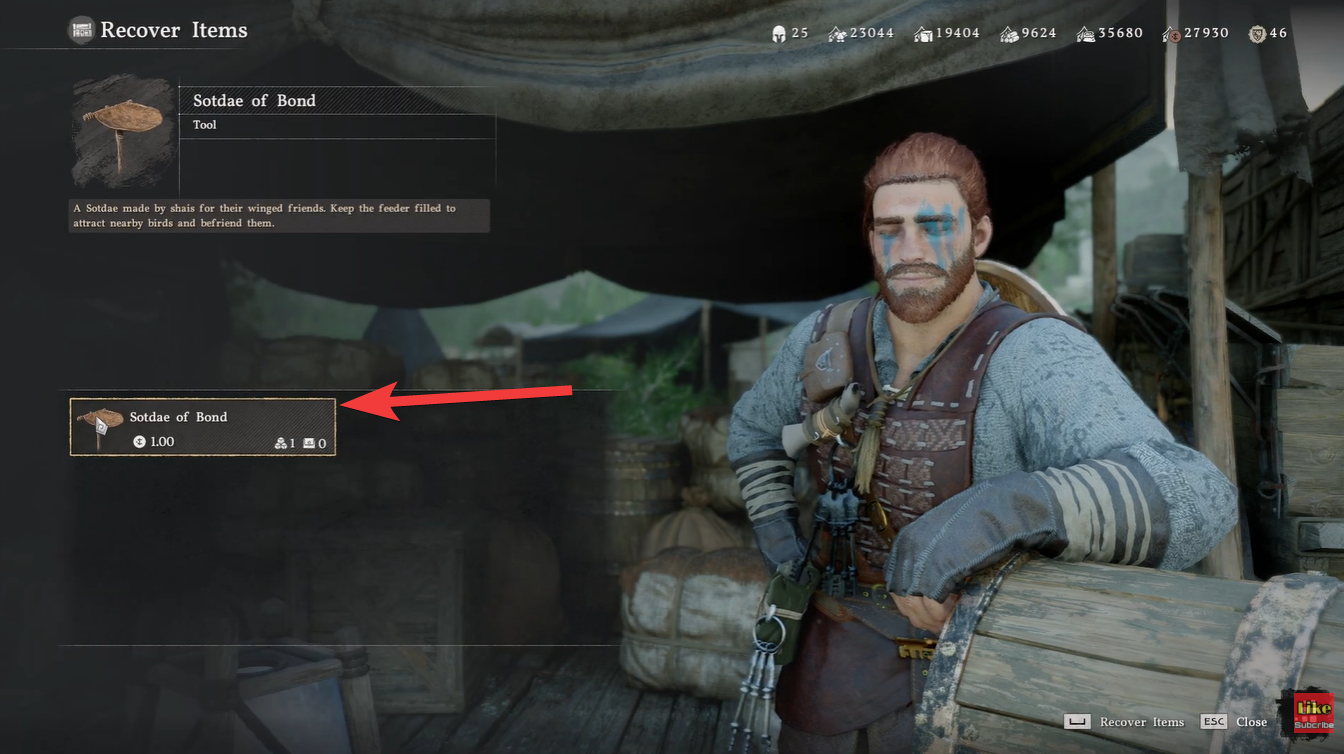
Step 5
Pay the small recovery fee. In most cases, this costs around 1 coin, making it extremely affordable.
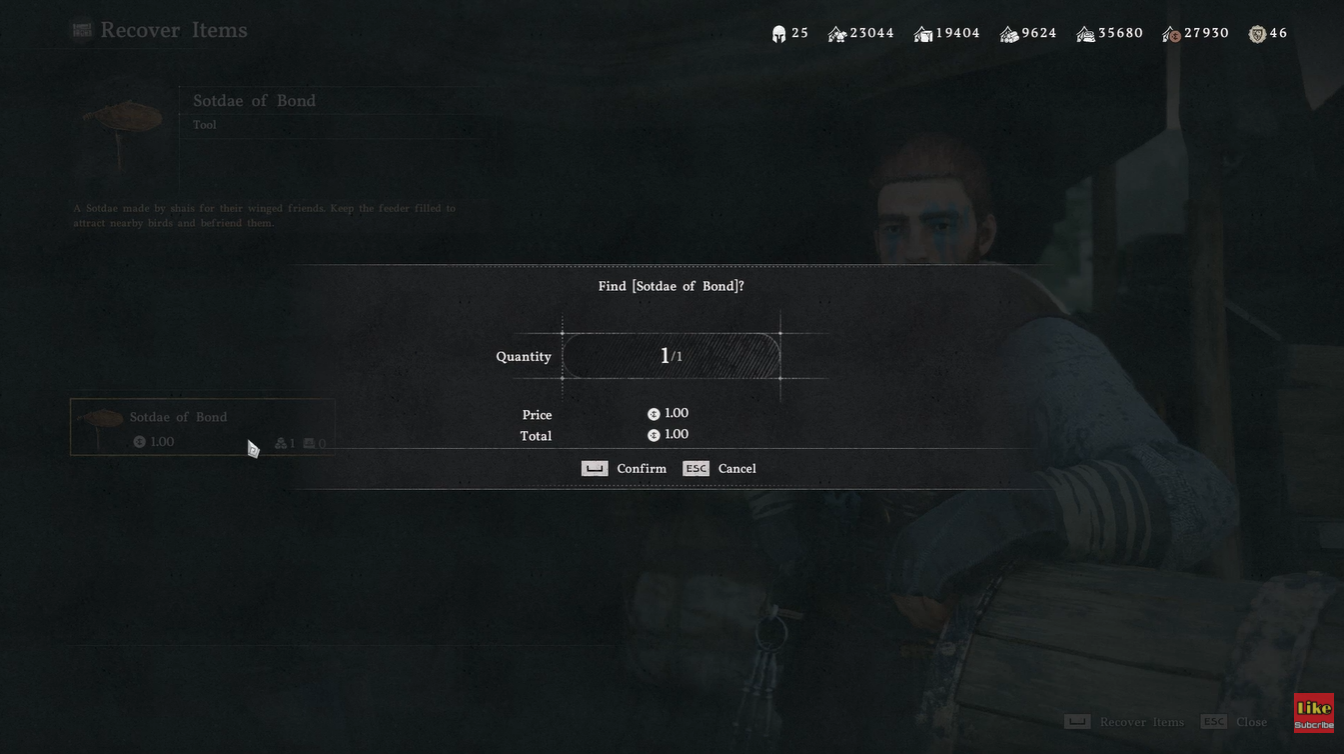
Step 6
Confirm the recovery. The item will immediately return to your inventory, ready to use again.
Why your Sotdae of Bond goes missing
In many cases, the Sotdae of Bond disappears after you place it in the wild while attempting to tame birds like parrots. This isn’t necessarily a bug—it’s tied to how the placement system works. Once deployed, the item may not return automatically to your inventory, especially if you leave the area or complete an interaction.
Because of this, players often assume the item is permanently lost. However, Crimson Desert includes a recovery system specifically for misplaced or lost utility items, ensuring you don’t get stuck or lose progression.
Tips to avoid losing it again
While recovery is simple, repeatedly losing the Sotdae of Bond can slow down your gameplay flow. It helps to be mindful when placing it in the wild. Try to stay nearby during taming interactions and avoid leaving the area abruptly after placing the feeder.
You should also make it a habit to check your inventory before fast traveling or switching activities, as this can prevent confusion about whether the item was used, dropped, or misplaced.
When recovery might not work immediately
In rare cases, the Sotdae of Bond may not appear instantly in the recovery list. This can happen if the game hasn’t fully registered the loss yet. If that happens, try progressing slightly in the game or reloading the area before checking again.
However, most players will find that the recovery system works instantly and consistently, making it one of the more forgiving mechanics in the game.