- What to know
- Why are storage systems currently limited in Crimson Desert
- How to increase your inventory space effectively
- How to keep your inventory organized and manageable
- Selling items to free up inventory space quickly
- Practical strategies to avoid inventory overflow
- What to expect from future updates
What to know
- There is currently no full storage system available in Crimson Desert.
- The home feature and item chests are not yet functional.
- You can expand inventory space using small and medium bags.
- Smart item management (grouping and selling) is essential for now.
Inventory management in Crimson Desert is still evolving, and if you’ve been wondering how to store items or increase your carrying capacity, you’re not alone. At the moment, the system is fairly limited, but there are still effective ways to manage your inventory and avoid constant clutter while exploring the world.
| Feature | Current Status | What You Can Do |
|---|---|---|
| Storage Chests | Not available | Cannot store items externally |
| Home Feature | Disabled | No personal storage access |
| Inventory Expansion | Available | Use small and medium bags |
| Item Organization | Available | Group duplicate items |
| Item Disposal | Available | Sell unwanted items |
Why are storage systems currently limited in Crimson Desert
If you’ve been searching for a traditional storage chest or stash system, you’ll quickly notice it’s missing. At this stage of the game, the home system—which is expected to enable storage—is not yet active. This means you cannot deposit items anywhere outside your character’s inventory.
As a result, everything you collect stays with you, which can become frustrating during long exploration sessions or while farming resources. This limitation appears to be temporary, likely tied to ongoing development or unreleased features.
How to increase your inventory space effectively
The most reliable way to deal with inventory limits is by increasing your capacity using bags. These upgrades directly expand how many items you can carry.
Step 1
Visit in-game shops located in towns or settlements. Look for vendors that sell utility items.
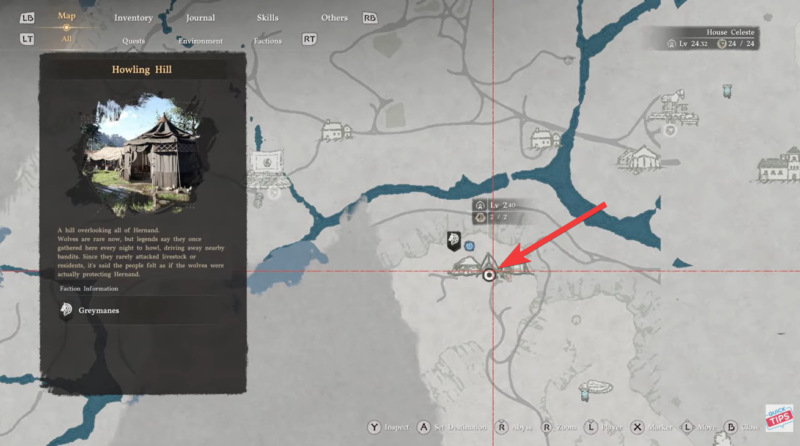
Step 2
Purchase small bags using your in-game currency. These provide an immediate but modest increase in inventory slots.
Step 3
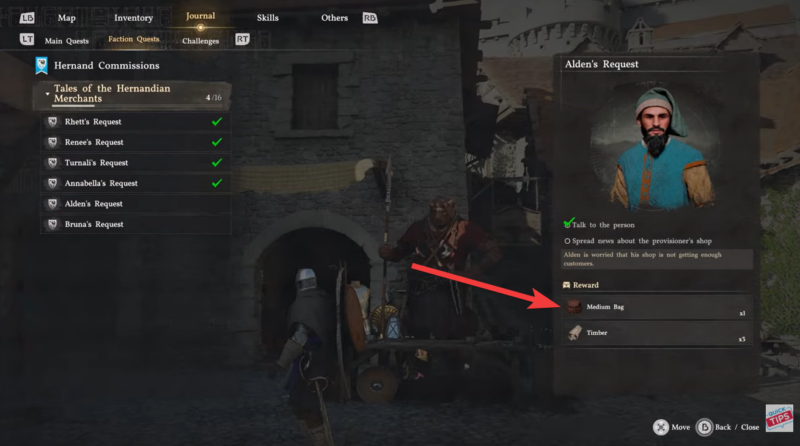
Complete commissions and tasks to earn medium bags. These offer a significantly larger upgrade compared to small bags.
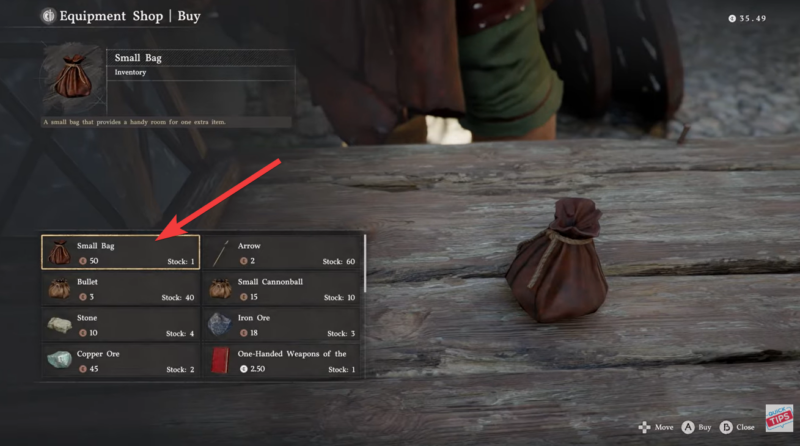
Step 4
Equip or apply the bags to unlock additional inventory space. The upgrade is instant once acquired.
If you’re actively exploring or farming, prioritizing these upgrades early makes a noticeable difference.

How to keep your inventory organized and manageable
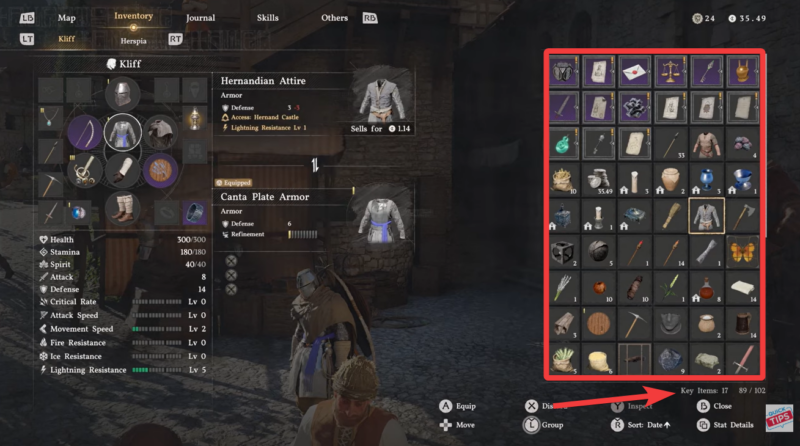
A simple but highly effective feature is item grouping. This helps reduce clutter and makes your inventory easier to navigate.
Step 1
Open your inventory menu.
Step 2
Select duplicate items that can stack together.
Step 3
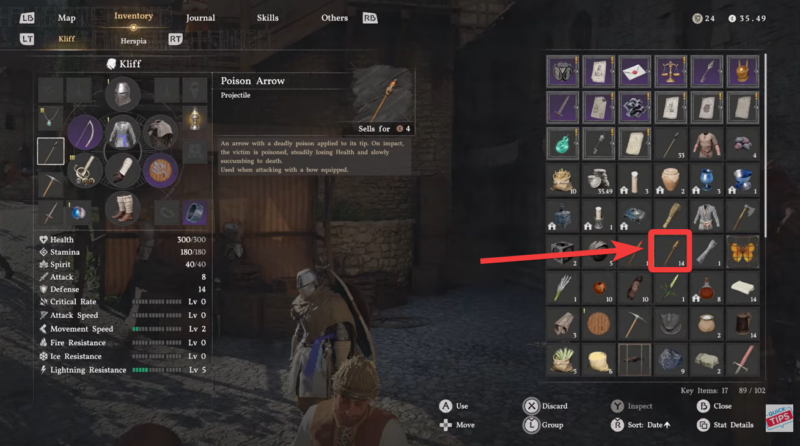
Press down on the left joystick (or equivalent control).
Step 4
Watch as similar items merge into a single stack, freeing up visual and functional space.
This doesn’t increase capacity directly, but it makes managing items far less overwhelming.
Selling items to free up inventory space quickly
Since many items you collect won’t be particularly valuable, selling is one of the most practical solutions. Instead of hoarding everything, you should regularly clear out unnecessary items to maintain free slots.
Step 1
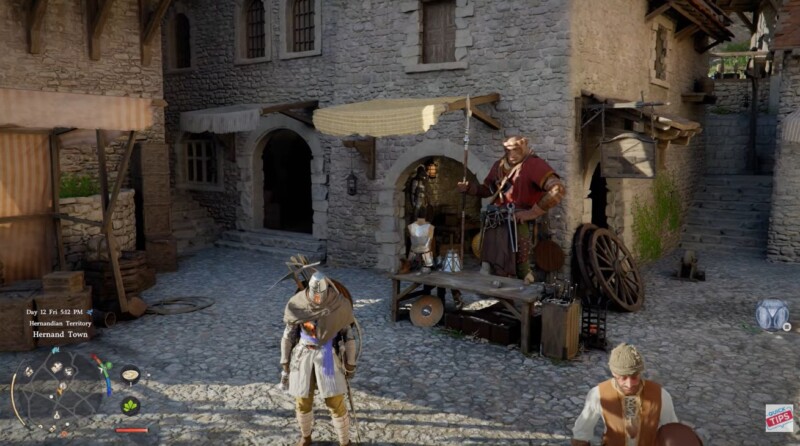
Locate a merchant or shopkeeper in any town.
Step 2
Open the sell menu and review your inventory.
Step 3
Identify low-value or duplicate items you don’t need.
Step 4
Sell them to instantly free up space and earn currency.
Adopting a habit of frequent selling ensures you don’t hit inventory limits during important moments like quests or boss fights.
Practical strategies to avoid inventory overflow
Managing inventory in its current state requires a proactive approach. Since you can’t store items externally, you should think of your inventory as a constantly rotating system rather than a permanent stash.
Focus on keeping only essential gear, crafting materials you actively use, and valuable items. Everything else should either be sold or minimized through stacking.
If you’re planning long exploration sessions, make sure to empty your inventory beforehand. This simple preparation can save you from unnecessary backtracking later.
What to expect from future updates
It’s widely expected that a proper storage system will be introduced later. The presence of a disabled home feature strongly suggests that player housing and item storage mechanics are planned but not yet implemented.
Until then, you’ll need to rely on expansion bags and smart inventory habits to manage your resources efficiently.
Inventory management in Crimson Desert may feel restrictive right now, but it’s manageable with the right approach. By expanding your capacity, grouping items, and regularly selling unnecessary loot, you can keep your inventory under control without major issues.
Think of it less as a limitation and more as a temporary challenge that encourages smarter resource management. Once storage systems are added, this aspect of gameplay will likely become much more convenient.