
- What to know
- Effects of timeskipping in Pokopia
- How changing the Nintendo Switch clock speeds up time in Pokopia
- How to speed up time in Pokémon Pokopia using the Nintendo Switch clock
- How to instantly unlock all weekly stamps
- Effects on shops, challenges, and rotating content
- Triggering event Pokémon with time manipulation
- Risks and limitations of time skipping in Pokopia
- Why players use the time-skip method
What to know
- Changing the Nintendo Switch internal clock can instantly finish builds, crafting, and other time-locked activities.
- Weekly stamps can be completed immediately, letting you claim rewards like coins without waiting days.
- Time manipulation also refreshes shops, daily challenges, and certain Pokémon events.
- Moving time forward is permanent for Pokopia progression, and doing this online can carry risks.
Time-based mechanics are a major part of progression in Pokémon Pokopia, controlling when crafting finishes, when daily tasks refresh, and when weekly rewards become available. Normally, these systems require real-time waiting, sometimes spanning several hours or even days. However, many players have discovered a method that allows them to accelerate the in-game timeline by adjusting the Nintendo Switch system clock.
By manipulating the console’s date and time settings, you can instantly complete long construction timers, refresh rotating content, and unlock weekly stamps without waiting. This technique effectively tricks the game into believing time has passed naturally. While it offers huge convenience and faster progression, it also introduces several limitations and risks that every player should understand before attempting it.
Effects of timeskipping in Pokopia
| Feature | Normal Gameplay | After Time Skip |
|---|---|---|
| Building completion | Several hours or days | Finishes instantly |
| Crafting items | Wait timers required | Completed immediately |
| Weekly stamps | Earned gradually over days | All stamps obtainable instantly |
| Shop inventory | Refreshes daily | Refreshes immediately |
| Daily challenges | Reset each day | Reset instantly |
| Event Pokémon spawns | Appear on specific dates | Can be triggered early |
| Multiplayer safety | Fully supported | Potential risks if online |
The time-skipping method essentially bypasses the waiting system built into Pokopia’s progression structure. Because many game systems depend on the console’s system time rather than a server clock, advancing the system clock forward triggers those systems to update immediately.
How changing the Nintendo Switch clock speeds up time in Pokopia
Pokopia tracks most timers using the system date and time stored on the Nintendo Switch itself. When you move the system clock forward, the game reads the new timestamp the next time it loads or refreshes its timers.
This causes the game to believe that the required waiting period has already passed. As a result, construction projects, item crafting, and other timed activities automatically complete the moment the game checks the new system time.

This trick also affects features tied to daily or weekly resets. For example, the weekly stamp board is designed to unlock one stamp per day. If the system clock jumps ahead several days, Pokopia immediately registers those days as completed, allowing you to claim all stamps at once.
Because of how the game reads the clock, this process works best when the system is offline and not synchronizing with internet time servers.
How to speed up time in Pokémon Pokopia using the Nintendo Switch clock
The process relies on disabling automatic time synchronization and manually adjusting the clock. When done correctly, the game updates its internal timers immediately.
Step 1
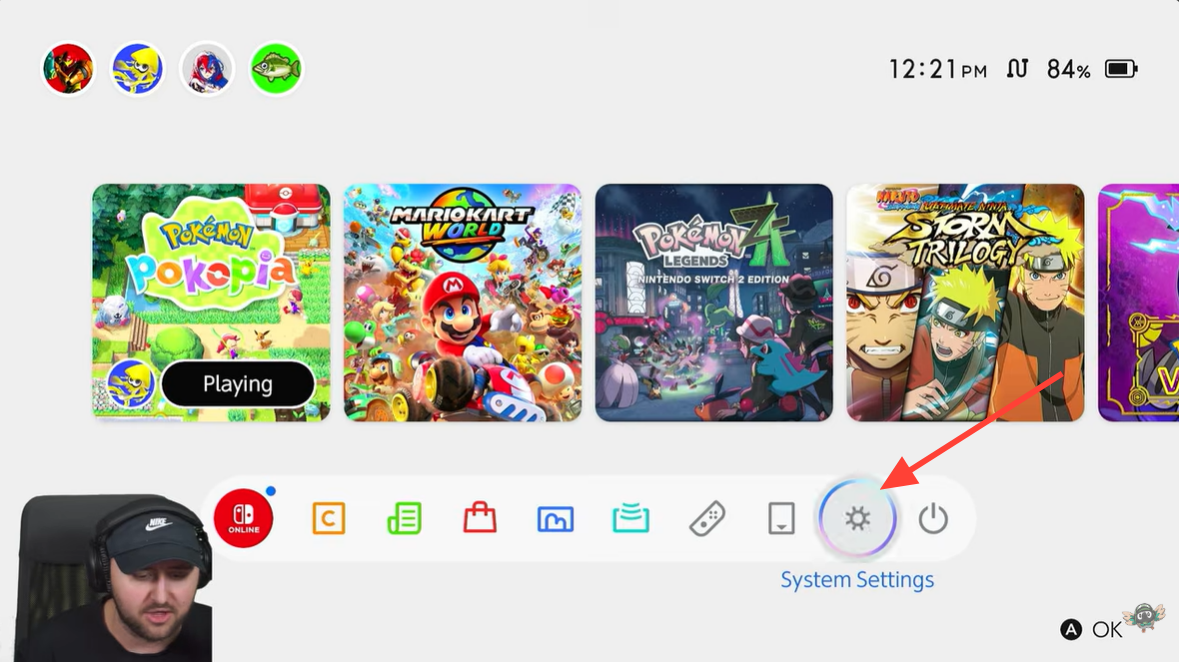
Open the Nintendo Switch home screen and navigate to System Settings. This menu contains all system-level options, including date and time controls.
Step 2
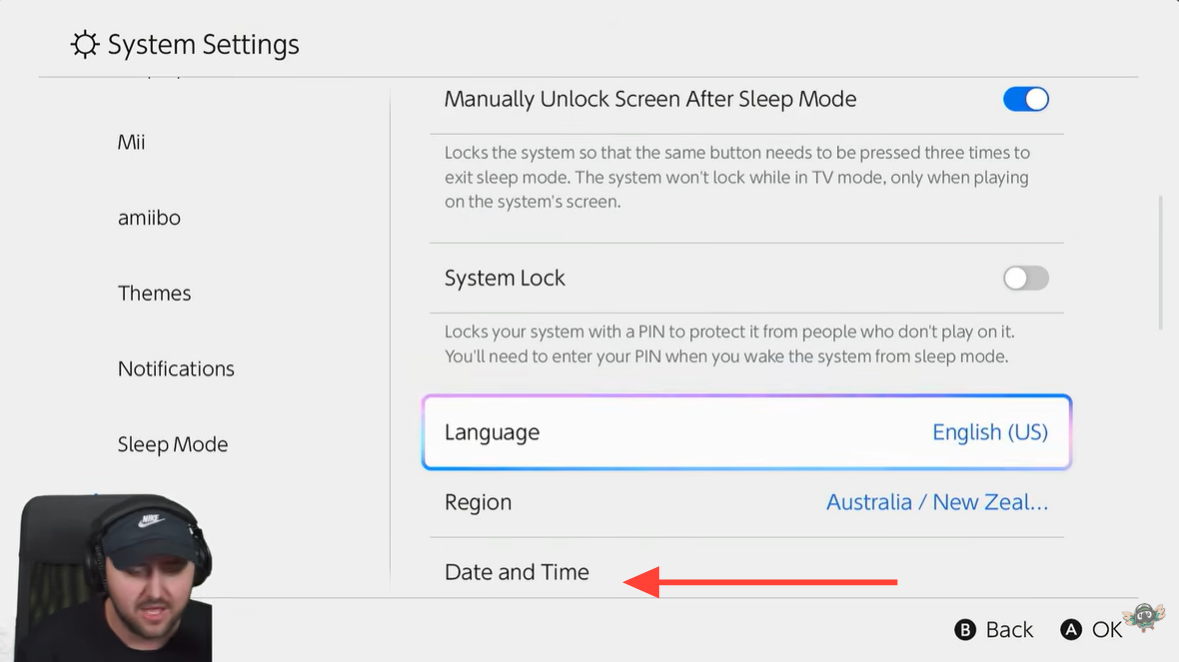
Scroll down to the System section and open Date and Time settings. Inside this menu, the console normally uses internet servers to keep the clock accurate.
Step 3
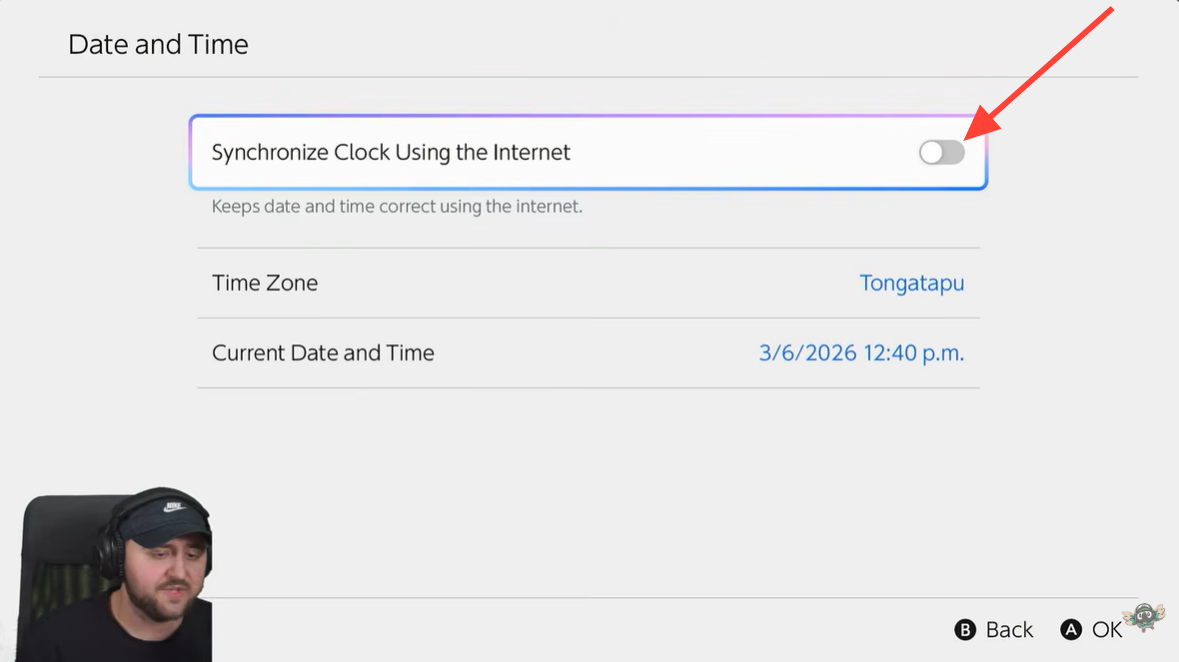
Disable “Synchronize Clock via Internet.” This option must be turned off before manual changes are allowed. Once disabled, the console allows direct editing of the time and date.
Step 4
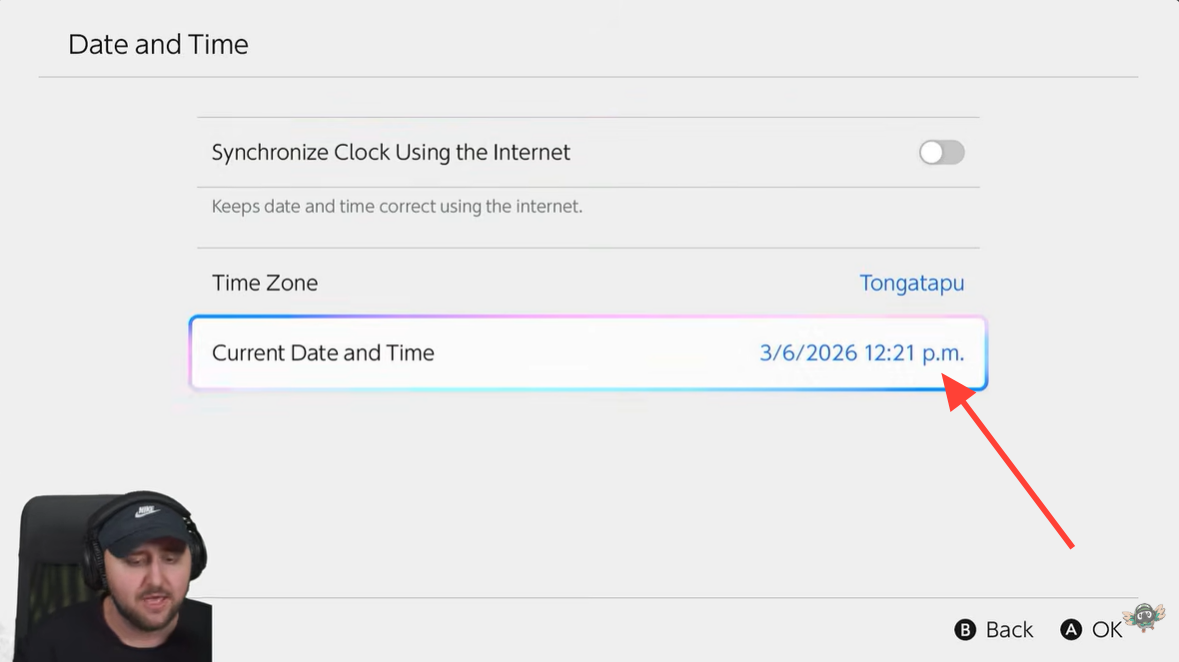
Manually advance the date or time beyond the completion time of your in-game tasks. For example, if a build requires several hours, moving the clock forward by a day guarantees the timer has passed.
Step 5
Return to Pokémon Pokopia and reload the game area or reopen the task interface. The game will immediately register the updated system time.

Step 6
The previously locked timers will now show as finished. Buildings complete instantly, crafting finishes, and new daily or weekly activities become available.
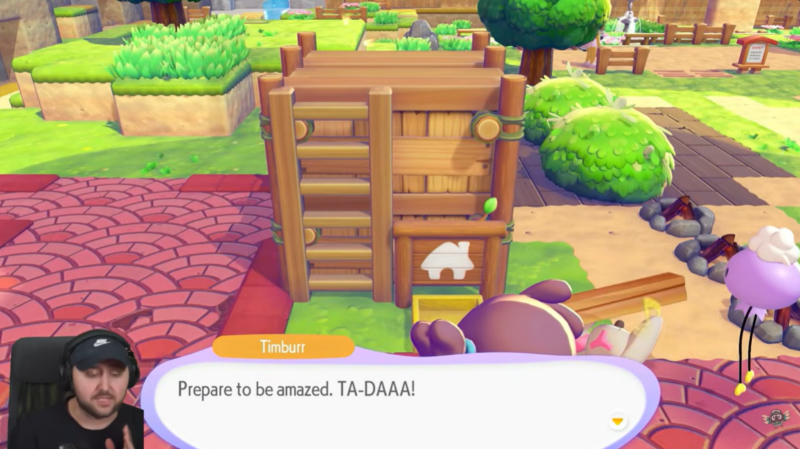
Because the game believes real time has passed, all time-dependent systems update simultaneously.
How to instantly unlock all weekly stamps
The weekly stamp system rewards players for logging in and completing daily tasks across the week. Normally, this progression requires returning each day until the stamp card is filled.
By advancing the system clock forward several days, the game registers each skipped day as completed. This means every stamp becomes available instantly without waiting through the entire week.

Once all stamps are unlocked, the game immediately grants the associated rewards. One of the most notable rewards from the weekly stamp board is a payout of 2,000 coins, which can be used for purchases, upgrades, or progression features.
Because stamps are tied to weekly cycles, time skipping can effectively allow players to farm weekly rewards in minutes instead of days.
Effects on shops, challenges, and rotating content
Changing the system time influences many other features besides stamps and crafting. Since the game’s economy and activities rely heavily on daily resets, jumping forward refreshes multiple systems at once.
The in-game shop inventory updates instantly after the date changes. This allows players to repeatedly check for new items without waiting for the daily refresh cycle.
Daily challenges also reset immediately, giving access to a fresh set of objectives and rewards. These challenges often provide extra currency, crafting resources, or progression bonuses.
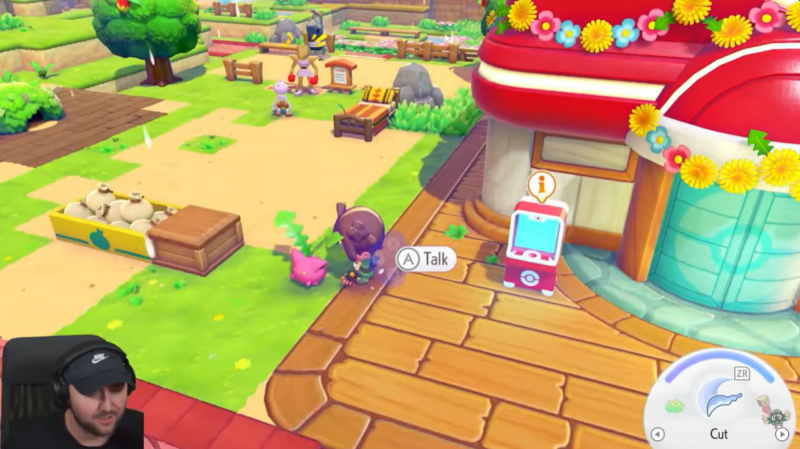
Certain gameplay bonuses tied to daily cycles also update when the clock advances. Players may see increased sparkling ripples, additional lost relic spawns, or other rotating bonuses depending on the date the system is set to.
Because the entire daily system refreshes simultaneously, time skipping becomes a way to rapidly cycle through multiple daily reward opportunities.
Triggering event Pokémon with time manipulation
Some Pokémon encounters in Pokopia are linked to specific calendar dates or seasonal events. By manually adjusting the console clock, players can force the game to load these events earlier than intended.
For example, special event Pokémon like Hoppip may only appear on particular in-game dates. When the system time is set to that date, the game loads the event conditions immediately.

This allows players to encounter event Pokémon without waiting for the actual real-world date. For collectors attempting to complete the Pokédex quickly, this method can unlock otherwise time-limited spawns.
However, these events are still tied to the calendar logic within the game, so the correct date must be chosen for the event to activate.
Risks and limitations of time skipping in Pokopia
While the time-skipping method offers major advantages, it also comes with significant limitations and potential risks.
One of the biggest restrictions is that Pokopia does not allow players to revert the timeline backward once it has advanced forward. If the clock is pushed ahead by several days or weeks, the game may lock progression to that future timeline until real time catches up.

This means players should be cautious about skipping extremely far ahead. Moving too far into the future can disrupt daily events, shops, and other rotating systems.
Another concern involves online connectivity. Time manipulation is widely considered a form of cheating, and using it while connected to online services may carry unknown consequences. Some players worry about potential multiplayer restrictions or system-level warnings.

Because of these risks, many players prefer to disconnect from the internet while performing the time change, then reconnect afterward once the changes have been applied.
Why players use the time-skip method
Despite the risks, the technique remains popular because it significantly reduces waiting times. Many mechanics in Pokopia are intentionally designed to slow progression with timers, encouraging players to return daily.
By bypassing these timers, players can build structures instantly, complete crafting queues immediately, and gather rewards far faster than normal gameplay allows.
This approach is particularly useful for players who want to experiment with building systems, complete their Pokédex quickly, or farm currency efficiently without waiting through real-time delays.
However, some players prefer avoiding time manipulation in order to maintain the intended pacing and challenge of the game.