What to Know
- You can craft and play music discs on a music player using a mod.
-
To use music discs, you must first install Violet’s Music Players mod from Curse Forge.
-
The mod adds custom crafting recipes and decorative items like music boxes and record players.
-
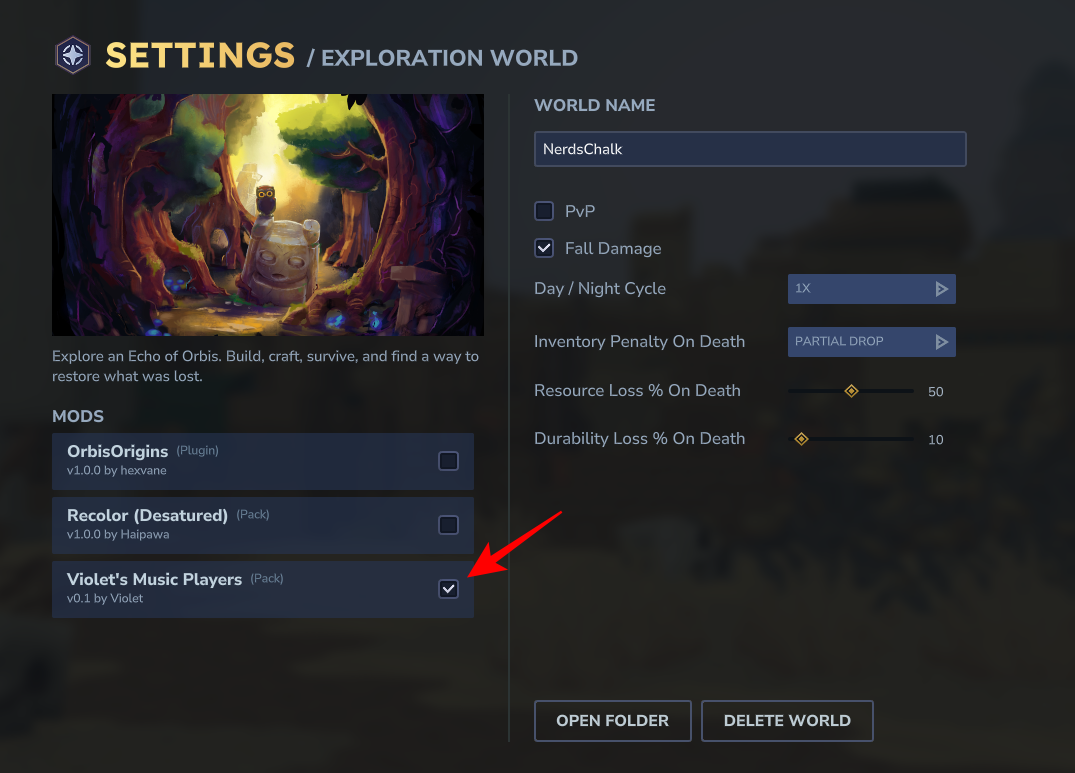
You must enable the mod in your world settings by clicking the gear icon during world creation.
You can easily add some music and beautiful record players to your Hytale home. All you need is a Mod to unlock the items and gather the resources to craft them. Here’s everything you need to know to get started.
| Item | What it is | Where you do it | Key action |
|---|---|---|---|
| Violet’s Music Players | Adds music workstation + record player + music boxes + records | CurseForge + in-game crafting | Download mod, place in mods folder, enable for world. |
| World mod toggle | Per-world mod enable/disable | World creation/settings | Use the gear icon / mod list and tick the mod. |
| Music Workstation | New crafting station added by the mod | In-game at your workbench | Craft it after enabling the mod. |
| Playback | How you actually play music | In-world | Press F on music box / record player; insert record for record player. |
How to install Violet’s Music Players mod
Step 1
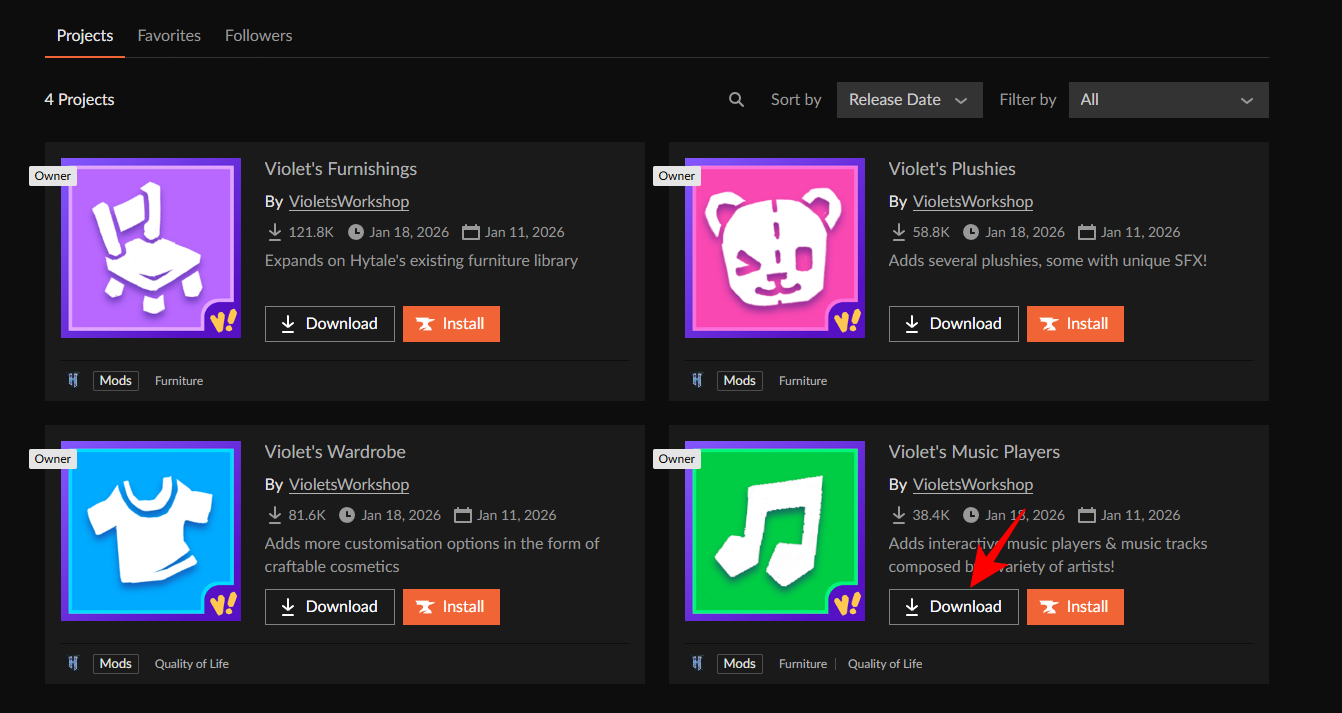
Go to Violet’s Workshop on CurseForge and download Violet’s Music Players mod (it downloads as a zip).
Step 2
Place the downloaded zip directly into your Hytale mods folder. It will be – C:\Users\(username)\AppData\Roaming\Hytale\UserData\Mods.
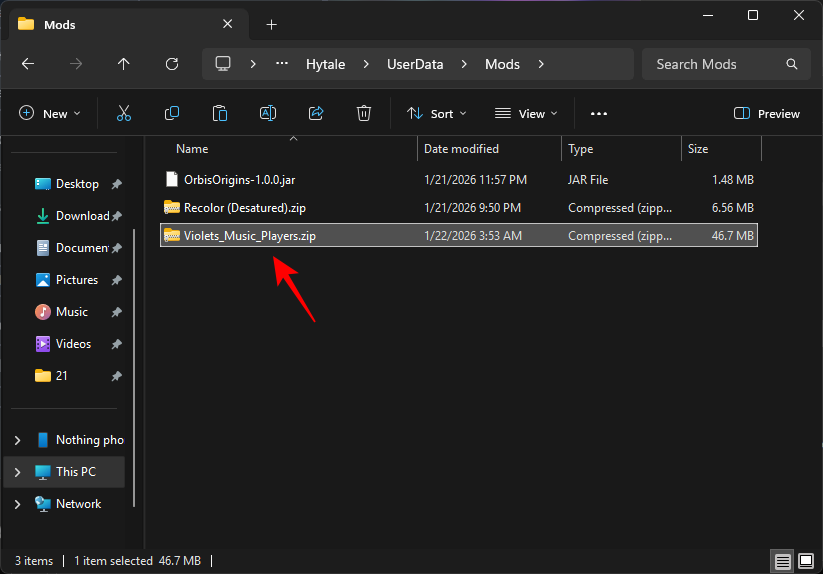
Note: If you have the CurseForge app installed, you can simply search for Violet’s Music Players mod and install it.
Step 3
Create a new world (or open world settings) and enable the mod by ticking the checkbox for the mod. Make sure to save settings.
Step 4
Load into the world and check your workbench recipes—you should see a new recipe for the Music Workstation.
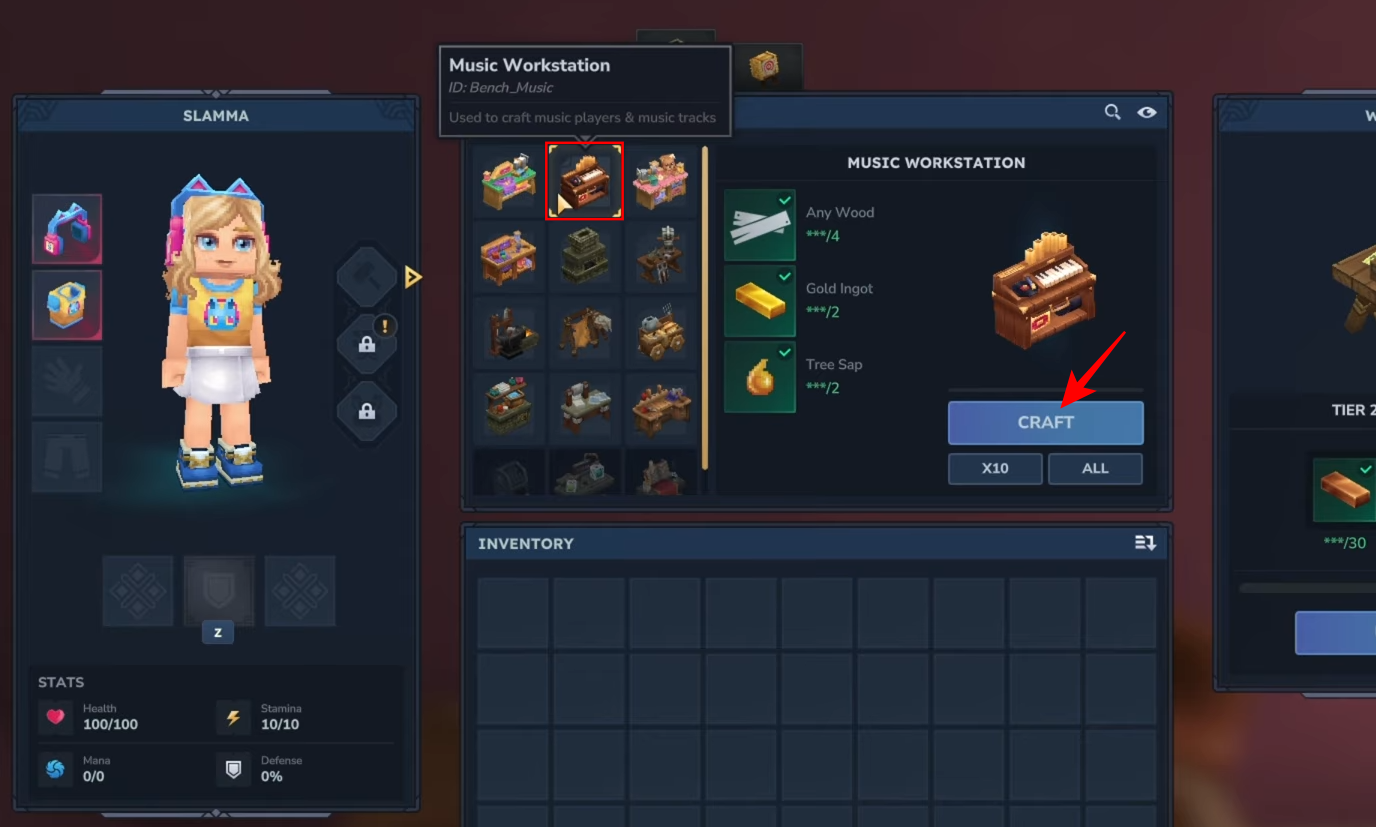
How to craft and use the music items
Step 1
Craft the Music Workstation from the new recipe and place it.
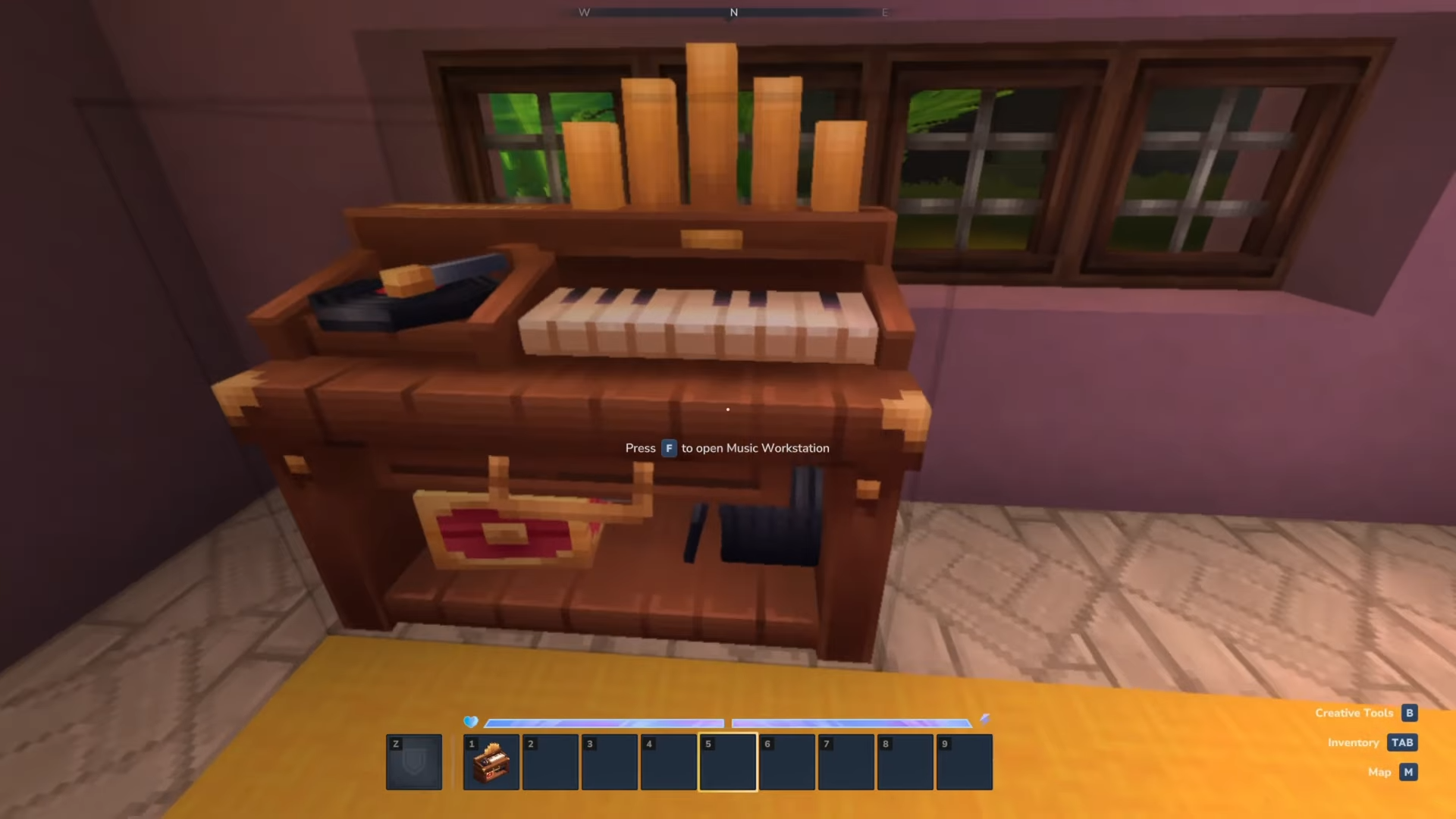
Step 2
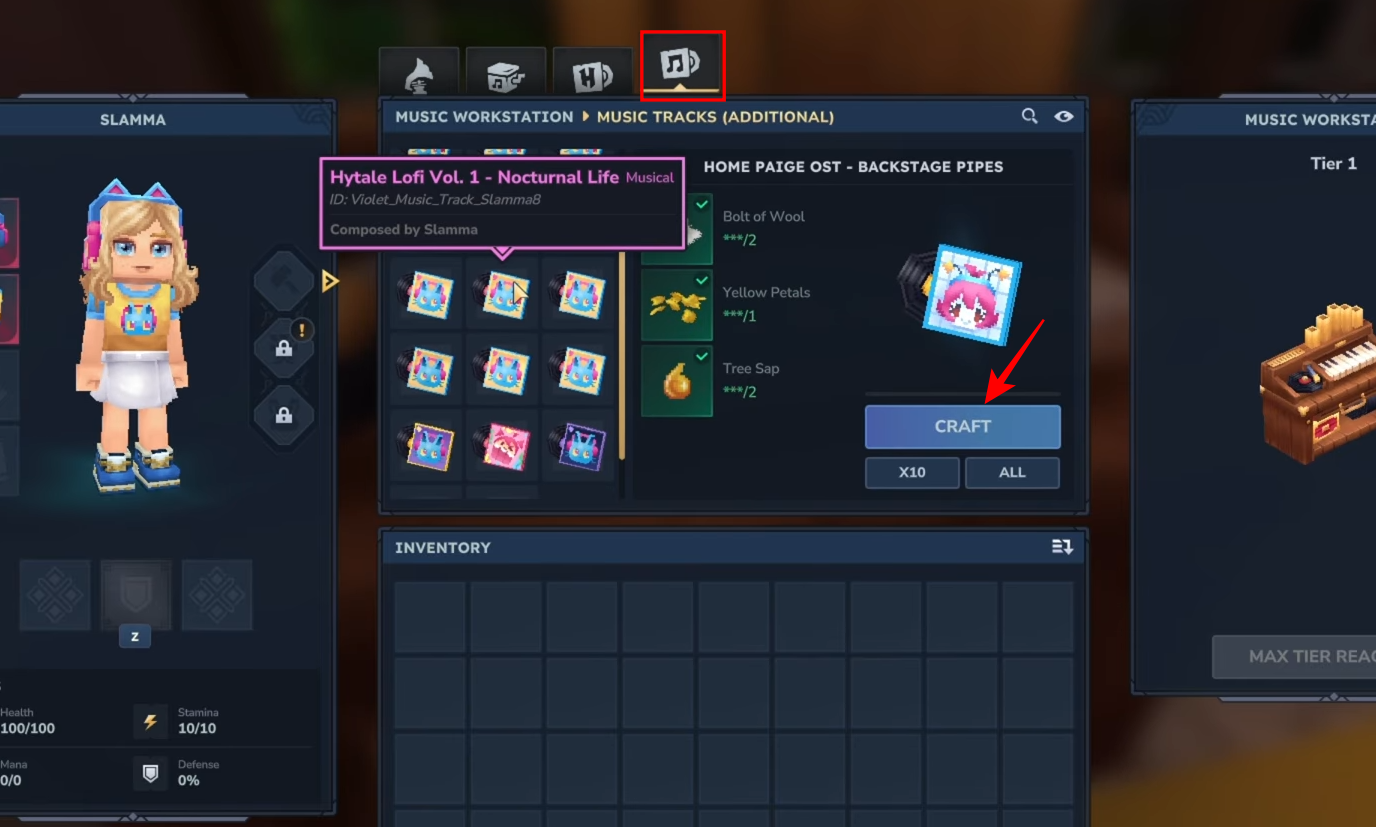
Use the Music Workstation to craft a record player.
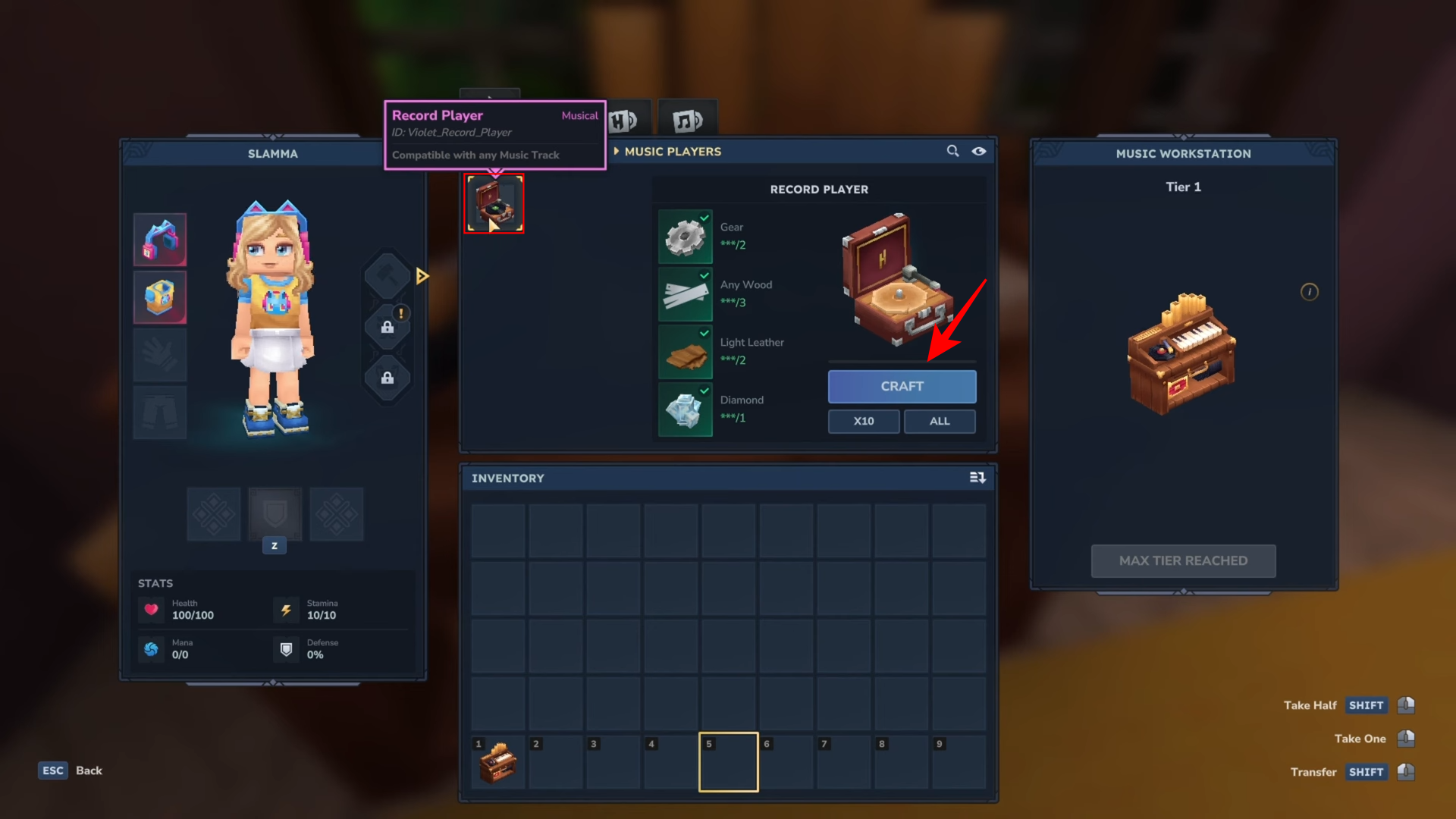
And music boxes…
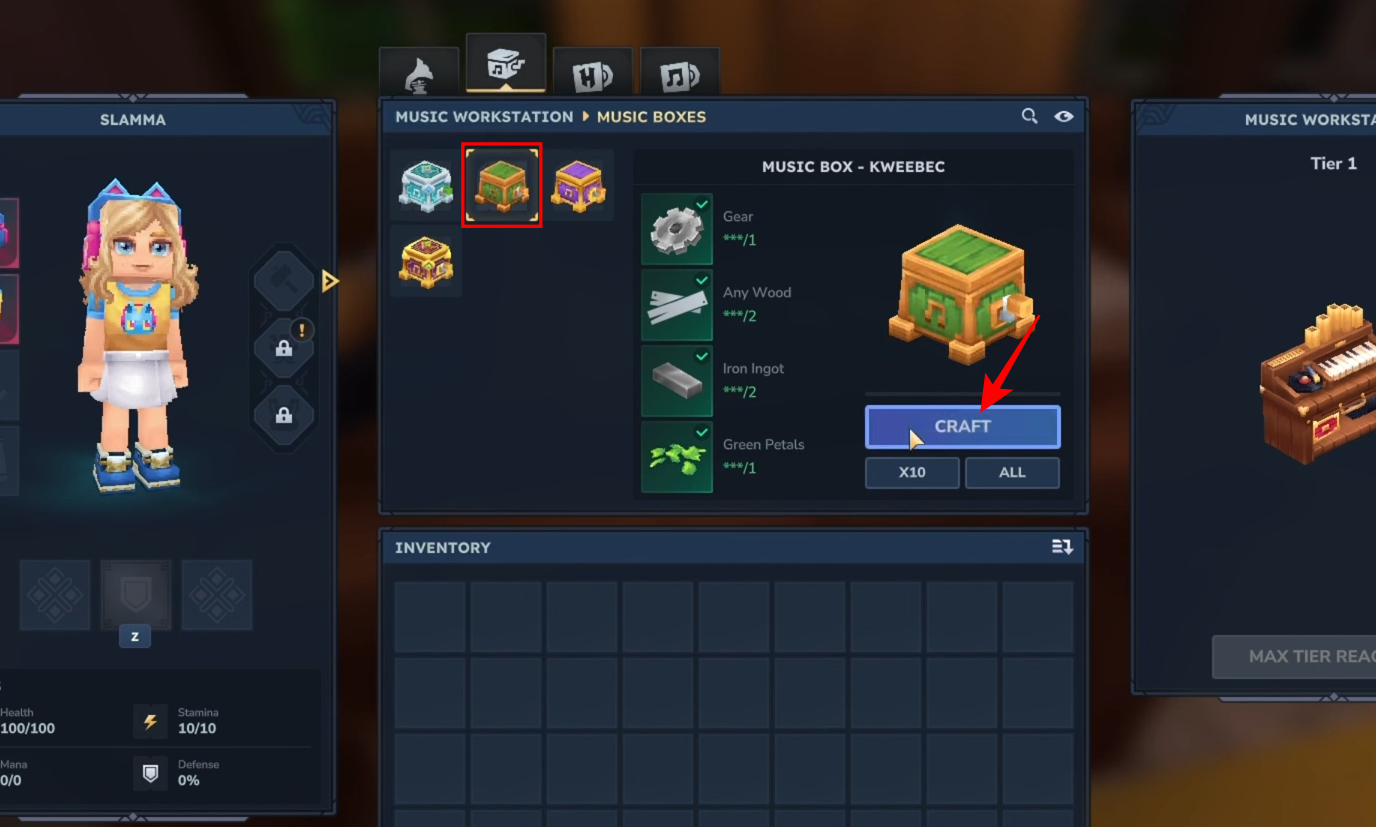
And a selection of records.
Step 3
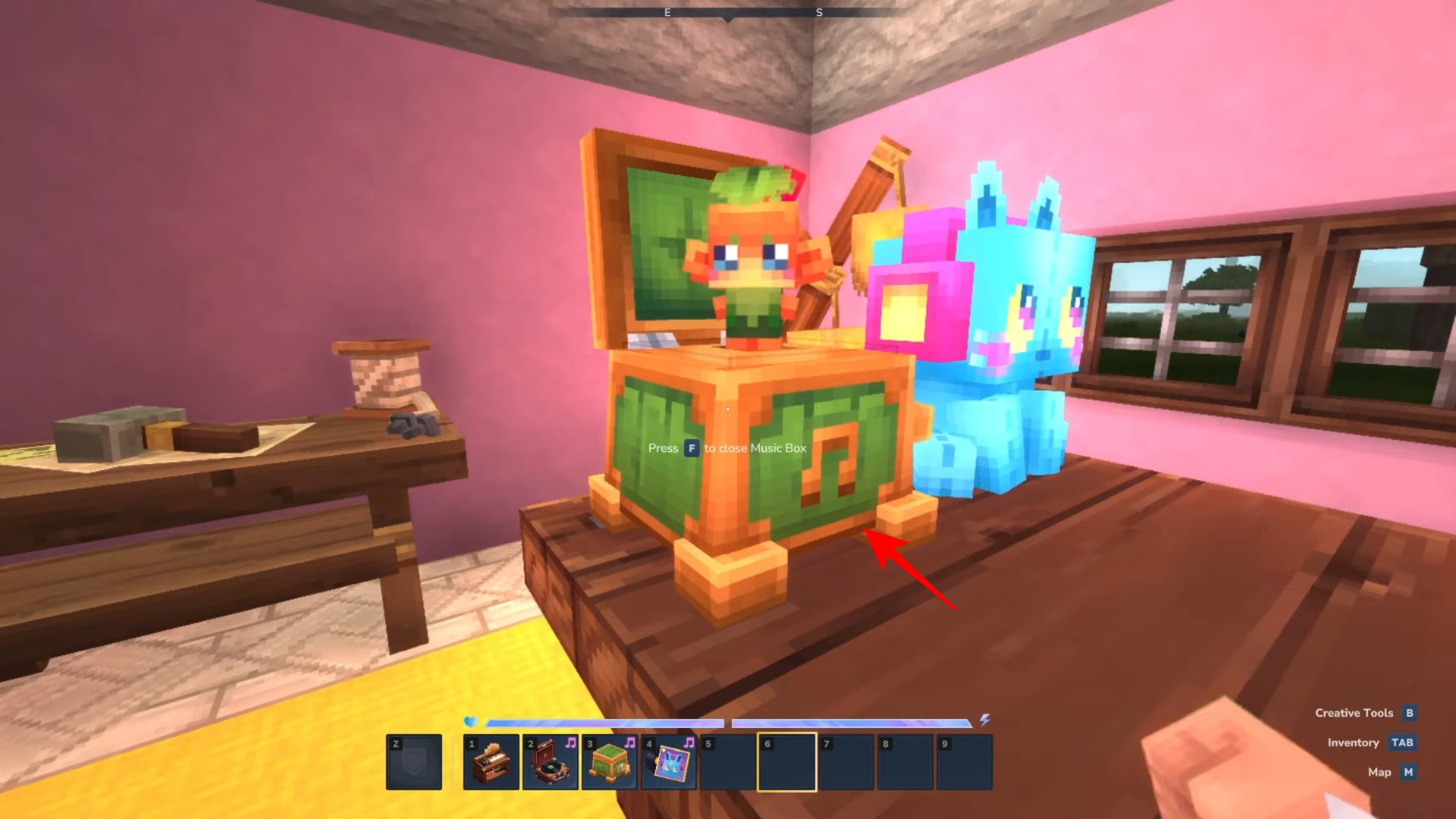
Place a music box, press F, and it will play a tune on repeat with an animation.
Step 4
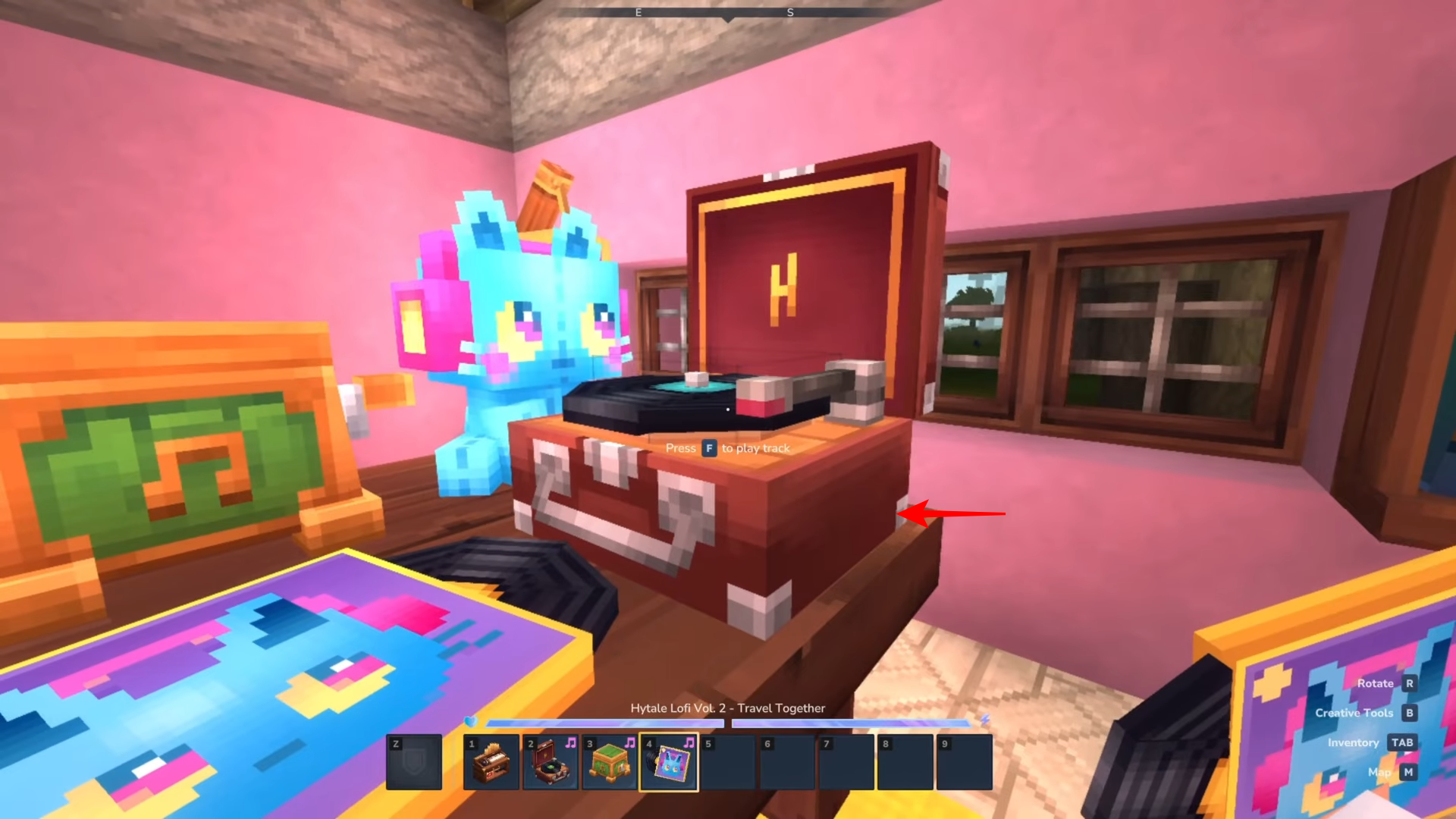
For the record player, either display records as decoration on a table or insert a record into the record player and press F to play a track.
Once the mod is installed and enabled for your world, the Music Workstation becomes your hub for crafting everything you need to add background music to your base or town builds. If you want, the simplest check that everything worked is: confirm the Music Workstation recipe appears at your workbench after enabling the mod.