

Microsoft’s Xbox PC app now supports Steam games and access to other stores.
What to know
- The Xbox PC app allows integration with Steam games.
- Users can access games from other stores directly through the app.
- This update enhances the gaming experience by centralizing game management.
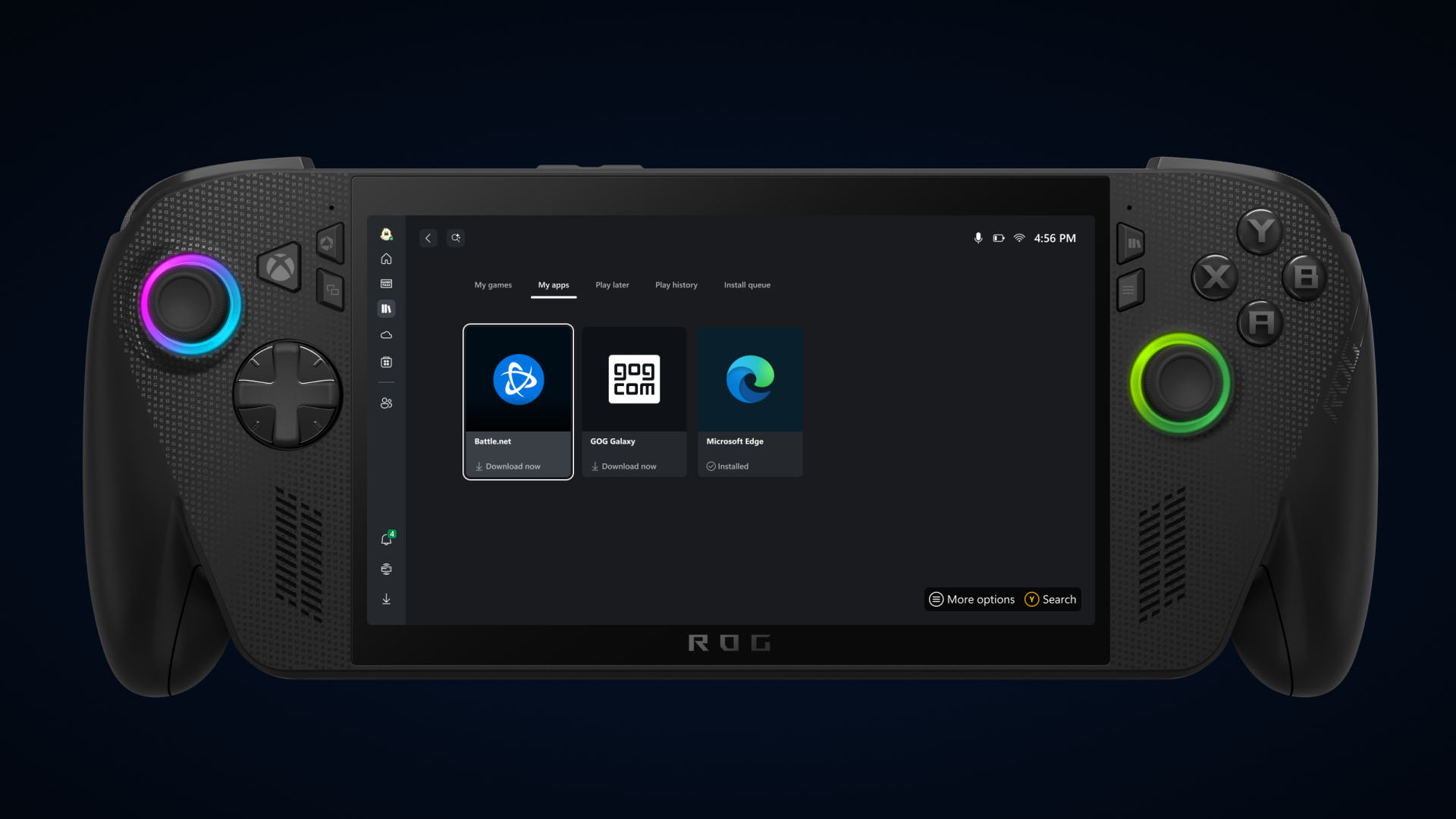
Xbox is updating the way game libraries work on Windows PCs and handhelds. With this update, you can now see all your games from Xbox, Game Pass, Battle.net, Steam, GOG, and other PC stores in one spot inside the Xbox app. When you install games from any of these places, they show up automatically in your library and your most recent games list. This makes it easier to find and launch your favorites without switching between different apps.

If you want a cleaner look, you can go into the settings, pick which stores you want to see, and hide the rest. There’s also a new “My Apps” section that pulls together third-party storefronts and apps, so you can get to them quickly from inside the Xbox app.
Later this month, a new feature will let you pick up cloud-playable games right where you left off, on any device. You’ll see a “Jump back in” list right on the home screen, which keeps track of your play history across your PC, console, or handheld device. So finding and playing what you like should be quicker and simpler than before.
All of these changes are meant to make game management smoother and playing across devices easier.




