


What to know
-
The pack is located within the Season tab under the Engagement menu.
-
It is earned by collecting Jade Fish through social and co-op tasks.
-
You must reach the third milestone on the reward path to unlock it.
-
The reward track resets every week, typically on Mondays.
Finding the Weekly Login Pack in Where Winds Meet can be slightly confusing due to the game’s layered interface. This reward is a key part of the progression system, rewarding players who engage with the world’s social and cooperative activities.
Understanding the Engagement System
Where Winds Meet distinguishes between combat progression and social “Engagement.” The Weekly Login Pack is the centerpiece of the latter. To find it, you must navigate to the main menu and select the Season tab.
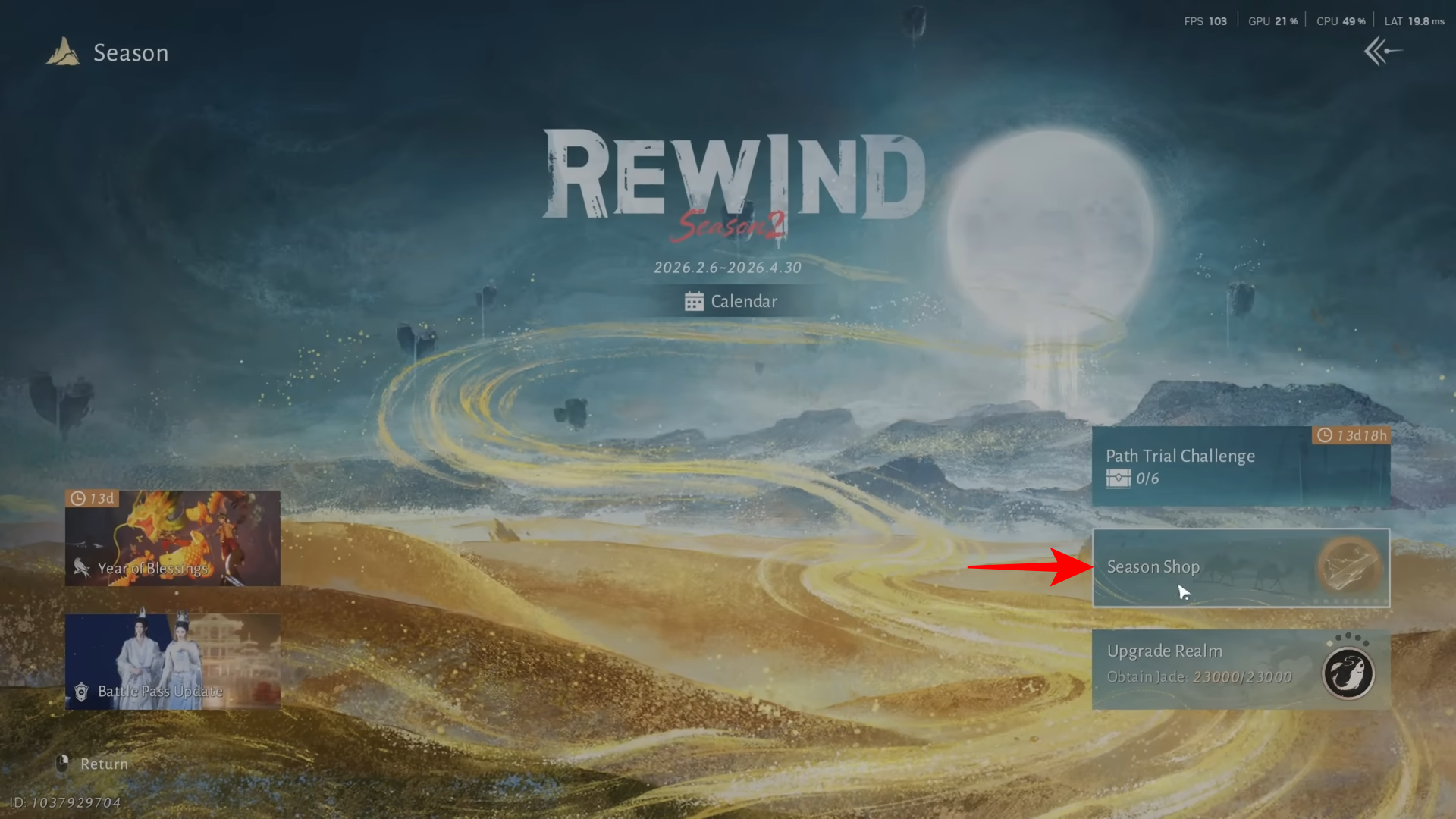
From there, locate the Engagement Window. This screen displays a progress bar that tracks your activity for the current seven-day period.
How to Earn Jade Fish
The “fuel” for your weekly rewards is Jade Fish. Unlike standard experience points, Jade Fish are earned through non-combat interactions. To reach the third milestone and unlock the login pack, you should focus on the following activities:
-
Completing cooperative missions with other players.
-
Playing traditional mini-games such as Go or xiangqi in social hubs.
-
Participating in public performances or architectural tasks.
-
Interacting with the game’s social NPCs and completing their minor requests.
As you perform these tasks, your Jade Fish total increases, moving your marker further along the reward track at the bottom of the screen.
How to Claim the Weekly Login Pack
The reward track is divided into several nodes. While the first two nodes provide smaller batches of currency or basic materials, the third node contains the Weekly Login Pack.
-
Open the Engagement Window once your bar has reached the third icon.
-
Click the icon directly to “redeem” the pack.
-
Check your mail or inventory immediately, as the items are delivered upon the click action.
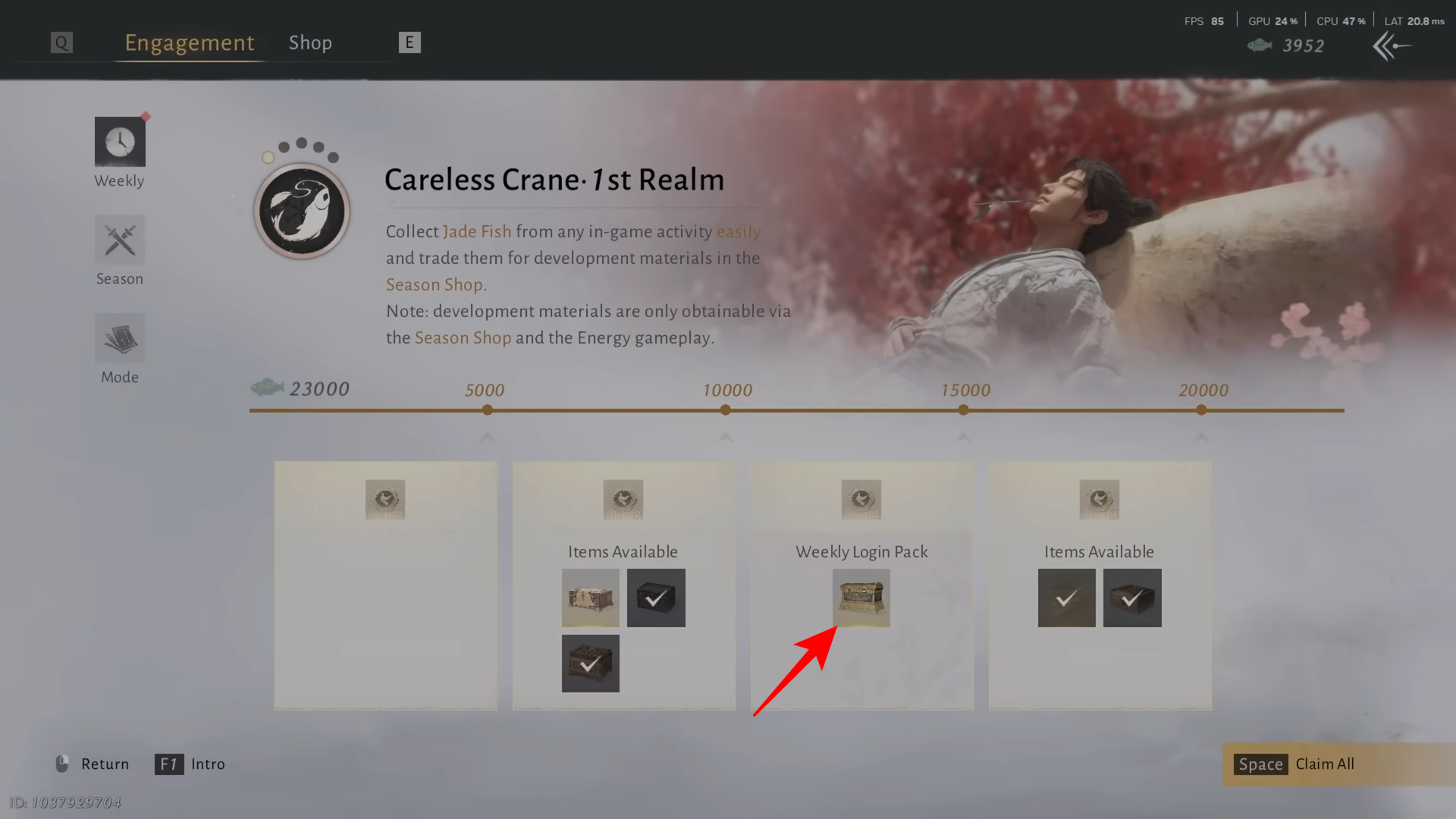
If the icon is visible but you cannot click it, you likely haven’t reached the specific point threshold required for that tier. Hovering over the icon will usually display exactly how many more Jade Fish you need.
Reset Time
Keep in mind that this reward track follows a weekly schedule. For most servers, the reset occurs every Monday, though some regional event timers may align with Sunday evenings. If you have already claimed it, the icon will appear grayed out or marked as claimed until the next reset.
Securing the Weekly Login Pack is a straightforward process once you understand the link between social activities and the Engagement menu’s milestone system.



