

What to know
- Switch arrows using dedicated “Switch Arrow Forward” and “Switch Arrow Backward” bindings while aiming your bow.
- Access the Button Modification menu under Keyboard & Mouse to view and rebind archery controls.
- Arrow cycling works in real-time during combat for normal, fire, toxic, and other types.
In Where Winds Meet, quickly switching and selecting arrows is crucial for effective ranged combat. Use the Forward/Backward bindings (default F and middle mouse) or customize them in the Button Modification menu to cycle between normal, fire, toxic, and other arrows, helping you adapt to any fight and fine-tune your playstyle.
How to access arrow switch settings
To customize your arrow bindings, first open the Settings menu (press Esc or your menu key) and go to Button Modification. Switch to the Keyboard & Mouse tab to view Archery Mode and arrow-specific bindings. From there, you can click on “Switch Arrow Forward” or “Switch Arrow Backward” to reassign them to your preferred keys before combat.
On keyboard and mouse:
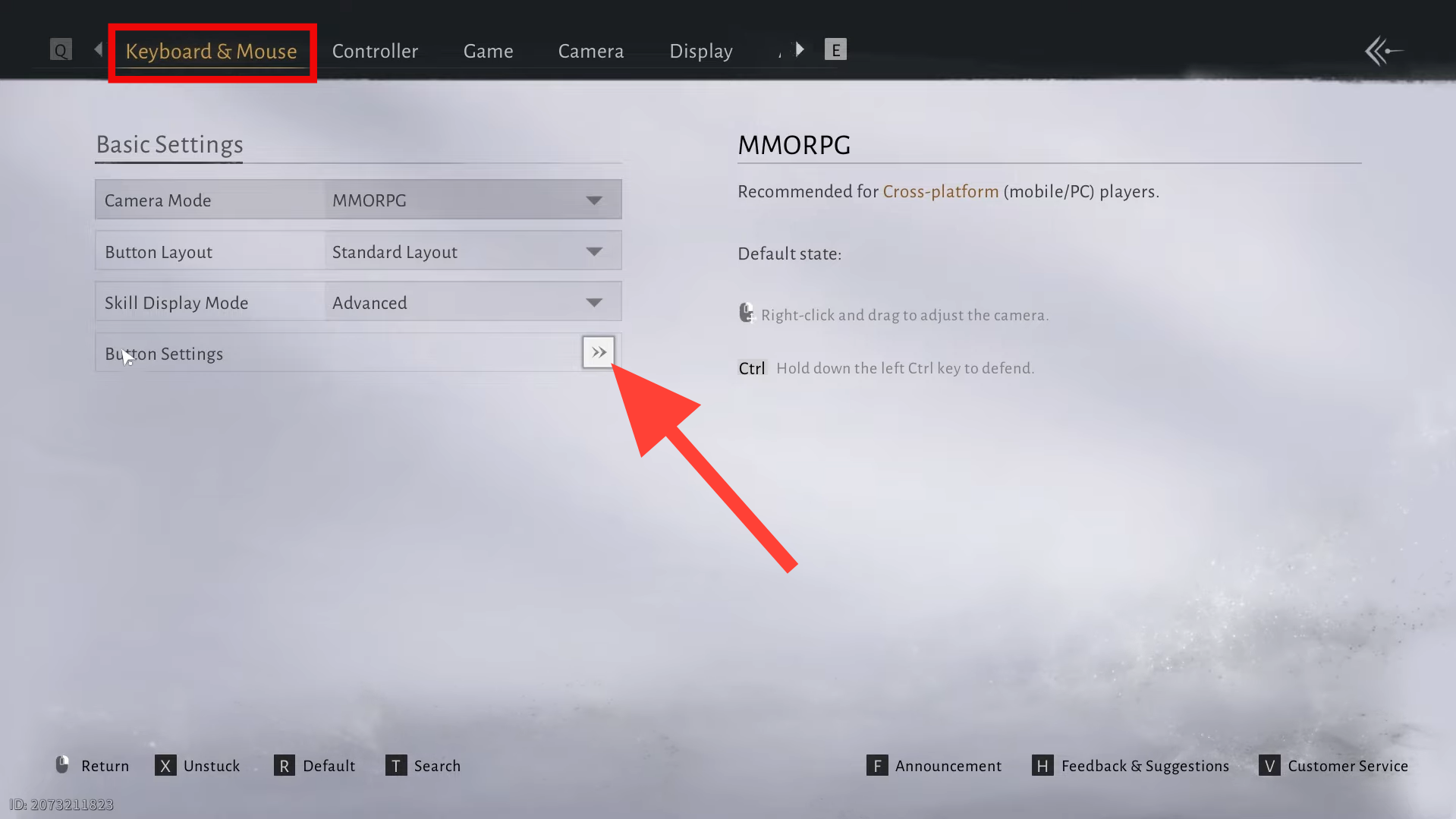
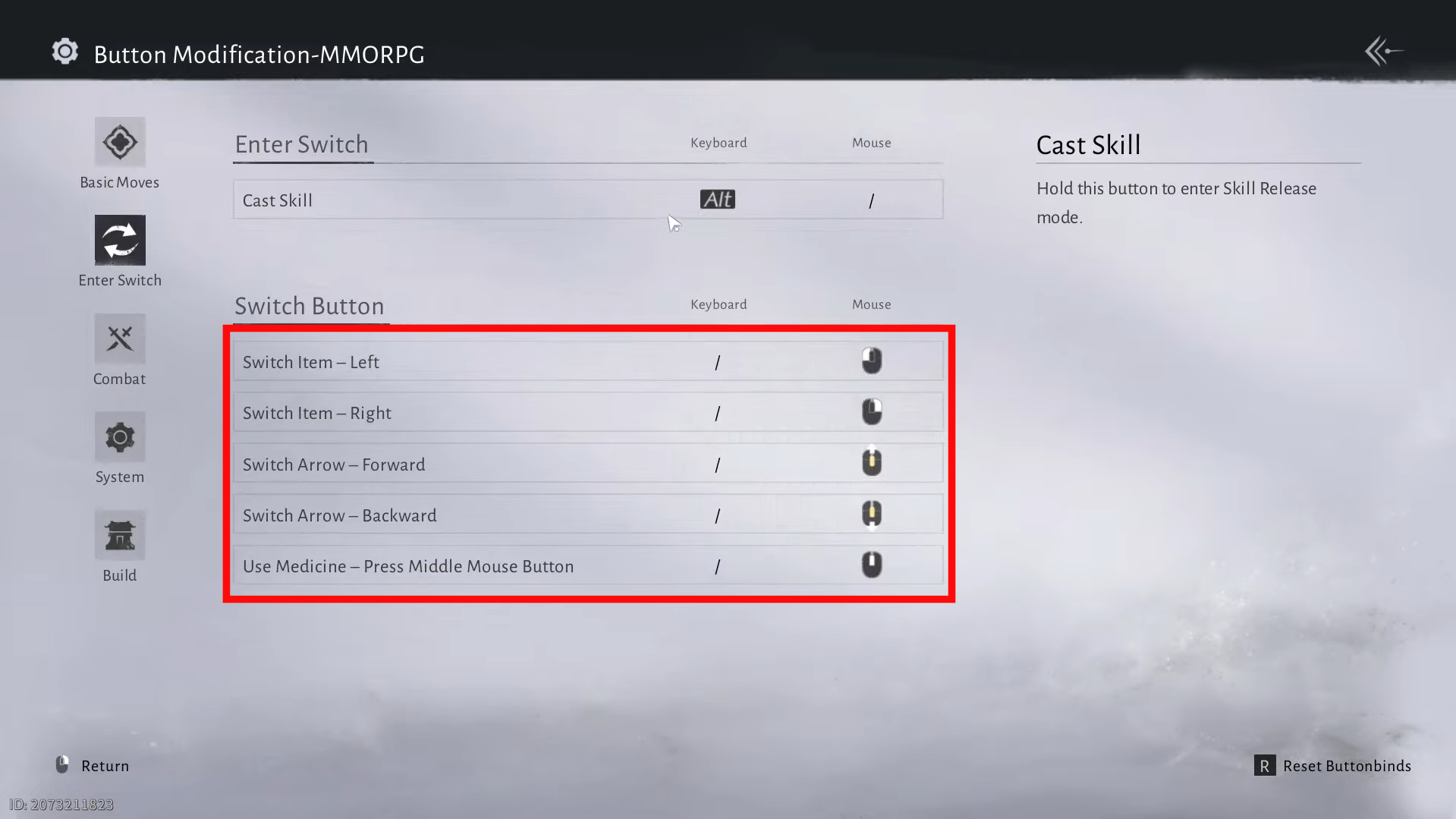
Keyboard and mouse archery bindings. Image credits: Everstone Studio / YouTube: TipSeerch
On controller:
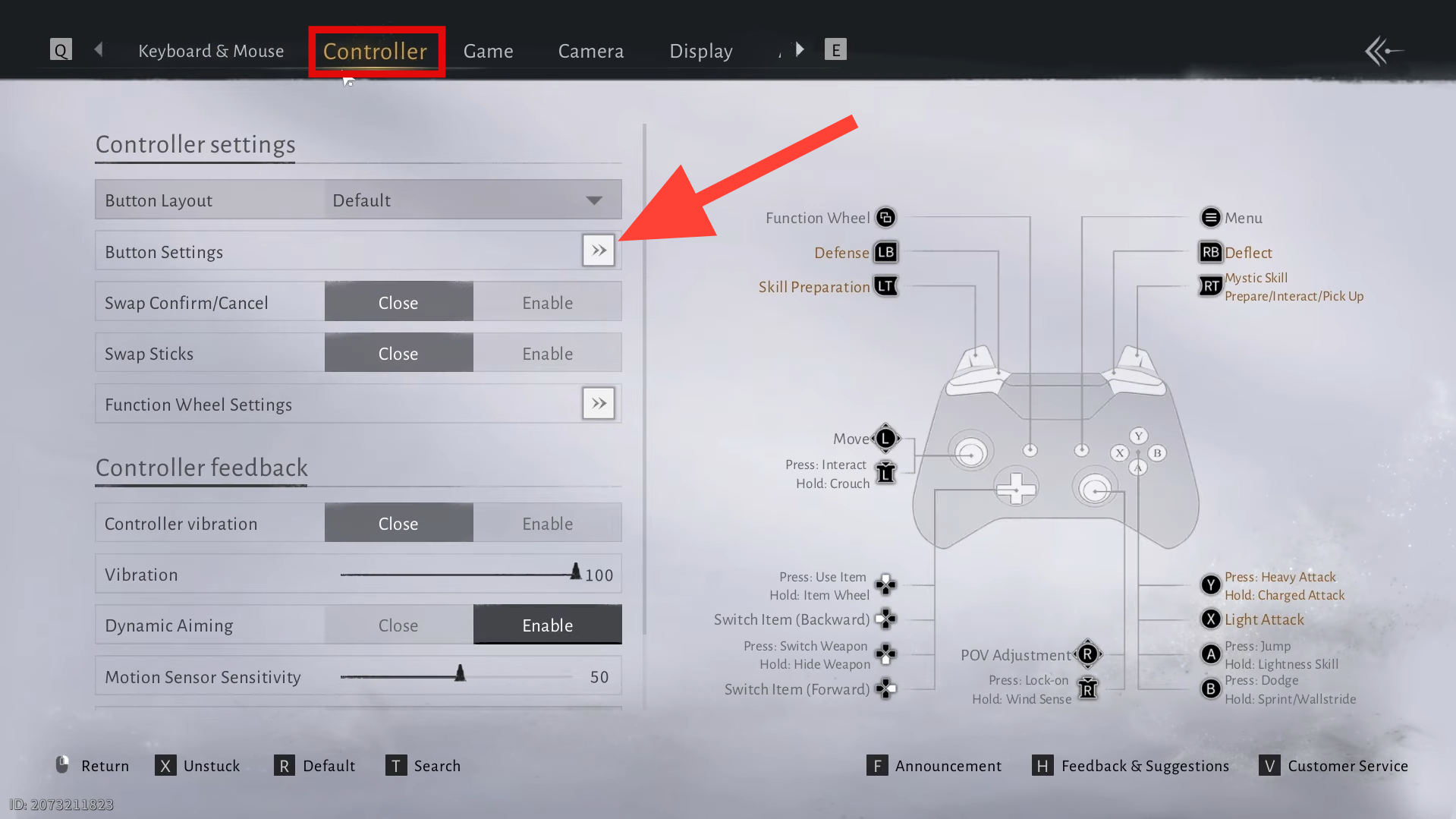
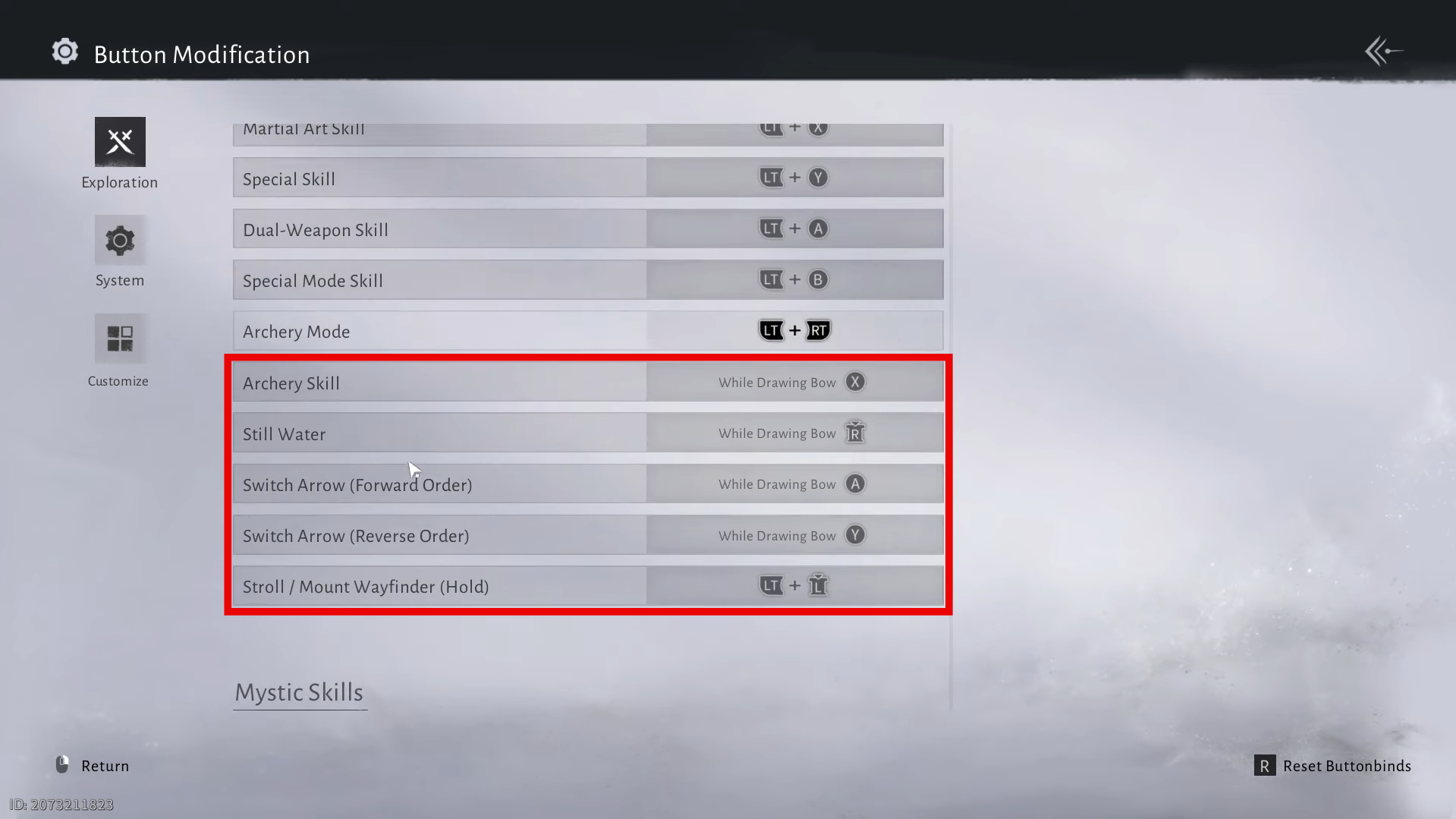
Controller archery bindings. Image credits: Everstone Studio / YouTube: TipSeerch
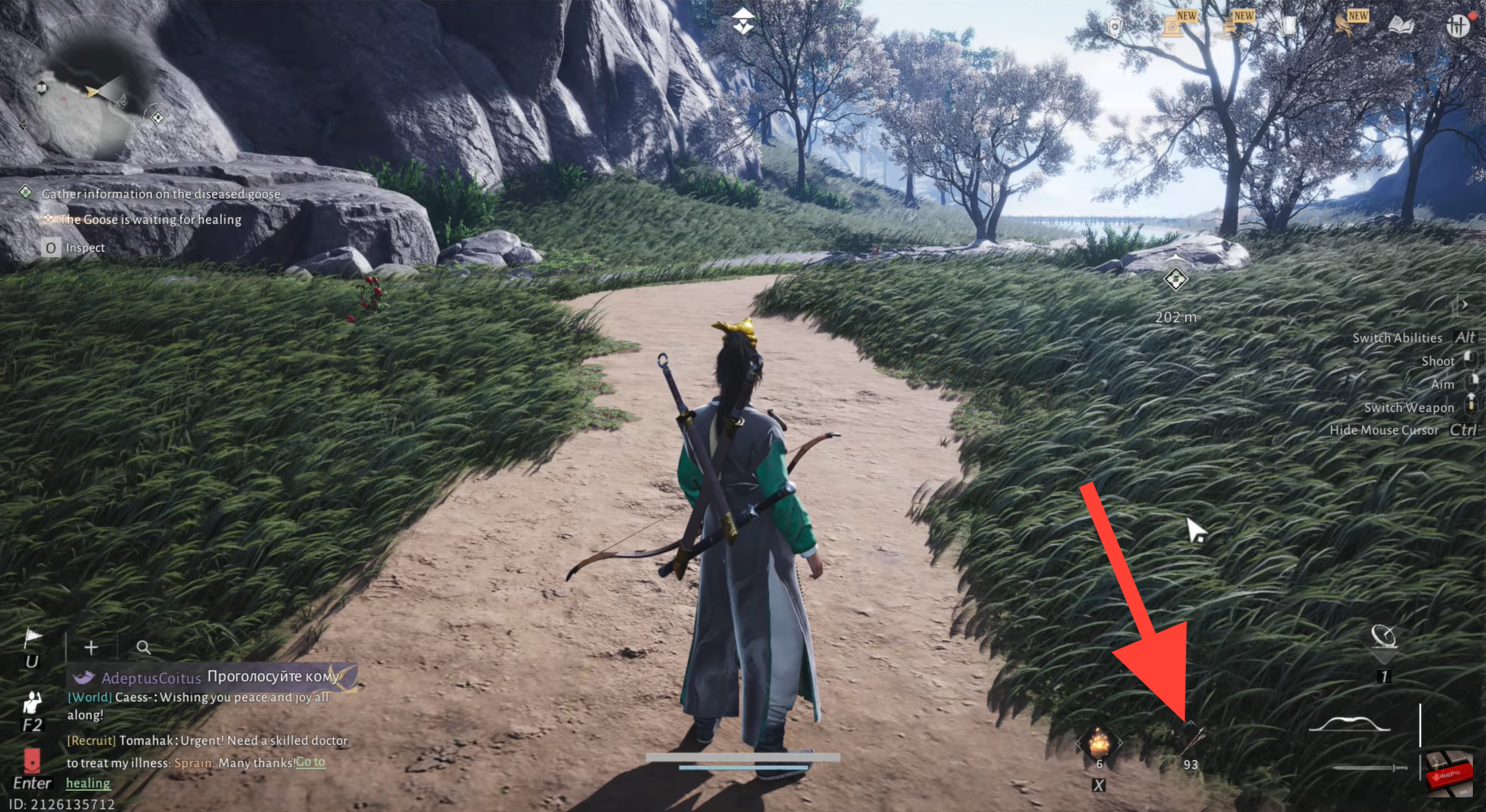
You can also change your arrow type by clicking the small arrow button located next to your weapons.
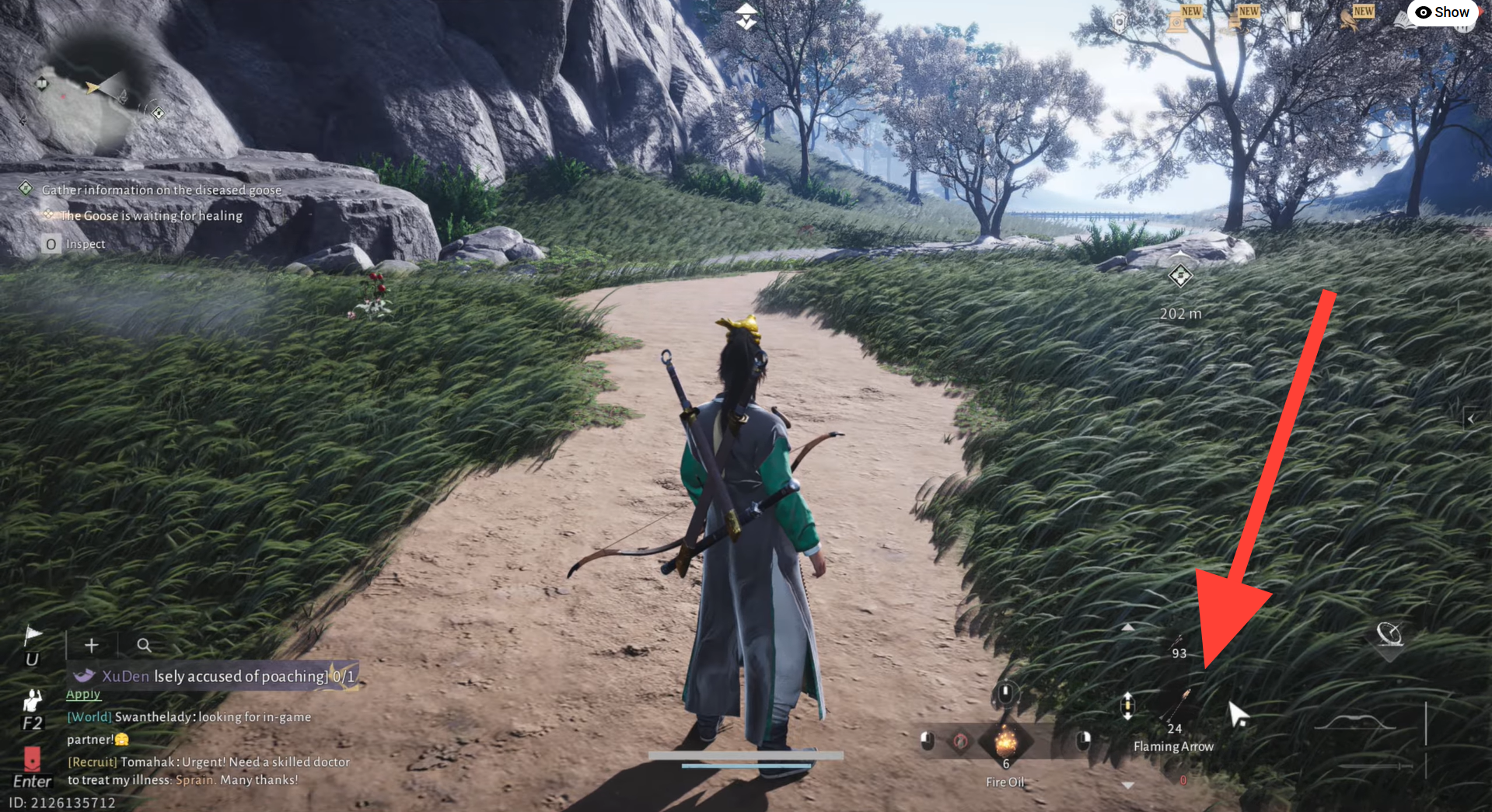
You can now scroll through and select the arrow type you want to use.
Fine-tuning for your playstyle
Practice cycling arrows in low-stakes fights to get comfortable with middle mouse swaps. Fire arrows excel against groups or ice-weak foes, while toxic arrows wear down bosses over time. Adjust bindings in Button Modification for maximum comfort, stock up on special arrow types through crafting, and stay ready to dominate every ranged encounter.
Glad you followed along! If you have suggestions, questions, or want more details, just leave a comment—we’re always checking the section.




