

What to know
- Hero Titles are earned through quests, achievements, or progression and can be equipped to show off your status.
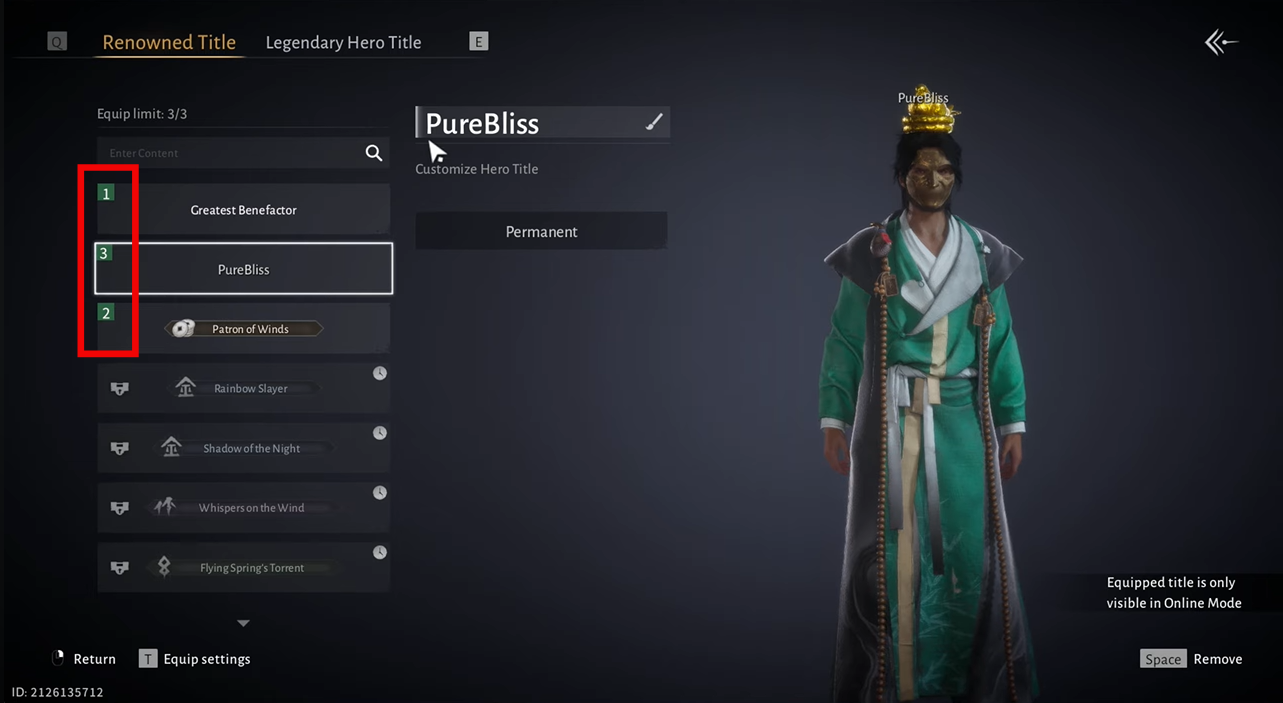
- You can equip up to three titles at once; they will rotate above your name in-game.
- To change your title, go to Menu → Profile → Edit Profile → Hero Title and select the one you want.
- You can also create a custom title (with no spaces) and switch between earned and custom titles.
Hero Titles in Where Winds Meet are cosmetic labels that appear above your character’s head and on your profile, letting you show off your accomplishments or just add a personal flair. They’re a small but fun way to express yourself, especially when playing with others or in guilds.
How to equip a Hero Title
Follow the steps below to learn how to equip a hero title in Where Winds Meet with ease:
Step 1: Open your profile
Tap the Main Menu button (three lines or gear icon in the top-right corner), then select your profile icon or Profile to open your character page.
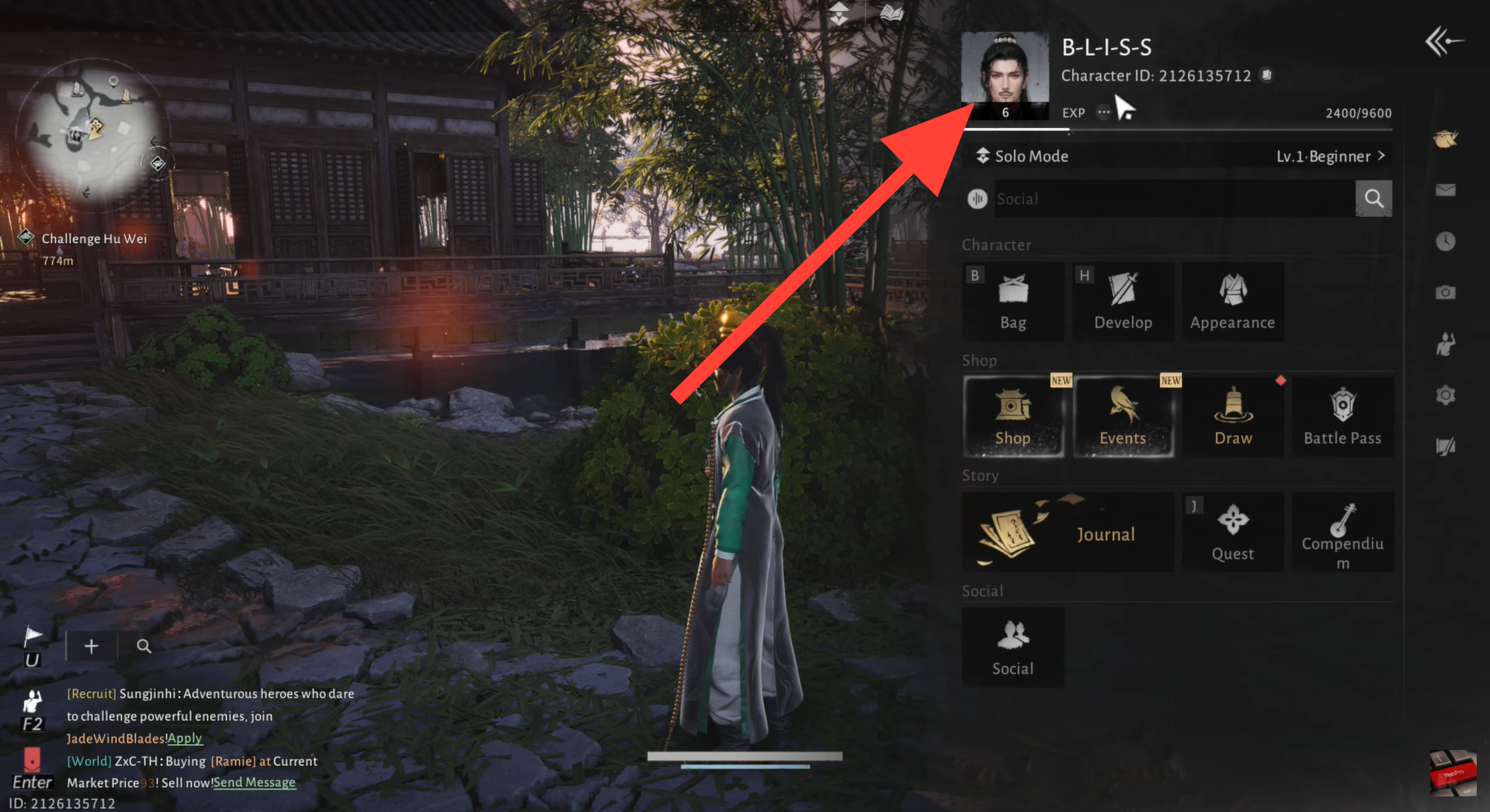
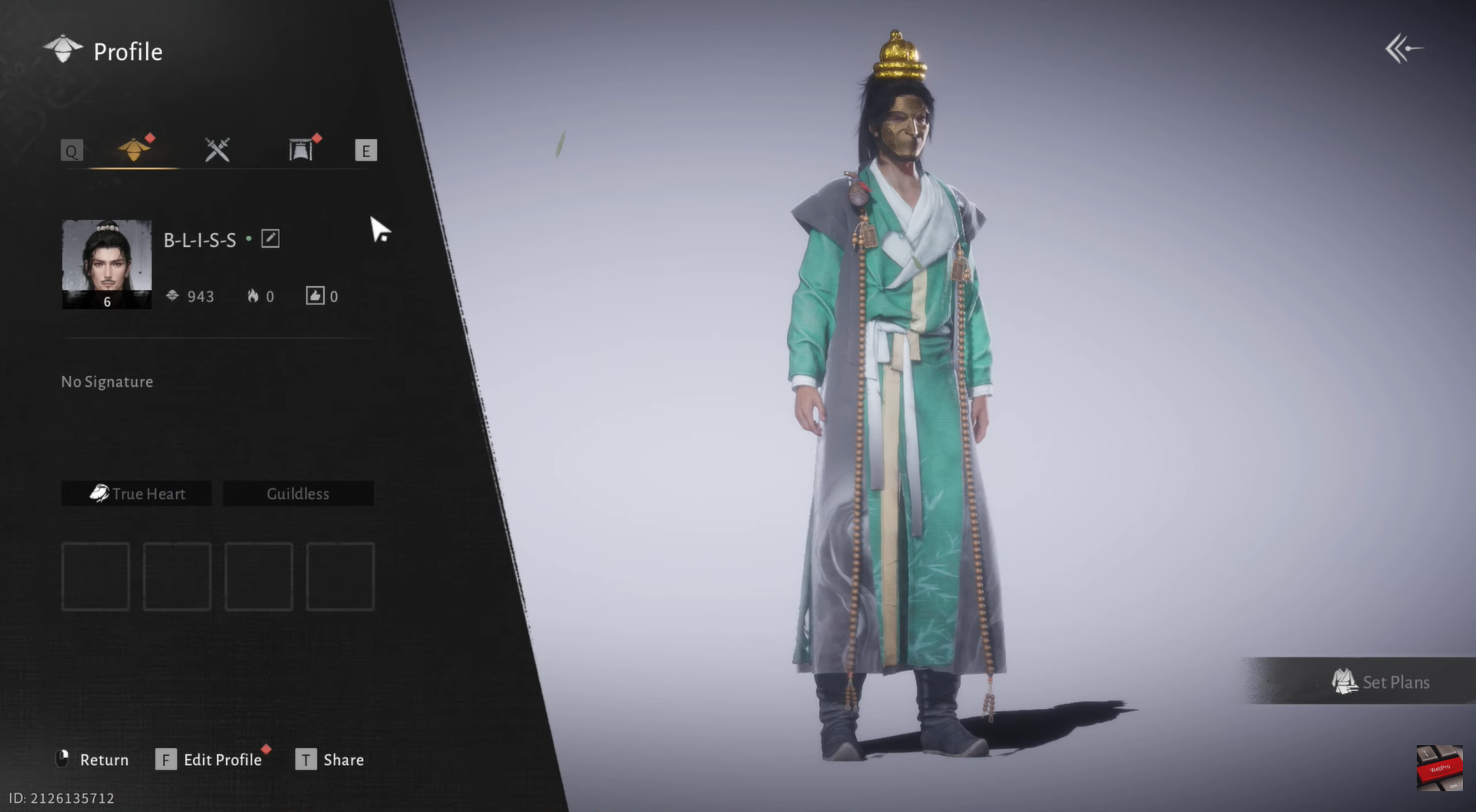
Open your profile. Image credits: Everstone Studio / YouTube: WebPro Education
Step 2: Edit profile and open Hero Title
On your profile screen, tap Edit Profile, then select Hero Title to view your unlocked titles.
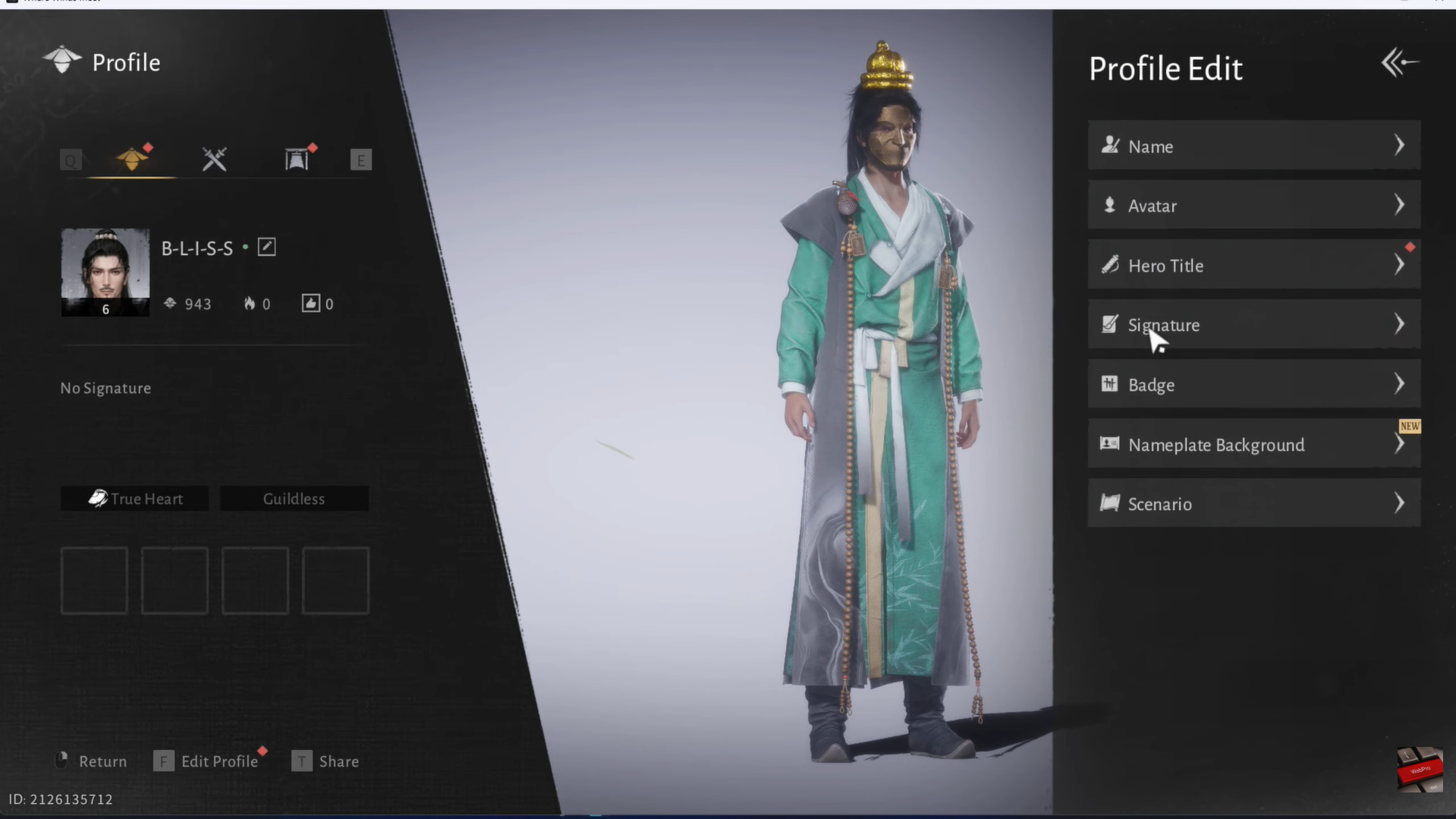
Step 3: Equip a title
Browse your available titles, tap the one you want, and confirm to equip it.
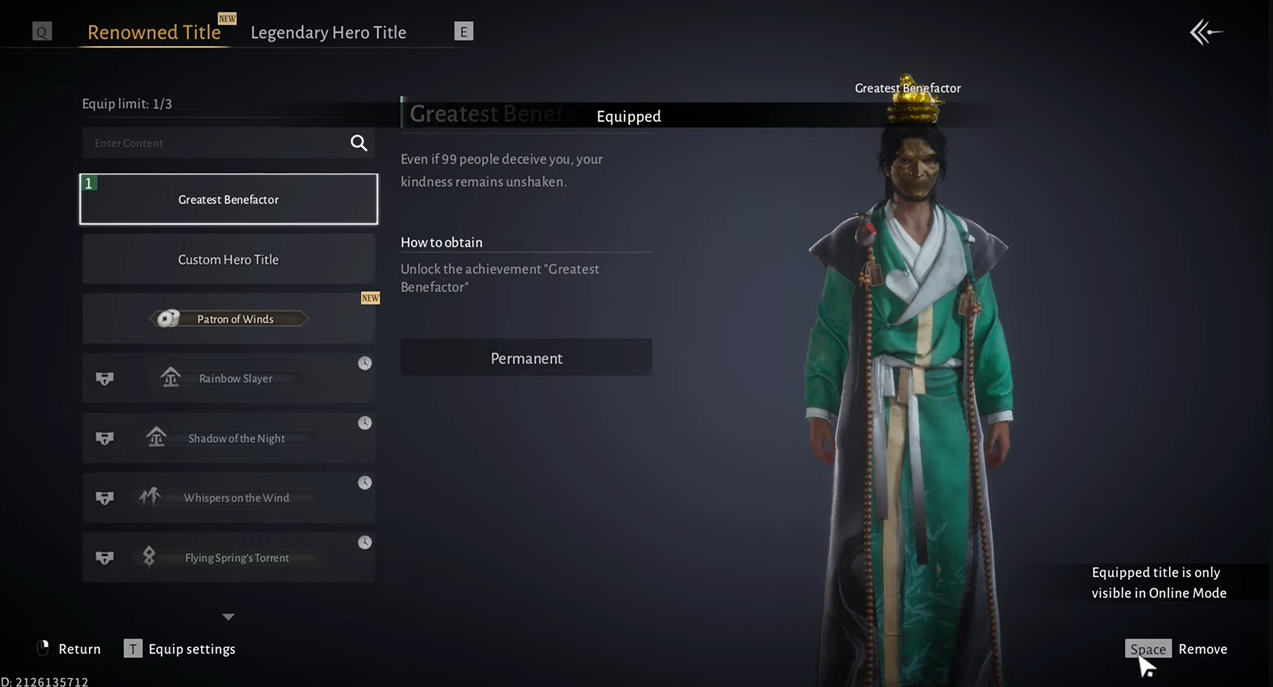
Step 4: Unlock a new title (if available)
If a title is locked but ready to unlock (for example, after completing a quest), tap it to unlock first, then equip it.
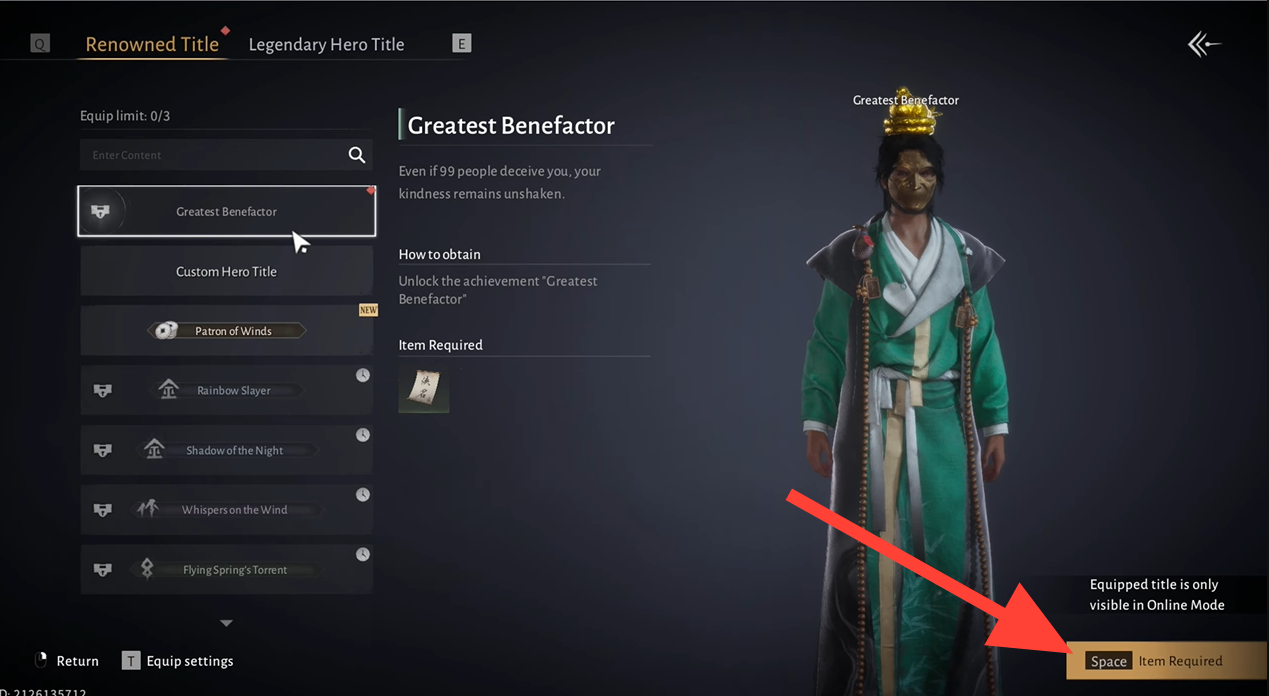
Step 5: Create a custom title
To use a custom title:
- Tap Custom or Create Title in the Hero Title menu
- Enter your desired title (no spaces allowed) and confirm
- Equip it like any other title
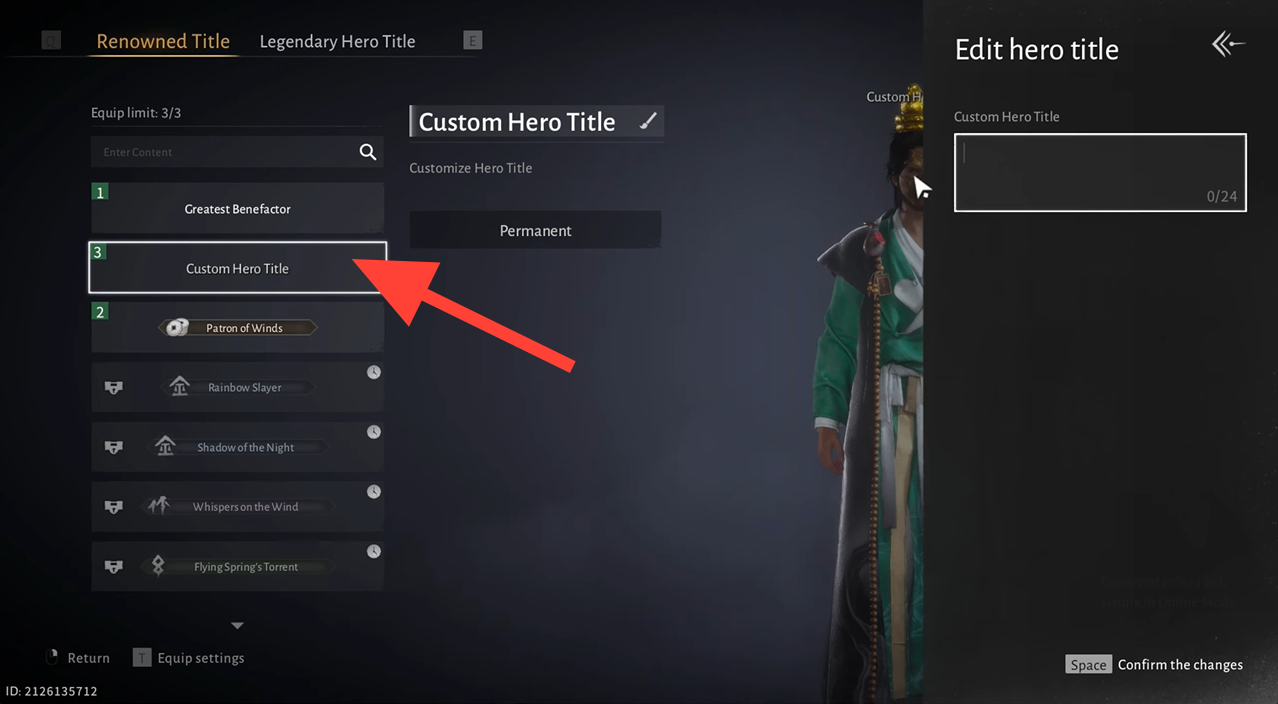
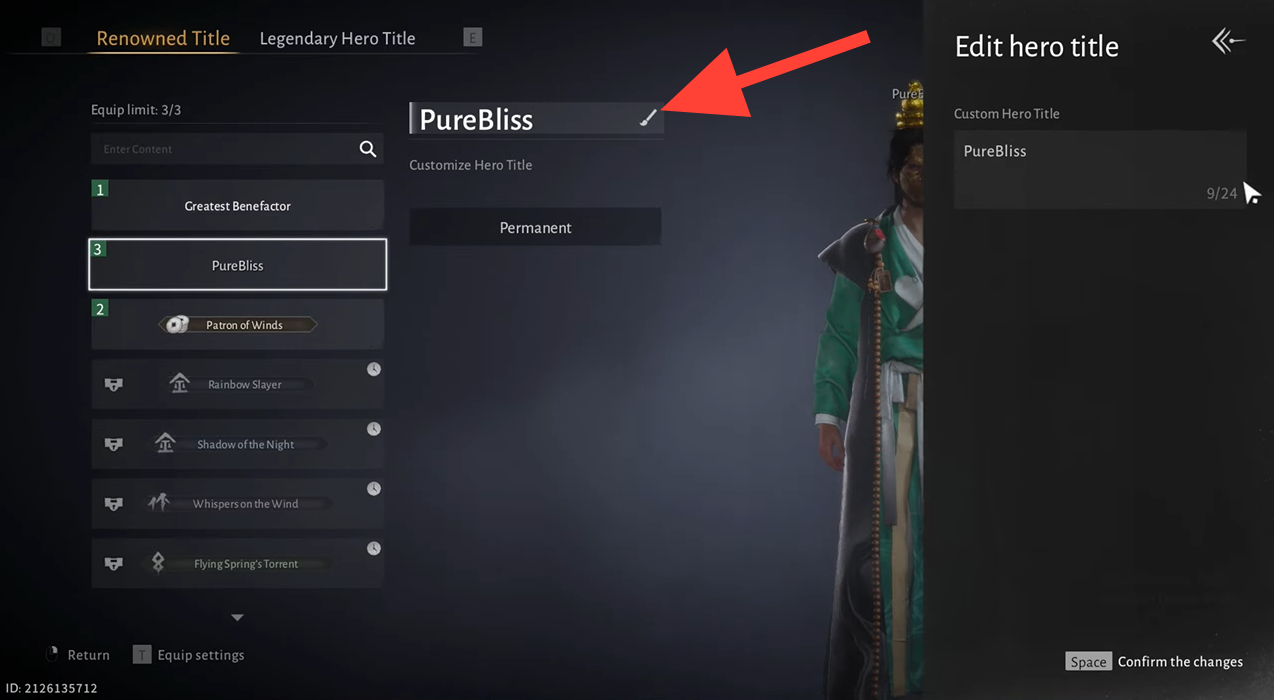
Create a custom title. Image credits: Everstone Studio / YouTube: WebPro Education
Step 6: Use multiple titles
You can equip up to three titles at once. Equipped titles will automatically rotate above your character’s name and on your profile.
Tips for using Hero Titles
- Check regularly: New titles are often added through events, story quests, and achievements, so revisit the Hero Title menu from time to time.
- Rotation order: The three equipped titles rotate in the order you selected them; if you want a specific one to show more often, keep it as your first equipped title.
Style Over Stats
Hero Titles don’t affect gameplay, but they let you show off achievements and add personality to your character. Pick one from your profile, equip it in seconds, and stand out wherever you roam.
We hope you found value here. Do share your feedback or ask your questions in the comments—we engage often and would love to continue the conversation.




