

What to know
- Tuning stones (gold and diamond) now let you bias or guarantee specific tuning stats on gear, making it easier to get the rolls you want.
- Gear can now be tuned for both PvE (universal ethics) and PvP at the same time; a toggle lets you switch between them in combat.
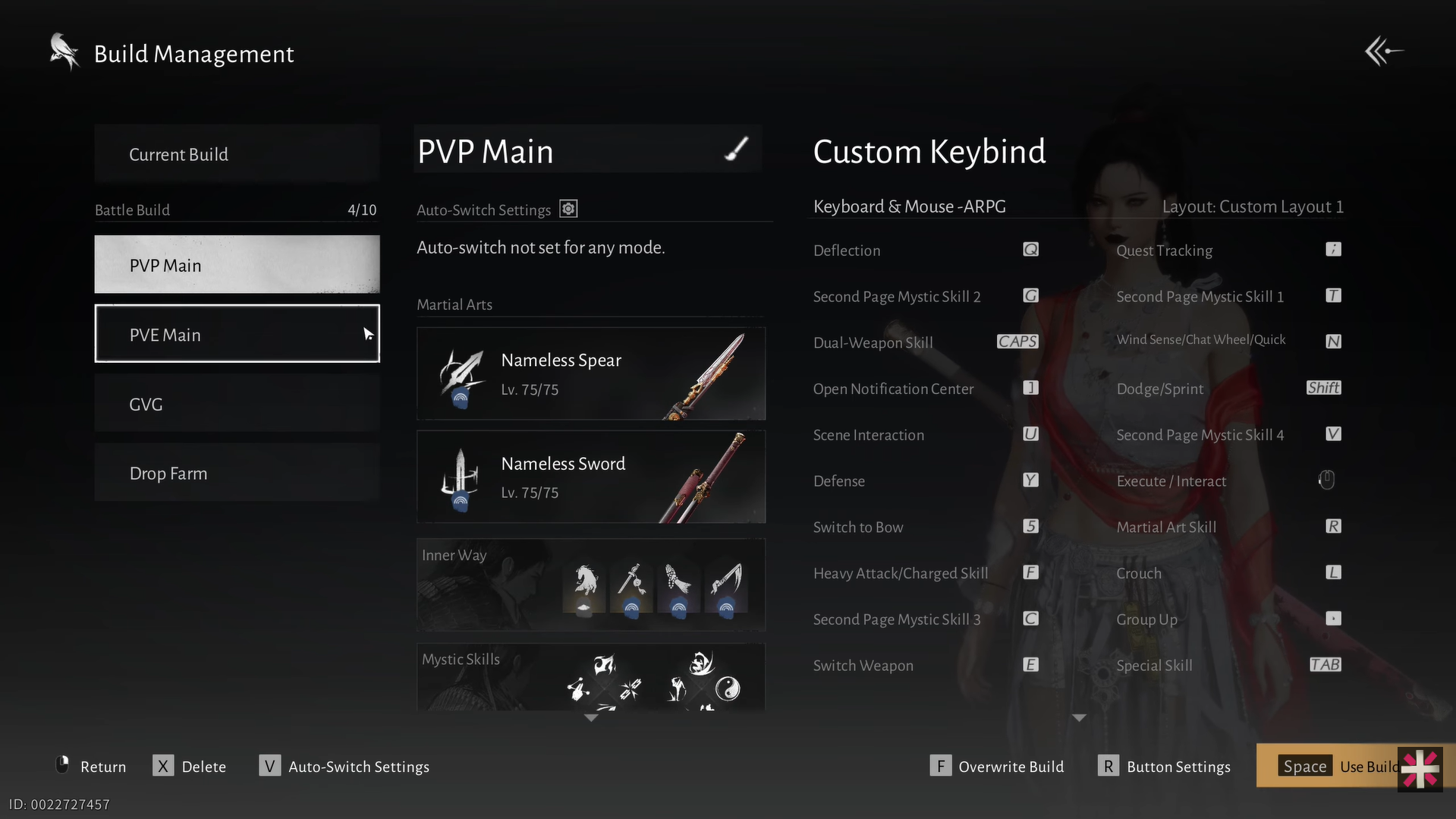
- Gear sets got a major upgrade: you can name them, assign keybinds, and set auto‑switch rules for content like Sword Trials or arena.
- A new Gear Echo: Fieryheart shop lets you buy guaranteed gold tuning materials, legendary weapon select boxes, and extra shooting stones each week.
Version 1.2 of Where Winds Meet makes gear and tuning more flexible and less RNG-dependent. Gold and Diamond Tuning Stones let you bias or guarantee stats, dual PvE/PvP tuning adapts one set for any content, gear sets can be auto-switched, and the Legendary Gear Exchange shop provides guaranteed materials and weapons, making it easier than ever to craft your ideal build.
How tuning stones work
Tuning Stones, available in Gold and Diamond variants, are special tuning materials that let you influence which stats appear when upgrading gear.
- Gold Tuning Stones bias the tuning process toward a specific stat (such as Momentum, Crit Rate, or Execution), guaranteeing a legendary upgrade.
- Diamond Tuning stones go a step further by guaranteeing a legendary upgrade for chosen stat with max value, making them ideal for farming precise, high-value rolls.
Tuning materials are both tier-locked and gear-specific. A Tier 61 stone only works on Tier 61 gear, and recycling Tier 61 gear will only yield Tier 61 tuning stones. As you progress to higher tiers, you’ll need matching stones for that gear level. You can obtain tuning stones by salvaging unwanted gear, making recycling old pieces the best way to fuel future upgrades without wasting resources.
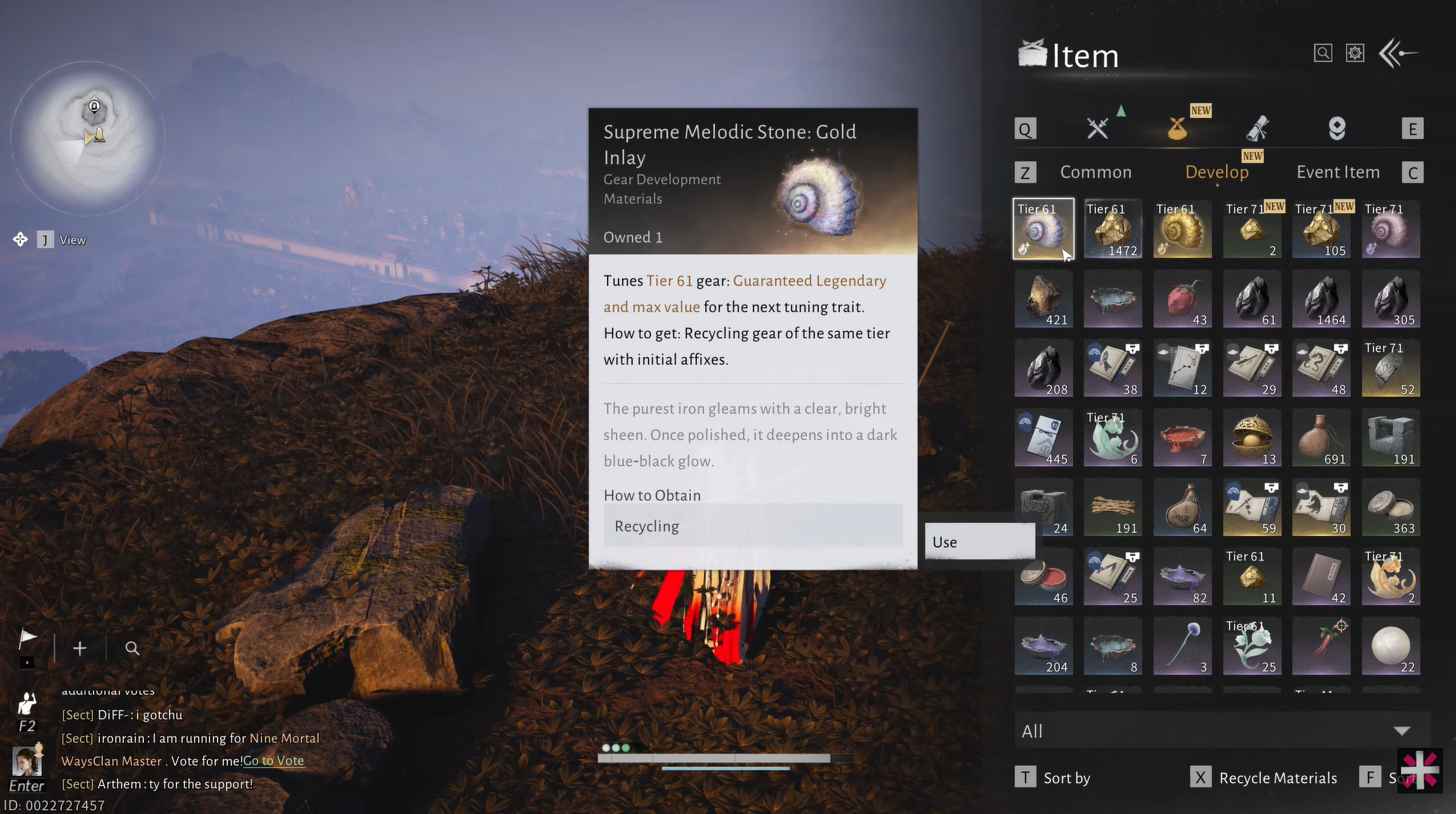
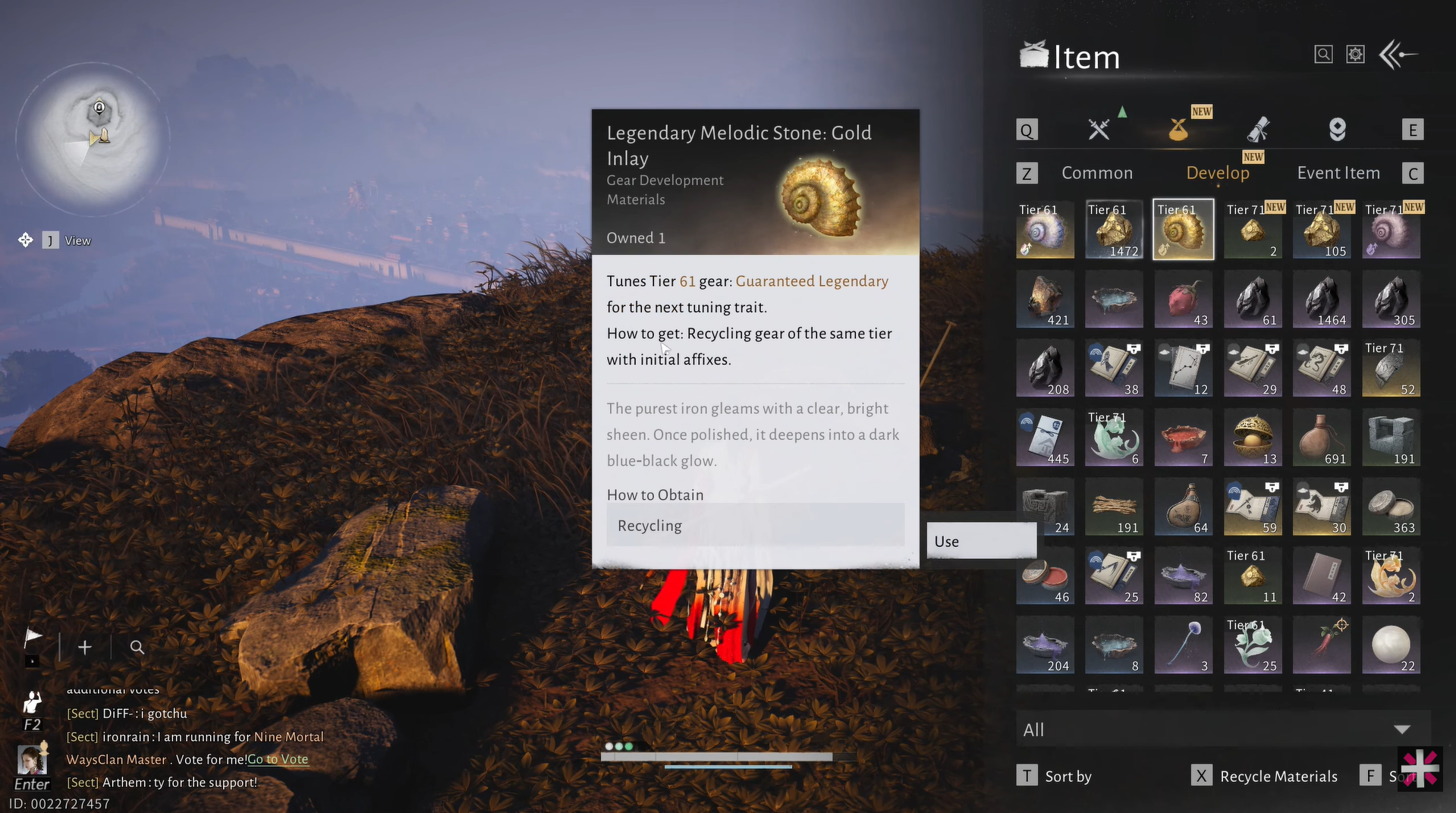
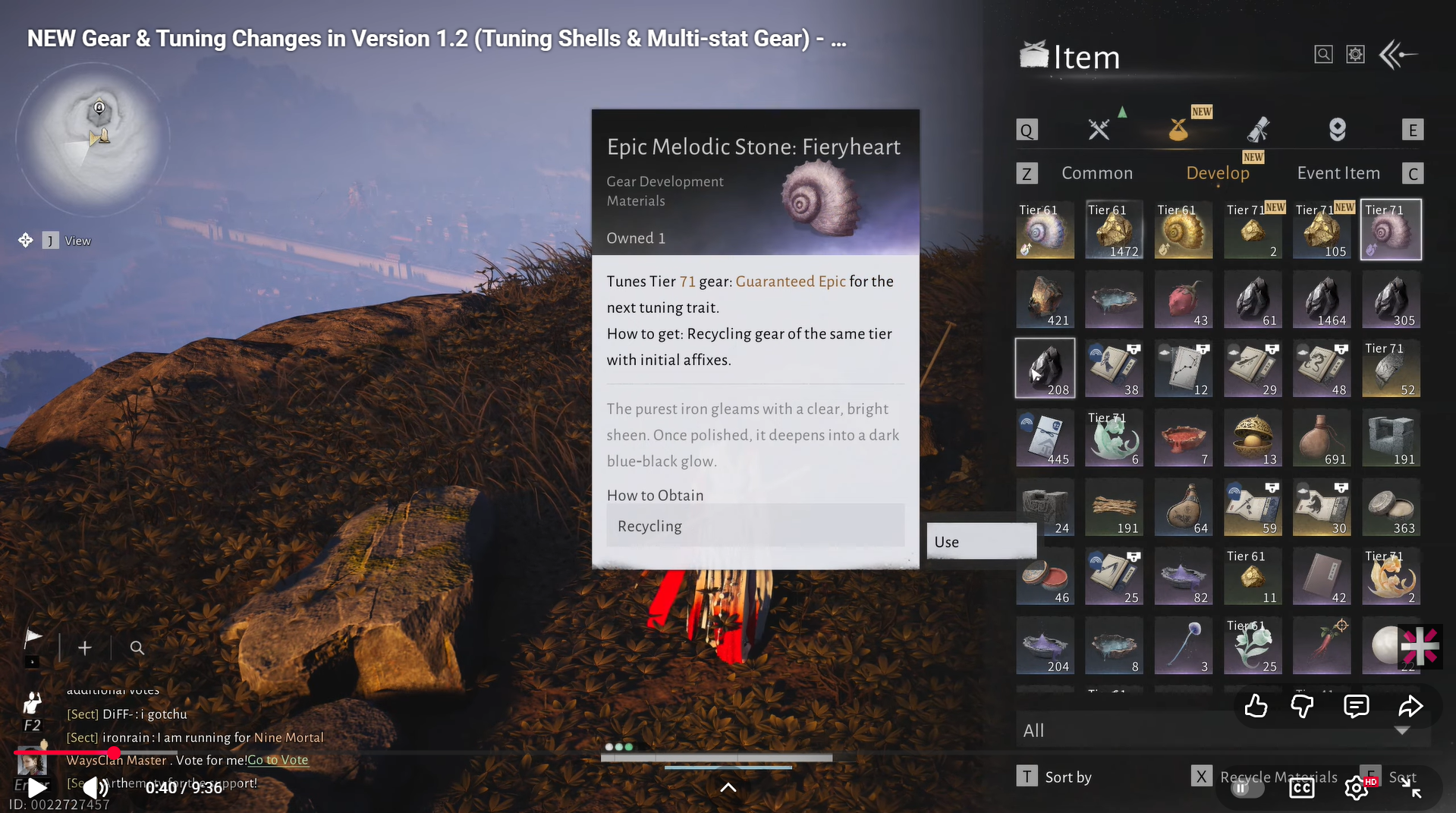
Tuning Stones in Where Winds Meet. Image credits: Everstone Studio / YouTube: MaleOreo
How to farm tuning stones and materials
To efficiently gather tuning materials for optimizing your gear in Where Winds Meet, focus on these reliable sources:
- Salvage Unwanted Gear
Break down extra or unused equipment to obtain Tuning Stones or equivalent materials of the same gear tier. This is the most consistent way to build up tuning resources. - Complete Combat Activities
Activities such as Outposts, Campaign Challenges, and Sword Trials reward gear that can be salvaged for tuning materials or used directly as sacrificial gear. These modes can also drop tuning materials outright. - Participate in Special Events
Limited-time events like the Multiplayer Fireworks Show (in the Velvet Shade area) reward universal tuning stones, which work on any gear tier and are especially valuable for high-tier tuning.
How dual PvE & PvP tuning works
Gear now supports both PvE and PvP tuning at the same time, making setup much easier. Each piece can hold a Universal Ethics tuning for PvE and a separate PvP tuning.
You can switch between PvE and PvP tuning using a toggle in the tuning UI, even mid-combat. This lets you run one main gear set and simply swap tuning modes instead of maintaining two separate builds.
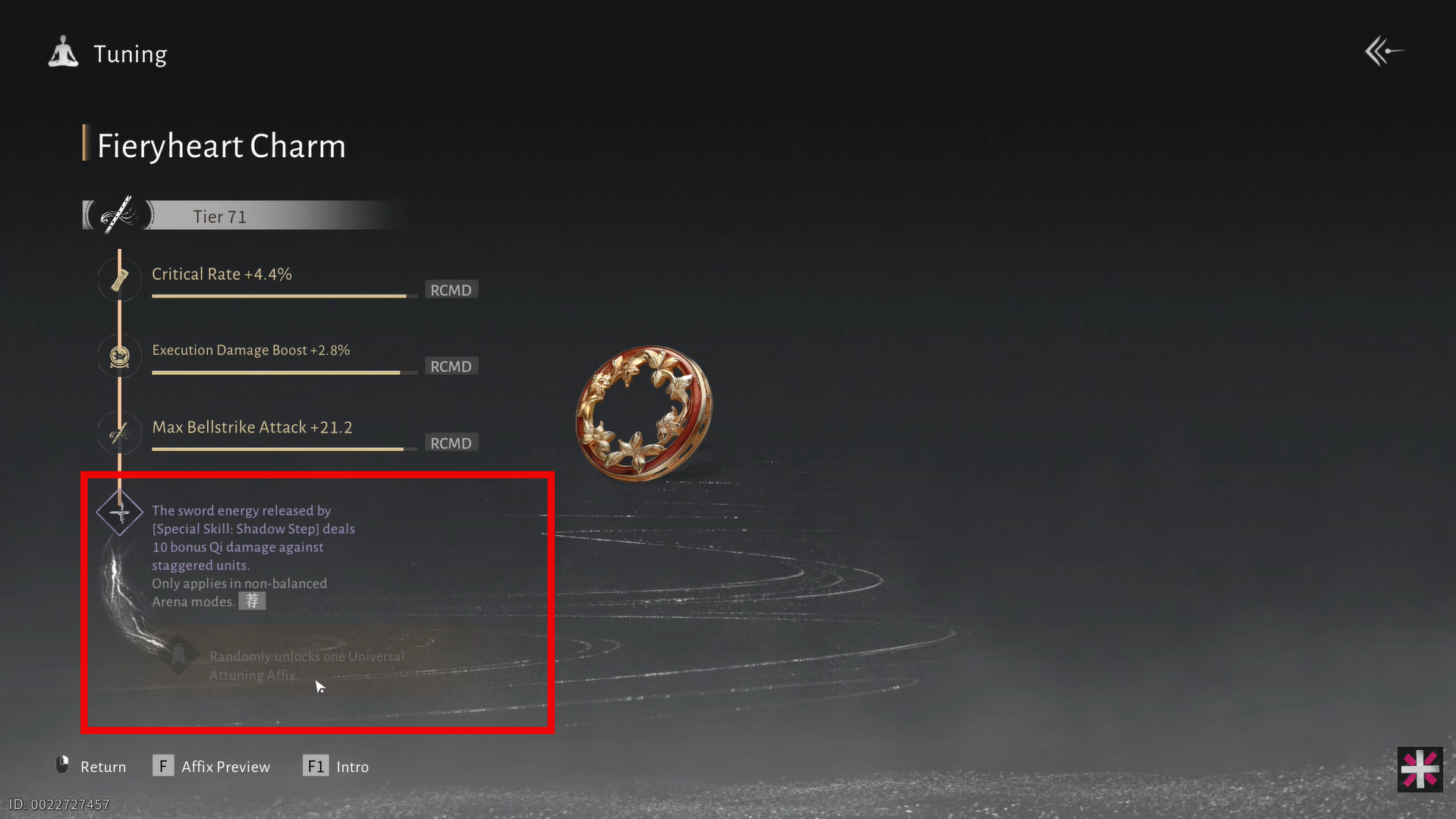
Note: There was a known launch bug affecting the PvE/PvP toggle, but it’s expected to be fixed in a follow-up patch.
How to set up gear sets with auto-switching
Follow the steps below to know how to set up gear sets with the new auto-switching feature in Where Winds Meet:
Step 1: Create a gear set
Open the Gear Menu → Gear Sets / Loadouts, create a new set (for example, PvE Build or Arena Build), and equip your desired gear, weapons, accessories, and tuning. Name the set and optionally assign a hotkey.
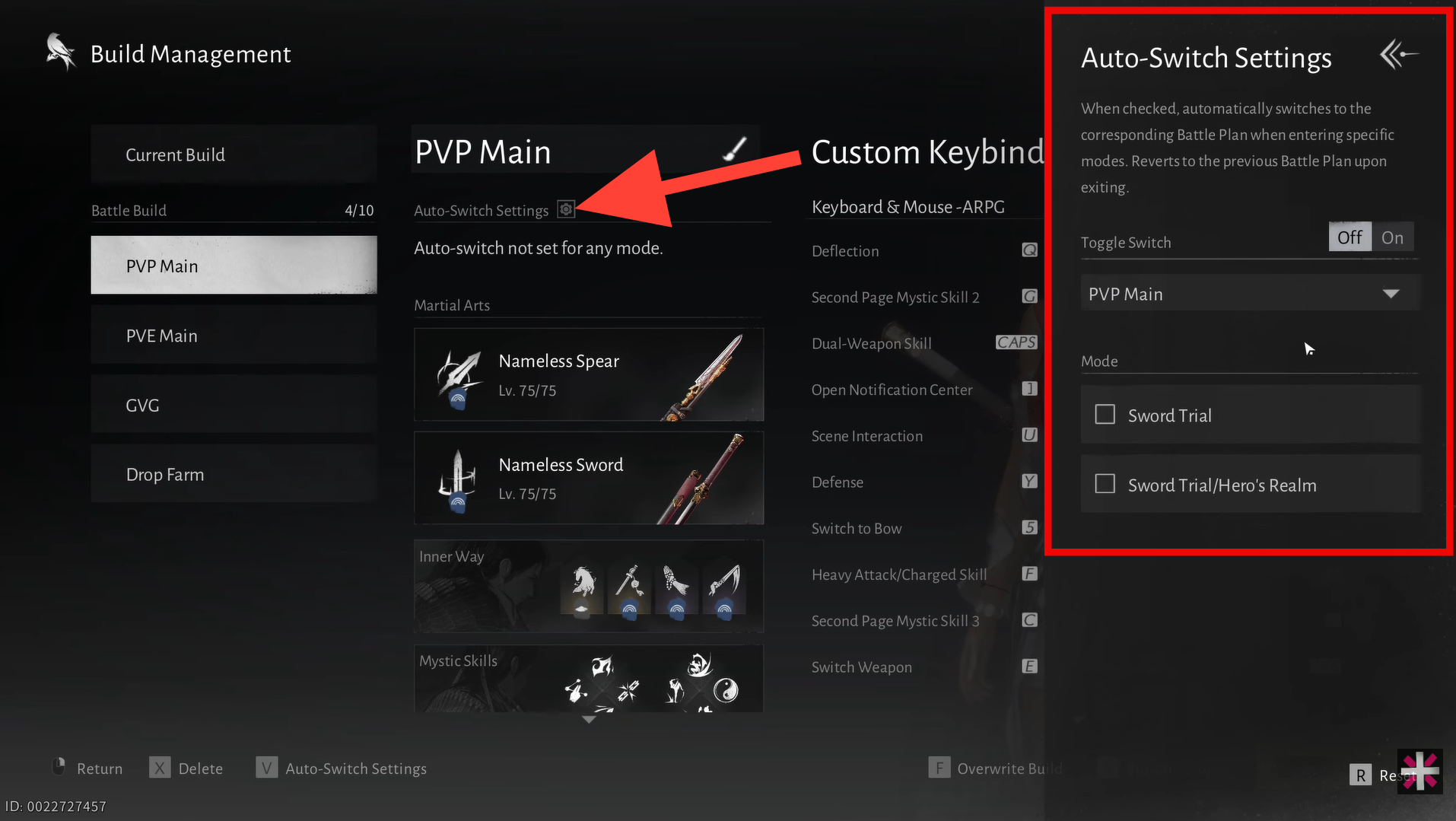
Step 2: Set auto-switch rules
Link the gear set to specific content in the auto-switch settings, PvE (Sword Trials, dungeons, etc.) or PvP (Arena, Wandering Pass, GVG). When you enter that content, the game automatically equips the correct gear, tuning, and keybinds, so you don’t have to switch manually.
How to use the new shop
The new Legendary Gear Exchange shop lets you spend Gear Echo: Fieryheart (earned from events and activities) on high-value tuning and weapon items. Key purchases include:
- Tier 71 Guaranteed Gold Tuning Material – costs x10 Fieryheart each, limited to 6 per week.
- Tier 71 Legendary Gear Custom Chest – costs x36 Fieryheart each, lets you pick a specific legendary weapon.
- Large Tuning Stone – costs x1 Fieryheart, useful if you’re short on stones for tuning.
Prioritize guaranteed gold tuning materials to farm ideal rolls, and use the weapon boxes to fill gaps in your collection.
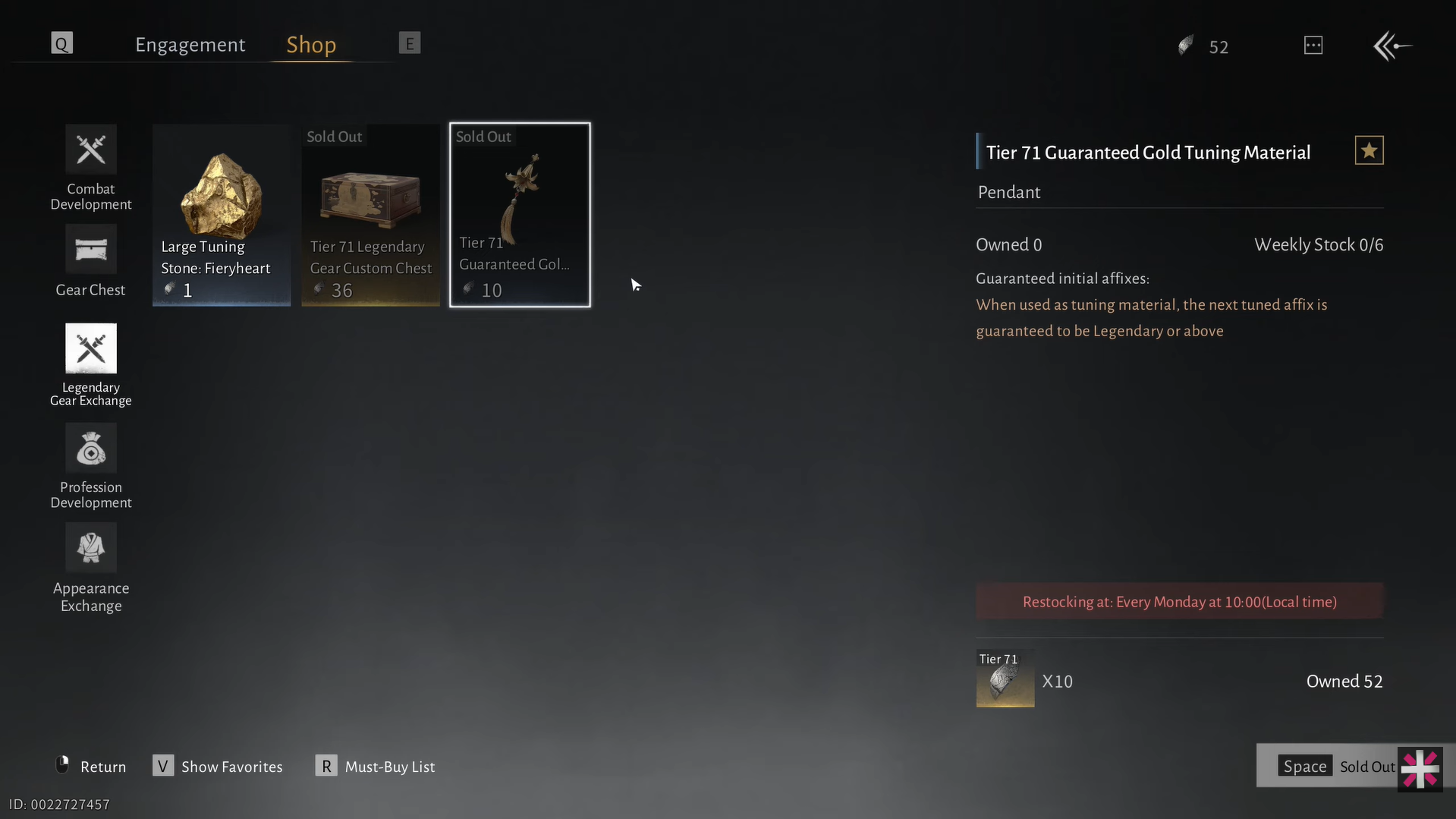
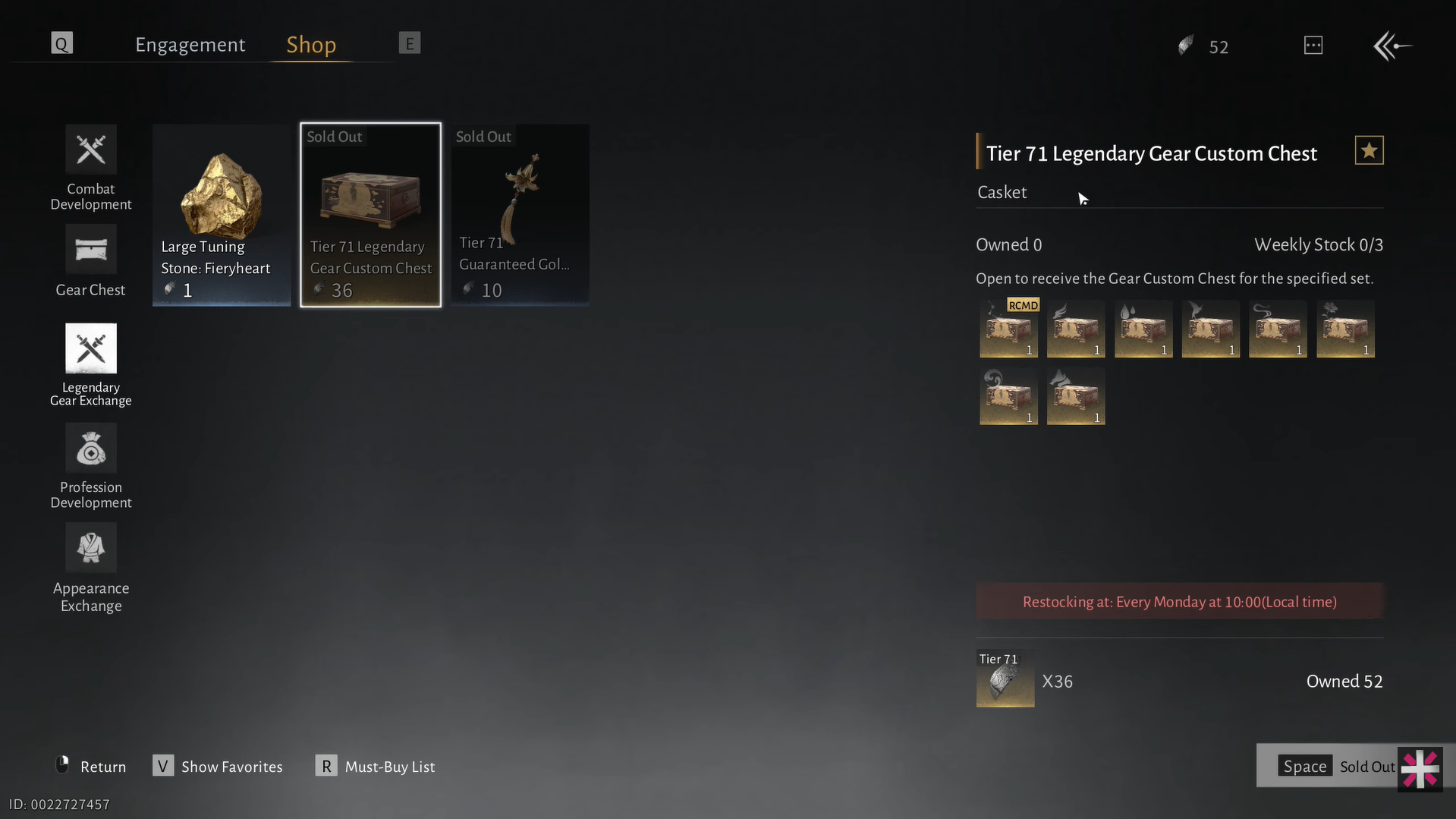
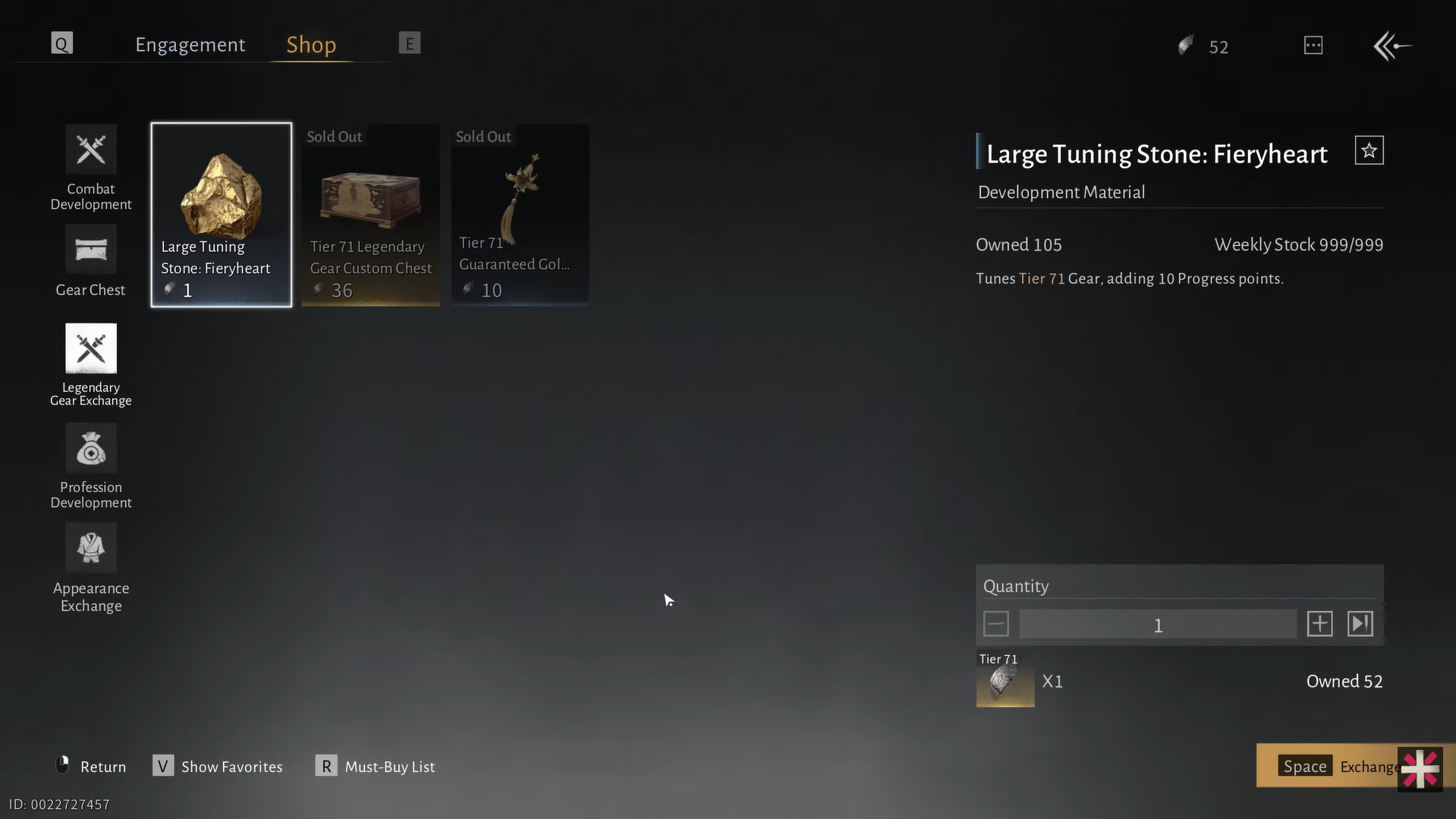
The new Legendary Gear Exchange shop. Image credits: Everstone Studio / YouTube: MaleOreo
What this means for your build
Version 1.2 makes gear and tuning more flexible and less RNG-dependent. You can create multi-stat rolls, toggle PvE/PvP tuning on one set, and use auto-switching gear sets for PvE or PvP content. The new Legendary Gear Exchange shop lets you buy guaranteed tuning materials and weapon boxes, making it easier to craft exactly the gear your build needs.
Hope this answered your major questions. Drop your comments for feedback or support—we’re actively responding and always ready to help you further.




