


- What to know
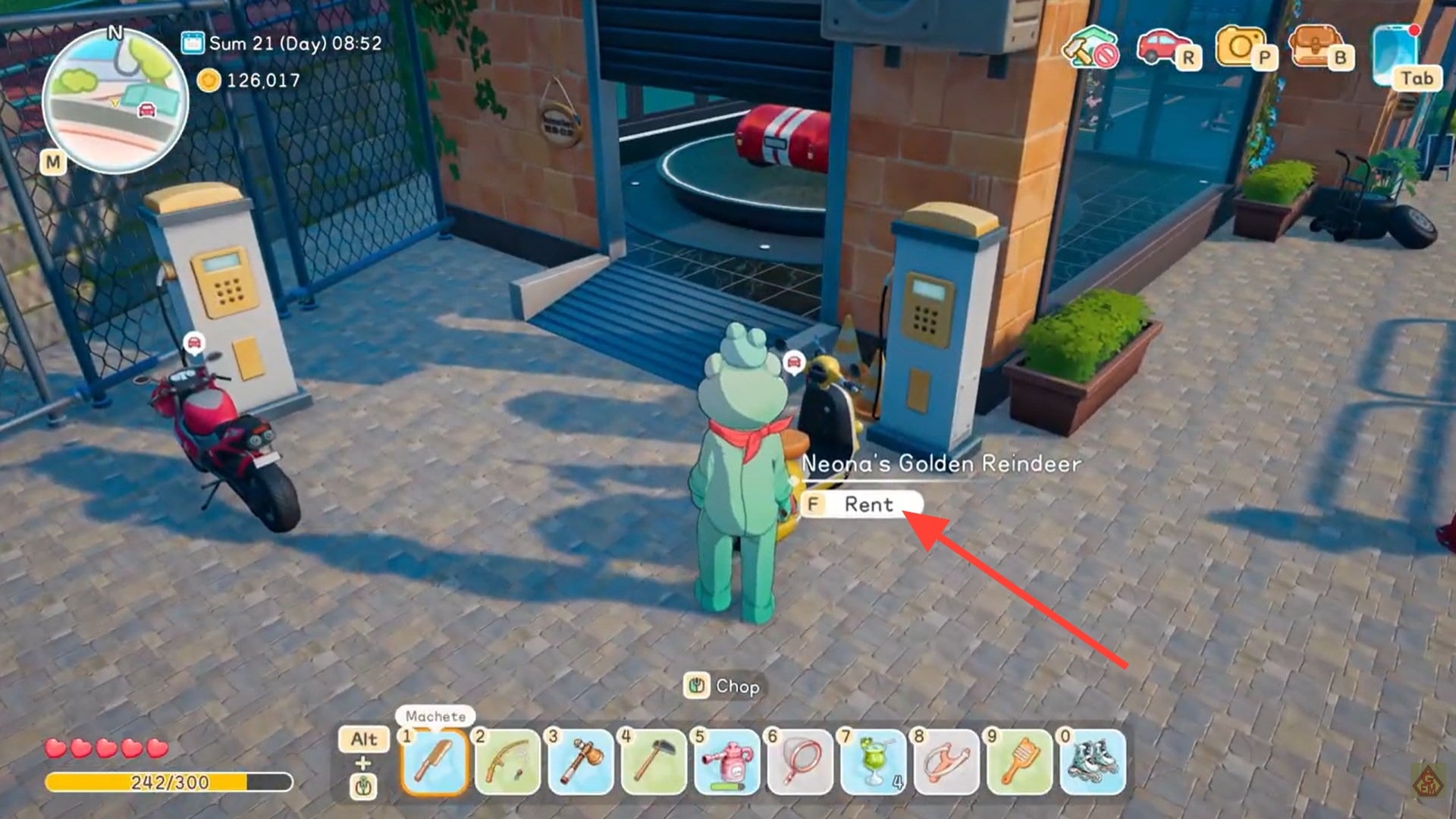
- Vehicle rental details in Starsand Island
- How to access your rented vehicles through the phone system
- How the 48-hour rental system works
- How to summon or end a rental anytime
- Renting animals at the ranch
- Why renting a bike is ideal in early progression
- When ownership becomes more efficient than renting
- How rentals support quest-based progression
- Managing rentals efficiently for maximum value
What to know
- You access all rented and owned vehicles through the Travel tab on your in-game phone.
- Most vehicle rentals last 48 in-game hours before automatic return.
- You can summon or end a rental at any time from the vehicle menu.
- Free rental periods are sometimes rewarded through early quests and progression.
In Starsand Island, mobility plays a major role in how efficiently you explore, complete quests, and gather resources. Renting vehicles offers a flexible, low-commitment way to travel faster during the early and mid-game without spending large amounts of currency on permanent ownership. If you are just starting out or testing different transport options, understanding how rentals work can save both time and money.
Vehicle rental details in Starsand Island
| Feature | Details |
|---|---|
| Access Method | Phone → Travel tab |
| Rental Duration | 48 in-game hours (standard rental) |
| Early Free Access | Available via select quests |
| Summon Feature | Yes, from Travel menu |
| Manual End Option | Yes, rental can be ended early |
| Other Rentals | Animals via Ranch (Pastel NPC) |
| Best Early Rental | Bike |
Vehicle rentals are designed to bridge the gap between walking or using starter gear and fully owning advanced transport. The system is straightforward, but managing your rental wisely makes a noticeable difference in progression speed.
How to access your rented vehicles through the phone system
To manage rentals, you use the in-game smartphone interface. This central hub tracks everything related to travel.
Step 1
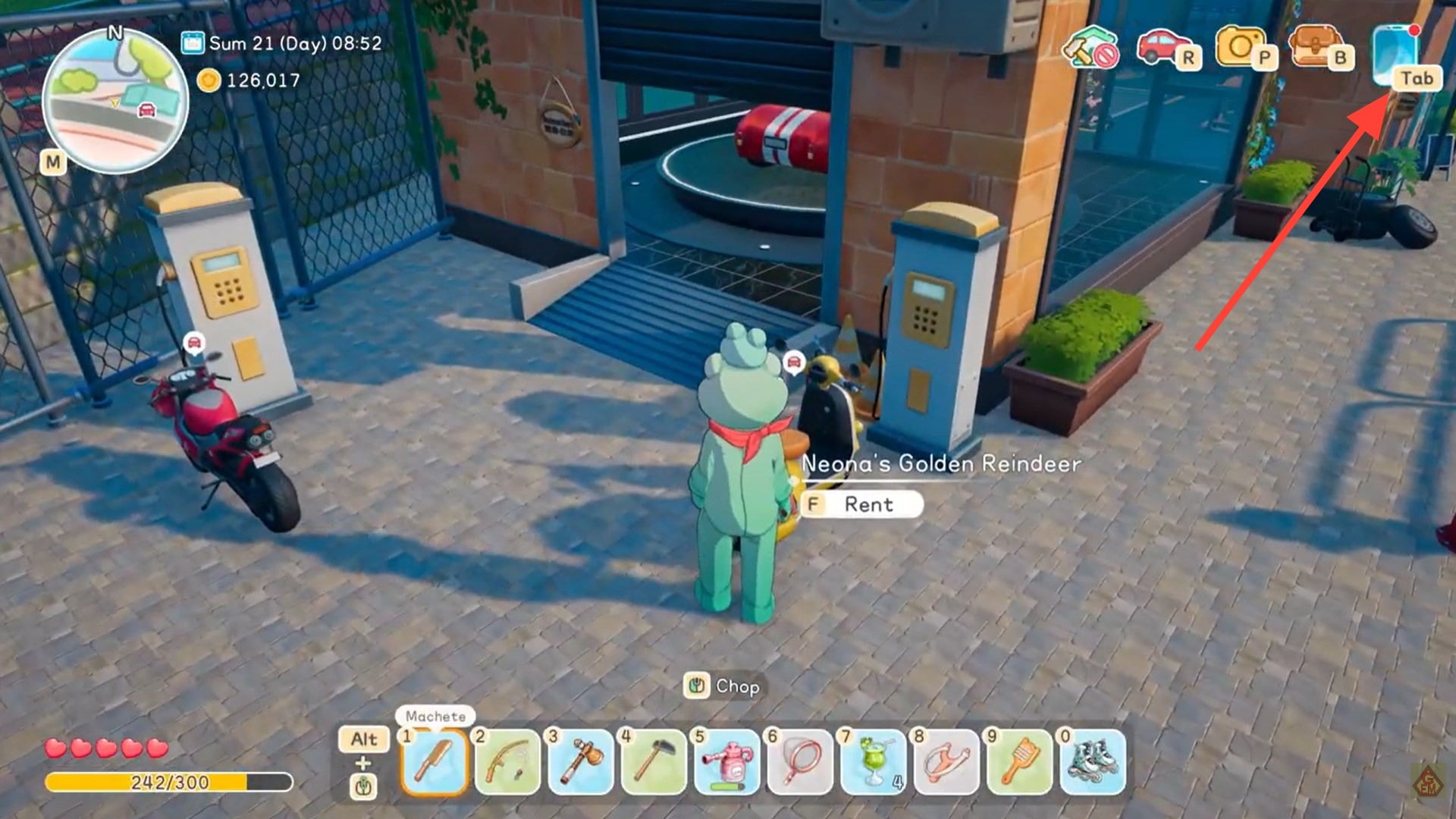
Press Tab to open your in-game phone interface.
Step 2
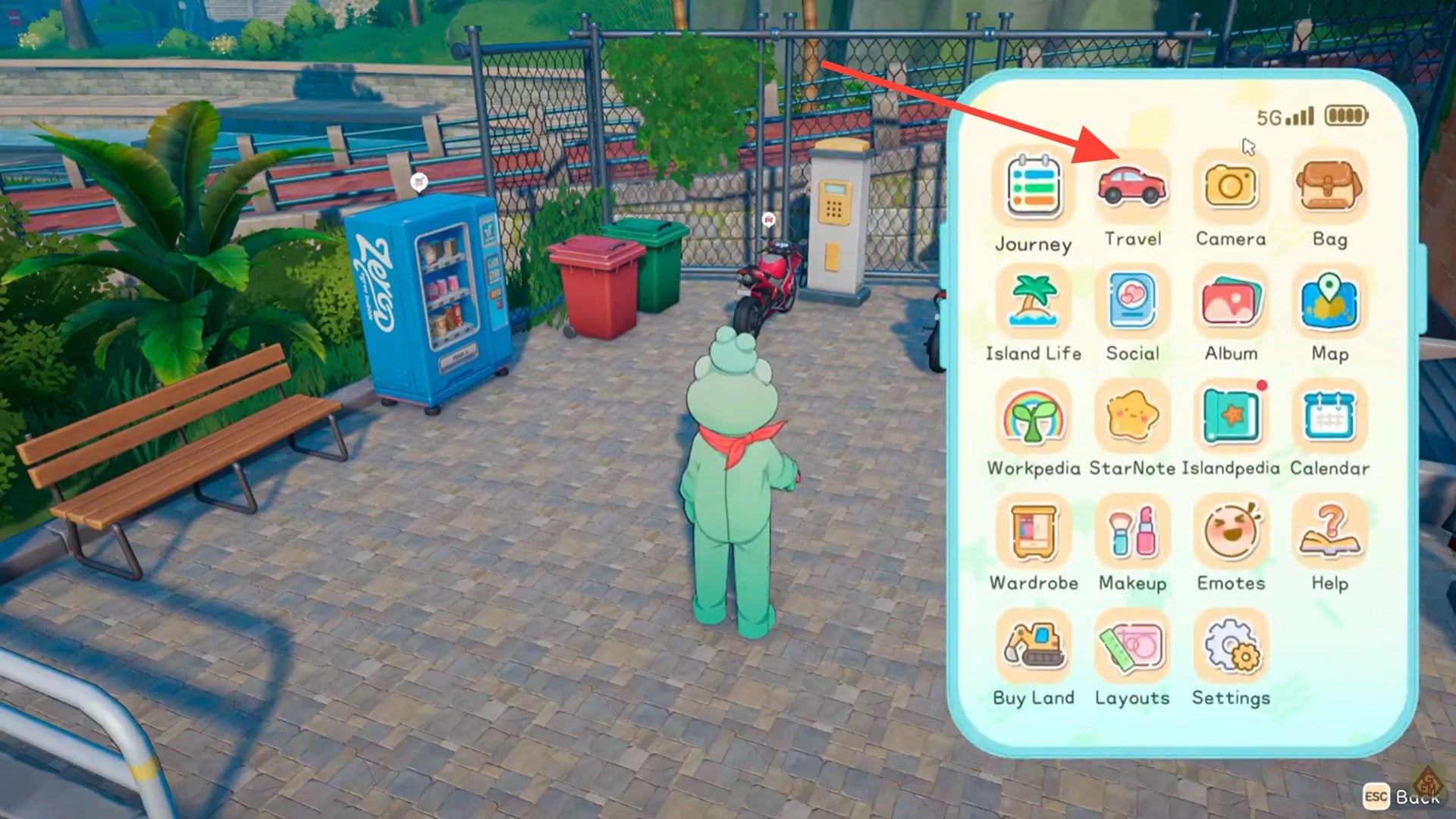
Navigate to the Travel section. This tab displays all vehicles you currently own or have rented.
Step 3
Select the rented vehicle to view its remaining time, management options, and summon controls.
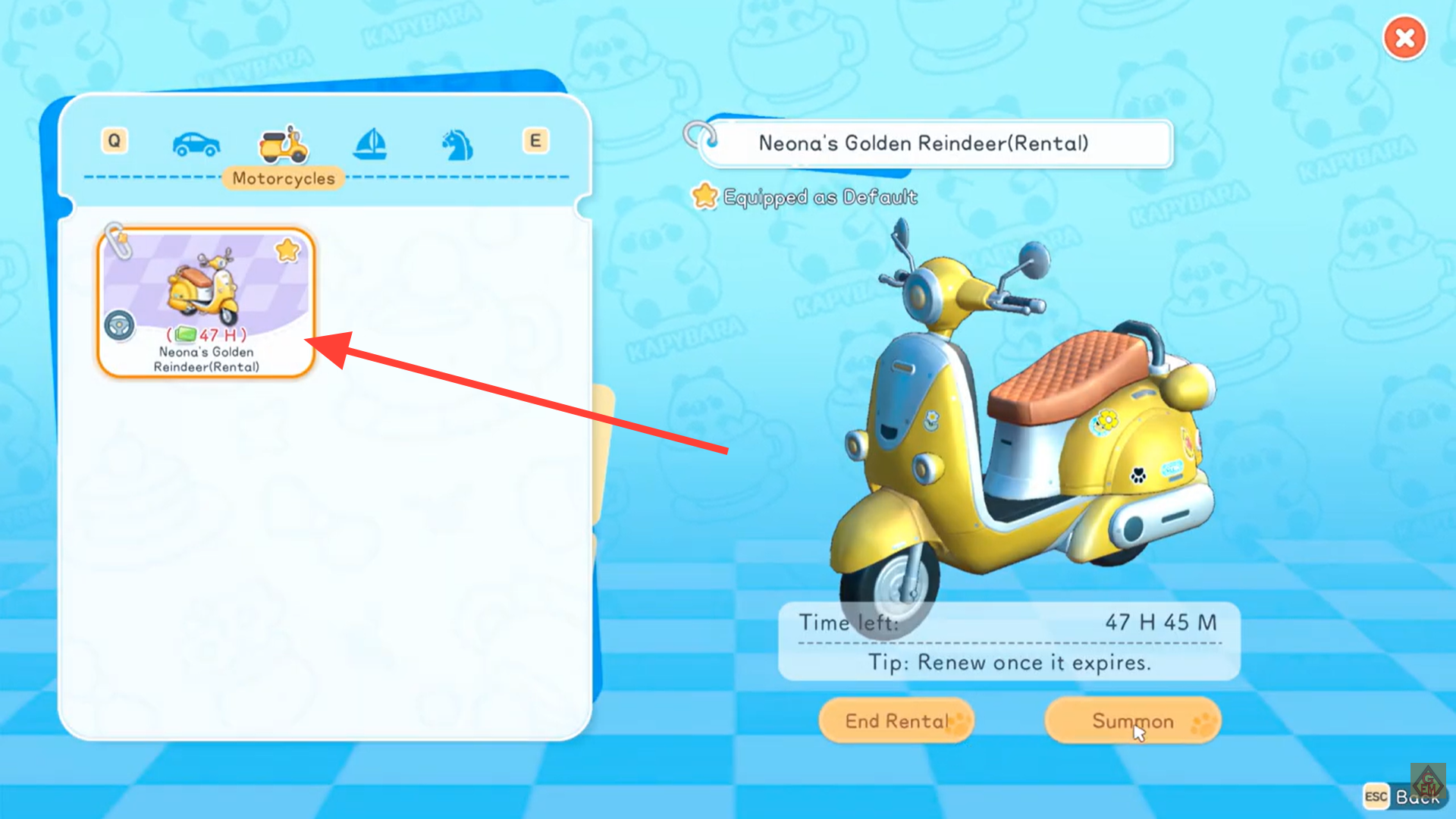
From here, you can monitor exactly how much rental time remains before automatic return. The interface clearly shows whether the vehicle is temporary or permanently owned, which helps prevent confusion during timed quests.
How the 48-hour rental system works
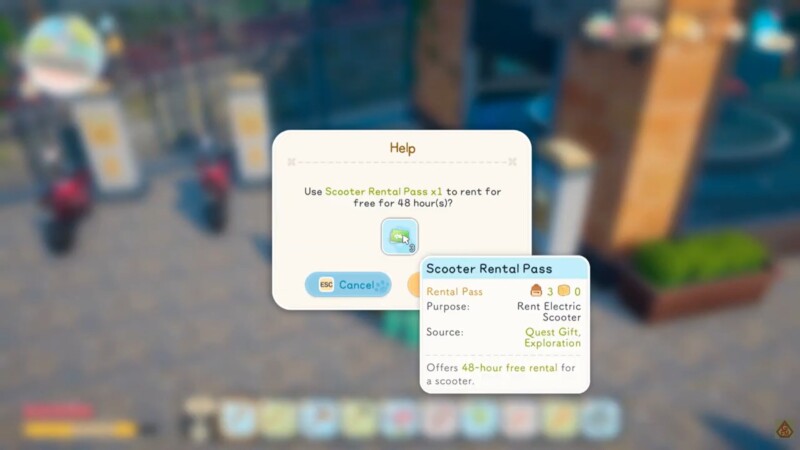
Most rented vehicles, including the commonly recommended early-game bike, operate on a 48 in-game hour timer. This timer begins immediately after you activate the rental.
Once the timer expires, the vehicle is automatically returned without requiring manual action. You do not need to travel back to a rental location or speak to an NPC to complete the return. The system handles it automatically.
Because the clock runs on in-game time rather than real-world time, activities such as sleeping or fast-forwarding time may affect how quickly the rental expires. If you plan long crafting sessions or time skips, consider whether your vehicle will still be available afterward.
How to summon or end a rental anytime
Rental management is flexible. You are not locked into keeping the vehicle active for the full duration. Open your phone using Tab.
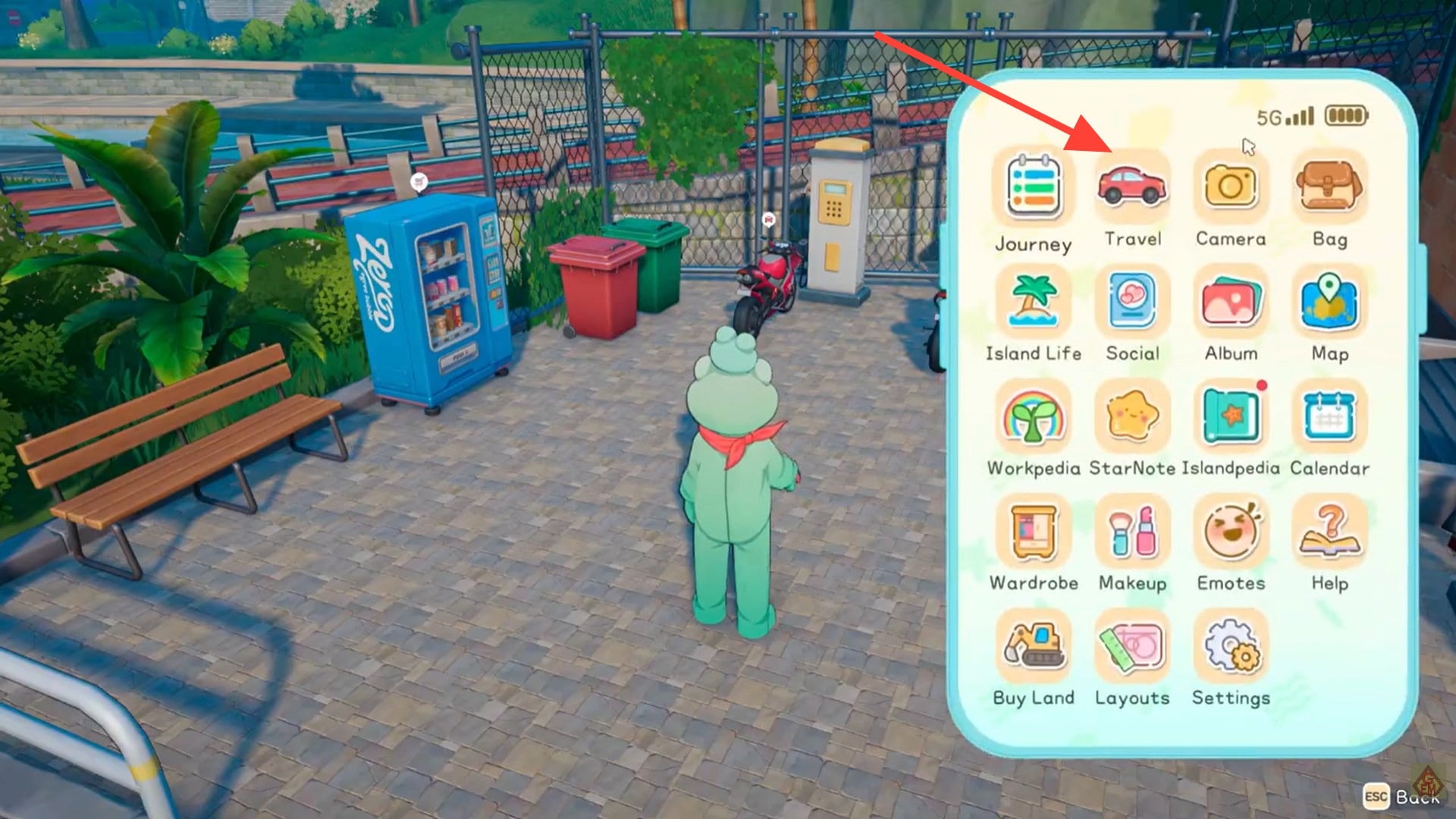
Go to the Travel tab. Select your rented vehicle.
Choose to either Summon the vehicle to your current location or End Rental if you no longer need it.
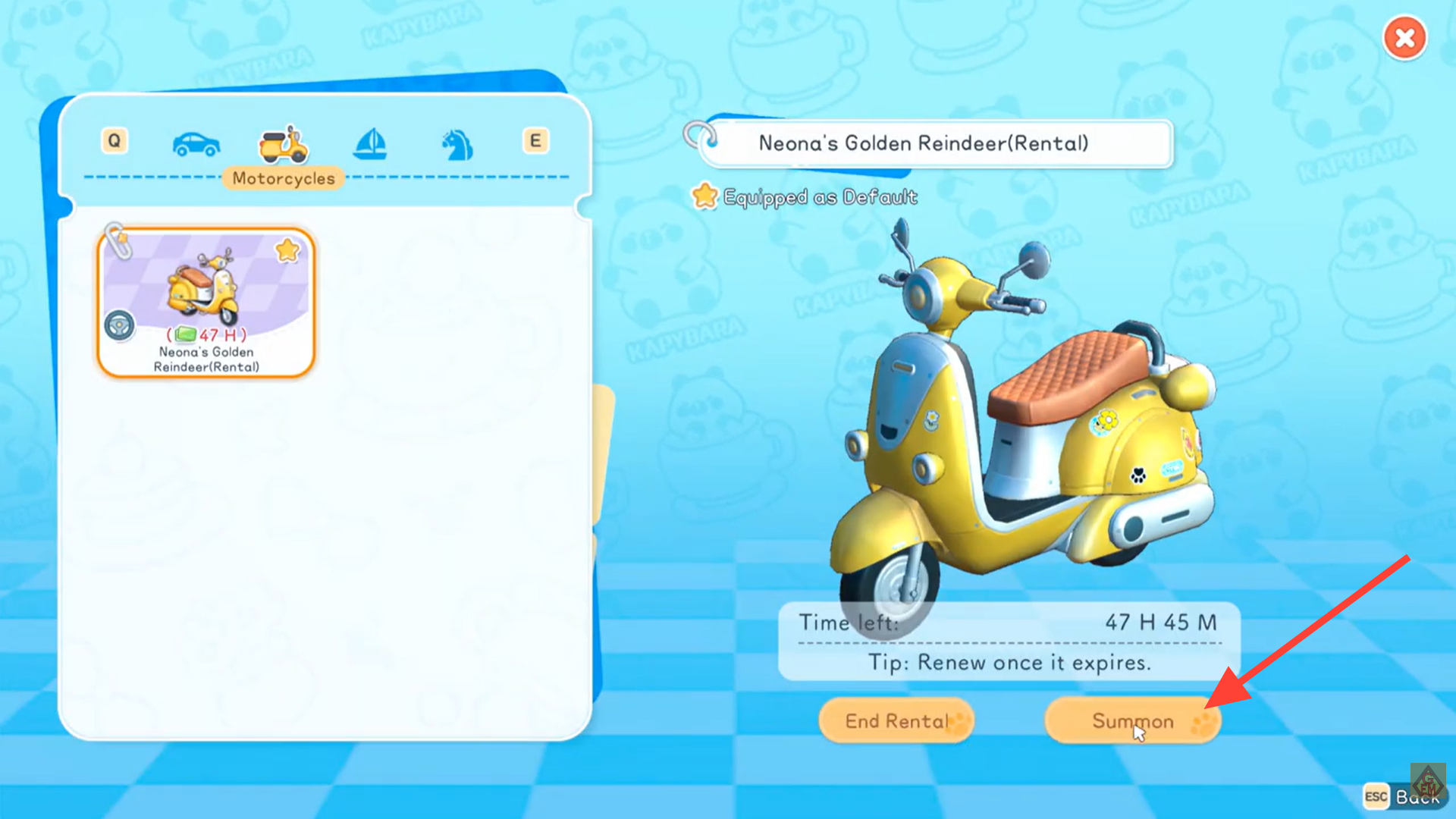
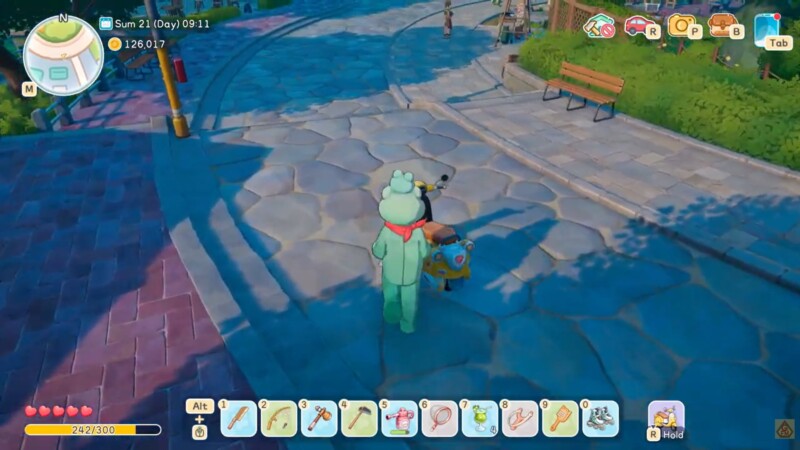
The summon function is particularly useful if you leave the vehicle behind while exploring. Instead of walking back across the island, you can instantly call it to your position. This convenience significantly reduces downtime.
Ending a rental early does not typically refund unused time, so it is best used when you are switching to owned transport or preparing to log off.
Renting animals at the ranch
Vehicle rentals are not limited to mechanical transport. You can also rent animals, expanding your mobility options.
Pastel is the ranch NPC responsible for animal rentals. By visiting the ranch and speaking with Pastel, you gain access to temporary animal mounts. These function similarly to vehicle rentals but are handled through ranch interaction rather than the Travel tab.
| Rental Type | Access Location | Managed Through | Duration System |
|---|---|---|---|
| Bike / Vehicles | Travel system | Phone → Travel | 48 in-game hours |
| Animals | Ranch | Ranch NPC (Pastel) | Rental timer |
Animal rentals can offer alternative movement styles, and depending on terrain or player preference, they may feel more immersive than bikes.
Why renting a bike is ideal in early progression
In the early stages of Starsand Island, movement speed is one of the biggest limitations. You may start with options like a skateboard or rollerblades, but not all players enjoy their handling or control feel.
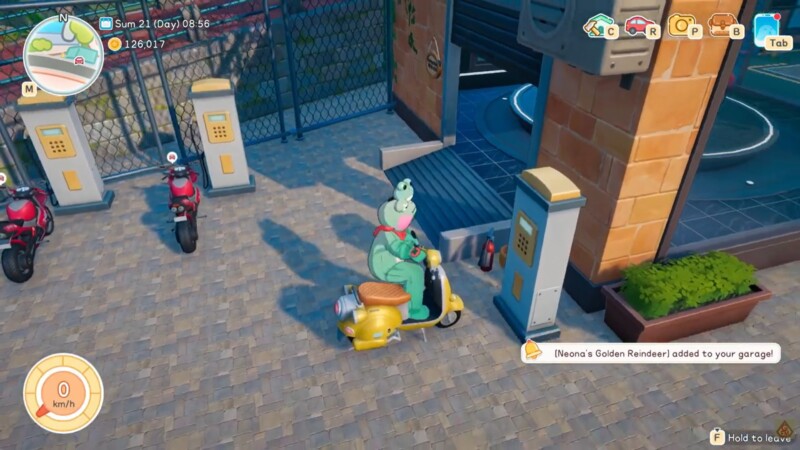
Renting a bike is widely considered the most practical early-game choice because it offers stable handling, consistent speed, and easy summoning. If you obtain a 48-hour rental pass through quest rewards, you effectively gain two full in-game days of accelerated travel at no additional cost.
This allows you to:
| Early Game Benefit | Impact |
|---|---|
| Faster quest turn-ins | Reduced backtracking |
| Efficient resource runs | More materials per day |
| Safer exploration | Quicker escape from danger |
| Map familiarity | Cover more ground early |
The mobility boost directly accelerates your progression curve. You can complete errands, unlock systems faster, and accumulate currency more efficiently than players relying solely on walking.
When ownership becomes more efficient than renting
As your income stabilizes, purchasing permanent vehicles eventually becomes more cost-effective than repeated rentals. Ownership eliminates timers, removes summoning limitations tied to rental status, and avoids recurring fees.
However, early in the game, renting serves as a low-risk testing phase. You can try different transport options before committing to a permanent purchase.
The progression path typically looks like this:
| Stage | Best Mobility Option |
|---|---|
| Early Game | Rented Bike |
| Mid Game | Mix of Rentals and Owned |
| Late Game | Fully Owned Vehicles and Animals |
By the late game, most players transition entirely away from rentals unless a temporary quest reward makes it convenient.
How rentals support quest-based progression
Certain quests reward you with temporary rental access. These free rental periods are valuable because they remove the cost barrier while still providing full functionality.
If you receive a free rental pass, it is best used during high-mobility objectives. Avoid activating it during crafting-heavy days where you stay in one location. Timing your rental activation strategically ensures you extract maximum value from the 48-hour window.
Managing rentals efficiently for maximum value
Renting vehicles in Starsand Island is a practical and flexible system that helps you bridge the gap between slow early-game travel and full vehicle ownership. With 48 in-game hours per rental, easy summoning through the Travel tab, and optional animal rentals via Pastel at the ranch, you have multiple mobility options available from early progression onward. If you time your rentals strategically and use quest-based passes wisely, you can dramatically improve your efficiency without committing to permanent purchases too soon.
The key to efficient rental management lies in timing and usage density. Activate rentals right before extended travel sessions. Use the summon feature aggressively to avoid unnecessary walking. Avoid triggering long sleep cycles unless necessary.
Because rentals are temporary, you should plan your exploration routes before activating them. Cluster quests by region so you minimize cross-map travel and fully capitalize on the speed advantage.




