What to know
- The Sprinkler is unlocked by researching the Fluid Sprinkler node in the AIC Planning Interface.
- In common setups, it’s part of the Logistics tree (Wuling I tier) and costs 2 Index Points to research.
- Sprinklers apply fluid to targets that require it and stop automatically once the target no longer needs fluid.
- If nothing happens, the usual causes are missing unlock, no usable fluid connection/source, or a target that doesn’t currently require fluid.
In Arknights: Endfield, Sprinkler Simulation is essentially a short AIC tutorial check: it verifies the Sprinkler is unlocked and that the placement and connections allow it to perform its automated “spray until satisfied” behavior.
Reference details for quick setup
| Item | What it is used for | Practical note |
|---|---|---|
| Fluid Sprinkler (AIC node) | Unlocks Sprinkler construction | Found in AIC Planning; typically under Logistics, Wuling I; research cost is 2 Index Points. |
| Sprinkler (facility) | Applies fluid to a chosen target | Often described as a facility that sprays fluids in a fixed direction; automation stops when the target no longer needs fluid. |
| Fluid source / supply | Provides water or other required fluid | If the sprinkler can’t access a valid source, it won’t complete watering/spraying objectives. |
| Base power & logistics context | Keeps facility systems working smoothly | In many Endfield base setups, power and logistics planning determine whether automation devices behave correctly. |
Sprinkler Simulation requirements and typical blockers
The simulation generally expects three things to be true at the same time: the Sprinkler is unlocked, the Sprinkler is deployed in a workable spot, and the selected objective target is actually eligible and currently requires fluid.
A frequent point of confusion is the “auto-stop” behavior: when the target is already satisfied (or becomes satisfied quickly), it can look like the Sprinkler never started, even though it briefly did and then stopped as designed.
How to complete the Sprinkler Simulation
Step 1
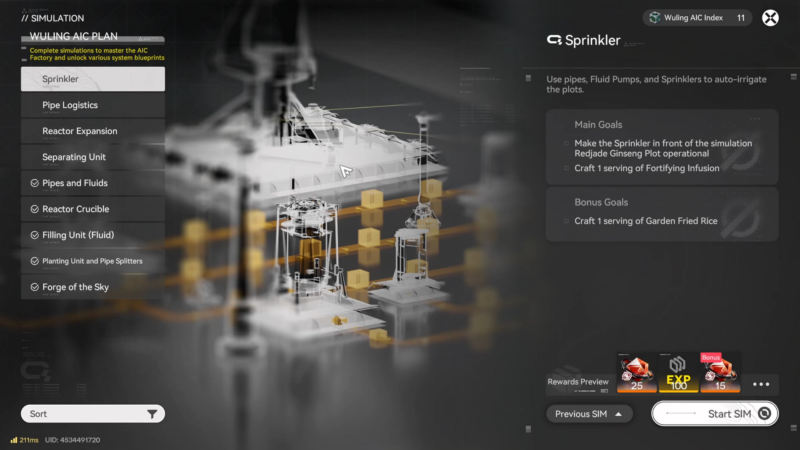
Confirm the Fluid Sprinkler research is completed so the Sprinkler can be constructed.
Step 2
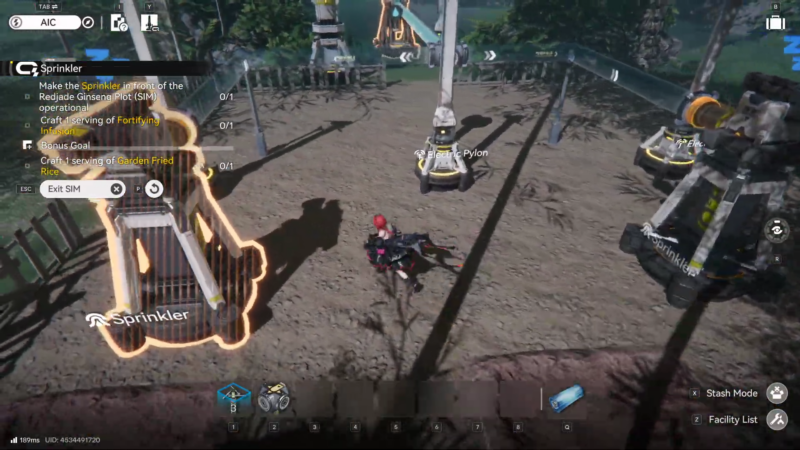
Construct/place the Sprinkler once it is unlocked.
Step 3
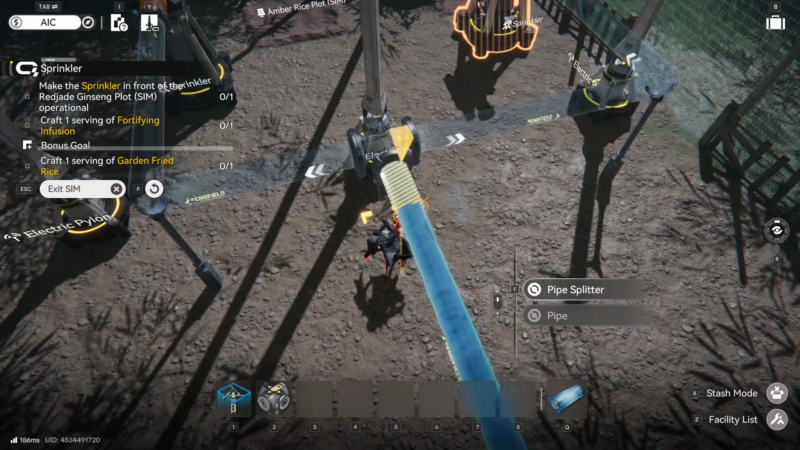
Ensure the sprinkler is part of an active AIC setup (i.e., the broader base-building connectivity is correct so the structure can operate as intended).
Step 4
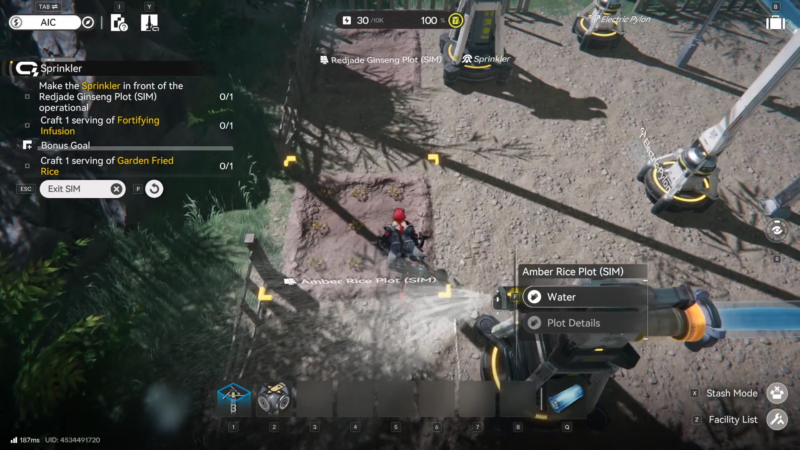
Assign/aim the sprinkler at a valid target that currently requires fluid and wait for the requirement to be satisfied.
Step 5
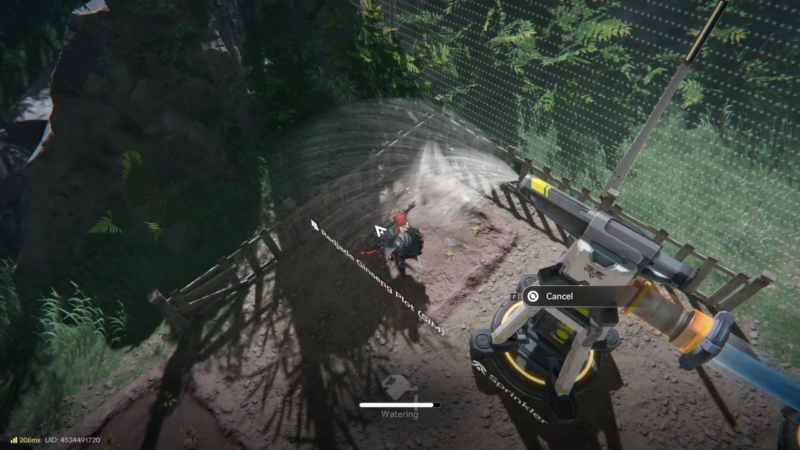
If the sprinkler stops, verify whether it stopped because the target is already fulfilled (normal behavior) versus a missing prerequisite (research/connectivity/valid target).
Extra practical tips that prevent resets
Placement matters more than it first appears: sprinklers are easiest to validate when aimed at a single, clearly “fluid-required” target so activation and completion are unambiguous.
If the simulation objective seems stuck, try switching the target to another eligible object that is clearly not already satisfied, then re-check that the sprinkler can draw fluid correctly. In many factory simulations, “no progress” is caused by the target state (doesn’t need fluid) rather than a mechanical failure.
Closing notes on Sprinkler Simulation
Once the unlock is handled, the entire simulation is about validating a simple loop: supply fluid, aim at a valid target, let automation complete, and recognize that stopping is part of the intended behavior.