
- What to know
- Arknights Endfield SOS Damaged Robot V40006 location
- Understanding the repair requirement
- How the Originium circuitry repair puzzle works
- How to repair Originium Circuitry Module 1
- How to repair Originium Circuitry Module 2
- Rewards for repairing SOS Damaged Robot V40006
- Why repairing SOS robots is worth your time
- Common mistakes during the repair puzzles
- SOS Damaged Robot V40006
What to know
- SOS Damaged Robot V40006 is found in Southern Meadows near the Hub Base
- The robot requires a two-stage Originium circuitry repair
- Each stage is a grid-based component puzzle
- Completing the repair rewards Oroberyl and upgrade materials
SOS Damaged Robots are small but rewarding world interactions in Arknights Endfield. The V40006 unit is one of the earliest you’ll encounter, and it serves as a tutorial-style introduction to the facility repair puzzle system.
While optional, repairing this robot is highly recommended. It grants Oroberyl for summons, experience, and crafting materials—all for a few minutes of puzzle-solving.
Arknights Endfield SOS Damaged Robot V40006 location
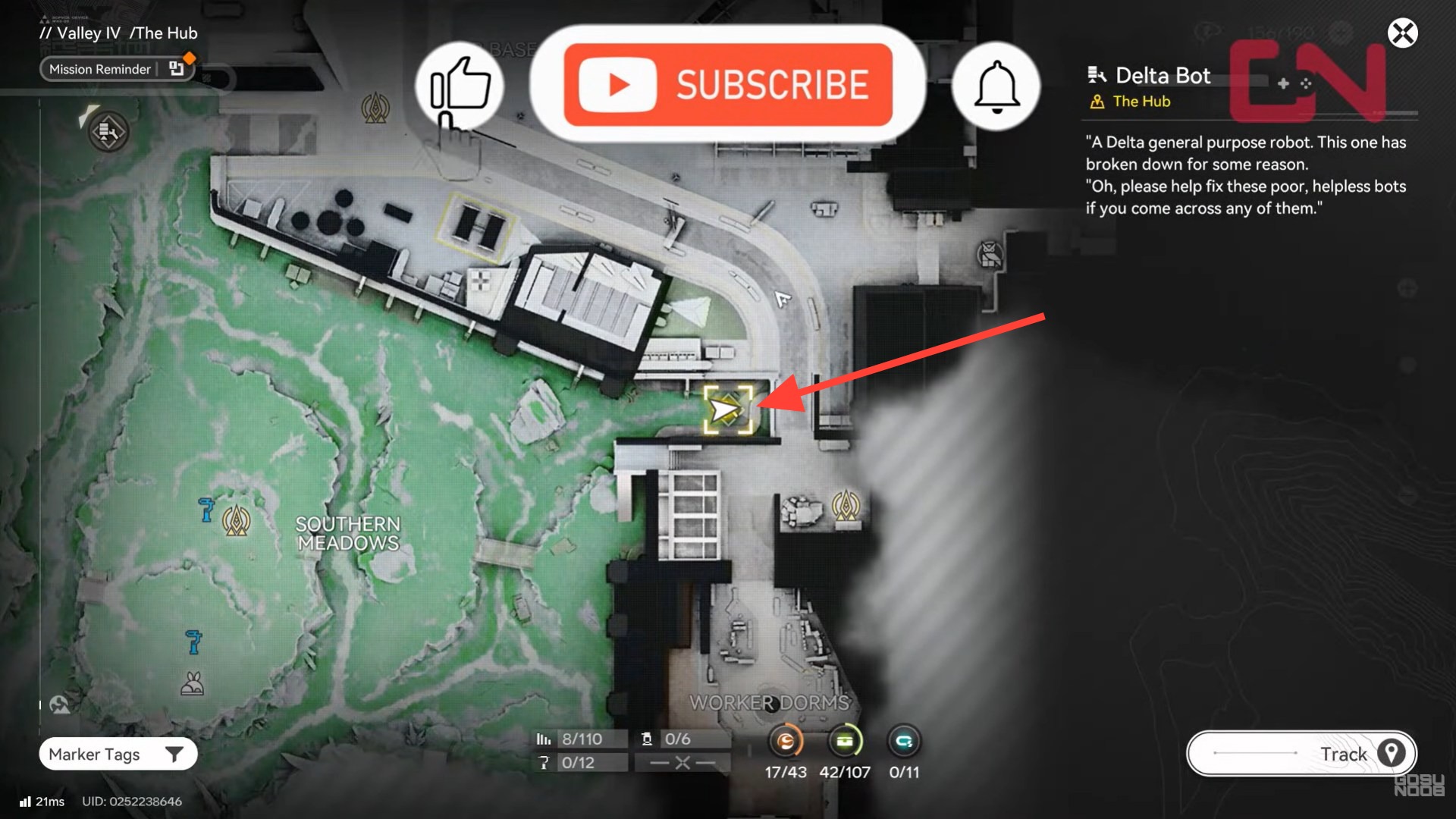
Location details:
- Region: Valley IV
- Sub-area: Southern Meadows
- Landmark: Near the Hub Base and worker facilities
On the map, the robot appears as an SOS interaction icon. When you approach, you’ll see the robot inactive with a red warning indicator hovering above it.
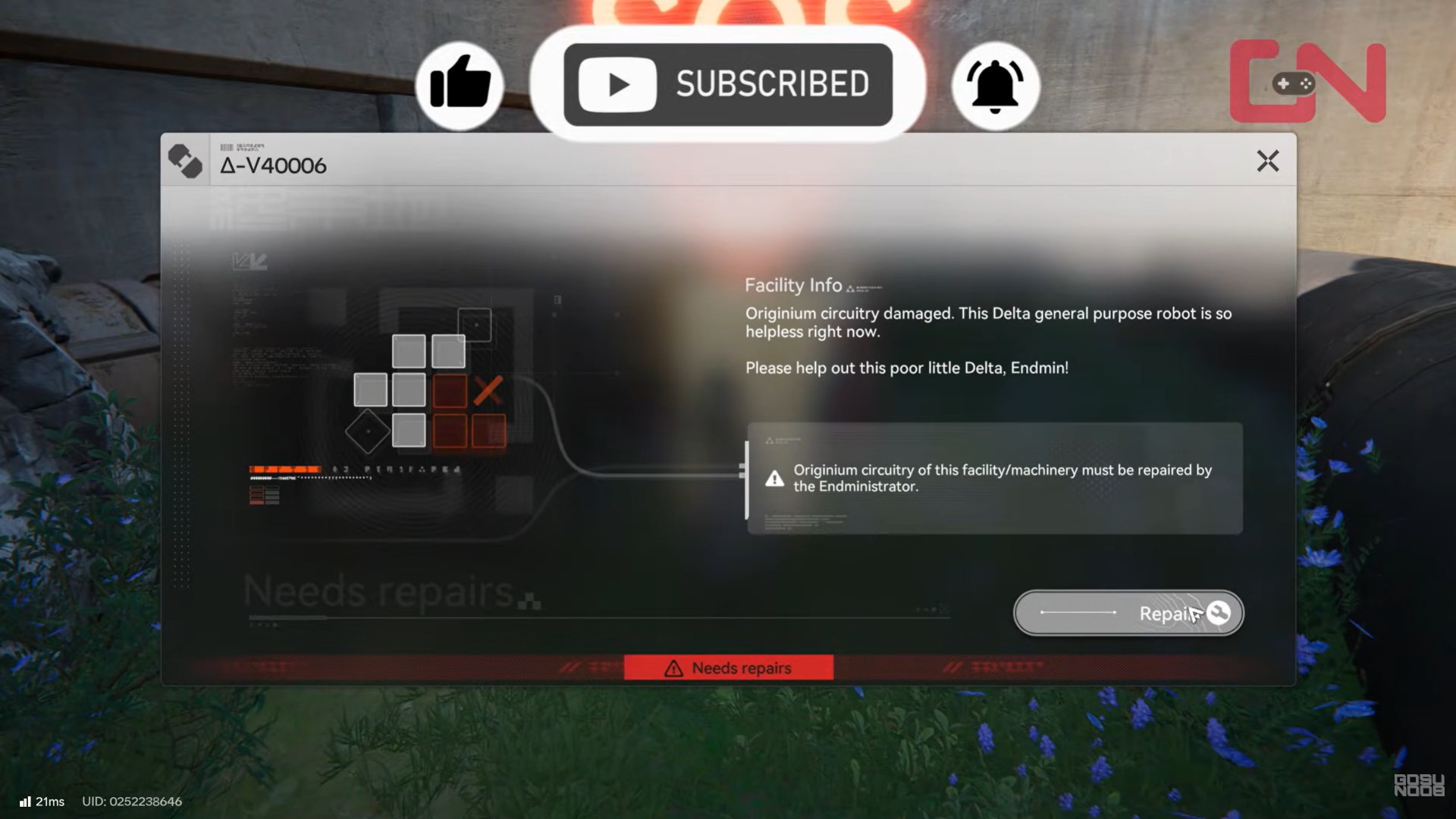
Interacting with it reveals that its Originium circuitry is damaged and must be repaired manually by the Endministrator.
Understanding the repair requirement
The robot uses a two-module circuitry system, meaning:
- Module 1 must be repaired first
- Module 2 unlocks only after Module 1 is completed
Each module is a grid-based logic puzzle, similar to fitting circuit traces. No materials are consumed—only correct placement.
How the Originium circuitry repair puzzle works
When you start the repair, the screen switches to the Facility Repair interface.
Core mechanics
- Drag components onto the grid
- Rotate pieces to align circuitry paths
- Fill all valid slots without overlap
- Components must fully connect circuitry paths
Controls (default):
- Drag: Move component
- Rotate: Rotate component
- Reset: Restart the puzzle if stuck
The goal is visual and logical: every highlighted grid slot must be filled correctly.
How to repair Originium Circuitry Module 1
Module 1 is the simpler of the two and is designed to teach the basics.
Identify the grid layout
The first module uses a compact grid with:
- L-shaped components
- Straight rectangular components
Look for how the circuitry lines must connect from one side of the board to the other.
Place large components first
Start with:
- The largest rectangular piece
- Then fit L-shaped pieces around it
This reduces dead space and prevents blocking smaller slots.
Rotate to align circuits
Rotation is essential. Even a correctly shaped piece will fail if the circuit lines don’t match the board’s flow.
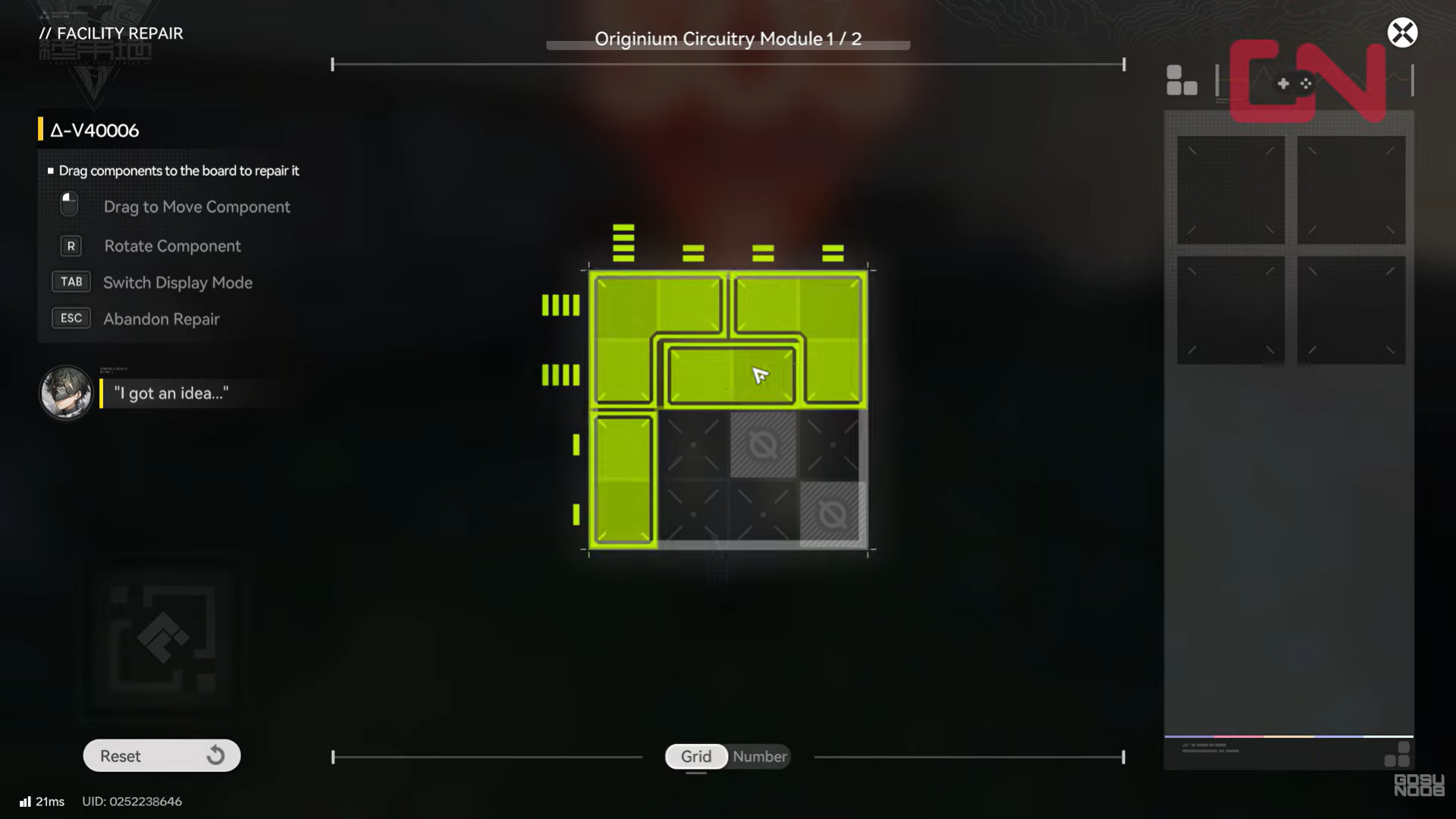
Once all required slots turn green, Module 1 is complete.
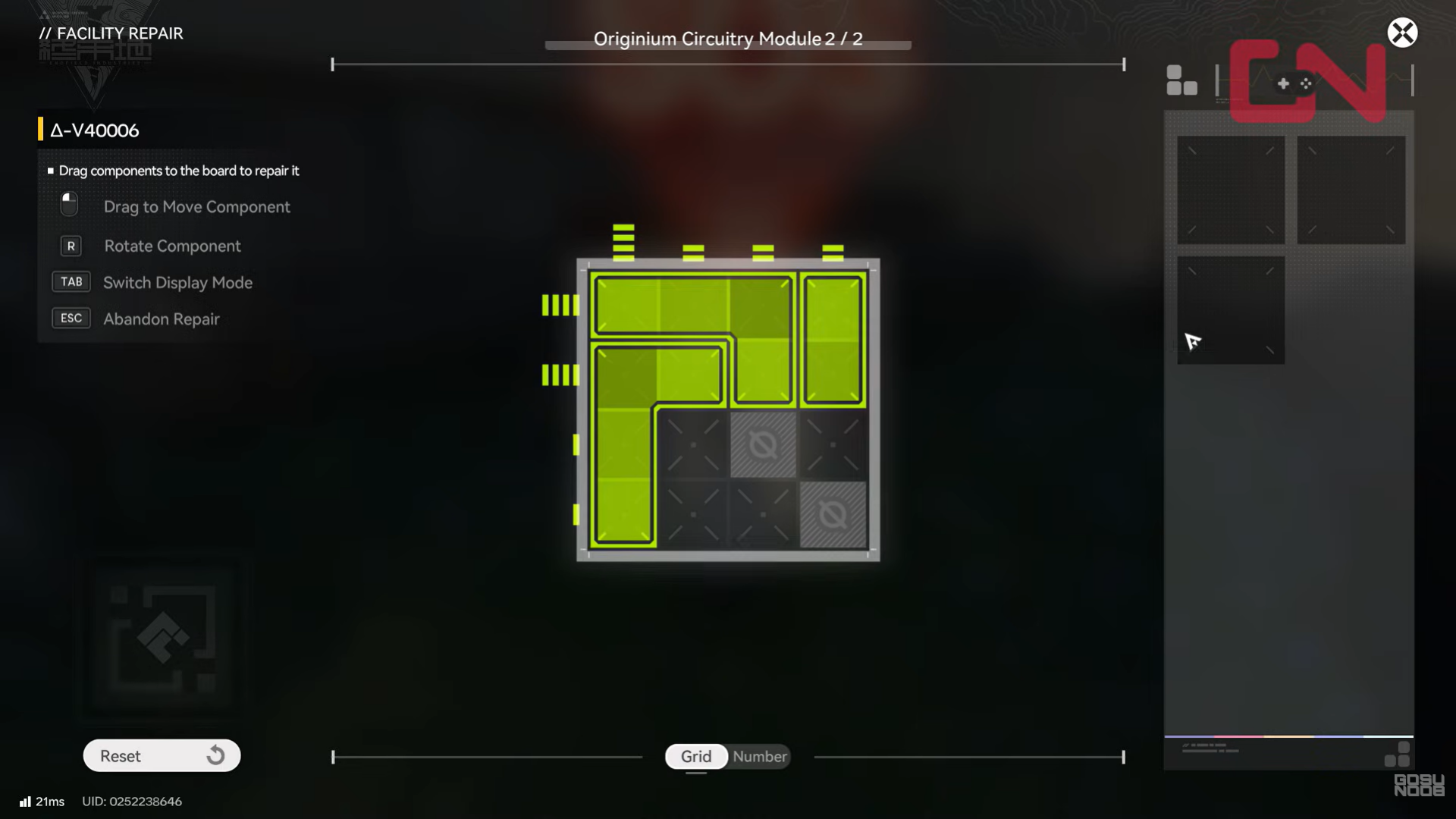
How to repair Originium Circuitry Module 2
Module 2 unlocks immediately after Module 1 and is slightly more complex.
What’s different in Module 2
- More blocked grid tiles
- Tighter placement tolerance
- Less margin for rotation errors
Step-by-step approach
- Identify unusable (blocked) tiles first
- Mentally map the remaining open area
- Place corner pieces early to define shape
- Use straight pieces to bridge gaps
If you get stuck, use Reset—there’s no penalty for retries.
When all valid slots are filled and aligned, the second module completes.
Completing the repair and interacting with the robot
After both modules are repaired:
- The robot powers back on
- The red SOS indicator disappears
- A completion message appears
You can then interact with the robot one final time to receive your rewards.
Rewards for repairing SOS Damaged Robot V40006
| Reward | Amount |
|---|---|
| Operational EXP | 14 |
| Protodisk | 1 |
| Arms INSP Kit | 1 |
| Oroberyl | 30 |
The Oroberyl x30 is especially valuable early on, as it contributes directly to summon pulls.
Why repairing SOS robots is worth your time
SOS Damaged Robots are optional, but they provide:
- Free Oroberyl without combat
- Crafting and upgrade materials
- Experience toward progression systems
They also help you become comfortable with facility-style puzzles, which appear later in more complex forms.
Common mistakes during the repair puzzles
- Forcing pieces without rotating them
- Filling small gaps too early
- Ignoring circuit line alignment
- Forgetting blocked tiles in Module 2
If something doesn’t fit, it usually means the orientation, not the piece itself, is wrong.
SOS Damaged Robot V40006
SOS Damaged Robot V40006 is a short but rewarding side interaction that teaches you an important Endfield mechanic while paying out meaningful resources. The puzzles are forgiving, intuitive, and quick once you understand the logic.
If you see an SOS icon while exploring, it’s almost always worth stopping to help. A few minutes of problem-solving can easily translate into extra summons, upgrades, and smoother progression later on.
Thanks for taking the time to go through this detailed SOS Damaged Robot V40006 repair guide. If it helped you understand things better, do share your thoughts, impressions, or doubts in the comments section. We keep a close watch and try to respond promptly to ensure you always get the support you need.