Learn how to perform the No Comply trick in Skate 4 with clear button and joystick instructions for different platforms and stances.
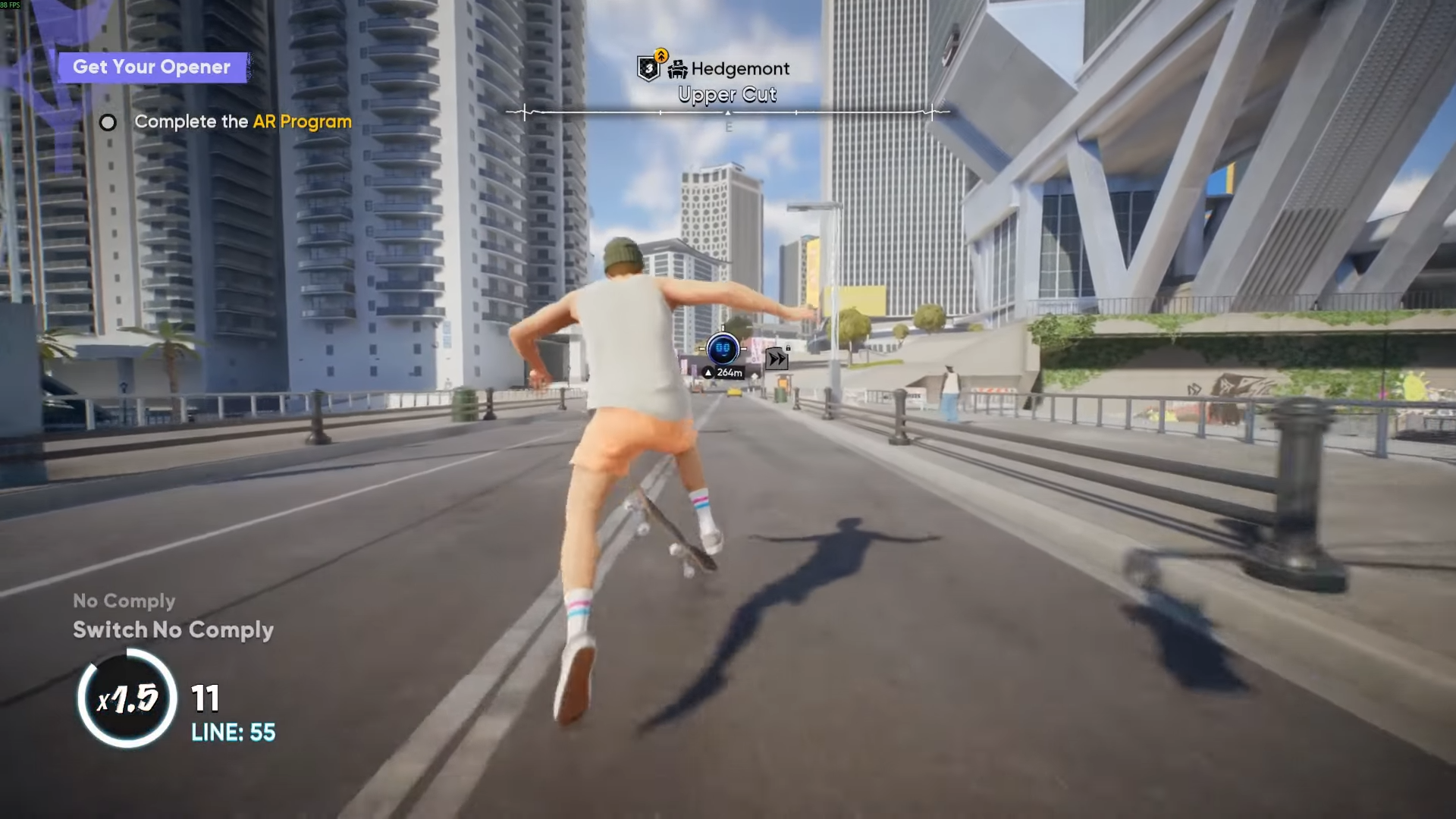
No Comply is a basic but versatile trick in Skate 4 involving pushing with the front foot off the board while the back foot scoops the board around. It acts as a stylish setup trick and helps create complex trick combinations.
How to set up your controls for No Comply
Before attempting the trick, open the start menu, go to Settings, then Gameplay, and navigate to Trick Toggles. Make sure “No Comply” and “Quick Ollie” options are enabled. Quick Ollie is performing an ollie with a stick flick down and release.

How to do a standard No Comply in Skate 4
Step 1
While riding, press the front foot push button — this is X on PlayStation controllers or A on Xbox controllers depending on your configuration.

Step 2
Immediately after pressing the front foot button, quickly flick the right analog stick downwards. Timing is key — the flick must follow quickly before the player finishes the push animation.

Step 3
The character will pop the board with the back foot and step off with the front foot, performing the No Comply.

Variations of No Comply
- No Comply 180: Hold the left stick slightly left or right during the trick to spin the board 180 degrees.
- Switch No Comply: Perform the trick while riding switch stance (opposite stance).
- Fakie or Nollie No Complies are also available if riding fakie or nollie.
Tips for mastering No Comply
- Practice the button-to-stick flick timing in a safe, open area.
- Hold the right stick down briefly while balancing to prepare before pressing the button.
- Try combining No Comply with other tricks or grinds to increase complexity and points.
- Experiment with stance changes for variety.
Comment
by
u/Virtual_Highway_3267 from discussion
in
Skate4
This trick may take some practice to perform consistently due to the timing and coordination required, but mastering it opens up stylish trick chaining options in Skate 4.