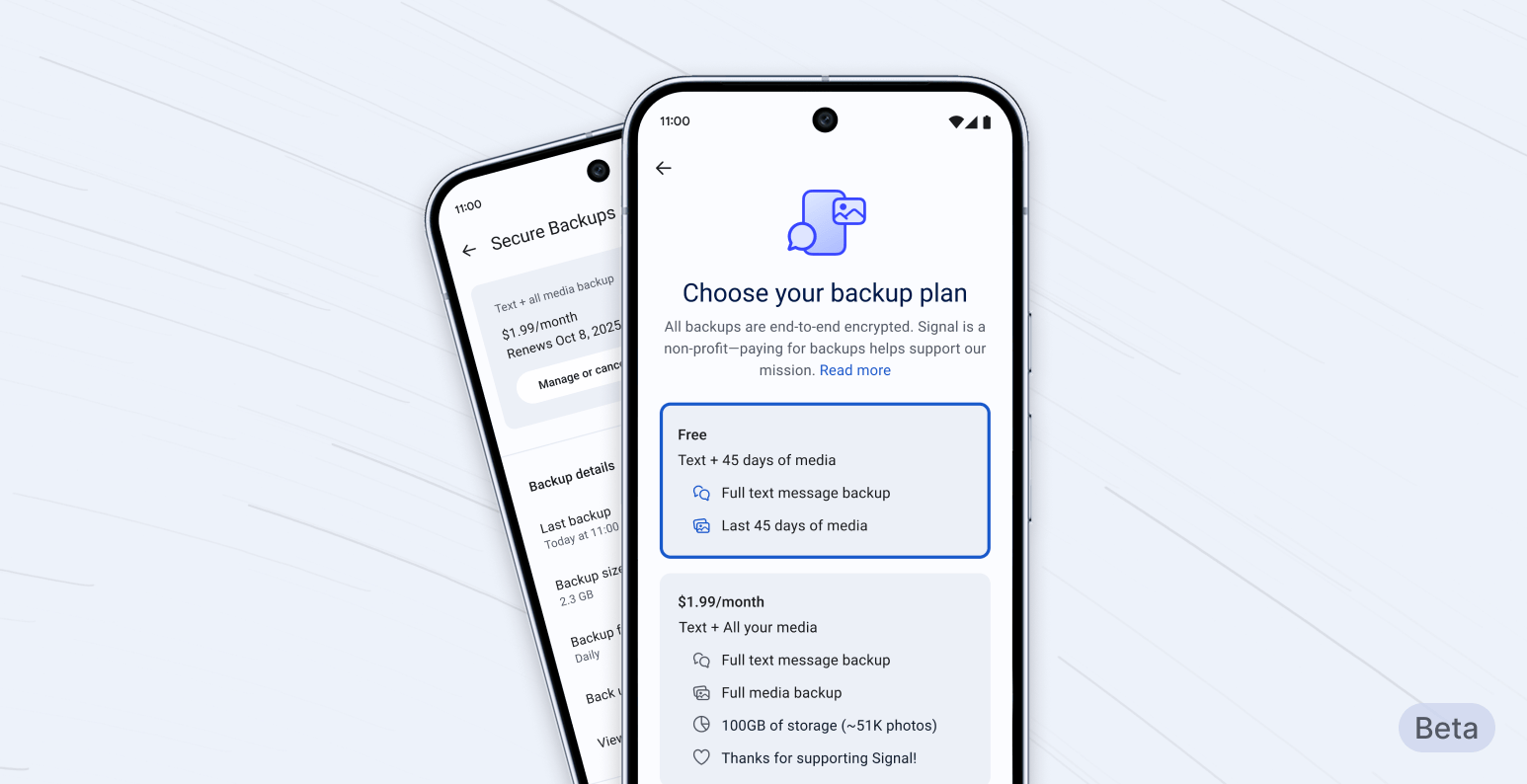
Signal now offers secure, encrypted cloud backups in free and paid tiers, allowing users to safely restore chats and media—with premium storage for a small monthly fee of $1.99.
What to know
- Signal introduces opt-in, end-to-end encrypted cloud backups for messages and media.
- The free plan covers all messages and media from the past 45 days; paid tier offers full history and 100GB storage.
- Backups require a personal, unrecoverable 64-character recovery key for restoration.
- The subscription helps Signal maintain privacy-first infrastructure without ads or data monetization.
Signal has rolled out its first paid feature: encrypted secure backups, available in beta on Android. This new option allows users to back up media older than 45 days and their text message history for $1.99 per month, with a strong focus on privacy and user control.
Signal Secure Backups: Free vs paid
Signal’s new backup system is opt-in, end-to-end encrypted, and puts user control first. Here’s a side-by-side look at what each plan offers:
| Feature | Free Tier | Paid Tier ($1.99/month) |
|---|---|---|
| Text message backups | Yes (all messages, up to 100MB) | Yes (all messages, up to 100GB) |
| Media backups | Last 45 days only | All media history (no 45-day limit) |
| Media storage limit | Only last 45 days’ media | Up to 100GB total |
| Message storage limit | 100MB (compressed messages) | 100GB |
| Price | Free | $1.99/month |
| End-to-end encryption | Yes | Yes |
| Backup frequency | Daily | Daily |
| Recovery key required | Yes (64-character, user-only) | Yes (64-character, user-only) |
Backups are protected with a unique recovery key, which is essential for restoring data. Signal cannot help if the key is lost. Both tiers use advanced encryption to safeguard user privacy.
How Signal’s secure backups work
- Free users can back up all their text messages (up to 100MB, after compression) and the last 45 days of media like photos and videos.
- Paid subscribers unlock much higher capacity: all messages and unlimited media history (with a generous 100GB cap).
- Backups are refreshed every day, and users can enable or disable the feature any time from the app settings.
- Recovery of backups is only possible with the recovery key, ensuring no one except the user can access the data.
How recovery options work. What if I lose the key?
Signal’s secure backup is designed to maximize user control and security during recovery:
- Recovery Key: Upon enabling backups, users are prompted to generate and securely store a unique 64-character recovery key. This key is the sole means to decrypt and restore backup data.
- No Key, No Access: Signal cannot access, reset, or help recover the recovery key. If the key is lost, the backup is permanently inaccessible—even to Signal itself.
- Restore Flow: To restore a backup, install Signal on a new or reset device and enter the 64-character key when prompted during setup. This will securely decrypt and restore all messages and eligible media.
- Cross-device Recovery: The recovery process supports restoring backups on the same platform initially (Android), with future updates expected to allow for cross-OS migration and expanded device support.
- User Tips: It’s highly recommended to write down or securely store the recovery key in a password manager, as it cannot be regenerated or retrieved by any means.
Why offer a paid option?
Storing and securely transferring large media files is costly. As a nonprofit, Signal doesn’t serve ads or monetize users’ data, so the subscription model for backups gives Signal a sustainable way to cover storage expenses while keeping privacy promises intact.
FAQs
What does Signal’s paid backup include?
The paid plan allows users to back up unlimited messaging history as well as all media, not just the past 45 days, up to 100GB.
What do free backups offer?
Free backups cover all your Signal messages (up to 100MB of compressed data) and the most recent 45 days of media.
Is everything encrypted?
Yes, both free and paid backups are end-to-end encrypted using a recovery key known only to the user.
Is the feature available on every device?
The backup system is initially available on Android beta versions, with plans to expand to iOS and Desktop soon.
How do I recover my backed-up data?
Restore is only possible with your personal 64-character recovery key. If lost, the data cannot be recovered.
Why does Signal charge for extra backups?
Charging users for expanded storage helps fund backup infrastructure without turning to ads or data monetization.
Can Signal access my backups or recovery key?
No—backups are not linked to user accounts or payment information, and only the recovery key can unlock the archive.
Signal’s encrypted secure backups make backing up and recovering your private chats robust and user-friendly, while placing all control—and responsibility—firmly in users’ hands