


- What to know
- ARC Raiders On Deaf Ears quest – quick overview
- Location of Reception Computers in ARC Raiders
- How to find the Reception Guest Logs computer
- How to find the Lecture Notes computer
- Reception Computers locations areas
- What happens after the Reception Computers
- Rewards from On Deaf Ears quest
- Tips for completing On Deaf Ears efficiently
What to know
- “On Deaf Ears” takes place in Stella Montis
- Two Reception Computers are mandatory early objectives
- Both are inside the Lobby/Auditorium complex
- Interacting with them unlocks the later quest steps
In ARC Raiders, the On Deaf Ears mission is one of the first quests that pushes you into a multi-room investigation rather than simple looting. The goal is to help an auditory researcher by locating and uploading data from specific terminals scattered around Stella Montis.
This guide focuses specifically on the Reception Computers, where they are, how to reach them safely, and how they fit into the overall quest flow.
ARC Raiders On Deaf Ears quest – quick overview
| Quest name | On Deaf Ears |
|---|---|
| Primary location | Stella Montis |
| Early objectives | Reception Guest Logs, Lecture Notes |
| Area type | Indoor complex |
| Enemy presence | Moderate ARC patrols |
| Progress blocker | Missing Reception Computer uploads |
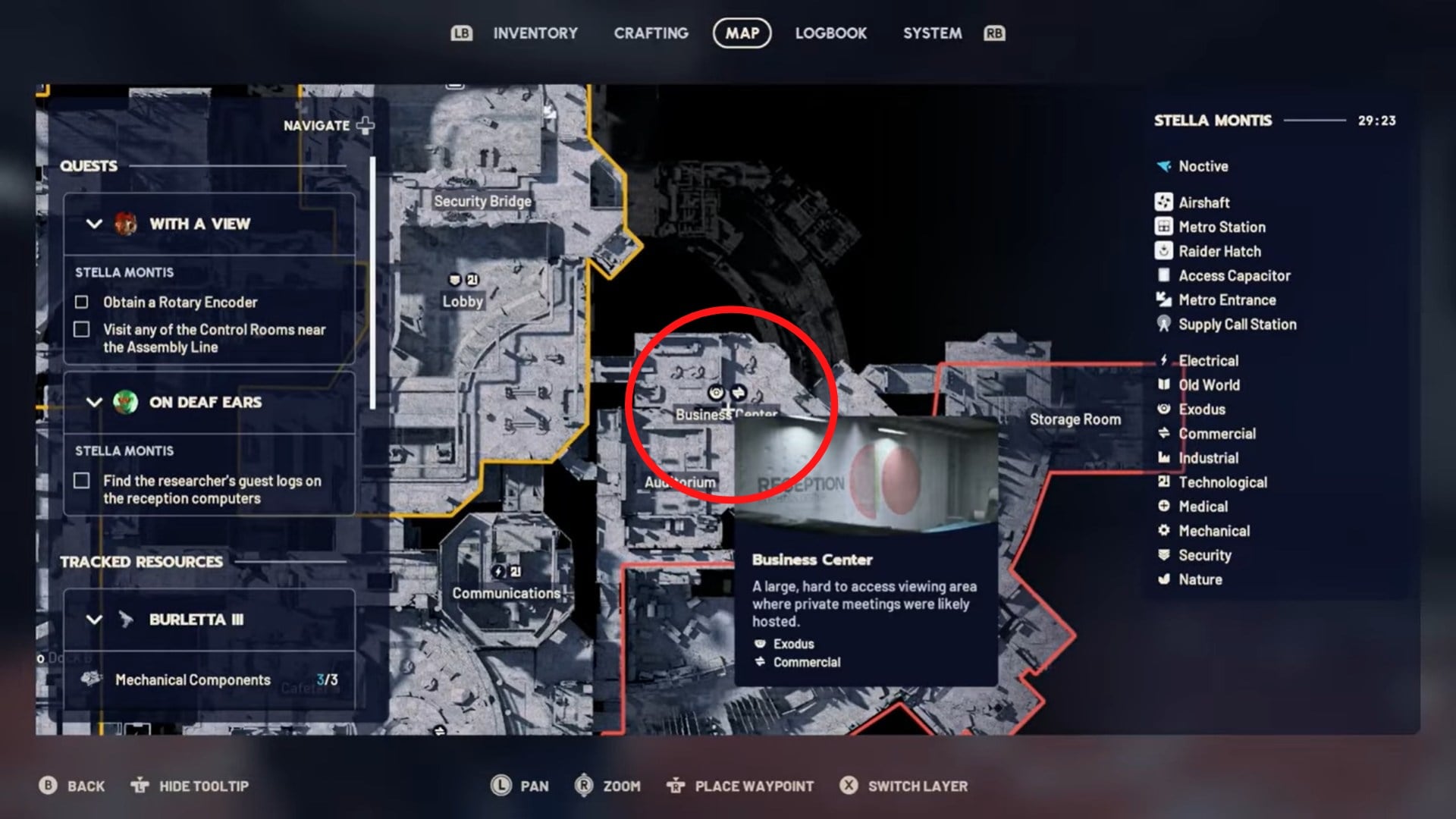
Location of Reception Computers in ARC Raiders
Both Reception Computers are located within the Stella Montis interior, close to each other but on different floors. You do not need to leave the complex between these objectives, which makes careful clearing and positioning important.
How to find the Reception Guest Logs computer
The Reception Guest Logs terminal is the first required computer for the quest.
Location details
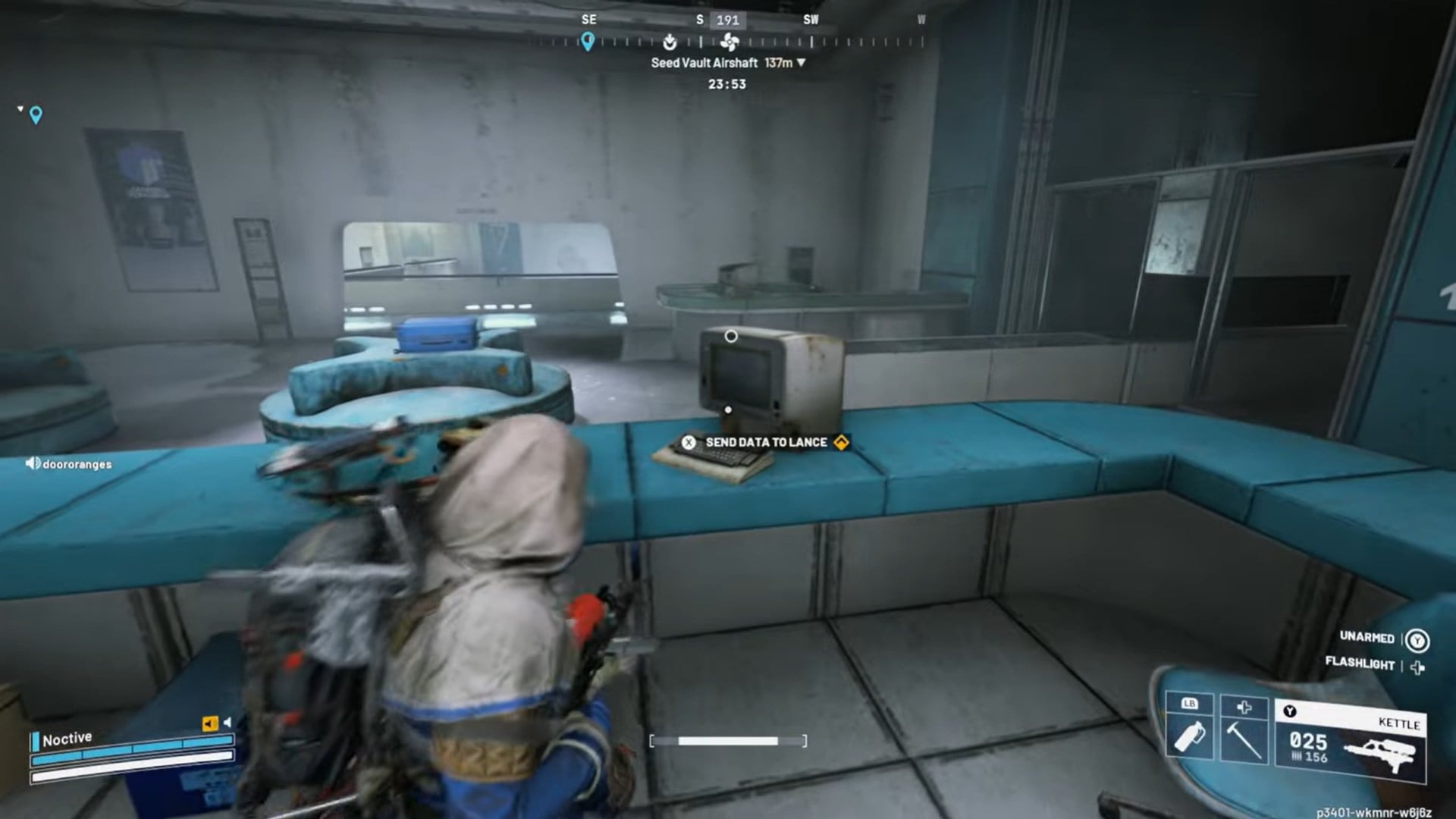
This computer is located on the main floor of the Stella Montis Lobby, directly in the Reception area. When you enter the lobby, look for the front desk near the Security room. Behind the desk is a row of computer terminals.
Only one terminal is interactable for the quest. It will highlight when you approach it.
How to complete this objective
Enter Stella Montis and move carefully into the Lobby, clearing nearby ARC enemies. Locate the Reception desk on the main floor. Move behind the desk and find the highlighted computer terminal. Interact with the terminal to upload the guest logs to Lance.
Once uploaded, the objective updates immediately, sending you toward the next Reception Computer.
How to find the Lecture Notes computer
The Lecture Notes terminal is the second Reception Computer objective.
Location details
From the Lobby, head up the stairs toward the Business Centre/Auditorium section. This area is typically southeast of the Lobby and marked by seating and presentation-style layouts.
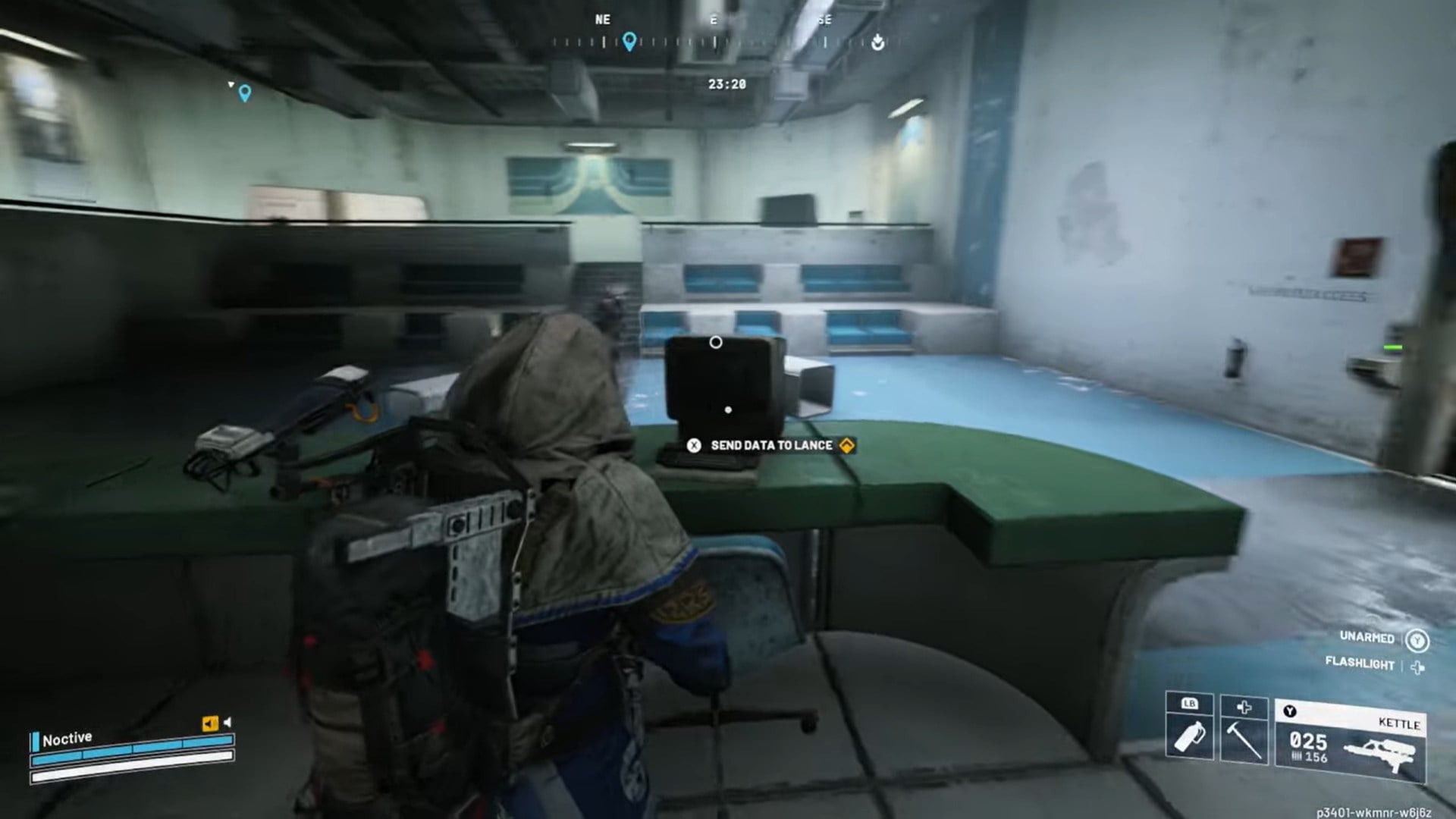
Inside the Auditorium, you’ll find a desk-mounted computer terminal near the lecture space. This terminal contains the researcher’s lecture notes.
How to complete this objective
After uploading the guest logs, go upstairs from the Lobby. Enter the Auditorium area. Locate the desk with the computer terminal inside the room. Interact with the terminal to upload the lecture notes.
This completes the Reception Computer portion of the quest.
Reception Computers locations areas
| Objective | Exact location | Area |
|---|---|---|
| Reception Guest Logs | Behind the front desk near Security | Lobby (main floor) |
| Lecture Notes | Desk terminal inside Auditorium | Upper floor |
What happens after the Reception Computers
The Reception Computers cover the first two of four main objectives in On Deaf Ears. After completing them, the quest directs you to additional terminals in other sections of Stella Montis, including:
- Medical Research terminals
- Assembly Workshop stations
These later objectives require moving deeper into hostile zones, making the Reception phase a relatively safe point to gather bearings and supplies.
Rewards from On Deaf Ears quest
| Reward Item | Quantity | Purpose / Use |
|---|---|---|
| Lure Grenade | 3 | Distracts ARC units by pulling them to the sound source |
| Noisemaker | 5 | Creates audio distractions to redirect enemies safely |
| Shaker | 1 | High-intensity noise tool for emergency crowd control |
| Navy Blue — Warden Color (Cosmetic) | 1 | Outfit color variant unlocked for your Raider |
Tips for completing On Deaf Ears efficiently
Clear the Lobby before interacting with terminals, as the upload animation leaves you vulnerable. The Auditorium often spawns enemies near entrances, so listen for movement before committing to the interaction. Completing both Reception objectives in one sweep saves time and reduces risk during extraction.
We hope this guide offered all the clarity you were looking for and made your experience smoother. If you have any feedback, suggestions, or questions, drop them in the comments below. We actively read and respond, so feel free to reach out whenever you need extra help or guidance.




