

- What to know
- Quick overview of moving and destroying buildings
- How small buildings can be moved using strength
- How to move large buildings using the relocation kit
- How to destroy buildings using the demolish kit
- Buildings that cannot be moved or destroyed
- Designing a better base layout in Pokémon Pokopia
- Rearranging buildings efficiently in Pokémon Pokopia
What to know
- Small buildings can be moved manually if you hold the A button and have enough strength.
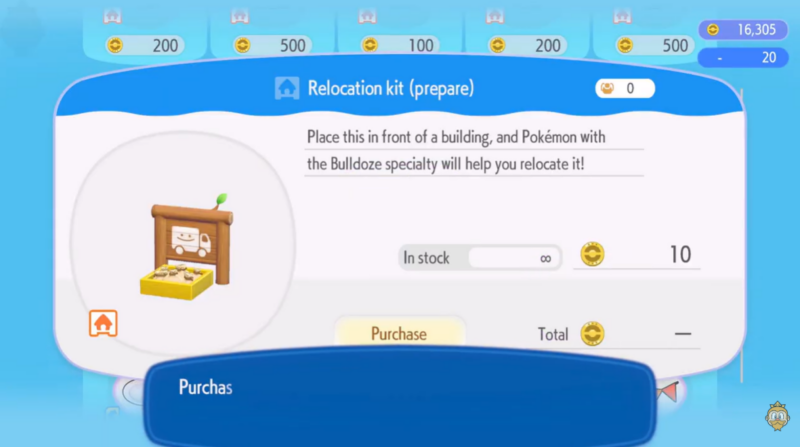
- Larger structures require a Relocation Kit, purchased for 10 coins.
- To destroy buildings completely, you must use a Demolition Kit.
- Both kits require a Pokémon with the Bulldoze specialty to activate them.
Managing your town layout becomes important as you progress through Pokémon Pokopia. As you build more structures, you might want to reorganize your base, move buildings to better locations, or completely remove something you no longer need. The game provides several tools for this, including manual movement, relocation kits, and demolish kits. Understanding how each method works will help you efficiently redesign your settlement.
Quick overview of moving and destroying buildings
| Feature | Requirement | Cost | What It Does |
|---|---|---|---|
| Move small buildings | Hold A button with enough strength | Free | Manually move lightweight structures |
| Relocation Kit | Pokémon with Bulldoze specialty | 10 coins | Moves large buildings like houses |
| Demolish Kit | Pokémon with Bulldoze specialty | Varies | Completely destroys a building |
| Movable buildings | Player-built structures only | — | Pre-existing world buildings cannot move |
How small buildings can be moved using strength
Many small structures in Pokémon Pokopia can be moved directly without purchasing any items. If the structure is lightweight enough, the game allows you to reposition it manually.
Step 1
Walk up to the small building you want to move.
Step 2
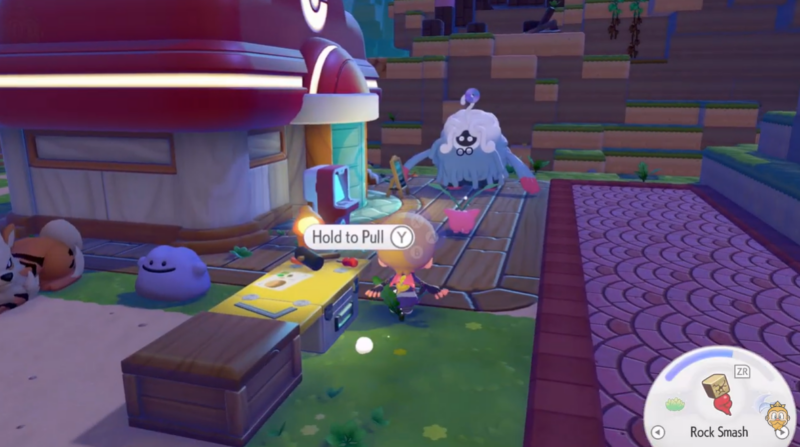
Hold down the A button while facing the structure.
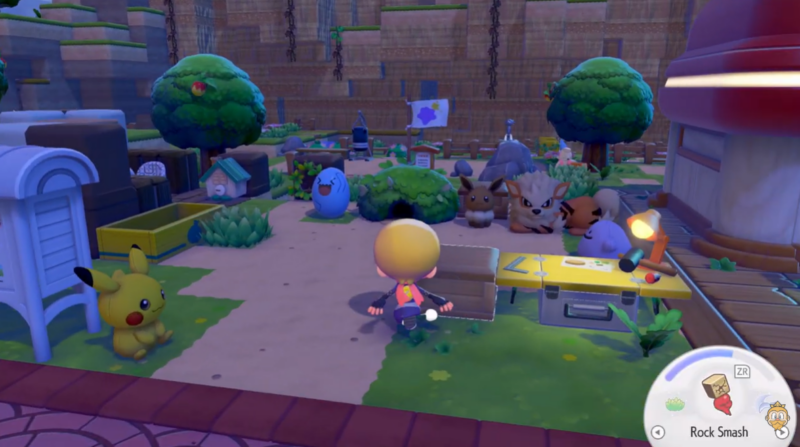
Step 3
If your character has enough strength, the building will lift and become movable.
Step 4
Move the structure to your desired location and release the button to place it.
This method is ideal for decorations, small utility buildings, or lightweight constructions placed early in the game.
How to move large buildings using the relocation kit
Large buildings such as houses or specialized structures cannot be moved manually. Instead, you must use a Relocation Kit, which allows a Bulldoze-capable Pokémon to move the structure safely.
| Relocation Kit Details | Value |
|---|---|
| Item cost | 10 coins |
| Availability | Unlimited stock |
| Required specialty | Bulldoze |
| Use case | Moving large player-built buildings |
Step 1
Purchase a Relocation Kit from the shop menu.
Step 2
Place the kit directly in front of the building you want to move.
Step 3
Bring a Pokémon with the Bulldoze specialty to the kit.
Step 4
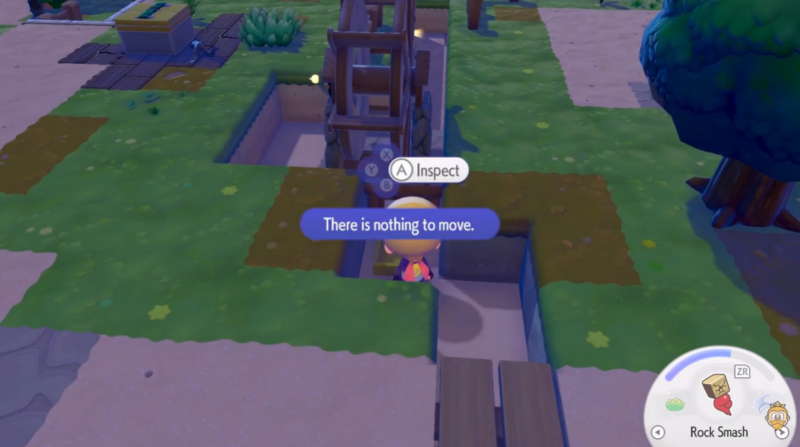
Assign the Pokémon to the task and start the preparation process.
Step 5
Once the Pokémon finishes the job, the building will be relocated.
The relocation system lets you redesign your town layout without needing to rebuild structures from scratch.
How to destroy buildings using the demolish kit
If you want to permanently remove a building instead of moving it, you can use the Demolish Kit. This tool completely deletes the structure and leaves the space empty.
| Demolish Kit Details | Purpose |
|---|---|
| Function | Completely destroys buildings |
| Activation | Requires Bulldoze specialty |
| Result | Building disappears permanently |
Step 1
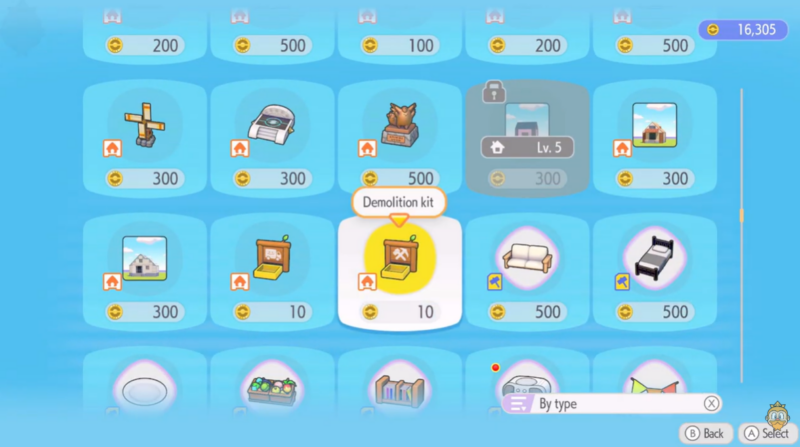
Acquire a Demolition Kit.
Step 2
Place the kit in front of the building you want to remove.
Step 3
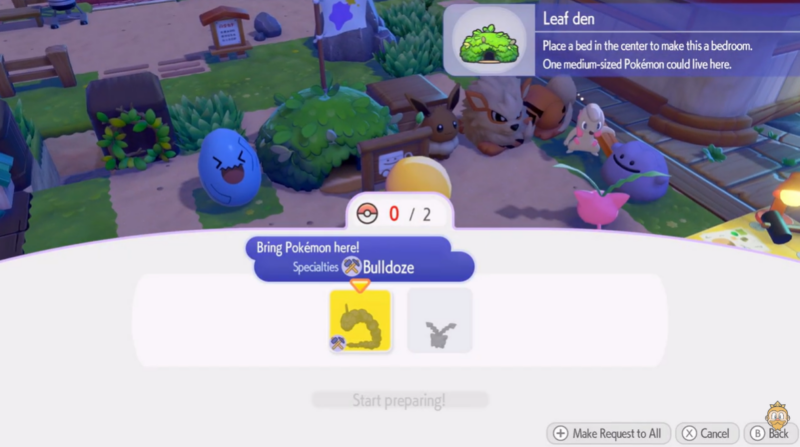
Bring a Bulldoze specialty Pokémon to activate the kit.
Step 4
Start the demolition task.
Step 5
After completion, the building will be destroyed and the space cleared.
This option is useful when you want to redesign your base layout or free up space for new construction.
Buildings that cannot be moved or destroyed
Not every structure in Pokémon Pokopia can be relocated or demolished. The game restricts these tools to structures that the player builds themselves.
| Structure Type | Movable | Notes |
|---|---|---|
| Player-built houses | Yes | Use relocation or demolition kits |
| Player-built facilities | Yes | Depends on building size |
| Decorations | Usually | Can often be moved manually |
| World landmarks | No | Cannot be moved or destroyed |
For example, major world structures such as the lighthouse and other pre-existing map elements are permanently fixed in place.
Designing a better base layout in Pokémon Pokopia
Being able to move and remove buildings gives you full control over how your settlement grows. Early in the game, you may place structures wherever space is available. As your base expands, you might want to group Pokémon habitats together, create organized paths, or relocate houses closer to important facilities.
Using relocation kits prevents you from wasting materials on rebuilding structures. Meanwhile, demolish kits help remove outdated buildings that no longer fit your town design. Together, these tools make base management flexible and allow you to continuously refine your layout as new buildings unlock.
Rearranging buildings efficiently in Pokémon Pokopia
Moving and destroying buildings in Pokémon Pokopia is straightforward once you understand the system. Small structures can be moved manually with enough strength, while larger buildings require a relocation kit and a Pokémon with the Bulldoze specialty. If you want to remove something entirely, the demolish kit clears the space instantly. With these tools, you can freely redesign your town and keep your base organized as it grows.



