
What to know
- You must unlock the Hidden Tea House in the Eternal Rift first.
- Clan changes are done by speaking to the Tea House NPC.
- After switching, there is a 6–8 hour real-time cooldown.
- Your new clan’s Protection buffs reset to base and scale again with Glory.
In Nioh 3, clans are part of the competitive online ecosystem. They are not cosmetic choices. Each clan provides a passive bonus known as Clan Protection, which directly impacts your build and performance. If your playstyle changes or you want different bonuses, switching clans becomes an important decision.
The process itself is simple. The consequences and timing are what matter.
Understanding how clans function
Clans operate through the multiplayer system and are tied to Clan Battles, Glory contribution, and weekly rankings. When you join a clan, you receive its base Clan Protection buff. As you contribute Glory and items, that protection scales upward.
| Clan Feature | What It Does | Why It Matters |
|---|---|---|
| Clan Protection | Passive stat bonus | Affects builds and combat style |
| Glory Contribution | Raises clan rank | Unlocks scaling buffs |
| Weekly Clan Battles | Competitive ranking | Grants bonus rewards |
| Hidden Tea House Access | Clan management hub | Required for switching |
The more active you are in co-op, Revenant farming, or item donations, the stronger your clan protection becomes over time.
Where to change your clan
Clan switching happens inside the Eternal Rift, specifically at the Hidden Tea House. This area unlocks once you progress far enough in the main story and gain access to Clan Battles.
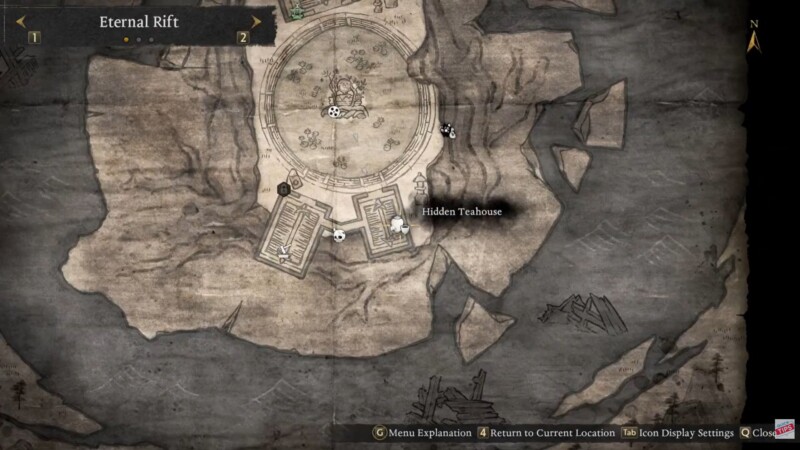
Inside the Tea House, you will find the clan management NPC, traditionally Matsunaga Hisahide, who oversees clan affiliation.
When you speak to him, you will see an option labeled “Transfer” or “Choose Clan.” Selecting this allows you to view all available clans and their current buffs.
Step-by-step process to switch clans
Step 1
Enter the Eternal Rift from your main hub access.
Step 2
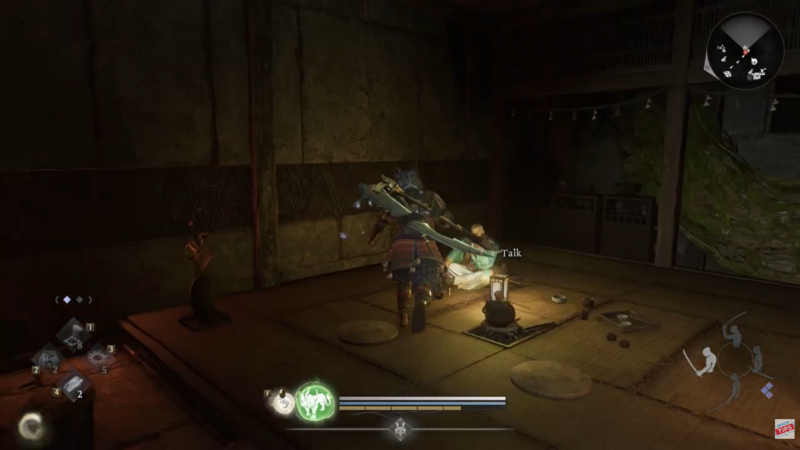
Navigate to the Hidden Tea House within the rift.
Step 3
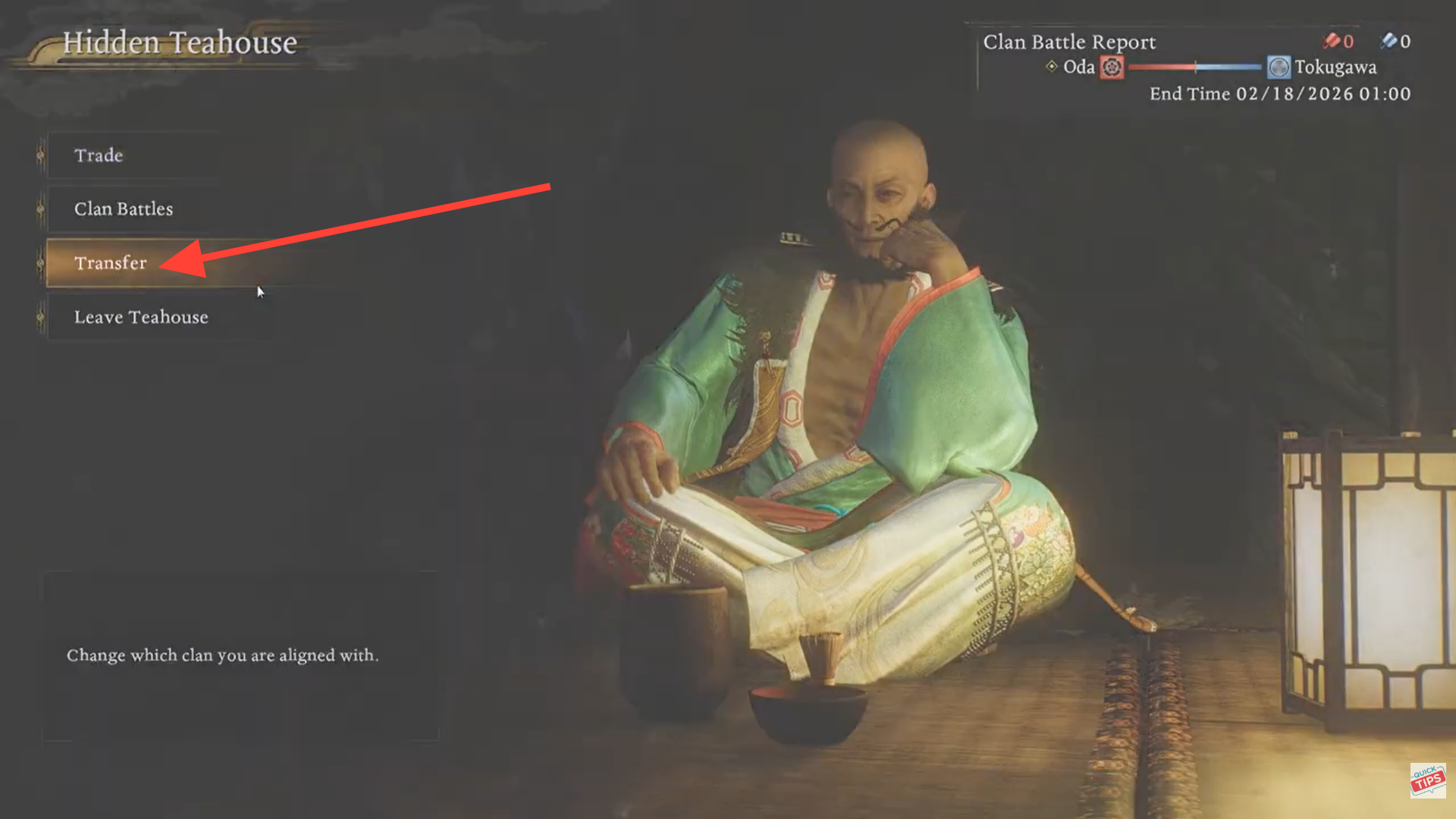
Speak to the Tea House NPC.
Step 4
Select the Transfer option.
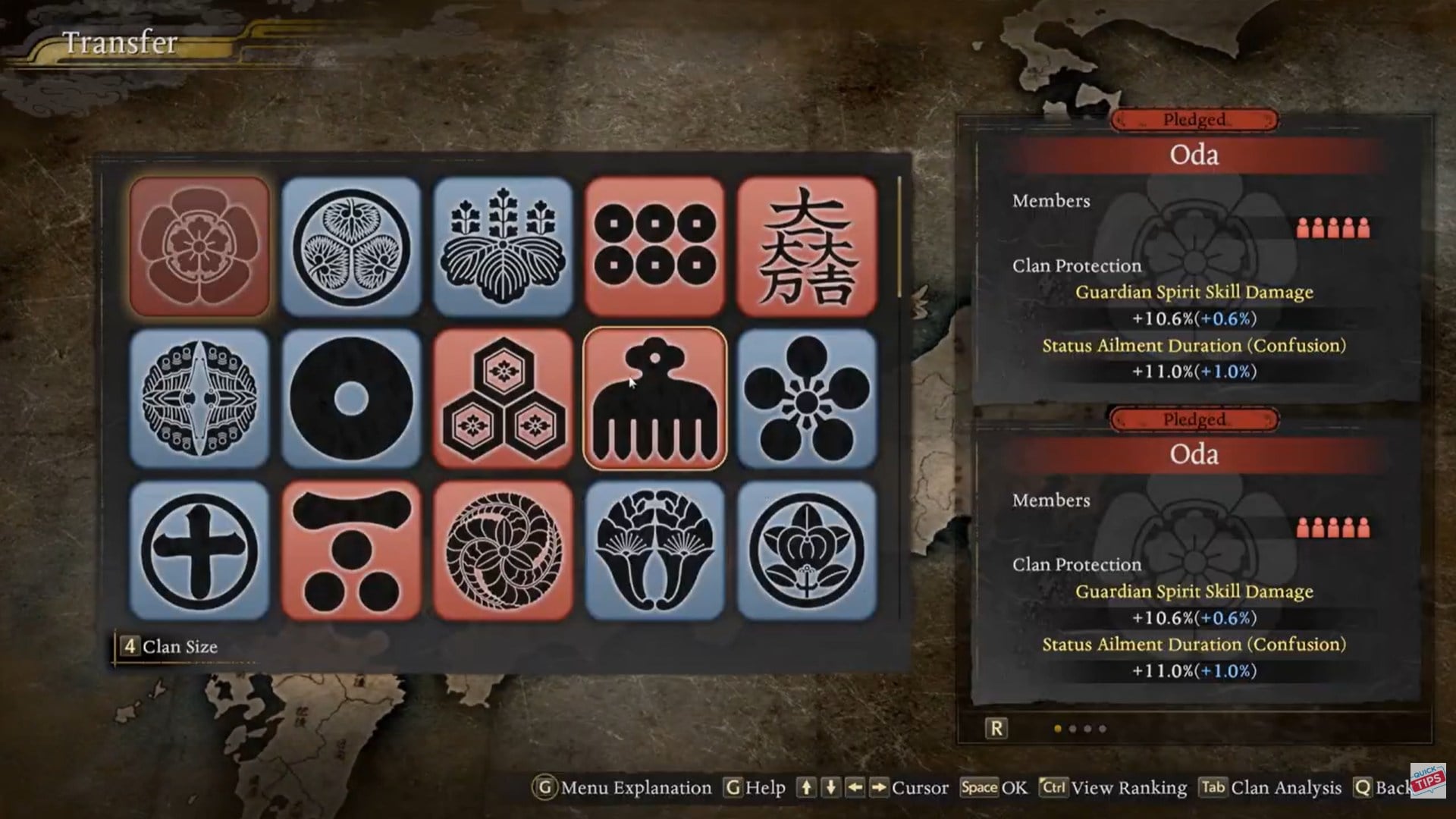
Step 5
Review available clans and confirm your new selection.
The switch happens immediately once confirmed.
What happens after you switch
When you transfer to a new clan, several important changes occur.
Your previous clan’s accumulated contribution remains with that clan, but it no longer benefits you. Your personal Glory is not deleted, but your new clan protection begins at its base level.
| Change | Result |
|---|---|
| Previous Clan Buff | Removed |
| New Clan Buff | Activated at base level |
| Contribution Rank | Resets for new clan |
| Stored Glory | Remains with player |
| Weekly Eligibility | Now tied to new clan |
This means your passive bonuses will initially be weaker until you begin contributing again.
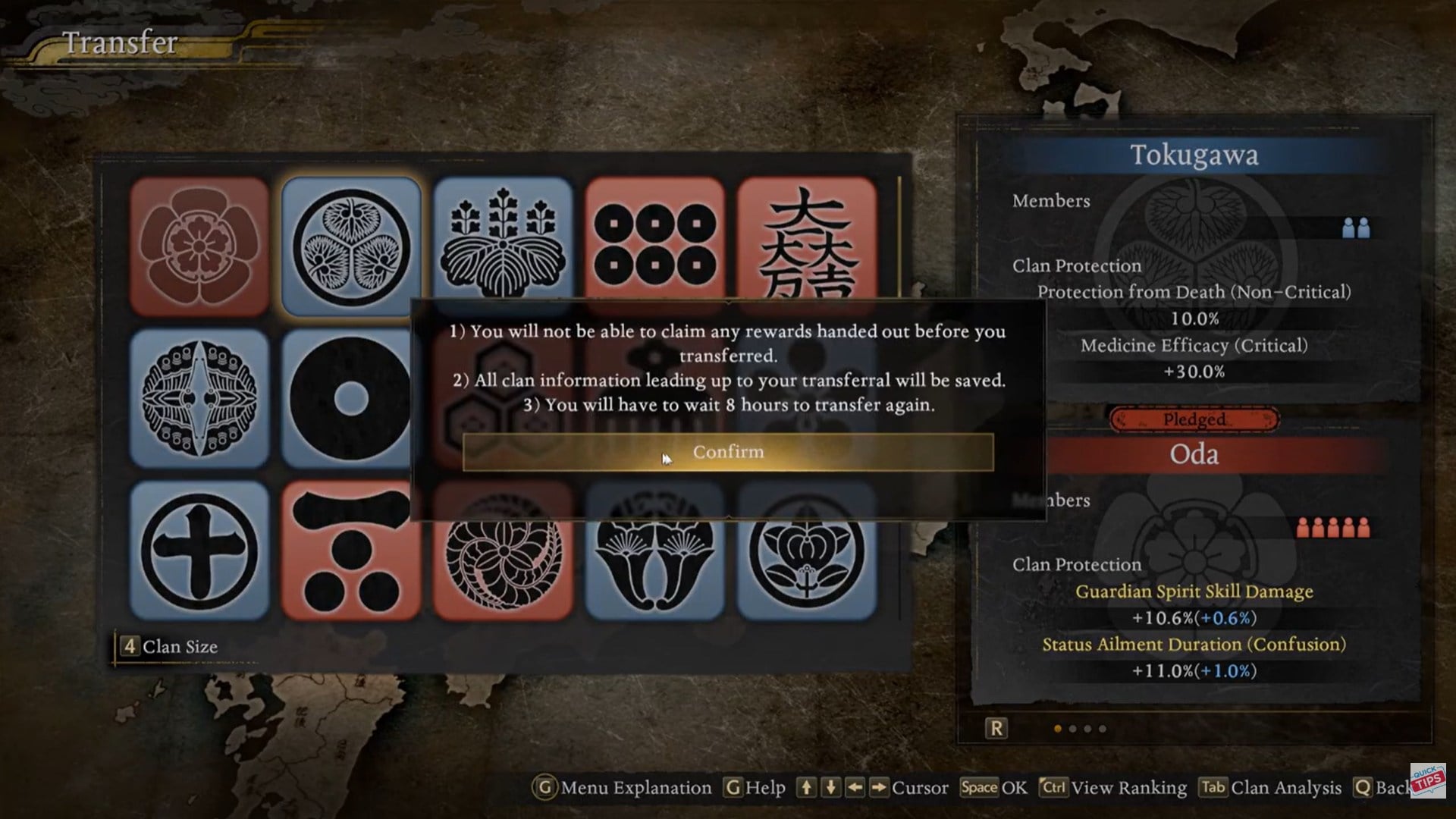
Cooldown restrictions explained
After switching clans, you cannot immediately switch again. There is a real-time cooldown of approximately 6 to 8 hours before you can transfer again.
The video example shows a cooldown timer of 6 hours and 45 minutes, confirming that the lockout is enforced in real-time rather than in-game time.
| Action | Cooldown |
|---|---|
| Clan Transfer | ~6–8 hours |
| Buff Scaling | Immediate after contributions |
| Clan Battle Eligibility | Weekly cycle |
This restriction prevents constant buff swapping for specific missions.
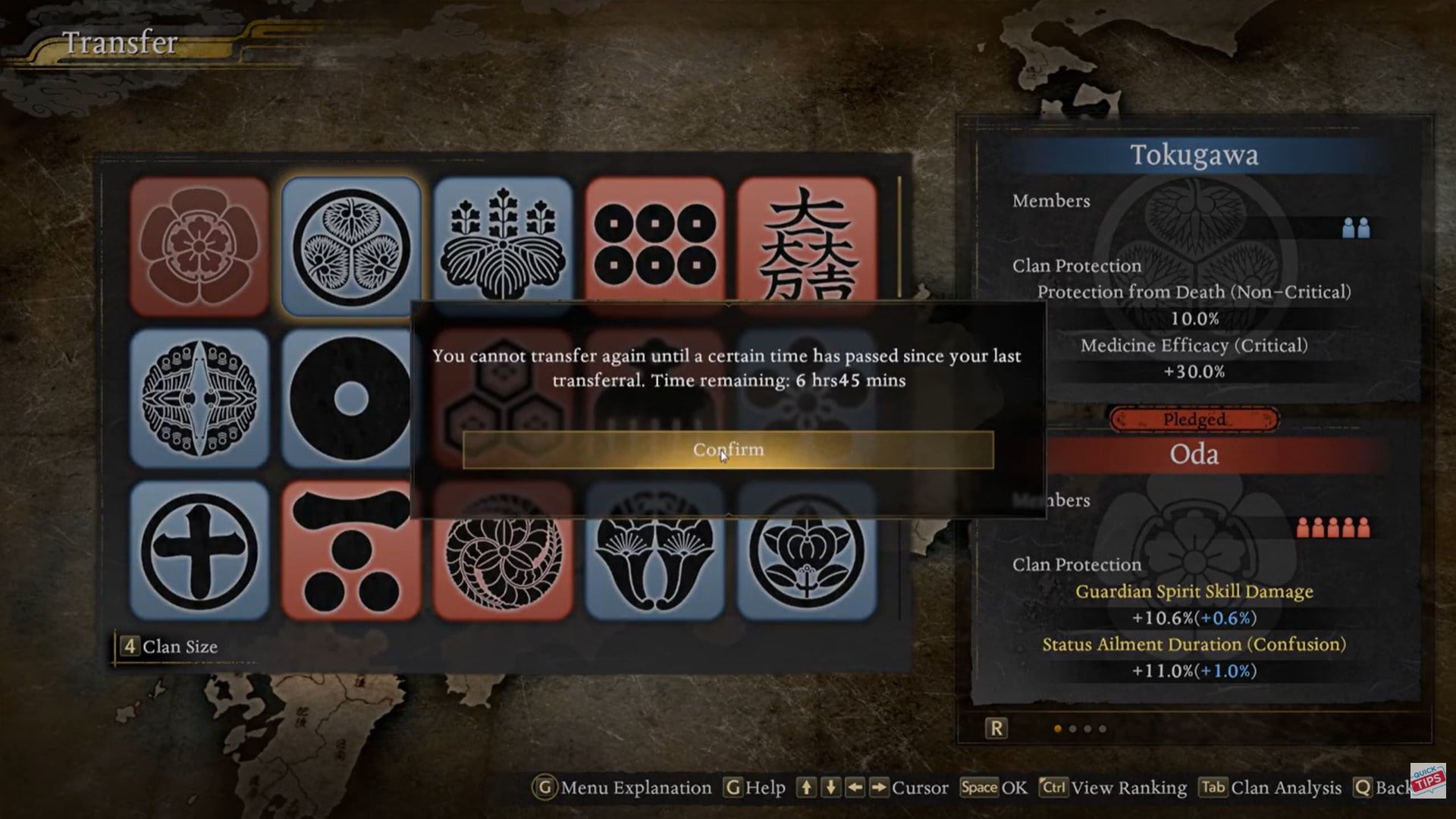
Why checking clan buffs matters
Each clan provides different passive bonuses. Some favor:
- Melee damage
- Ki recovery
- Defense scaling
- Elemental builds
- Co-op efficiency
Switching clans without reviewing buffs may weaken your build temporarily.
Before confirming a transfer, review the Clan Protection description carefully. Make sure it aligns with your current weapon setup, armor scaling, and playstyle.
Online requirement considerations
Clan systems are tied to multiplayer functionality. Because Glory and Clan Battles rely on online connectivity, switching clans typically requires you to be connected to the game servers.
If you are offline, clan features may be inaccessible or limited.
Strategic reasons to switch clans
Switching clans makes sense in several scenarios.
If you are changing weapon types and want buffs that better support your new scaling, a transfer can improve performance.
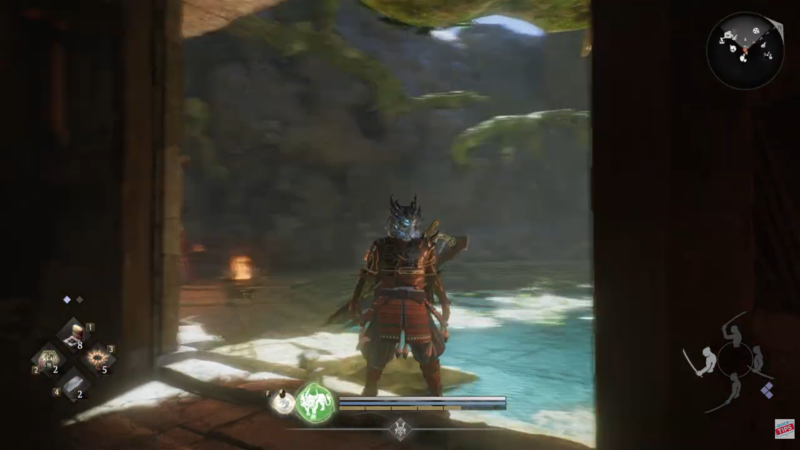
If your clan is underperforming in weekly Clan Battles, joining a stronger clan can increase your reward output.
If you want to experiment with different passive bonuses, switching provides flexibility.
However, because of the cooldown timer, frequent swapping is not practical.
Long-term impact of clan decisions. Your clan choice affects:
- Weekly bonus Glory
- Passive stat boosts
- Competitive positioning
- Multiplayer identity
Choosing wisely reduces the need for frequent transfers and avoids downtime caused by cooldown periods.
| Decision Type | Short-Term Impact | Long-Term Impact |
|---|---|---|
| Staying Loyal | Strong scaling buffs | Consistent weekly rewards |
| Switching Strategically | Immediate buff change | Requires rebuild contribution |
| Frequent Switching | Weak buff scaling | Cooldown limitations |
Consistency tends to reward players more over time.
Changing clans in Nioh 3 made simple
To change your clan in Nioh 3, enter the Eternal Rift, visit the Hidden Tea House, speak to the NPC, and select Transfer. After confirming a new clan, your previous buffs are replaced with the new clan’s base protection, and you must wait 6–8 real-time hours before switching again.
Because clan buffs directly influence your build and weekly rewards, switching should be deliberate. Review protection bonuses carefully before confirming.
Once you understand the cooldown and scaling system, managing your clan becomes a powerful part of optimizing your character in Nioh 3.