


What to know
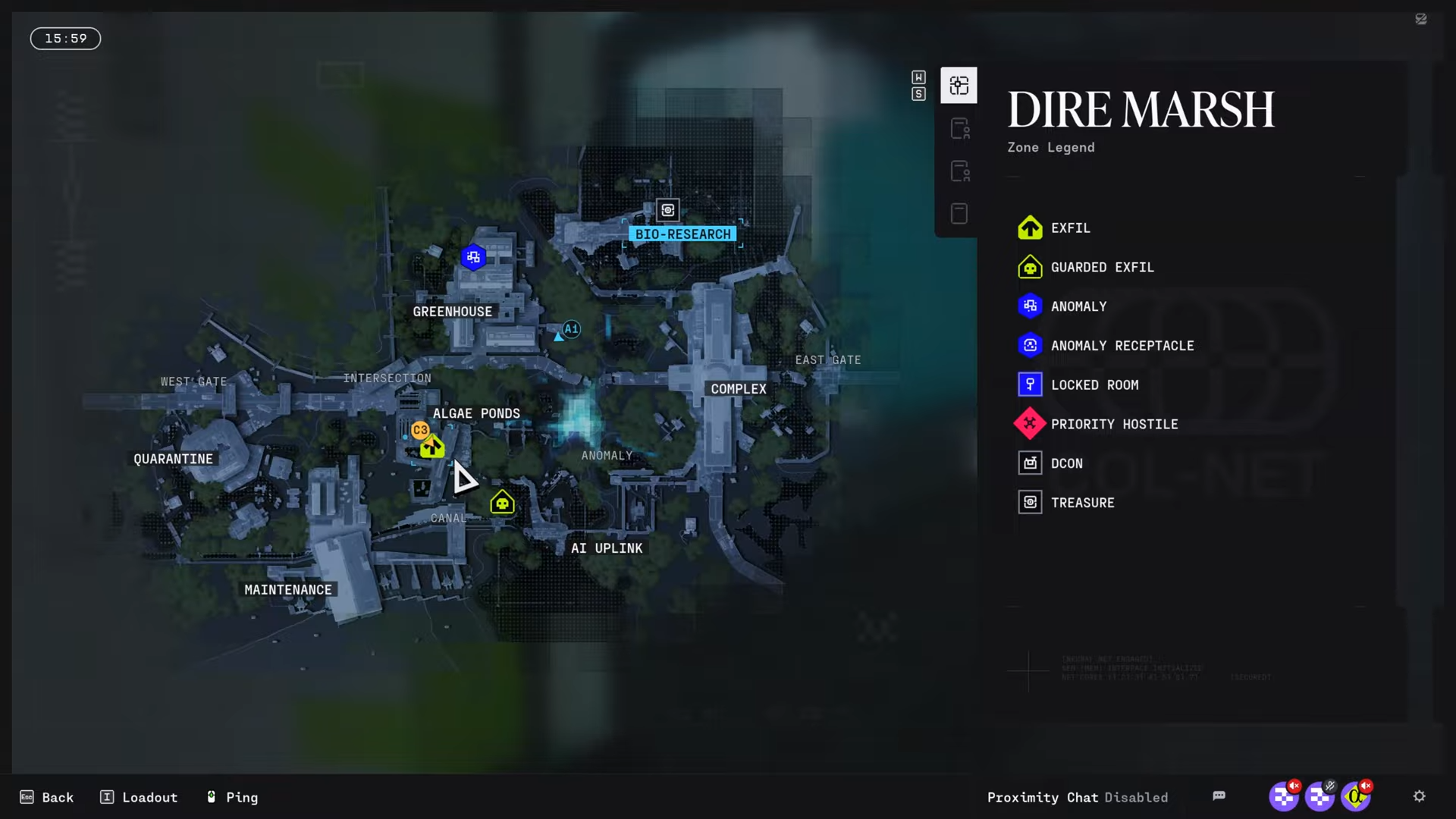
- Head to Algae Ponds, a named POI on the Dire Marsh map in the colony’s farming sector.
- Target the huge central building, often marked by bright cyan coloring, for the second floor access.
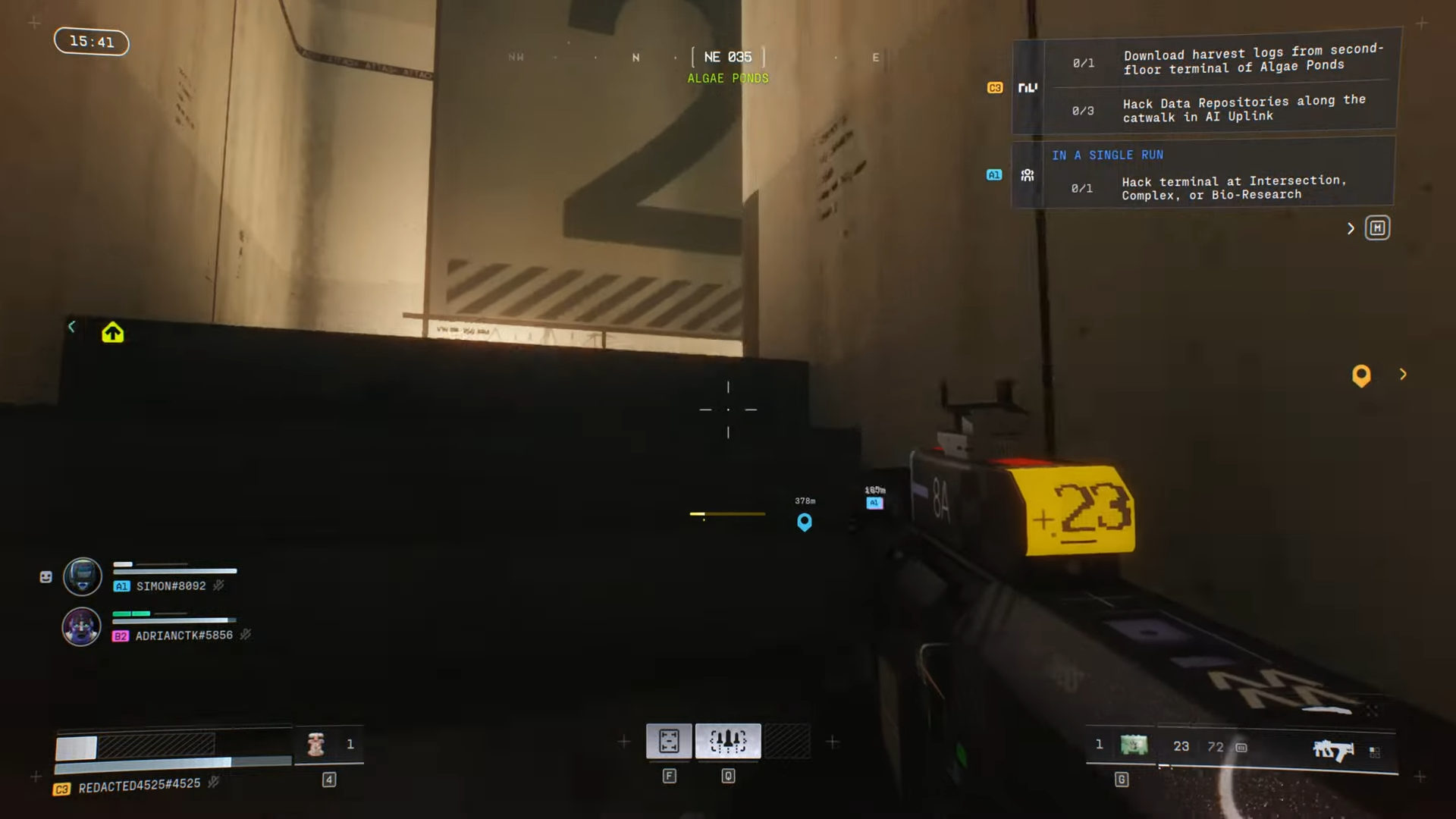
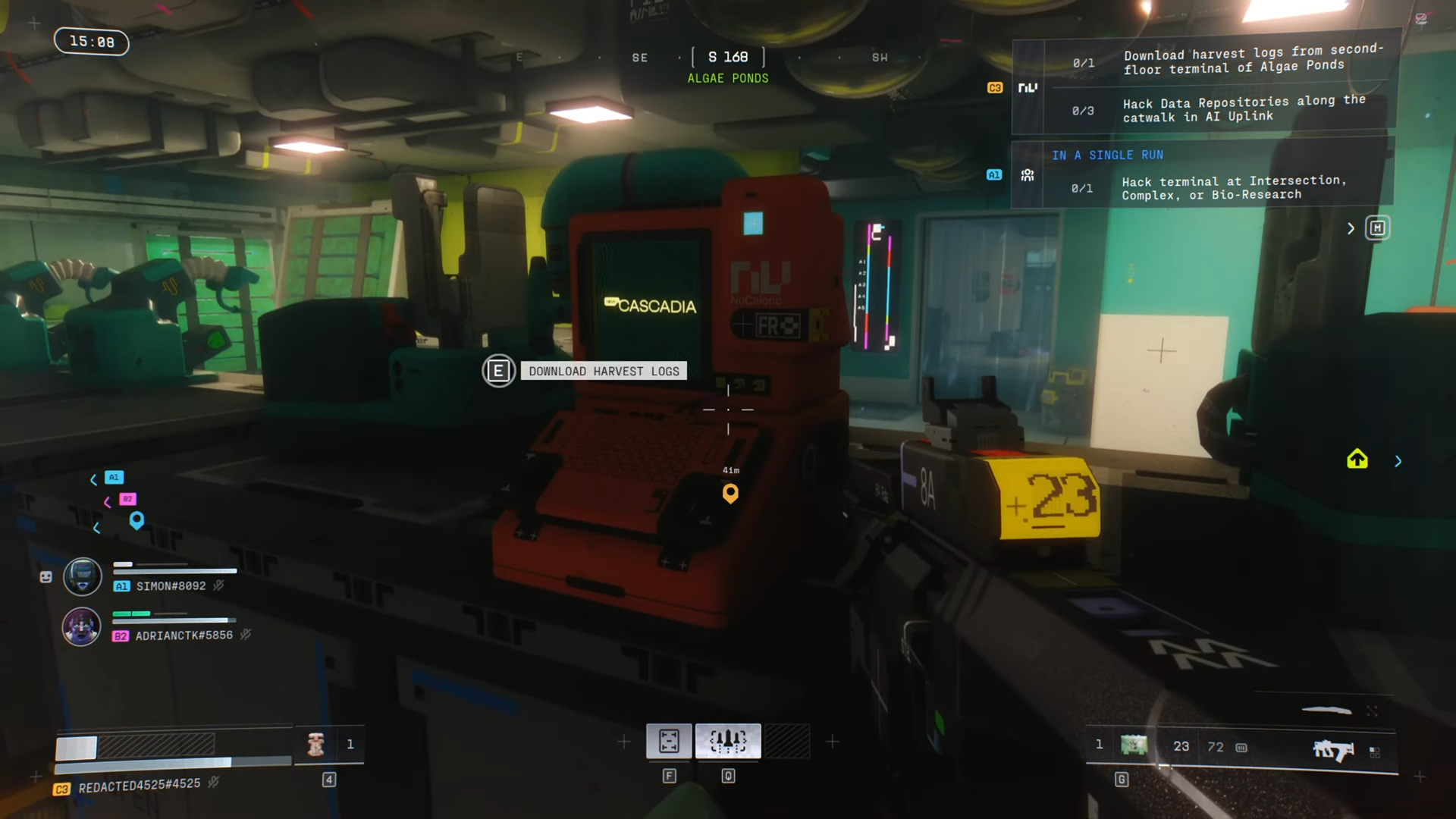
- Follow stairs up, confirmed by a giant 2 indicator, then navigate to the orange terminal near windows or glass displays.
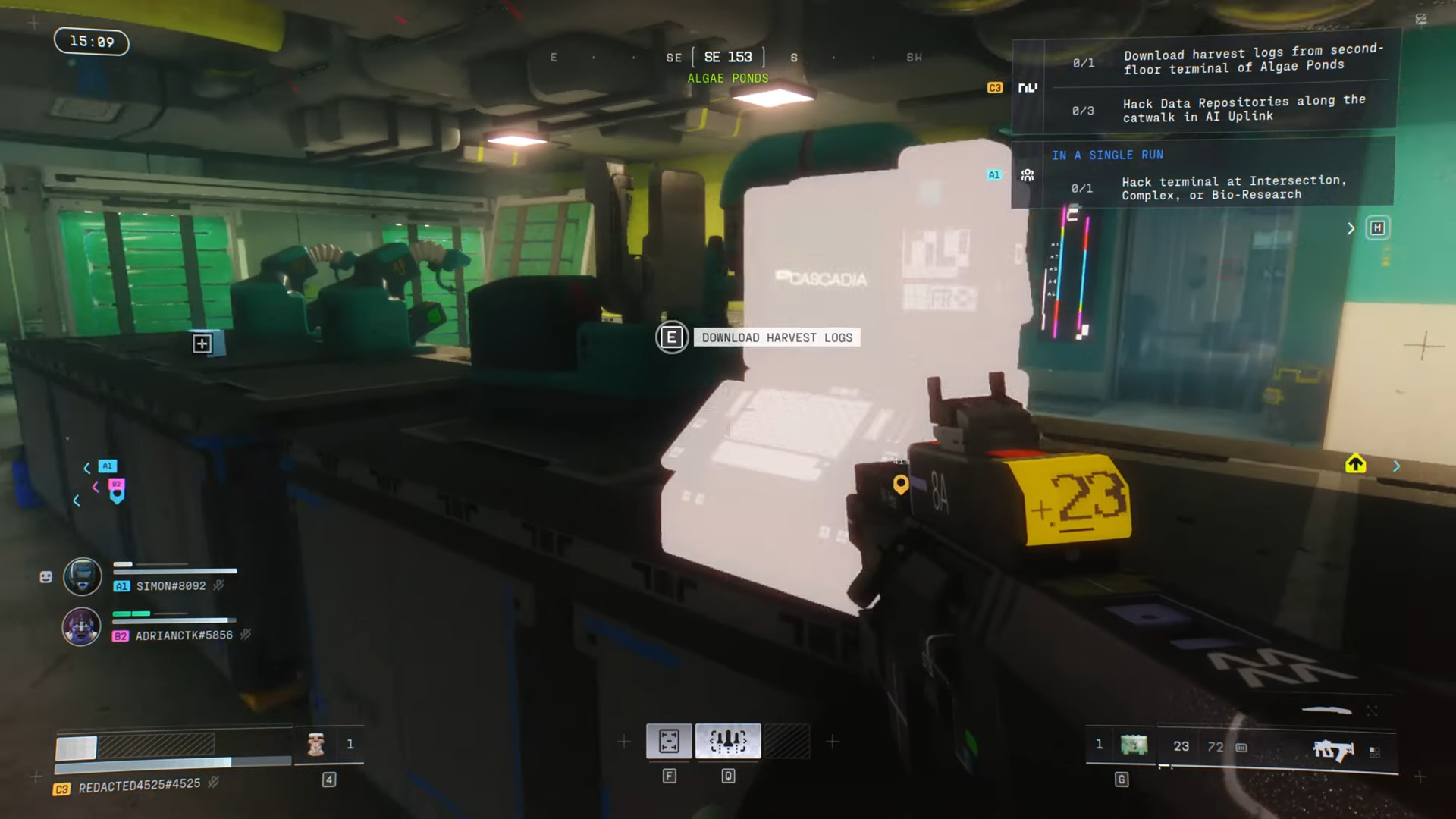
- Interact with the terminal to download the logs and complete the task.
In Marathon, Algae Ponds serves as a key location on Dire Marsh, focused on protein alternatives from native marsh organisms with shallow growth pools and elevated research stations.
| Aspect | Details |
|---|---|
| Map | Dire Marsh |
| POI Type | Named location with guarded exfil (west side spawns UESC) |
| Key Building | Large cyan-coated structure in the compound center |
| Terminal Location | Second floor, room with massive glass display/windows |
| Quest Task | Download Harvest Logs via orange terminal interaction |
| Nearby Risks | Combat hot zone, possible UESC patrols or bosses like Assault CMDR |
| Related Objectives | Part of Data Reconstruction 2 (NuCaloric faction); similar terminals for drone summons |
Algae Ponds locations on Dire Marsh
Algae Ponds sits north of the canal and clean bay amid marshland with limited visibility and broad sightlines, featuring a huge building in the middle of the compound alongside other POIs like West Gate to the west, Intersection nearby, and Complex to the south; the area supports seeding and harvesting operations with automated systems still partially active, making the central elevated structure ideal for clear views across adjacent zones.
How to reach the second floor terminal
Launch into Dire Marsh first, as Algae Ponds appears on this separate map. Open your map to spot the named area, then drop toward the compound.
Step 1
Land near the huge building right in the middle of the Algae Ponds compound; look for the bright cyan coating on its exterior to identify it quickly.

Step 2
Enter the building.

Locate the stairwell; it leads directly to the second floor, often marked by a giant 2 sign upon ascent.
Step 3
From the top of the stairs, make two left turns toward the side with multiple plastic entrances.

Step 4
Spot the orange terminal on a desk or dark platform in that area; it may feel hidden, so stick close to the route along the windows.
Step 5
Interact with the terminal to download the Harvest Logs; this completes the objective instantly.
| Reward Type | Potential Items |
|---|---|
| Faction Standing | Improved NuCaloric reputation (from Data Reconstruction 2) |
| Loot in Area | Rare Treasures, Lockboxes (need keys like Office Key), Secured Resources, Tox Clear rooms nearby |
| Exfil Bonus | Guarded Exfil at Algae Ponds West (UESC spawns) |
| Related Drops | Resent salvage, B SMG, Enhanced rod Salvage (from similar quests) |
Tips for success in Algae Ponds
Watch for enemies in this combat hot zone, including UESC patrols especially on western approaches. Grab nearby loot like salvage before interacting, as terminals can trigger events like drone summons in similar tasks. The building offers good vantage points from upper levels.
Finish Harvest Logs here, then head to AI Uplink for three Data Repositories on the catwalk—approach from the east to avoid heavy patrols.




