

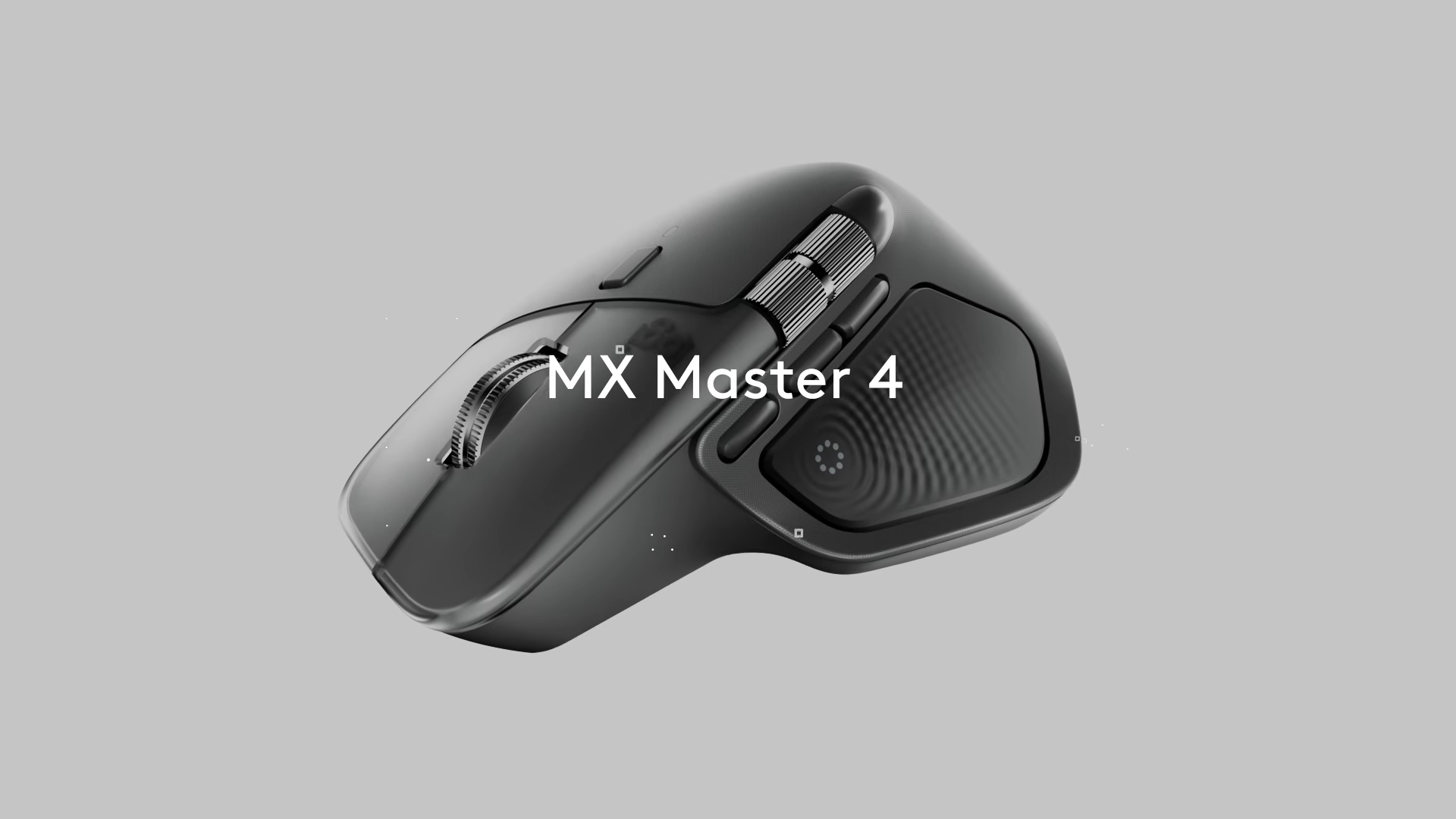
Logitech’s MX Master 4 adds subtle haptic feedback to enhance productivity with tactile vibrations for gestures, shortcuts, and creative app controls.
What to know
- The MX Master 4 introduces haptic feedback built into the thumb rest, providing subtle vibrations for key actions.
- Haptics enhance precision and control, especially in creative apps like Adobe Photoshop and productivity apps like Zoom.
- The mouse features an Action Ring menu for quick access to shortcuts, accessible via a dedicated thumb button.
- Available for $119.99, the MX Master 4 supports macOS and Windows with USB-C and Bluetooth connectivity options.
Logitech’s MX Master line has built its reputation on ergonomic design, advanced scrolling, and multi-device versatility. The MX Master 3 (2019) and 3S (2022) refined these qualities with smoother wheels, quieter clicks, and strong battery life.
With the MX Master 4, Logitech is making its boldest change in years by adding haptic feedback, a feature more common in controllers than in productivity mice.
Haptic Sense: Tactile cues for productivity
The MX Master 4 introduces a Haptic Sense panel in the thumb rest. Subtle vibrations confirm when gestures or commands are triggered, reducing reliance on visual confirmation.
- Intensity levels can be set from subtle to strong.
- Haptics can be turned off globally or per feature.
- Feedback is designed to be light enough not to disturb cursor accuracy.
For professionals juggling apps and screens, this feedback could make shortcuts and gestures more intuitive.

Action Ring and control changes
A new Action Ring overlay appears when the Haptic Sense panel is pressed. It provides radial access to app-specific shortcuts and nested commands.

The gesture button has been repositioned for smoother directional inputs, while an additional thumb button expands customization options. Haptic pulses confirm gesture actions, reinforcing workflows without needing to check the screen.
Hardware refinements and design tweaks
Beyond haptics, Logitech has made smaller adjustments:
- Transparent textured plastic on main buttons for a fresh look.
- More stain-resistant, durable shell to reduce long-term wear.
- Slightly heavier at ~150 g (about 9 g more than the 3S).
- Dimensions: 128.2 × 88.4 × 50.8 mm.
- USB-C Bolt receiver included, but the USB-C charging cable is not.
- 500 mAh battery still rated for ~70 days, though frequent haptics may reduce runtime.
Familiar features that remain

- Darkfield sensor up to 8,000 DPI.
- MagSpeed scroll wheel with near-frictionless spin.
- Thumb wheel for horizontal scrolling.
- Multi-device switching, Bluetooth and Bolt receiver support.
- Quiet clicks carried over from the MX Master 3S.
These core features ensure continuity for longtime MX Master users.
Pricing and availability
| Detail | MX Master 4 |
|---|---|
| Launch date | Expected September 30, 2025 |
| Price | €129.99 (~$130–150) |
| Battery life | ~70 days per charge (variable with haptics) |
| Regional differences | Mac version may skip the dongle |
| Bundles | Some editions include 1-month Adobe Creative Cloud trial |
| In-box items | Receiver only; USB-C charging cable omitted |
Haptics: A useful upgrade or gimmick?
The MX Master 4’s haptic feedback gives instant confirmation for gestures and shortcuts, making actions feel more natural and reducing the need to check the screen. It can also help build muscle memory over time.
The trade-off is added weight and possible battery drain, and some may find the vibrations distracting. Since polling still tops out at 125 Hz, the feature doesn’t benefit gaming, making it more of a productivity experiment than a must-have upgrade.
The MX Master 4’s success hinges on whether haptic feedback feels natural or unnecessary. If Logitech delivers subtle, polished tactile cues without draining battery or disrupting ergonomics, this mouse could redefine how productivity mice interact with users. For MX Master 3S owners, the upgrade decision may come down to how much value is placed on tactile feedback.




