

What to know
-
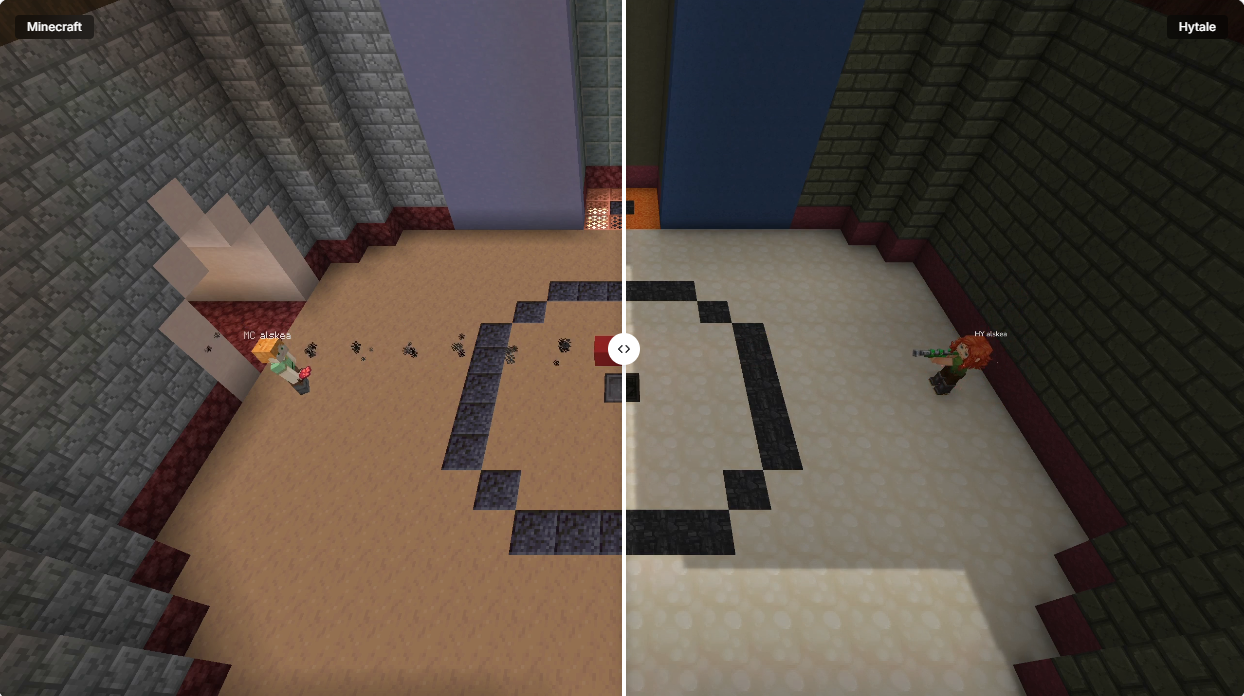
iamcxv7’s mod runs Minecraft servers in Hytale’s JVM for synced worlds, chat, blocks, and combat—still unstable, no public release.
-
hytale2mc.com offers crossplay without client mods, supporting weapons, minigames, and lobbies via intermediary servers.
-
Both leverage Hytale’s early access launch (Jan 13, 2026) and modding scene for hybrid play.
You can now experiment with hybrid worlds where Hytale‘s dynamic animations meet Minecraft’s blocky chaos, all thanks to innovative modding. But that isn’t the only way for the Hytale-Minecraft crossplay. Hytale2MC provides another non-modded crossplay alternative.
| Method | Key Features | Requirements |
|---|---|---|
| iamcxv7 WIP Mod | Packet syncing, Hytale-hosted, full interactions | Hytale mods folder, unstable |
| hytale2mc.com | No client mods, minigame lobbies, weapons | Server setup, browser/server access |
| Status | Both WIP/experimental | Hytale early access, Minecraft updated |
All about the iamcxv7 WIP mod
This mod hosts everything on Hytale servers, translating packets so Minecraft clients see Hytale worlds natively.
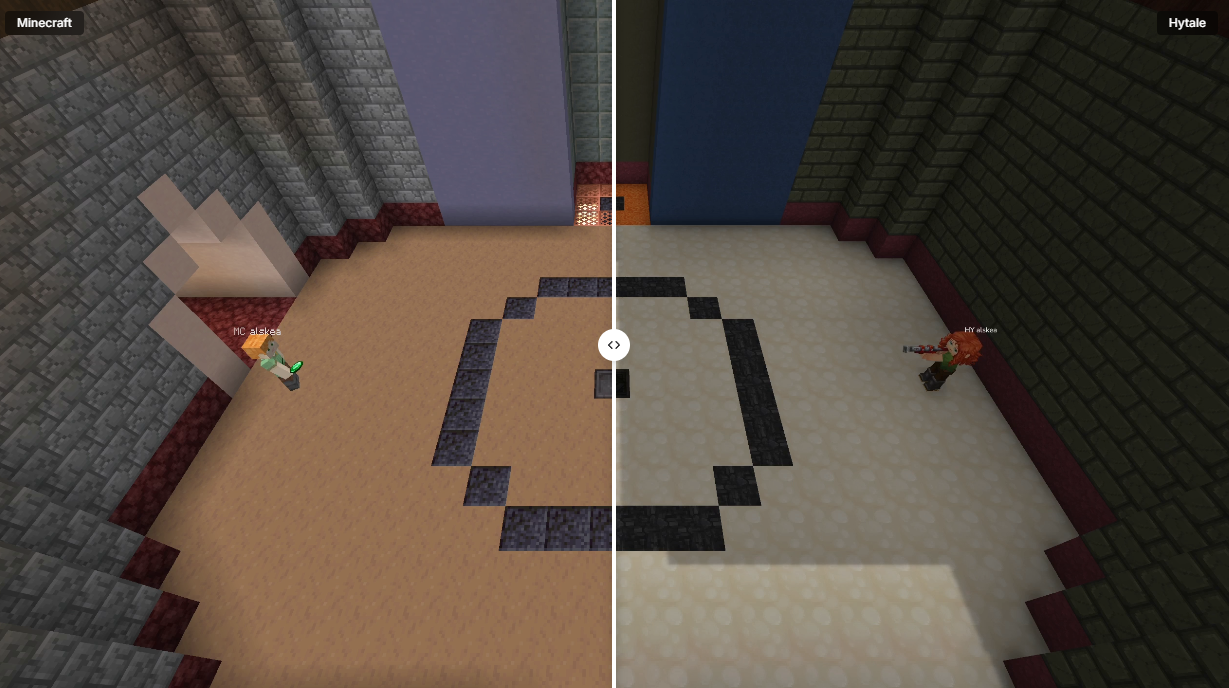
The footage reveals synced animations and block placement, but missing features like full world gen persist. It’s “really unstable,” per the creator, ideal for tinkerers awaiting polish.
Hytale2mc.com as an alternative
hytale2mc.com acts as a proxy server—no client changes needed. It relays data between games, enabling minigame lobbies and weapon fire without deep mods. Perfect if you want quick joins without Hytale modding hassles.
How to Hytale and Minecraft crossplay
Choose from the two methods given below to crossplay Hytale and Minecraft, depending on how much tinkering you’re comfortable with:
Method 1: iamcxv7 mod (WIP)
Step 1: Install the mod
Acquire the mod files from the creator’s GitHub or Reddit (pending release). Place them in your Hytale mods folder, typically ~/.hytale/mods/, and restart the client.
Step 2: Launch Hytale server mode
Open Hytale, create a new world or load an existing one, then enable server hosting via the mod menu. Note your local IP (use ipconfig or ifconfig) and port (default 25565).
Step 3: Configure crossplay
In the mod config file (likely crossplay.json), set enableMinecraftPackets: true and sync options for blocks/chat/combat. Hytale will snapshot its world state for Minecraft compatibility.
Step 4: Connect from Minecraft
In Minecraft, add server: your Hytale host’s IP:port. Join—you’ll see the Hytale world rendered, with Hytale players as custom skins.
Step 5: Test interactions
Place blocks (they sync), chat (visible cross-game), and fight mobs—Hytale physics apply to all. Troubleshoot lags by lowering render distance.
Method 2: With hytale2mc
This method uses a simpler proxy route. Here’s how to set it up:
Step 1: Visit site
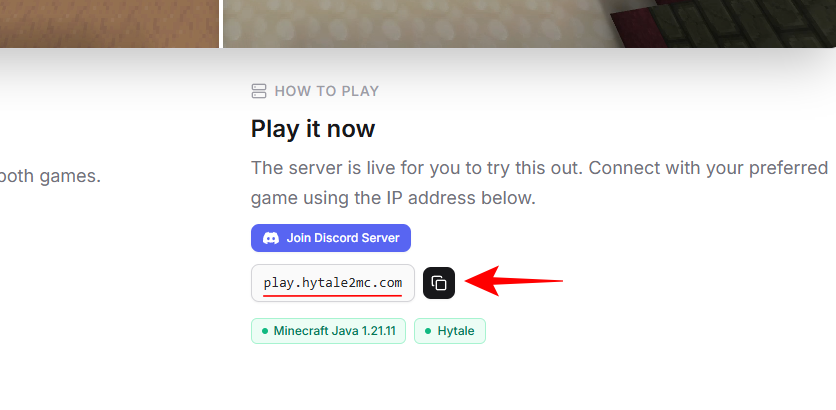
Go to hytale2mc.com. Copy the IP address.
Step 2: Configure proxy
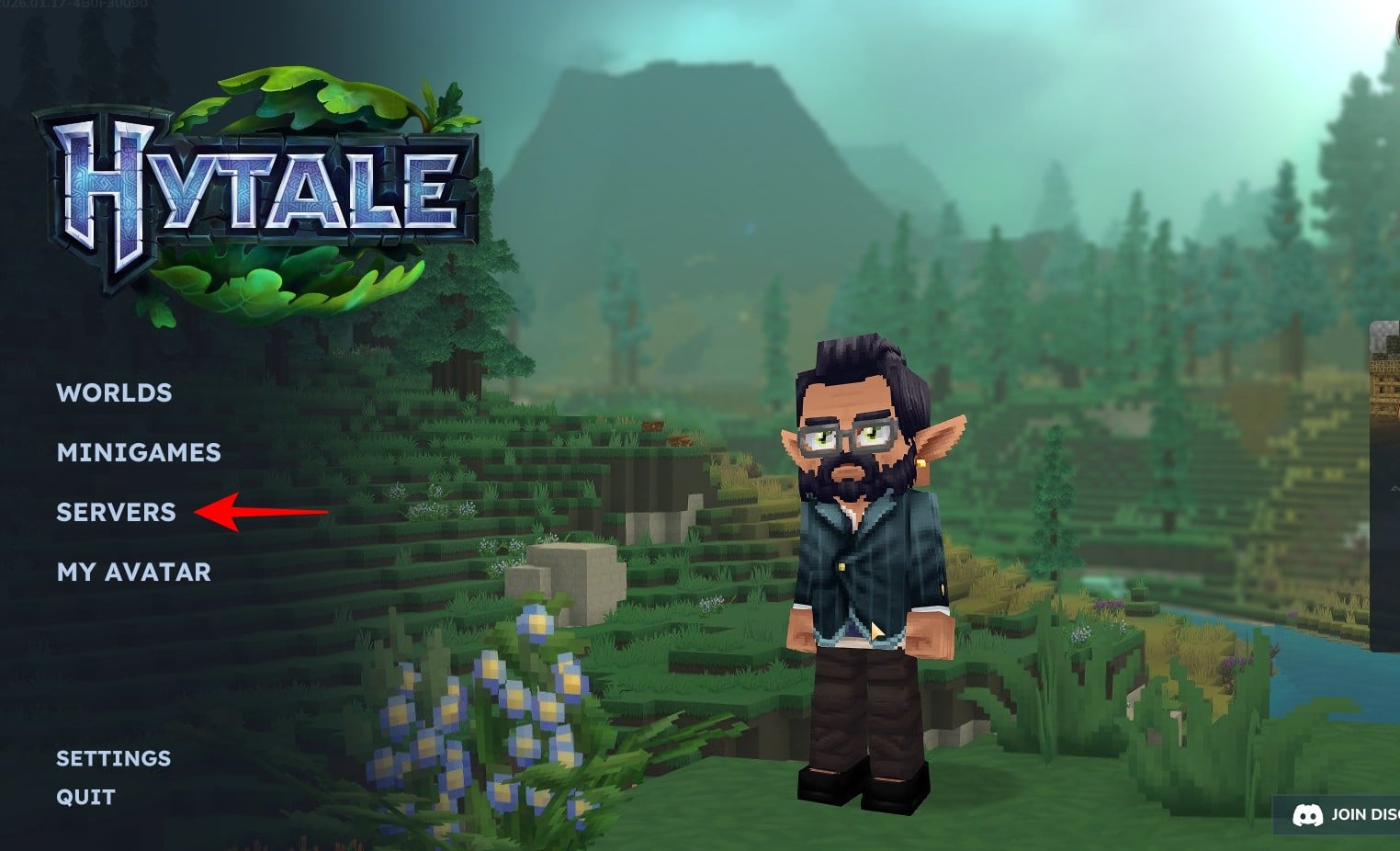
Go to Hytale’s Main Menu. Click Server.
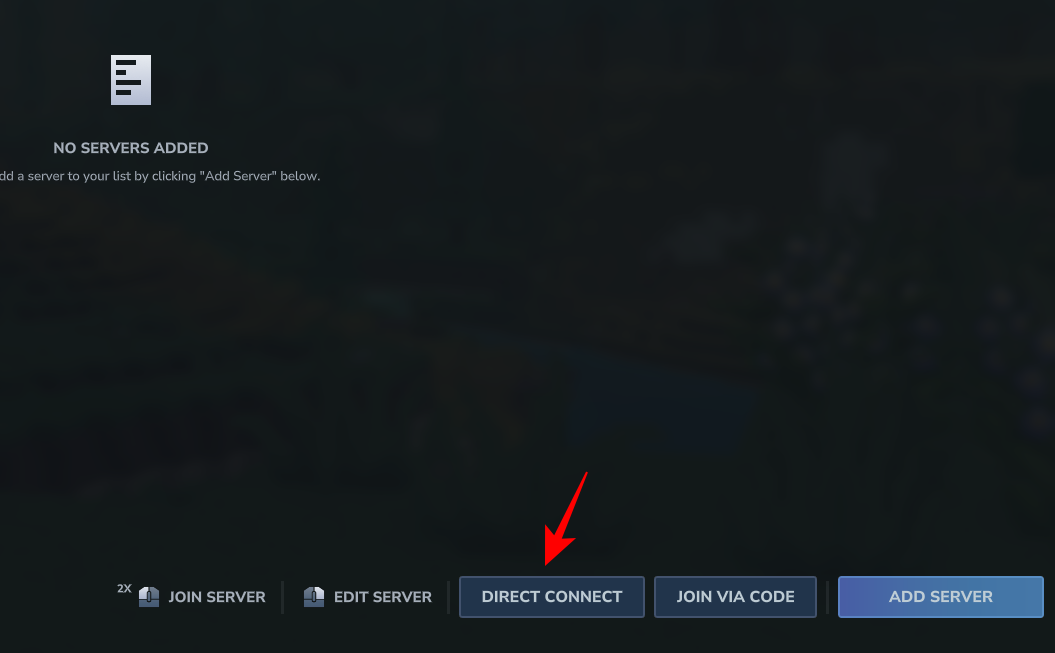
Step 3: Direct Connect
Click Direct Connect.
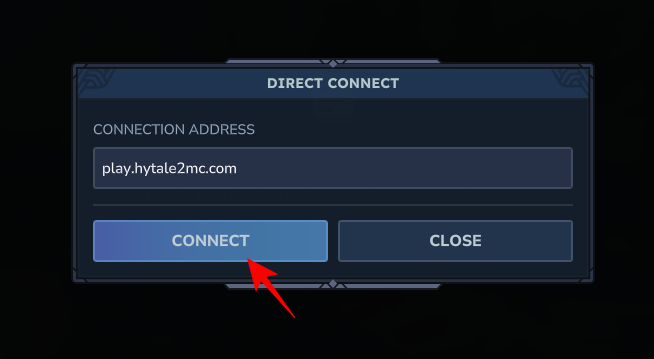
Step 4: Input Connection Address
Input Hytale server details; it generates Minecraft-compatible endpoint.
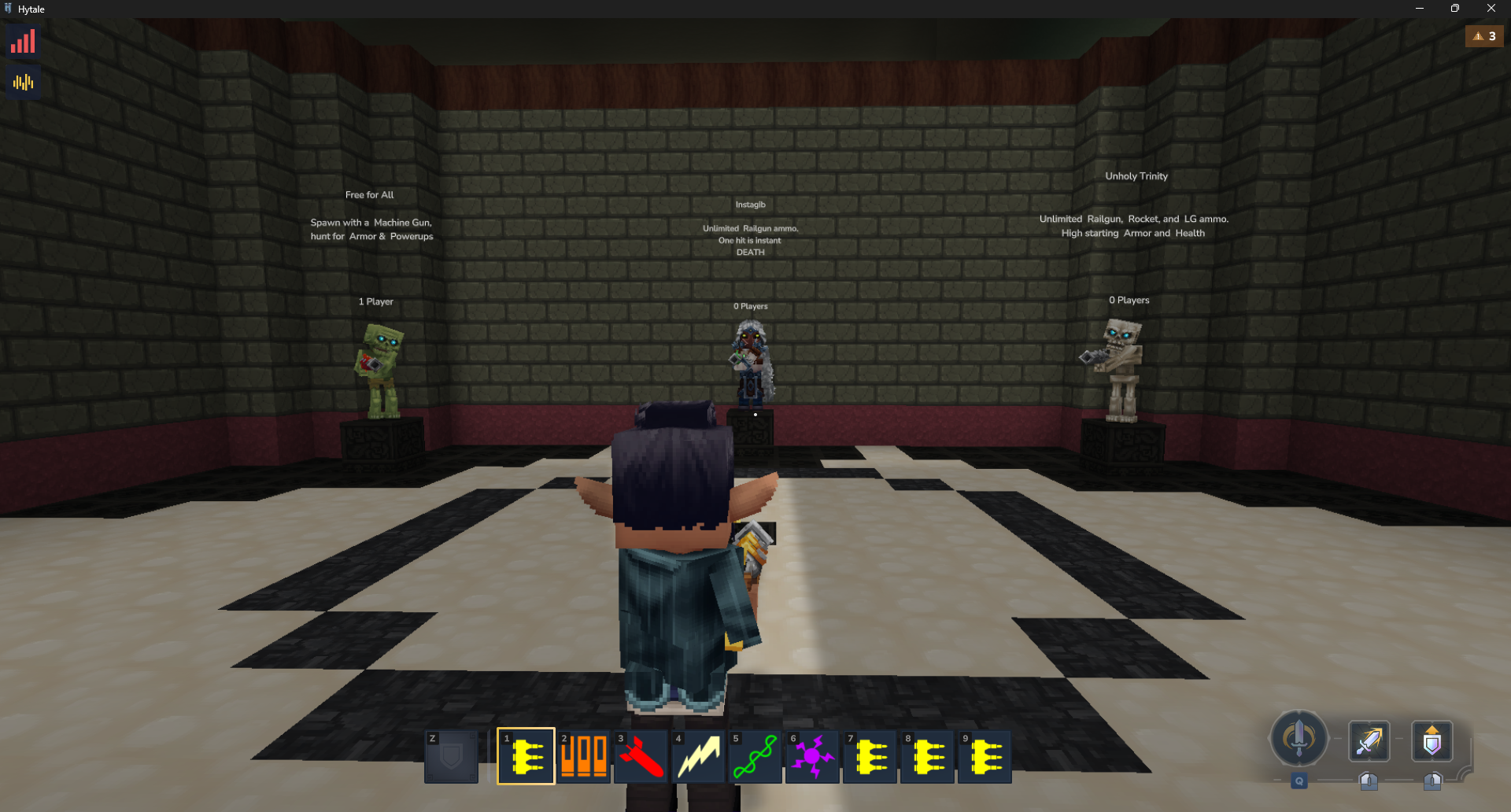
Step 5: Connect clients
Share proxy IP—players join via Minecraft or Hytale without mods.
Whether tinkering with iamcxv7’s mod or proxying via hytale2mc.com, these tools unlock epic hybrid adventures. Grab updates from communities to refine your setup.




