
What to know
- The Packaging Unit is the final step and cannot work alone
- Yazhen Syringes require a fluid-based crafting chain, not direct assembly
- The Reactor Crucible Unit converts Yazhen Powder into Yazhen Solution
- Proper power, fluid flow, and unit connections are mandatory for production
Producing Yazhen Syringes is one of the first real tests of Endfield’s logistics and automation systems. Unlike simple crafted items, this process forces you to combine solid resource processing, fluid conversion, and packaging into a single uninterrupted chain. If any link is missing, the Packaging Unit will remain inactive.
This guide walks you through the entire production pipeline, explains why each unit is required, and highlights common mistakes that stop syringes from crafting—even when everything looks connected.
Yazhen Syringe production chain overview
| Stage | Unit Used | Output |
|---|---|---|
| Raw processing | Yazhen Shredding Unit | Yazhen Powder |
| Chemical conversion | Reactor Crucible Unit | Yazhen Solution |
| Fluid transport | Fluid Pump | Transfers solution |
| Filling stage | Filling Unit | Filled containers |
| Final assembly | Packaging Unit | Yazhen Syringe |
This table reflects the minimum required setup. Optional conveyors or storage buffers can be added later, but they are not required to complete the recipe.
Understanding why the Packaging Unit cannot craft directly
The Packaging Unit does not create items from raw materials. Its role is strictly final assembly and sealing. For Yazhen Syringes, it expects a pre-filled medical fluid, not powder or raw Yazhen.
That is why players often get stuck here: even if you have Yazhen Powder stockpiled, the Packaging Unit will show no available recipes until it detects a valid fluid input coming from a Filling Unit.
In short, the syringe recipe only unlocks when Yazhen Solution is flowing into the packaging chain.
Step-by-step guide to producing Yazhen Syringe in Arknights Endfield
Step 1: Build a Reactor Crucible Unit
The Reactor Crucible Unit is the heart of this process. It performs chemical and thermal conversion, turning powders into usable liquids.
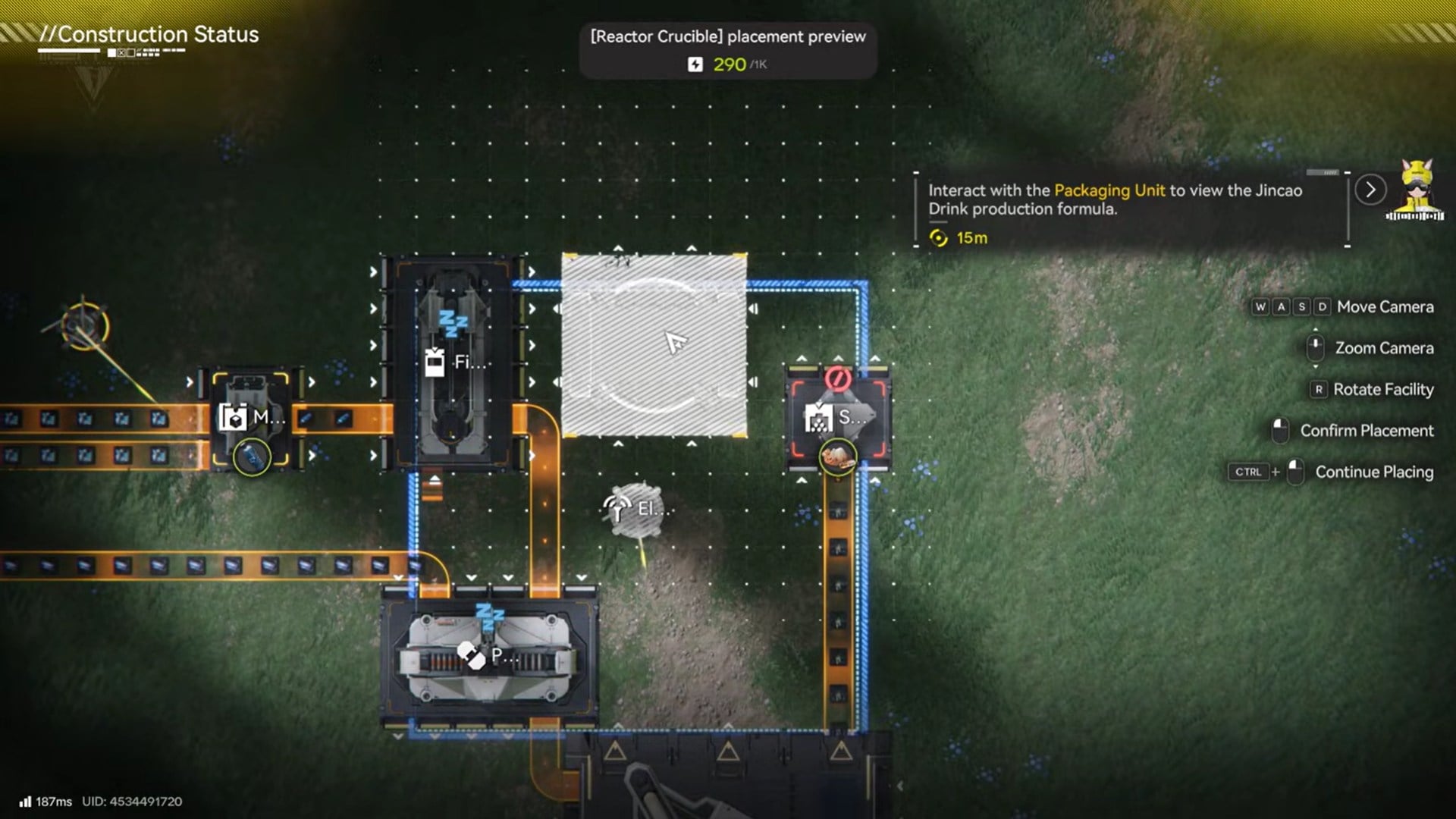
Place the unit within powered range and ensure it has enough energy supply, as crucibles consume more power than basic crafting stations. If the crucible lacks power, it will silently stall production.
Once placed, confirm that the unit is operational before moving on.
Step 2: Attach a Fluid Pump to the Reactor Crucible
The crucible produces liquid output, not items. To move that liquid, you must connect a Fluid Pump to the crucible’s output port.
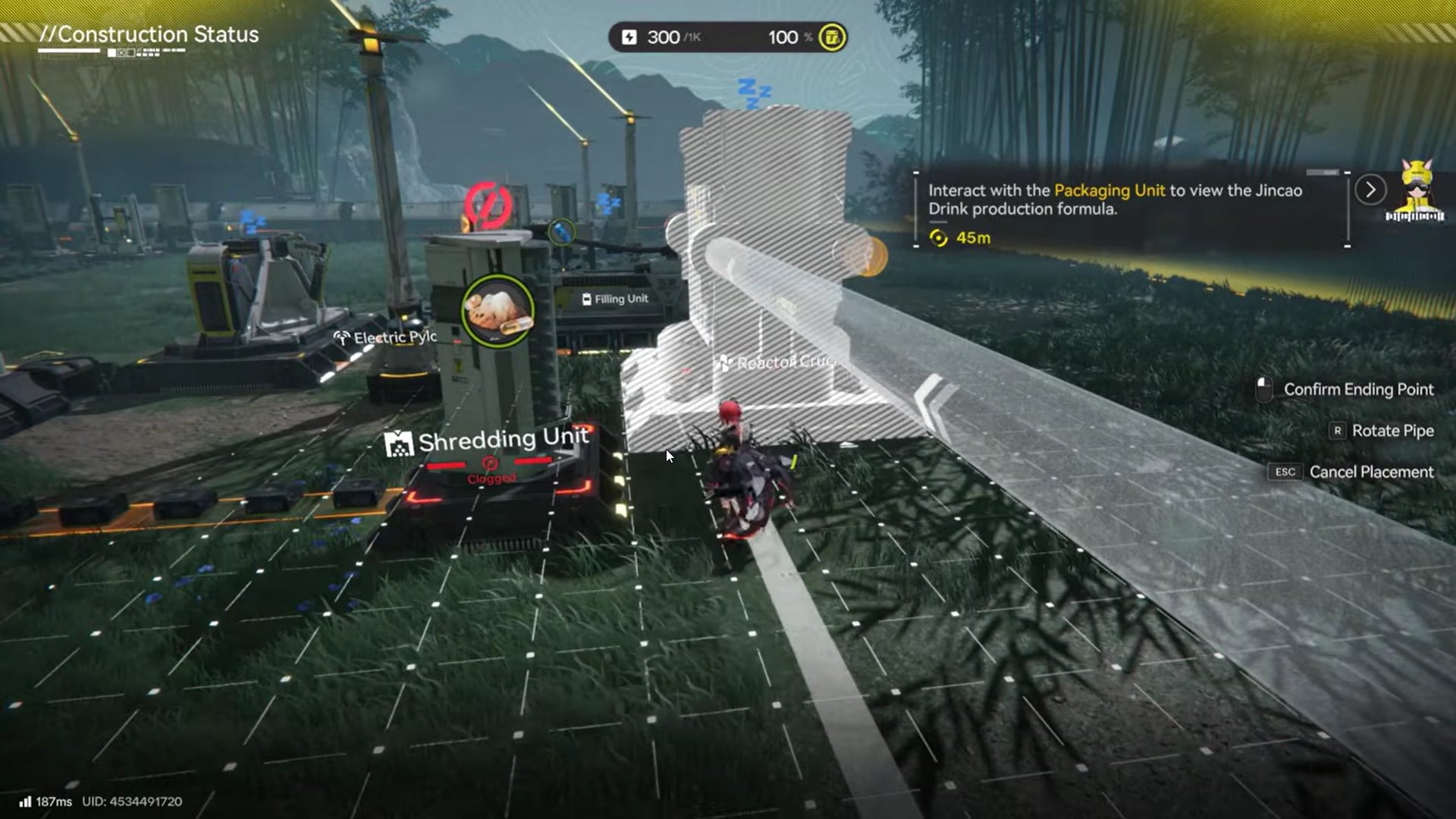
The pump’s direction matters. Make sure the arrow indicator points away from the crucible, otherwise fluid will never leave the unit. This is one of the most common setup errors.
Without a fluid pump, Yazhen Solution cannot enter the production network at all.
Step 3: Feed Yazhen Powder from the Yazhen Shredding Unit
Next, connect a Yazhen Shredding Unit to the input port of the Reactor Crucible.
The shredding unit converts raw Yazhen into Yazhen Powder, which is the only valid solid input for the solution recipe. Conveyor belts or direct connectors both work, as long as the powder physically reaches the crucible.
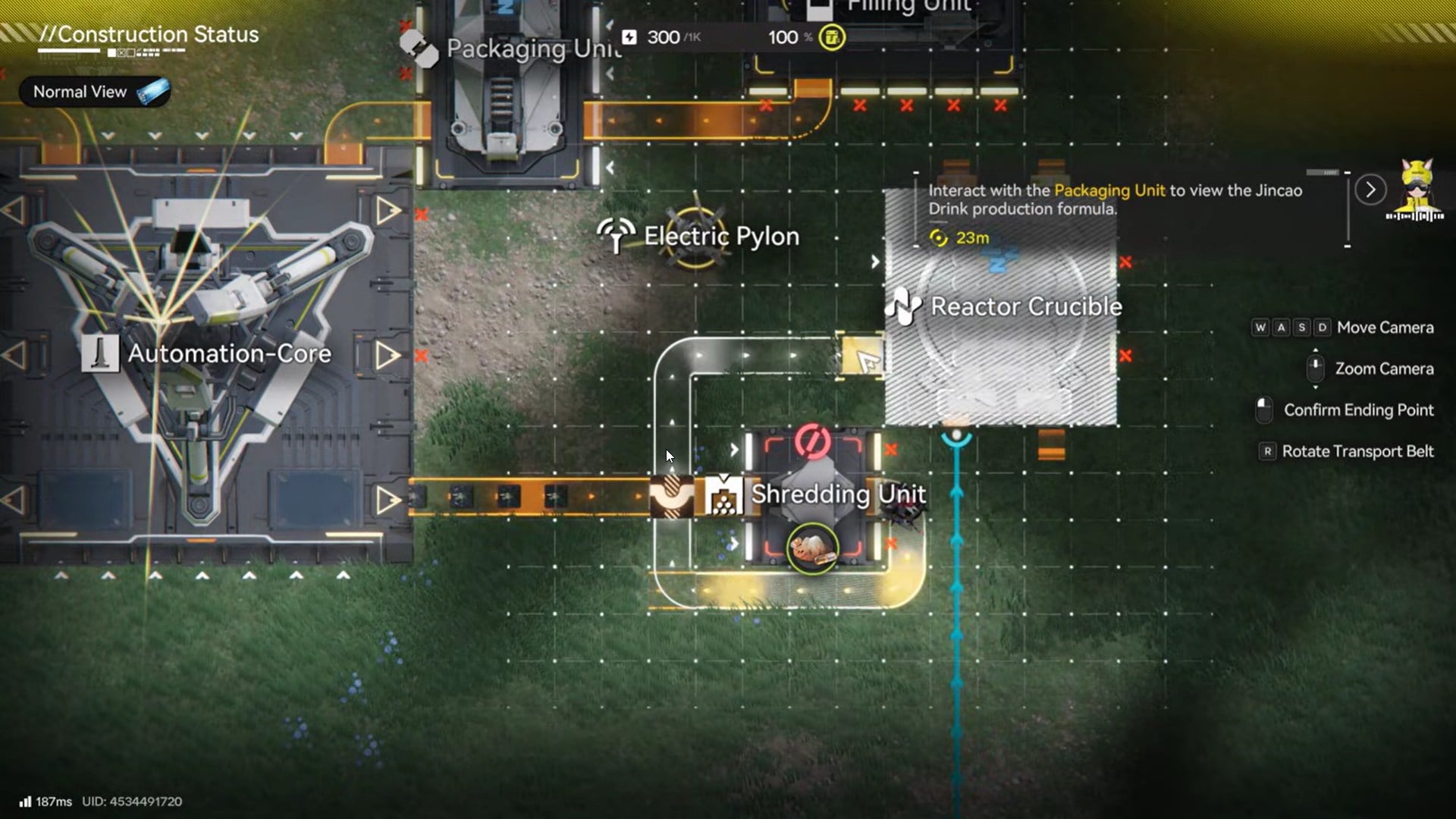
If the crucible UI shows “No Input,” the issue is almost always a missing or misaligned conveyor.
Step 4: Select Yazhen Solution in the Reactor Crucible
Open the Reactor Crucible interface and manually select Yazhen Solution as the active recipe.
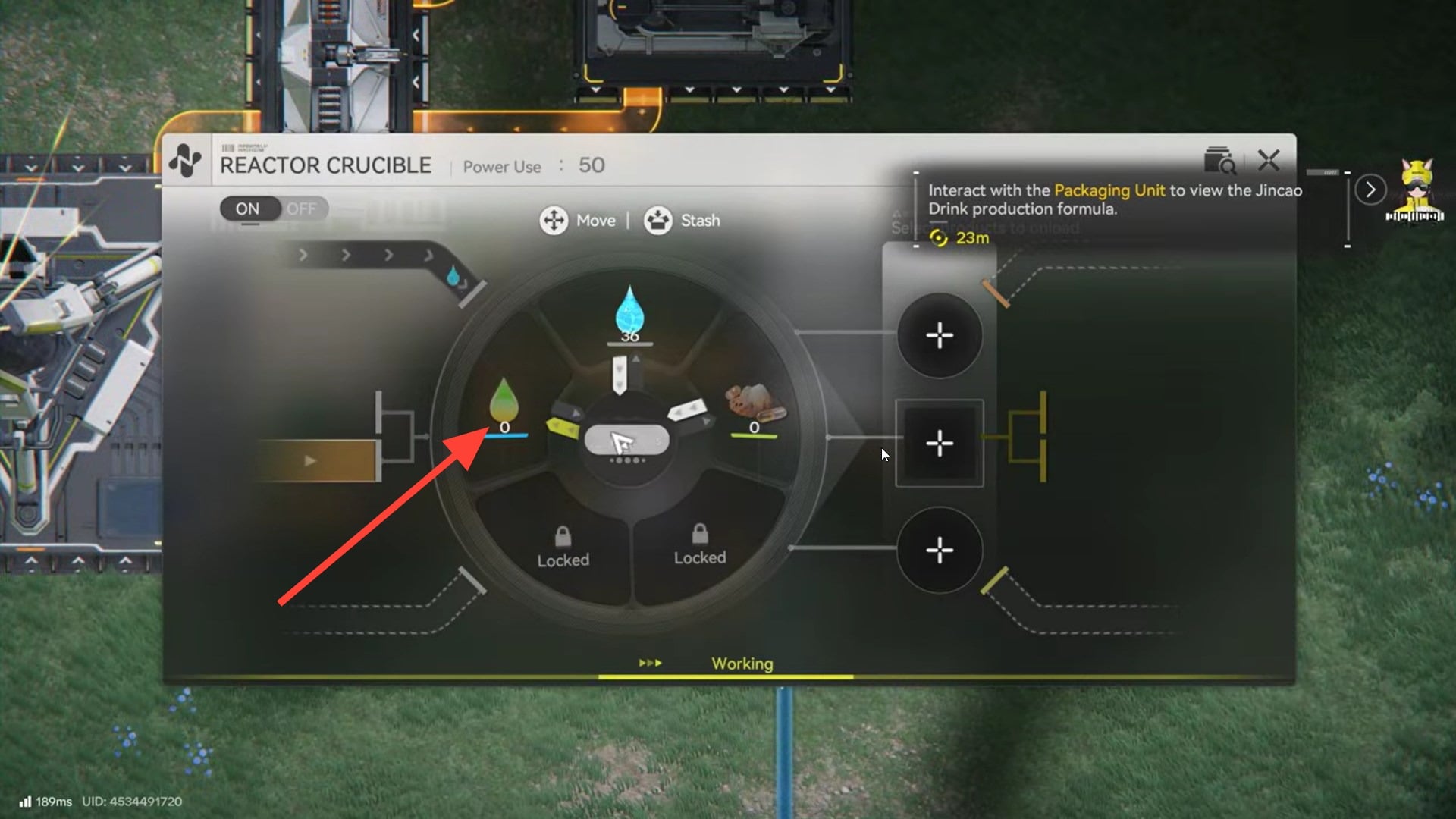
This step is mandatory. The crucible does not auto-detect inputs. Until the recipe is selected, the unit will sit idle even if Yazhen Powder is flowing in.
Once active, you should see:
- Yazhen Powder being consumed
- A progress bar filling
- Yazhen Solution accumulating in the output buffer
At this point, your production line has officially transitioned from solid to fluid processing.
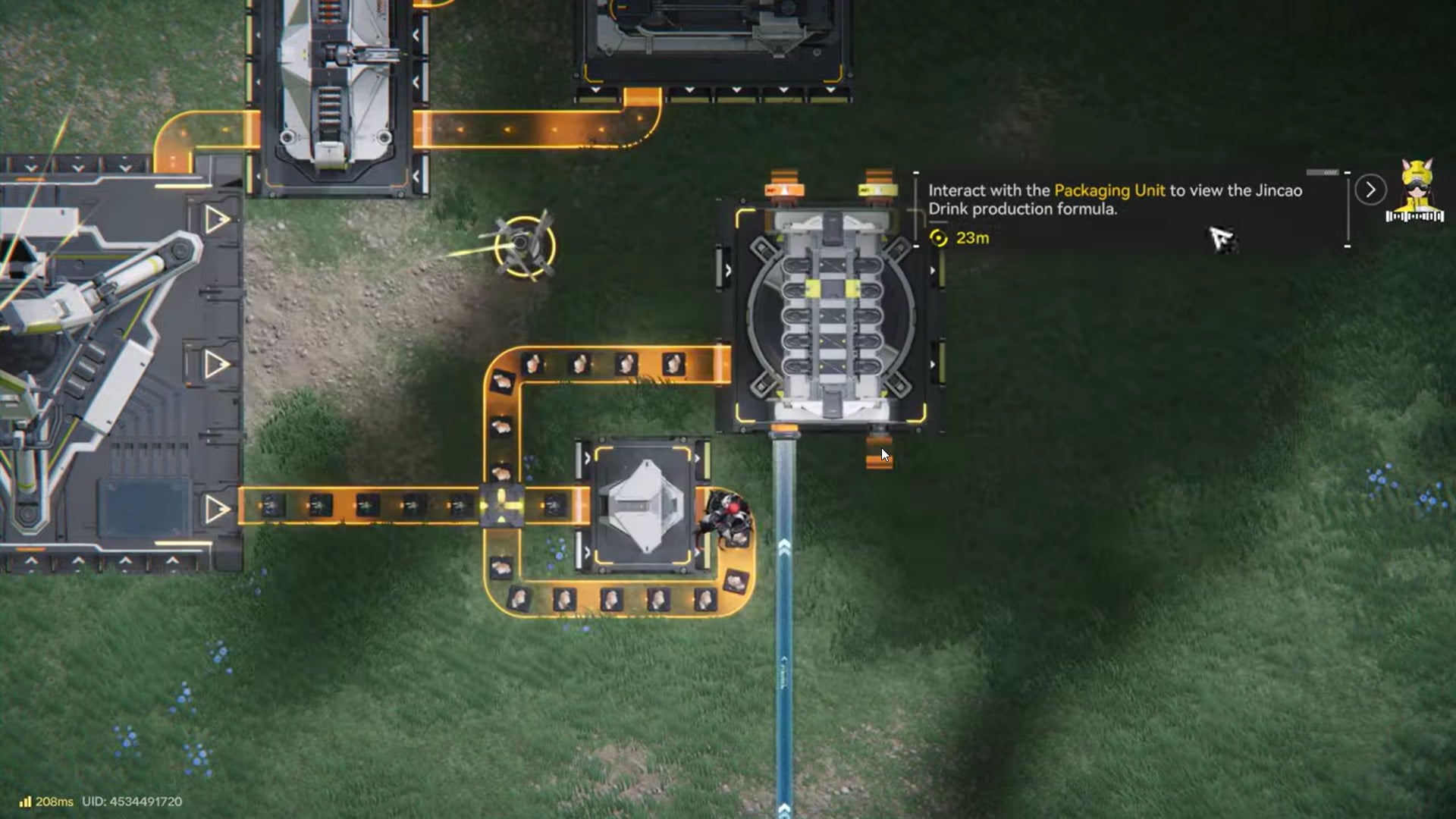
Step 5: Connect the Reactor Crucible to a Filling Unit
The Filling Unit converts raw liquid into packaged fluid containers suitable for final assembly. Use the fluid pump’s output to connect directly to the Filling Unit’s intake. If the Filling Unit does not receive fluid, it will not activate, even if powered. Here Yazhen Solution goes into the Ferrium Bottles.
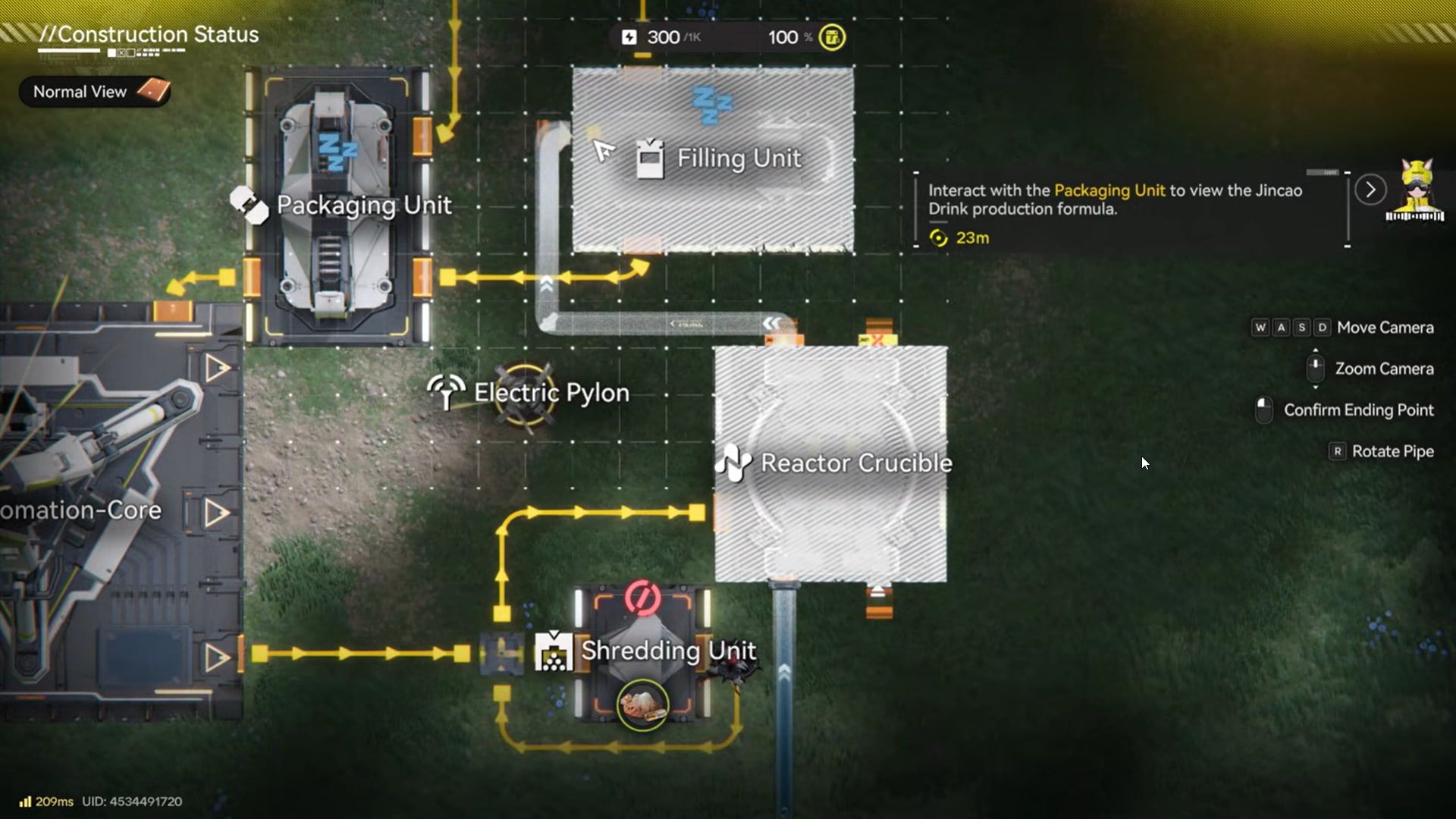
When configured correctly, the Filling Unit will begin producing filled medical containers, which are required by the Packaging Unit.
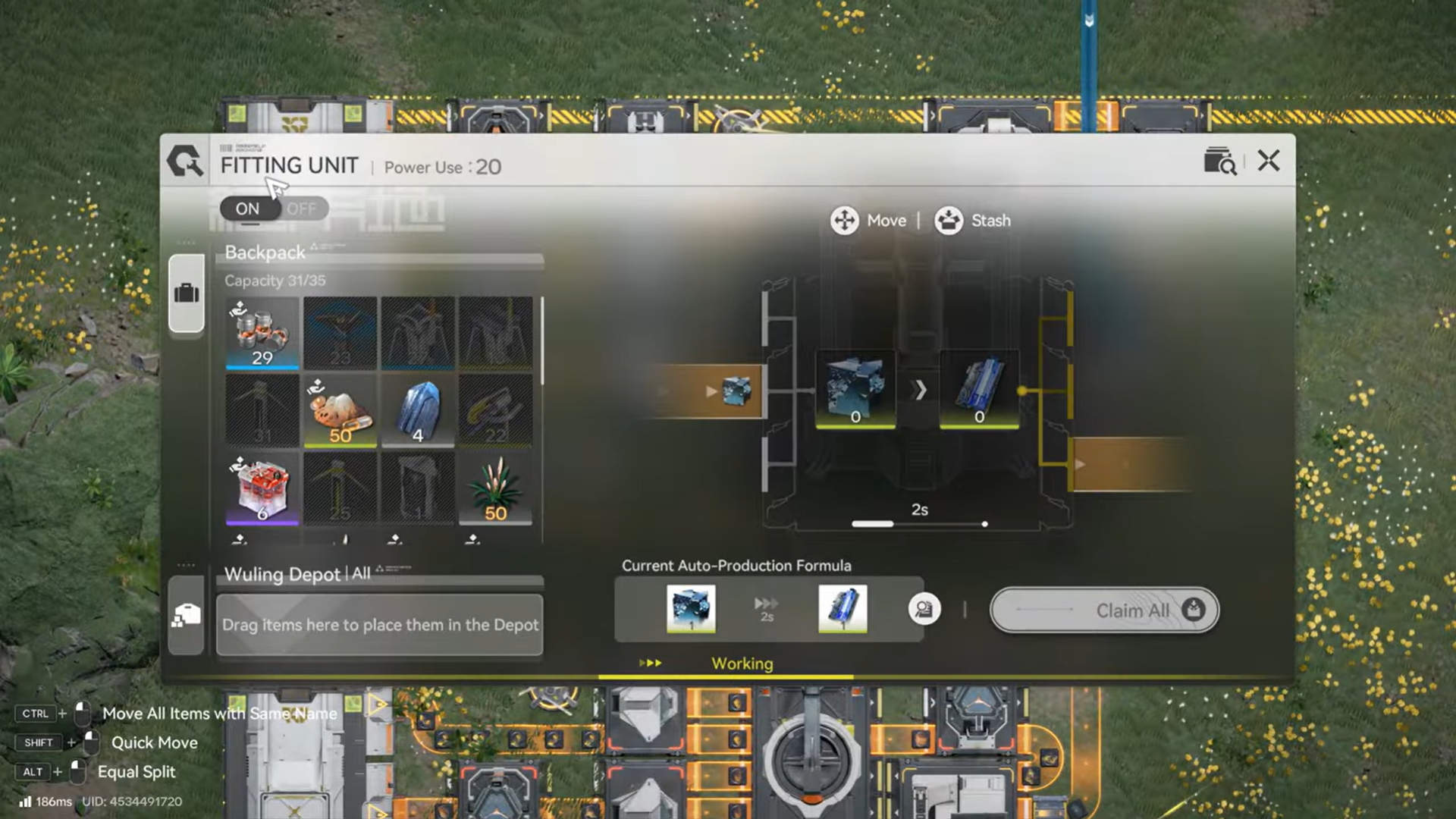
To get Ferrium Parts, attach Fitting Unit, which converts Ferrium ore to Ferrium Part from the Refining Unit.
Step 6: Select Yazhen Syringe in the Packaging Unit
Now place and power the Packaging Unit, then connect it to the output of the Filling The Filling Unit serves as the bridge between fluid processing and final assembly. It accepts Yazhen Solution and converts it into sealed medical containers that the Packaging Unit can recognize.
You can get the Yazhen Syringe from Ferrium Part and the Yazhen Solution.
This unit must be powered and directly connected to the fluid pump’s output. When functioning correctly, the Filling Unit will automatically begin producing filled containers as long as liquid is supplied. If the unit appears idle, the issue is almost always a missing fluid connection rather than a lack of resources.
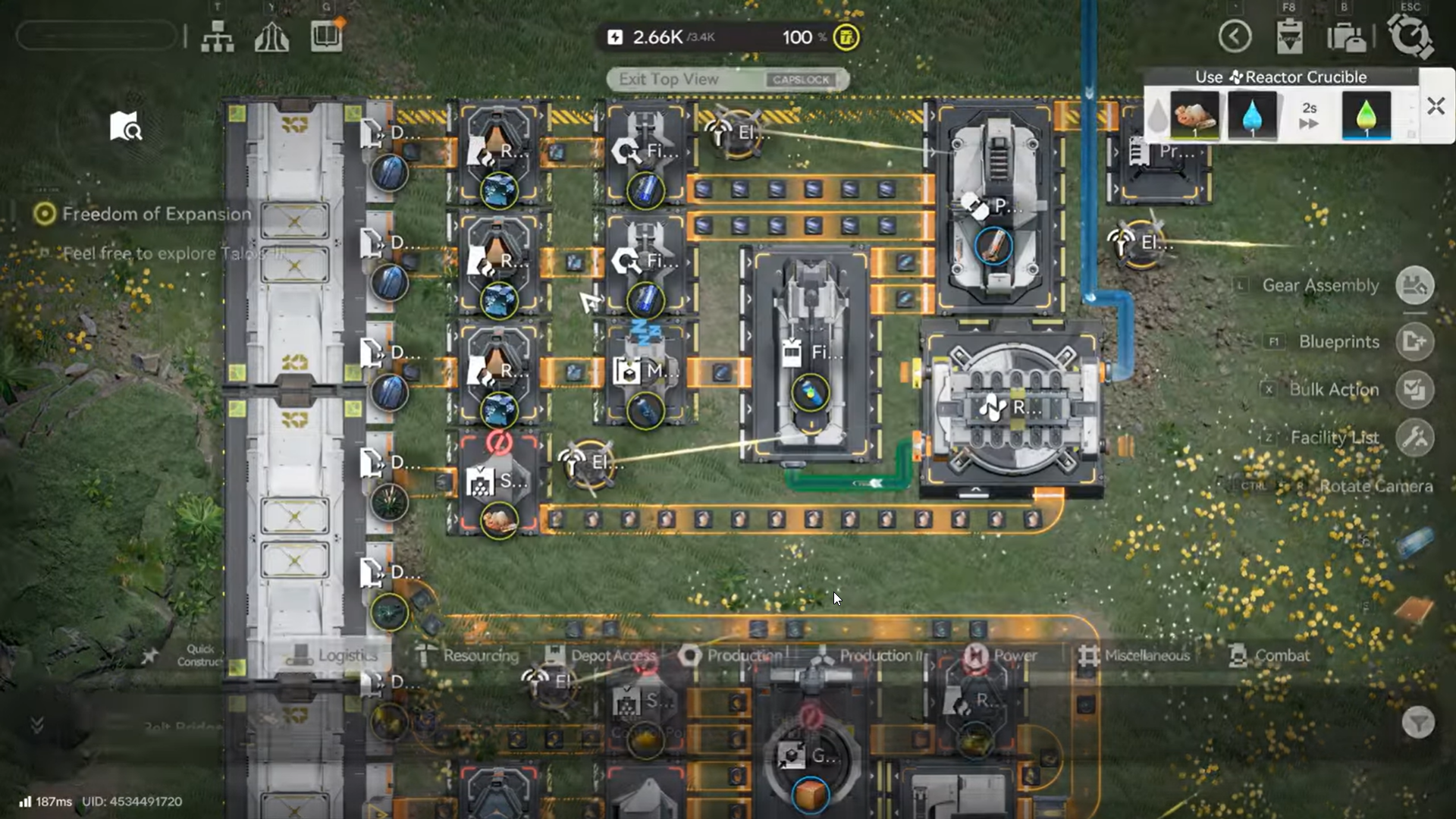
Step 7: Collect the Yazhen Syringe output
With filled medical fluid now available, the Packaging Unit finally becomes relevant. Once connected to the Filling Unit and powered, its interface will unlock the Yazhen Syringe recipe.
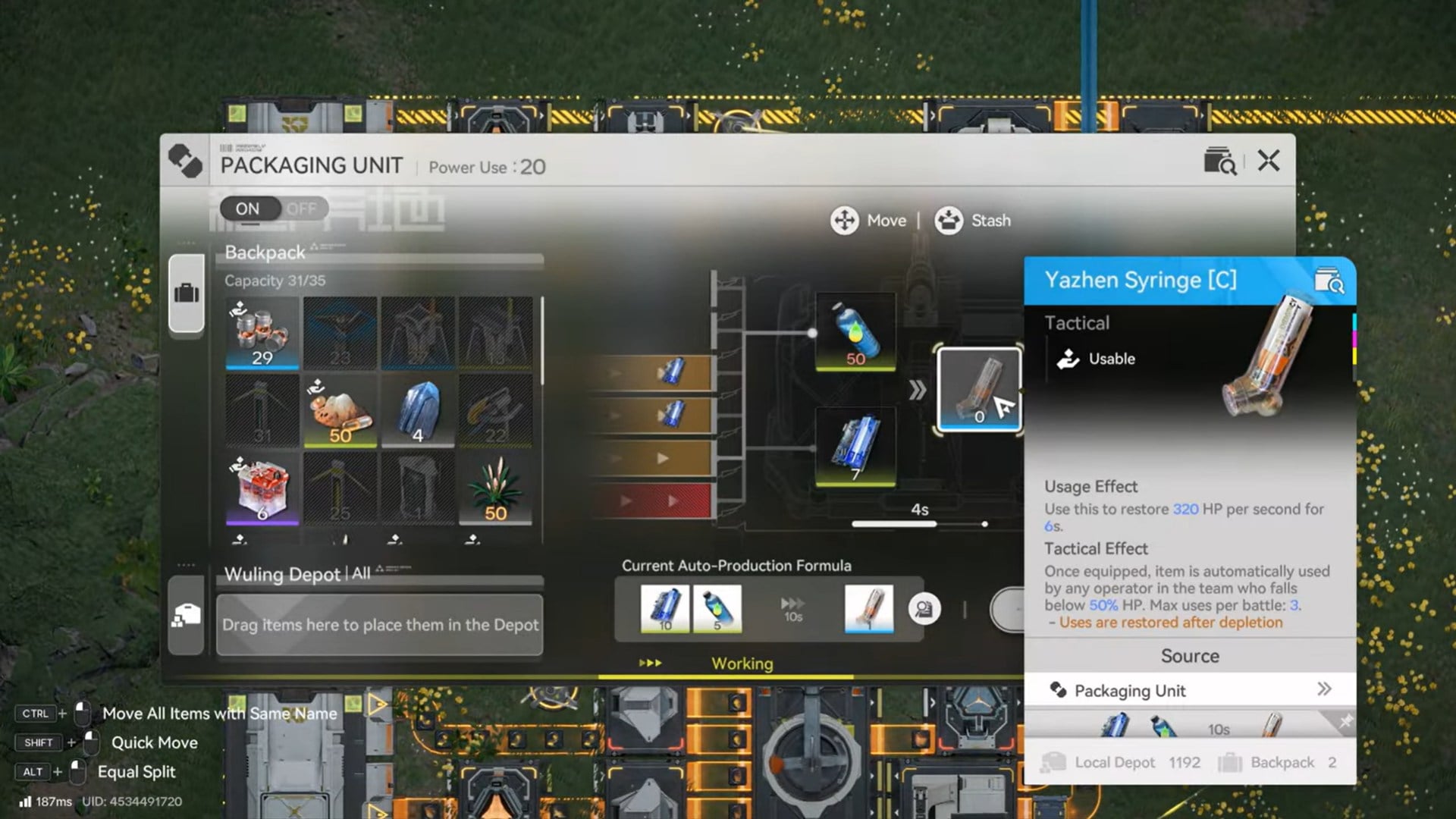
You must manually select the recipe, after which the unit begins sealing the solution into injectable syringes. If the recipe does not appear, it means the unit is not detecting valid filled fluid inputs.
Common issues that stop Yazhen Syringe production
Most failures come from invisible logistics problems, not missing recipes.
| Problem | Cause |
|---|---|
| Syringe recipe missing | No fluid detected |
| Reactor idle | Recipe not selected |
| Filling unit inactive | No incoming liquid |
| Packaging stalled | Wrong output connection |
| Entire line frozen | Insufficient power |
Fixing these usually restores production instantly without rebuilding anything. Yazhen Syringes are more than a consumable. They are an automation milestone that proves your base can handle multi-stage production with fluid mechanics.
Once you master this chain, future crafting systems—especially high-tier medical and research items—become much easier to understand and scale.
Packaging Unit for Yazhen Syringes and Ferrium Bottles
Using the Packaging Unit effectively is less about the unit itself and more about respecting Endfield’s production logic. Each machine exists for a reason, and skipping steps is not an option.
Once your Yazhen Syringe line is running, you can expand it, buffer it, or automate distribution—but the core setup will always remain the same.