


What to know
- The MedTool unlocks through the Future Health Solutions tech path
- Healing requires equipping and actively using the tool
- Movement or damage can interrupt the process
- It’s more efficient than consumables in the long run
Once you move past the early survival phase in StarRupture, healing becomes less about scavenging and more about smart tool usage. The MedTool is your primary self-healing option once unlocked, and understanding how it works can save your run in dangerous zones.
Unlocking the MedTool through the health tech path
You don’t start the game with the MedTool. It becomes available after progressing through the Future Health Solutions technology tree. Around Tech Level 3, the MedTool blueprint unlocks, allowing you to craft and equip it like any other utility tool.
| Aspect | Details |
|---|---|
| Unlock requirement | Future Health Solutions – Level 3 |
| Type | Reusable healing tool |
| Use case | Out-of-combat self-healing |
| Limitation | Interrupted by movement or damage |
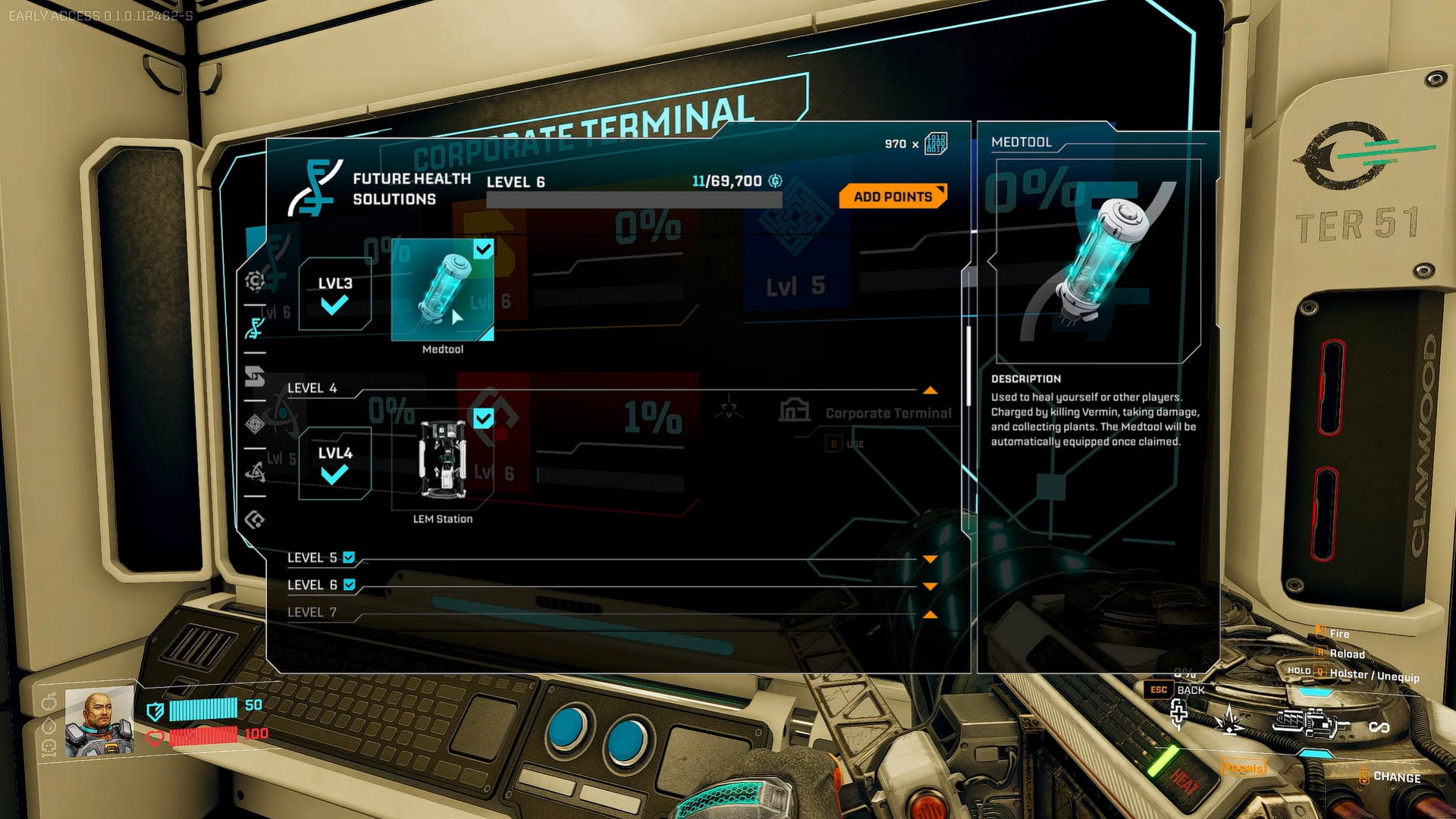
How to heal yourself using the MedTool
Step 1: Equip the MedTool
Open your inventory and place the MedTool in a quick slot, or select it directly so your character is holding it.
Step 2: Activate healing
With the MedTool equipped, press the heal key (default H) or use the primary action button. Healing usually requires holding the button to channel the effect until it completes.
Step 3: Remain stationary
Stay still while healing. Moving, dodging, or taking damage will cancel the action before it finishes.
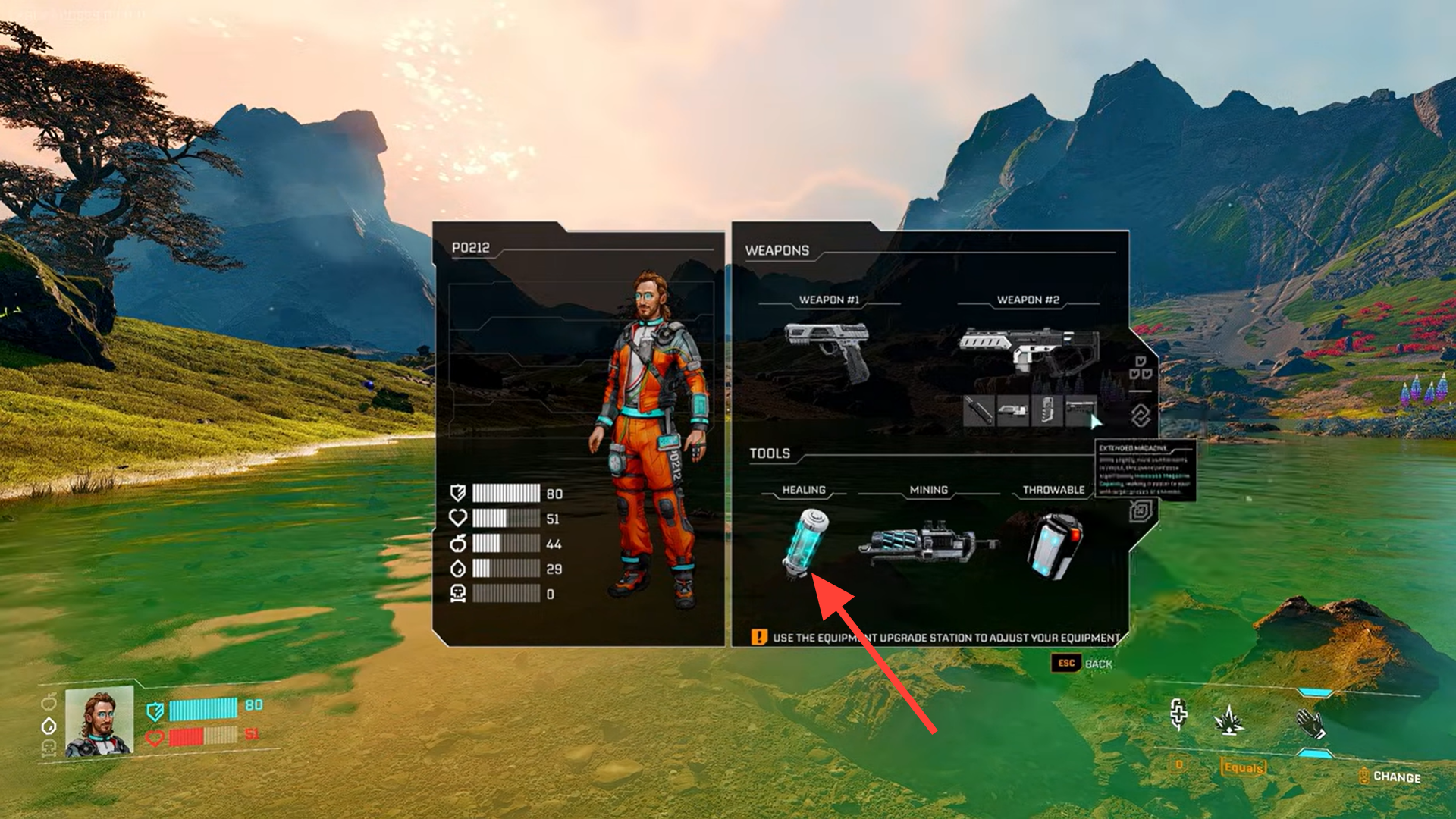
Step 4: Wait for recovery or cooldown
Once healing completes, the MedTool may briefly recharge before it can be used again, depending on your upgrades and current balance state.
How MedTool healing compares to consumables
Early in the game, you’ll rely on food items or Star Tears to recover health. These are instant but limited. The MedTool trades speed for sustainability, making it ideal once you’re exploring deeper regions or managing longer expeditions.
| Healing method | Reusable | Interrupted | Best use |
|---|---|---|---|
| MedTool | Yes | Yes | Safe downtime healing |
| Food items | No | No | Emergency recovery |
| Star Tears | No | No | Combat-adjacent healing |
MedTool tips to keep your runs safer in StarRupture
- Heal only after clearing nearby threats, since even minor damage will interrupt the MedTool.
- Always break line of sight with enemies before activating healing.
- Bind the heal key (default H) to an easy-to-reach button for faster reaction.
- Use terrain, corners, or structures to protect yourself while channeling.
- Avoid healing at very low HP unless you’re fully safe—consumables are better for emergencies.
- Upgrade health-related techs early to reduce downtime and reliance on food.
- Get into the habit of healing between encounters, not during them, to stay combat-ready.
About StarRupture
| Field | Details |
|---|---|
| Official Title | StarRupture |
| Developer | Creepy Jar |
| Publisher | Creepy Jar |
| Release Stage | Early Access |
| Launch Date | January 6, 2026 |
| Platform | Steam (PC) |
| Genre | First-person open-world survival, base building, exploration |
| Game Modes | Single-player, Online Co-op (up to 4 players) |
| Core Focus | Base building, automation, resource management, combat vs alien creatures |
| Setting | Hostile alien planet with dynamic environmental hazards |
| Early Access Note | Active development; content and mechanics may change |
Thanks for staying till the end! If the MedTool and healing guide for StarRupture made things easier or gave you useful insights, we’d love to hear your thoughts. Drop your feedback or questions in the comments—we’re always active and ready to assist with anything that still feels unclear.




